

Hello everyone! This is the "a-little-bit-delayed" February devlog). In this episode, we are going to cover the latest Unity developments, as well as some changes to our Unreal branch. Enjoy.

✨Scriptable Animation System
The SAS has been significantly improved recently, here's what new features it received:
New Properties Input System
New Curve Blending System
New Look At Feature
New Weapon Blocking System
Auto Bone Indexes Update
Bone Chains to replace Avatar Masks
Complete Animator Layers
Let's dive into some details now...
Properties Input System
This is a brand-new feature of the upcoming system. Previously, all the communication between Player Controllers, Weapons, and the Animation System itself was implemented via CharAnimData and WeaponAnimData structs:
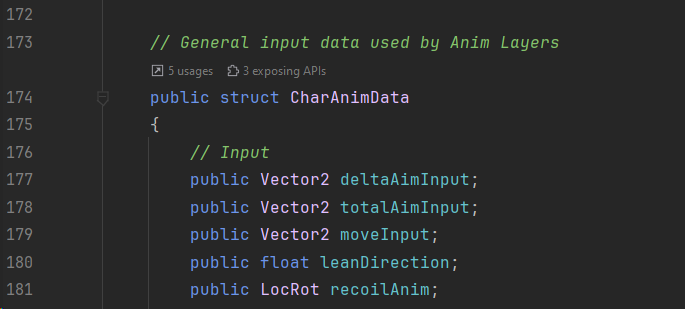
This approach is not scalable at all. What if you want to add a custom property? This will require you to modify the source code and mess around with the internal code, which does not sound like a good idea.
For this exact reason, I am glad to introduce the Input Properties System:

The whole system consists of 2 entities:
FPS Input Controller: it allows you to Get and Set property values in runtime.
FPS Input Config: defines what properties will be used.
So far the system supports: bool, int, float, and Vector4 types.
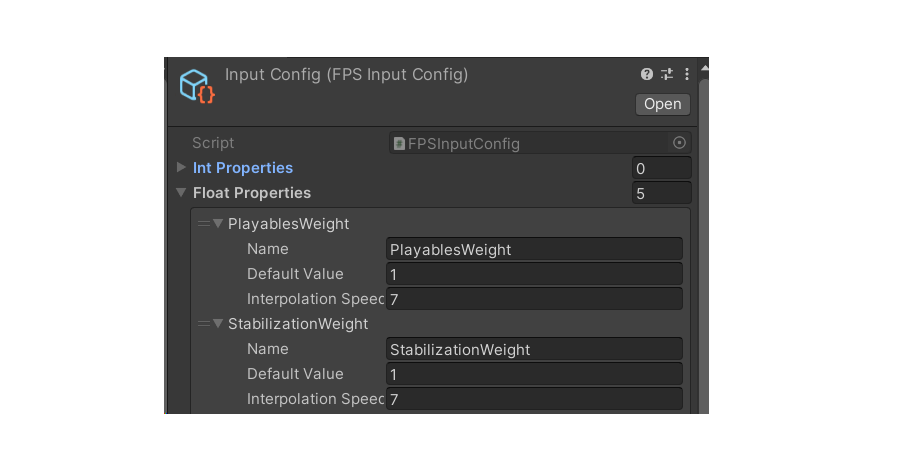
The workflow is simple: add a property, name it, and define the default value. The float type has a superpower - interpolation.
For example, if you want to add smoothing to your value, just set the Interpolation Speed to something higher than zero. This is super useful for weights or alphas, when you want to smoothly disable or enable a property.
The beauty of this system is that you can Get and Set property values from outside - no need to modify the source code at all!
Here is what it looks like in the code:

Okay, that sounds fine. But can I use these custom input properties in the animation layers?
Yes. Now you can use floats from the Input System in the Animator Layers! Let's see how we can do it.
Curve Blending System
All Animator Layers now have a Curve Blending feature. This list contains the properties we want to control the influence of this layer. You can select the property name from:
Animator Controller: the float parameters from your animator.
Playables: the custom curves from the Rig Asset.
Input: the input properties from the previous chapter.
You can also specify the blending mode:
Direct: will be applied directly. For example: if the property value is 1, the layer weight will be 1.
Mask: will mask out the value. For example: if the property value is 1, the layer weight will be 0.
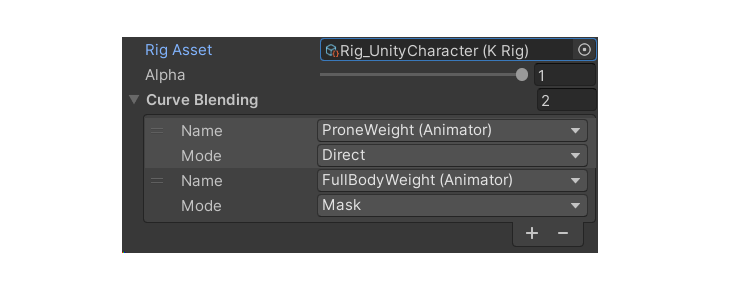
This system takes the layer blending to the next level. Instead of using hardcoded values, the data will be exposed to you in the editor, so you can adjust it to your project needs.
Look At Feature
A new, simple way to look at targets in Unity using the good-old Look Layer:
The implementation is straightforward:

Thanks to the new input system, you can implement your Look At feature in pretty much any component, just grab a reference to the IFPSInputController and you are good to go.
The system only manipulates the look input, so you won't need to set up an additional layer for that. Very useful for aim-assist mechanics and NPCs!
Weapon Blocking System
Collision avoidance has also been improved. The new animation feature will introduce multiple poses when looking up and down, left and right:
The Animator Layer for this feature looks like this:
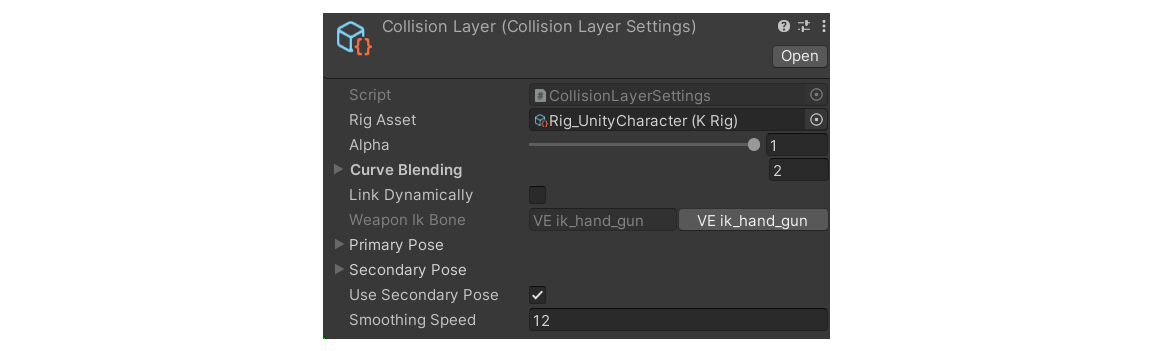
You can specify not just the poses, but the bone to animate as well. This will help you a lot with the single-held items, like a torch in the video above.
Refactored Rig Asset
The Rig Asset now automatically updates the depending assets when making changes to the hierarchy. This will automatically update the bone indexes, so you can safely add or remove objects in your skeleton hierarchy without worrying about animator layers being broken.
The hierarchy is now displayed in a normal tree-like view:

The new widget is automatically updated to properly display the bone hierarchy. By the way, it is not just the bones, but custom Game Objects too!
Another cool feature of the Rig Asset is Element Chains - an alternative to Avatar Masks:

To work with Element Chains in the code, you can use these 3 functions:

This feature is already used in the AttachHandLayer, but you can use it for custom animation features too.
Pose Offset Layer
This new feature will help you with adjusting the character pose in runtime:

Why is it so cool? Because you can specify a curve property! Imagine if you need a pose to be applied only when crouching. So, I just specify a single property, adjust my pose, and voila - I have an animation feature exclusively applied when crouching.
The Pose Offset will completely replace the IKPose, which is used in the current FPS Animation Framework.
SAS Official Release
The Scriptable Animation System is close to the official release. The only thing left is the Animator Blending System. It will be responsible for smooth transitions between different Animator Profiles. The development is going very well so far, so you can expect the system to be officially released in a week or so.
Meanwhile, you can take a look at the playable state of the system:
🦾 Retarget Pro
The upcoming retargeting tool for Unity now supports the IK for better retargeting quality:
You can use it not just for legs, but for arms too. This is a must-have for reloading animations, as they require accurate hands and weapon movement.
The Retarget Pro design has also been refactored - now it's a fully modular system, which allows you to create custom RetargetModifier's. This is very similar to the Scriptable Animation System, as you manage the data using Scriptable Objects:
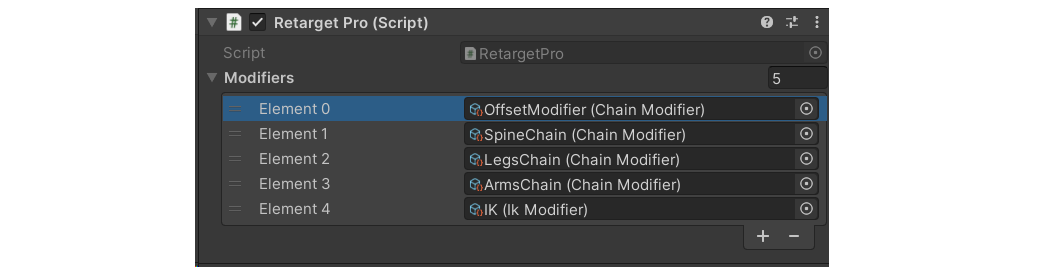
You can create custom Modifier setups, which will help you retarget different characters. In the future, it is planned to create a single Retarget Asset, which will include all the features, while keeping the modular design.
At its current state, the Retarget Pro is 60% complete. There is still a lot of work when it comes to retargeting quality and baking. The development process is going overall good, however taking the dynamic into account, it is very unlikely to be released in March 2024. The ETA will be well-defined when all the core functionality is implemented.
⚡ Unreal Projects Statement
Unreal Marketplace has recently updated its internal policies towards payouts, all information is being reviewed right now by the Marketplace Team, and it is unknown when it will be finished. A similar situation took place last year, where the platform delayed the payouts for 6(!) months straight. It was quite an unpleasant experience, to be honest.
Based on this situation, it is very likely that the next Unreal projects, such as:
FPS Animation Pack
FPS Animator System
Motion Warping Pro
Will be released on our own or a third-party platform. To be honest, this affected the development quite a bit, as Unreal Marketplace itself is a good source of organic traffic. If there won't be any feedback from the Marketplace team within 2 weeks, we will just use this BuyMeACoffee page to host the assets until things are sorted out.
Anyways, here are some screenshots of the demo level for the FPS Animation Pack:
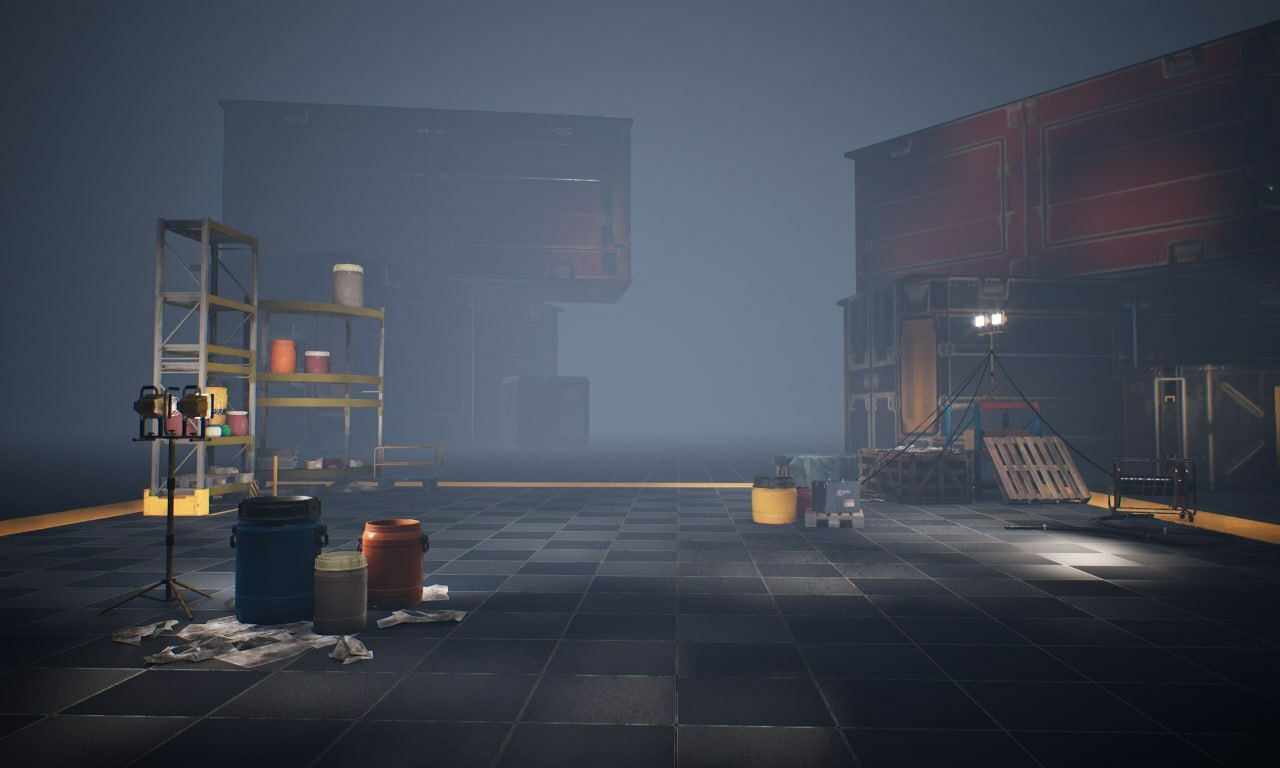
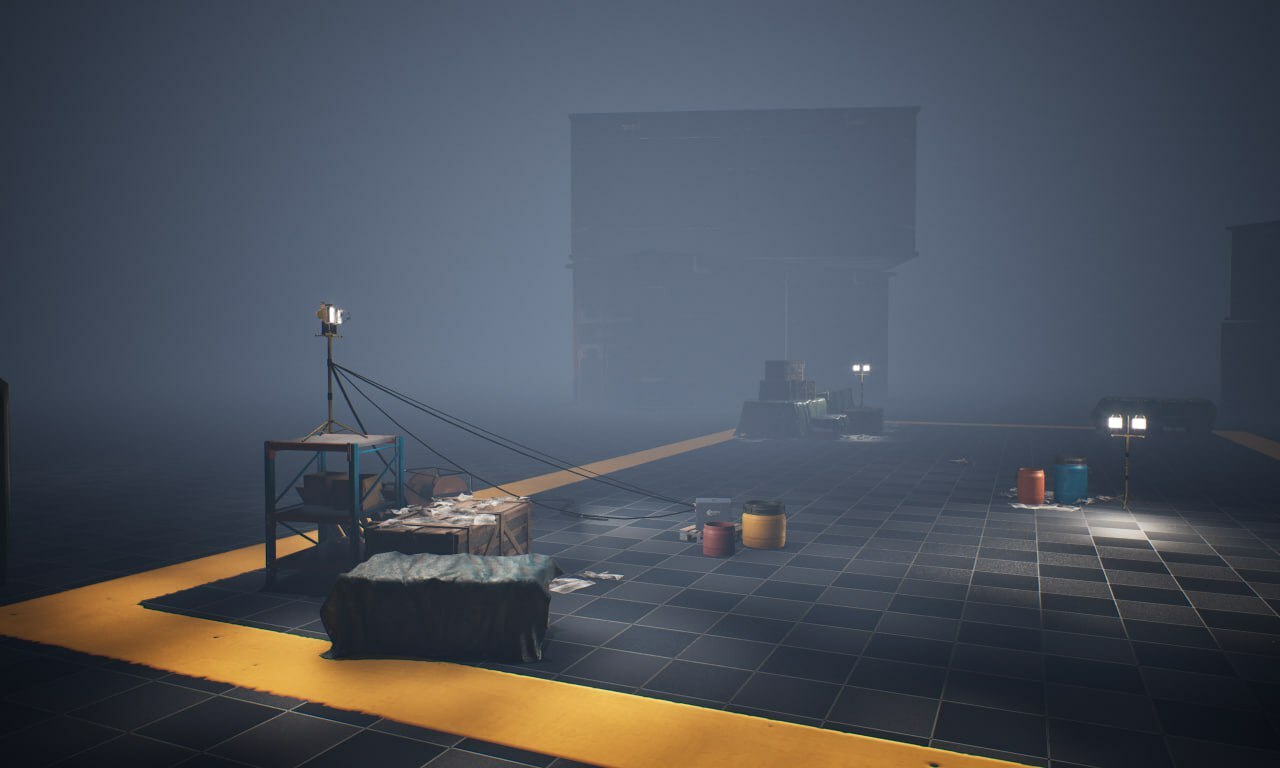
The FPS Animator System, which is an FPS Animation Framework for Unreal basically, did not receive that many updates, but conceptually speaking it was finalized. There were a lot of questions about the scope of the plugin, and it was decided to provide a complete locomotion system, featuring:
Procedural Animation x Control Rig
Weapon Positioning
Recoil Animation
Sway and Curve Animation
Weapon Collision
ADS and Point Aiming
Attachment System
Procedural Reloads
Aim Offset and Leaning
Look At
Leg IK
Modular Animation Blueprints
Layered Blending
Advanced Overlay System
Advanced Recoil System
Agility System
Parkour
Sliding
Rolling
Full-Body Character
Replication
The upcoming system will be a modular solution, designed to be integrated with third parties like ALSv4, SGK, and others.
The plugin ETA was changed to April-May 2024.
Motion Warping for Unity
First off, the Motion Warping was finally released 🎉. It is now available to everyone on the Asset Store.
The Motion Warping plugin received a small, but quite important update - IK Locking. This feature locks the specified bone in world space to prevent sliding. This was very useful for takedowns and vaulting over obstacles.
The next stage for Motion Warping is the Advanced Debug Solver and a Ladder Climbing component, and they are planned to be finished within the next 3 weeks.
Closing Thoughts
February was a good month in terms of the development progress, even though some aspects could have been done better.
Thanks for spending your time reading this devlog, if you have any questions or suggestions feel free to share your thoughts on our Discord.
Worm regards,
Samson.