

Hi everyone! I'm excited to share that my new Obsidian plugin, Kanji Zoom, is now officially live on the Obsidian Community Plugins directory!
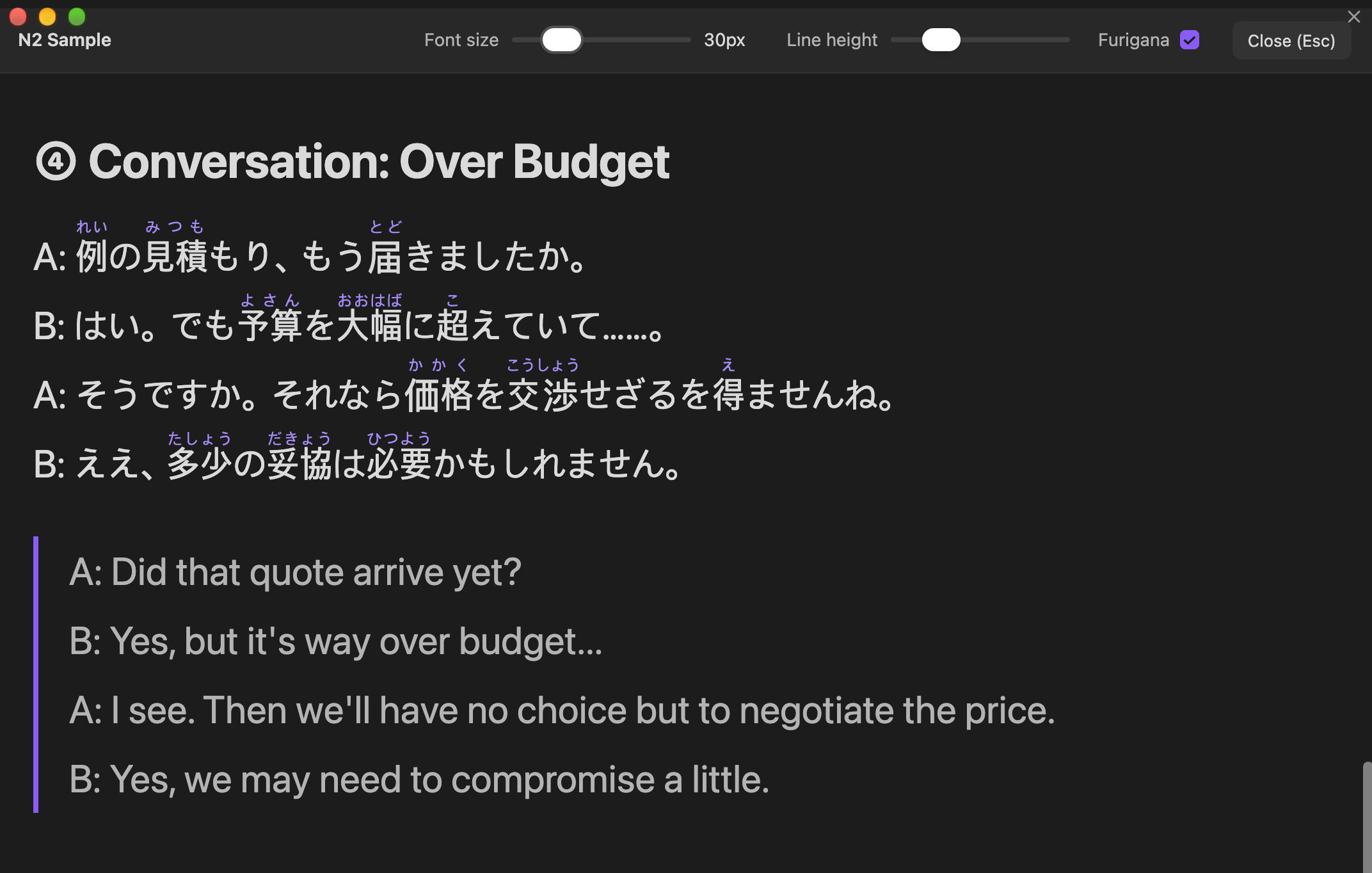
Studying Japanese in Obsidian can sometimes be tough when complex kanji look too small to read clearly. Kanji Zoom solves this by opening your study notes in a clean, full-screen viewer with large typography (up to 72px) and furigana support.
✨ Key Features:
Full-Screen Zoom Viewer: Enlarge your notes or specific sections up to 72px so every stroke is crystal clear.
Furigana Support: Automatically renders inline readings like
参加(さんか)as ruby text above the kanji.Offline Kanji Lookup: Hover (or tap on mobile) any kanji to see on/kun readings, stroke count, JLPT level, meanings in multiple languages, and matching vocabulary words from your current note—100% offline.
Desktop & Mobile Ready: Works seamlessly across your devices.
👉 Check it out & Install: https://community.obsidian.md/plugins/kanji-zoom
(Or search for "Kanji Zoom" directly inside Obsidian: Settings → Community plugins → Browse)
Thank you so much for your support, and happy studying! ☕