

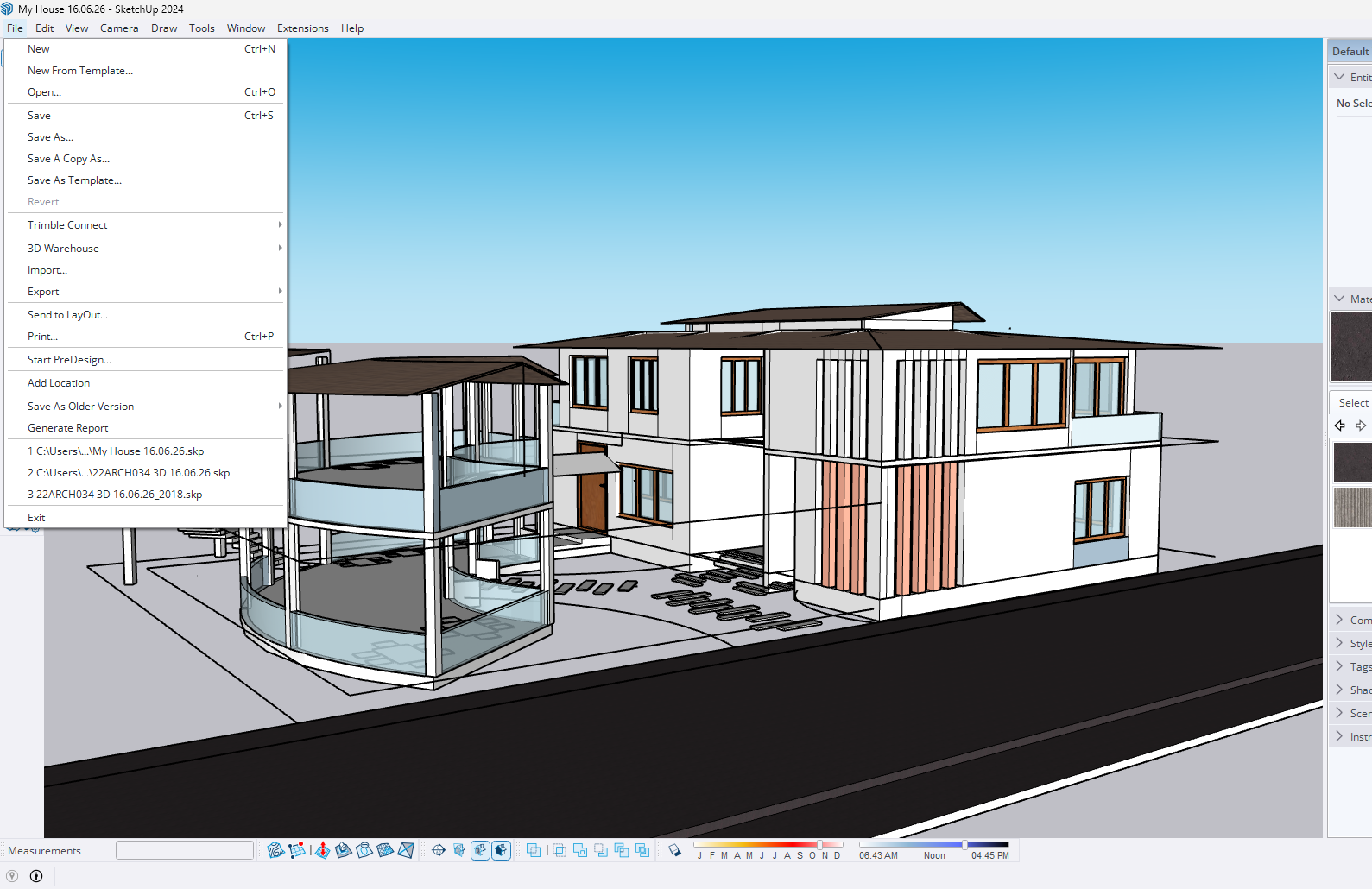
 Save As Older Version brings back the ability to save your model into an older
SketchUp file format — the feature that was removed from the native "Save As"
dialog in recent SketchUp releases.
Since SketchUp moved to a "versionless" file format, the dropdown that used to
let you save to 2018, 2017, and other legacy versions disappeared. If you work
with clients, contractors, or older machines still running an earlier SketchUp,
this extension restores that workflow in one click.
HOW IT WORKS
1. Open the model you want to convert.
2. Go to File > Save As Older Version and pick the version you need.
3. The standard Save dialog opens — choose where to save, and you're done.
A separate copy is created, so your current file is never altered.
KEY FEATURES
- Save a copy of the active model to SketchUp 2013 through 2021
- Simple version picker built right into the File menu (no extra pop-ups)
- Creates a separate copy — your working file stays untouched
- Auto-suggests a file name that includes the chosen version
- Clear reminder to save your model first when needed
- Works on Windows and macOS
WHO IT'S FOR
Architects, designers, woodworkers, and anyone who needs to share .skp files
with people running older versions of SketchUp.
REQUIREMENTS
- SketchUp 2017 or newer (desktop). Designed for SketchUp 2022/2023/2024.
- Does not work in the free web version of SketchUp (extensions are
desktop-only).
NOTE
Saving to an older format may drop newer features (such as tag folders). This
is a SketchUp file-format limitation, not a limit of this extension.