

 The most common question I got after people started using the Finance Toolkit was some version of: "Can I just ask it a question instead of writing the code?" The honest answer was no, not really - you had to know which module to call, which method, which parameters. For people who just wanted to know whether a stock looked cheap or how a sector performed through a crisis, that was a real barrier.
The MCP server is my answer to that. It exposes the full Finance Toolkit surface to any AI assistant that supports the Model Context Protocal which now includes Claude, GitHub Copilot, Cursor, Windsurf, and Gemini. You ask a question in plain English; the AI calls the right tool and returns structured data backed by the same transparent, open-source calculations in the library.
Get started here: https://www.jeroenbouma.com/projects/financetoolkit/mcp
See the MCP server in action below.
How It Works
The server groups the 200+ Finance Toolkit methods into about 21 categorical tools: get_valuation_ratios, get_profitability_ratios, get_momentum_indicators, get_risk, get_performance, and so on. The AI reads your question, picks the right tool, passes the right tickers and dates, and gets back a structured Markdown table. You never have to name a function or set a parameter yourself.
The server is hosted at https://financetoolkit.jeroenbouma.com/mcp. It requires a Financial Modeling Prep API key (the same one the Python library uses) which you enter once via an OAuth flow on first connection. The free plan is enough to get started.
Getting Connected
There are multiple paths to setting up the MCP server. See for complete guides here.
Setup wizard (all clients):
uvx --from "financetoolkit[mcp]" financetoolkit-mcp-setupThis detects which MCP-compatible clients you have installed (Claude Desktop, VS Code, Cursor, Windsurf, Gemini) and writes the config entry for you. Takes about 30 seconds.
Remote URL (manual): Add https://financetoolkit.jeroenbouma.com/mcp as a remote HTTP MCP server in your client settings. OAuth handles the rest on first use.
What You Can Ask
Here are some examples that actually work - I ran all of these through Claude with the server connected.
Semiconductor valuation:
"Compare P/E, EV/EBITDA, and EPS growth for NVDA, AMD, ASML and INTC in 2025."
The server fetches current-year ratios for all four in a single call and returns a table. NVDA at 63.5x P/E and INTC with no valid P/E (net loss) next to each other is a more honest picture than any screener summary gives you.
RSI across a market shock:
"Show me the monthly RSI for European sector ETFs from 2019 through 2021."
Returns the full RSI time series across Travel & Leisure, Banks, Health Care, Technology, and Oil & Gas through the COVID crash and recovery. Oil & Gas bottomed at RSI 19 in September 2020 and was overbought at 76 by December 2021 - that swing only shows up when you pull the full series.
Macro comparison:
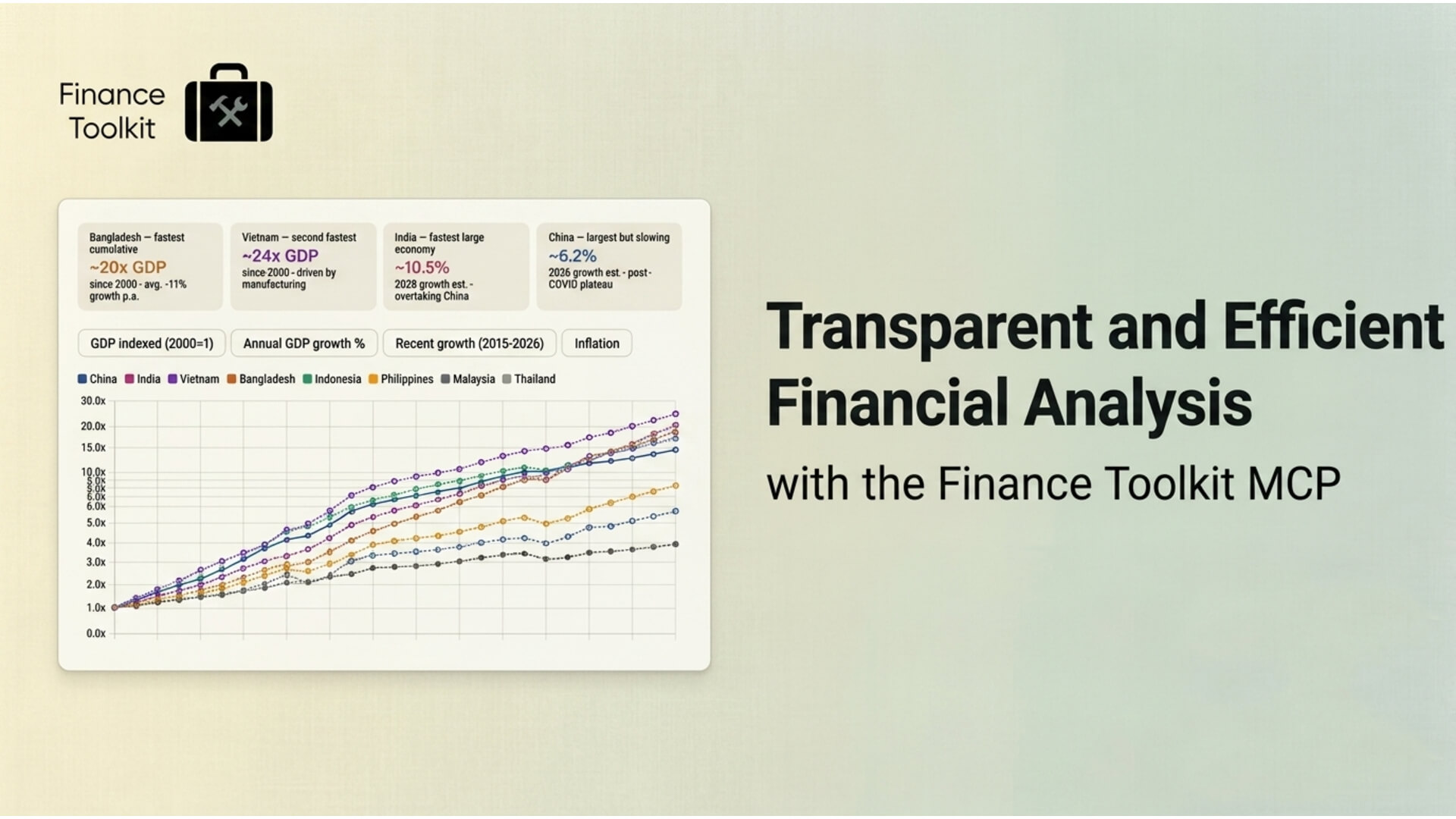
"Show me GDP growth for India, Vietnam, Indonesia and China since 2020."
Uses the Economics module against the OECD API. No code, no scraping, no reconciling different country databases. India's consistent 9-10% growth post-2020 against China's deceleration into the 4-5% range shows up cleanly in one table.
Factor decomposition:
"Run a Fama-French 5-factor decomposition for South American ADRs - PBR, VALE, MELI, ITUB."
Returns the full factor loadings and R-squared per year. MELI's R-squared has fallen from 0.62 to 0.12 since 2021, meaning the model explains less and less of its return - it's decoupled from traditional risk factors and behaves more like a US growth stock than a Latin American name. None of that shows up in a single beta number.
Why I Built It
The Finance Toolkit's original goal was transparency: every metric has its formula in the source code so you can audit it. The MCP server extends that to the AI-assisted workflow. The calculation is the same whether you write the Python or ask a question in Claude. That's the point.
The server is free to use with any FMP API key. If you run into anything broken or missing, open an issue on GitHub. And if this is saving you time, a coffee helps keep the hosting and development going.
- Jeroen