

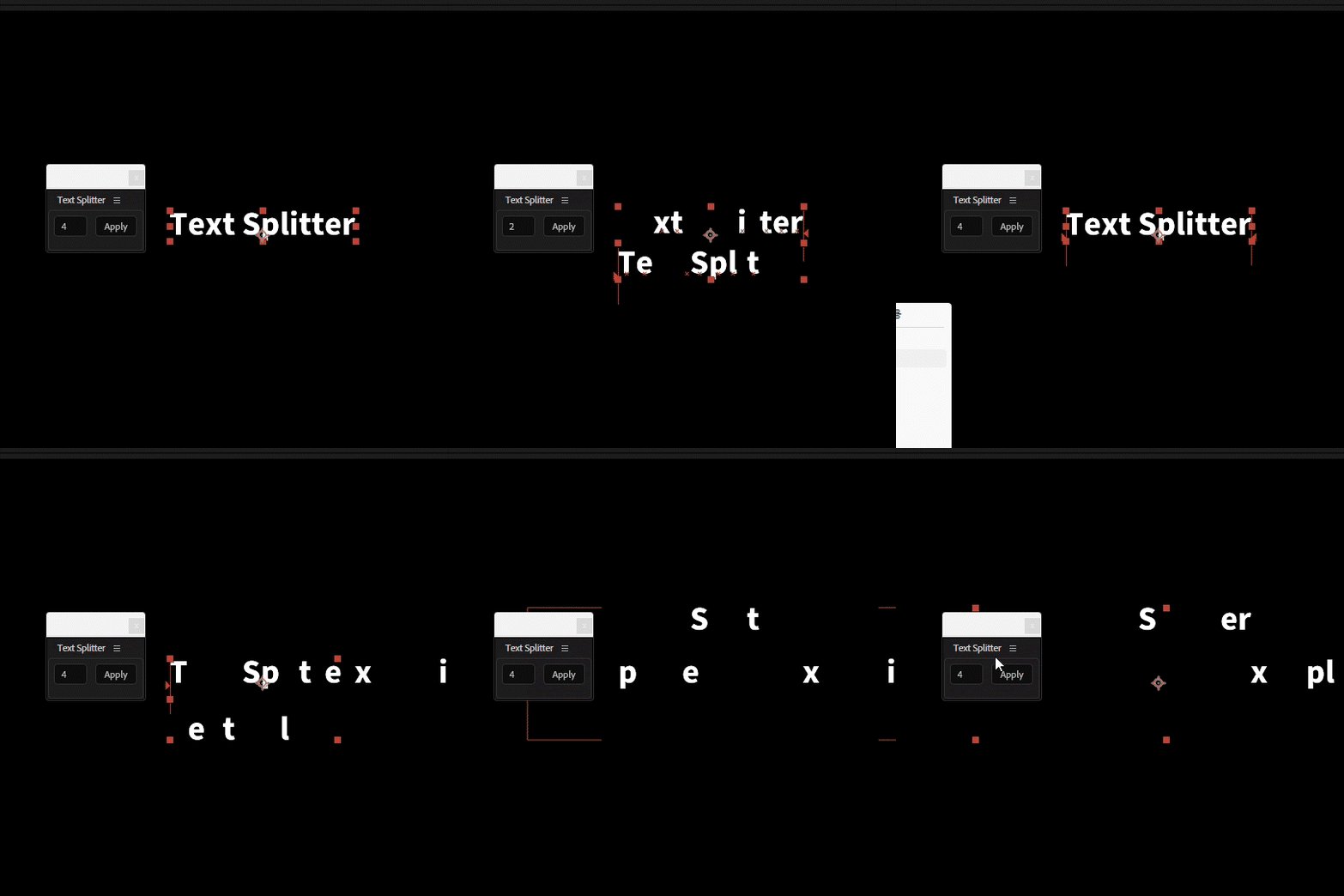
Text Splitter
$2
This script splits the last selected text layer into a specified number of groups,
making it easier to apply individual text animations to each group.
How to Use
1. Select a text layer.
2.Enter the number of groups you want to split the text into. (2–999)
3. Left-click the Apply button.
4. If you don’t like the random distribution,Shift + Click Apply to reshuffle using the same group count.
For UI clarity, the maximum value is limited to 999.
If you need to split text with more than 1,000 characters, please contact me.
Installation
Place the .jsxbin file in the following directory:
Adobe After Effects\Support Files\Scripts\ScriptUI Panels
Restart After Effects, then open the panel from the Window menu.
You may also assign it to a shortcut key.
The panel appears near the current mouse cursor position for quick access.
마지막으로 선택된 텍스트 레이어를 지정한 숫자만큼 분리하여
각 그룹에 개별적인 텍스트 애니메이션을 적용하기 쉽게 만들어주는 스크립트입니다.
사용 방법
1. 텍스트 레이어를 선택합니다.
2. 원하는 숫자를 입력후 나눌 그룹의 수를 입력합니다. (2~999)
3. Apply 버튼을 좌클릭합니다.
4. 랜덤 분배 결과가 마음에 들지 않을 경우,
Shift + Apply 를 클릭하여 동일한 그룹 수로 다시 셔플할 수 있습니다.
(UI 미관상 999제한 걸어놓았습니다. 천글자 이상의 텍스트를 사용할 일이 있다면 따로 연락주세요)
적용 방법
Adobe After Effects\Support Files\Scripts\ScriptUI Panels에 jsxbin 파일을 넣어주세요.
단축키에 맵핑하여 사용해도 괜찮습니다. 마우스 포인터 위치에 패널 나타나게 대응 해놓았습니다.
最後に選択されたテキストレイヤーを指定した数のグループに分割し、
各グループごとに個別のテキストアニメーションを適用しやすくするスクリプトです。
使い方
1. テキストレイヤーを選択します。
2. 分割したいグループ数を入力します。(2〜999)
3. Apply ボタンを左クリックします。
4. ランダム分配の結果が気に入らない場合は、Shift + Apply をクリックすると同じグループ数で再シャッフルできます。
UIの見た目を考慮し、最大値は999に制限しています。
1,000文字以上のテキストを使用したい場合は、別途ご連絡ください
インストール方法
以下のフォルダに .jsxbin ファイルを配置してください。
Adobe After Effects\Support Files\Scripts\ScriptUI Panels
ショートカットキーに割り当てて使用しても問題ありません。
パネルはマウスカーソルの位置に表示されるように設計されています。
Browse the other products below. English is supported.
아래의 다른 상품을 살펴보세요. 한국어를 지원합니다.
以下の他の商品をご覧ください。日本語に対応しています。
$2
$2