

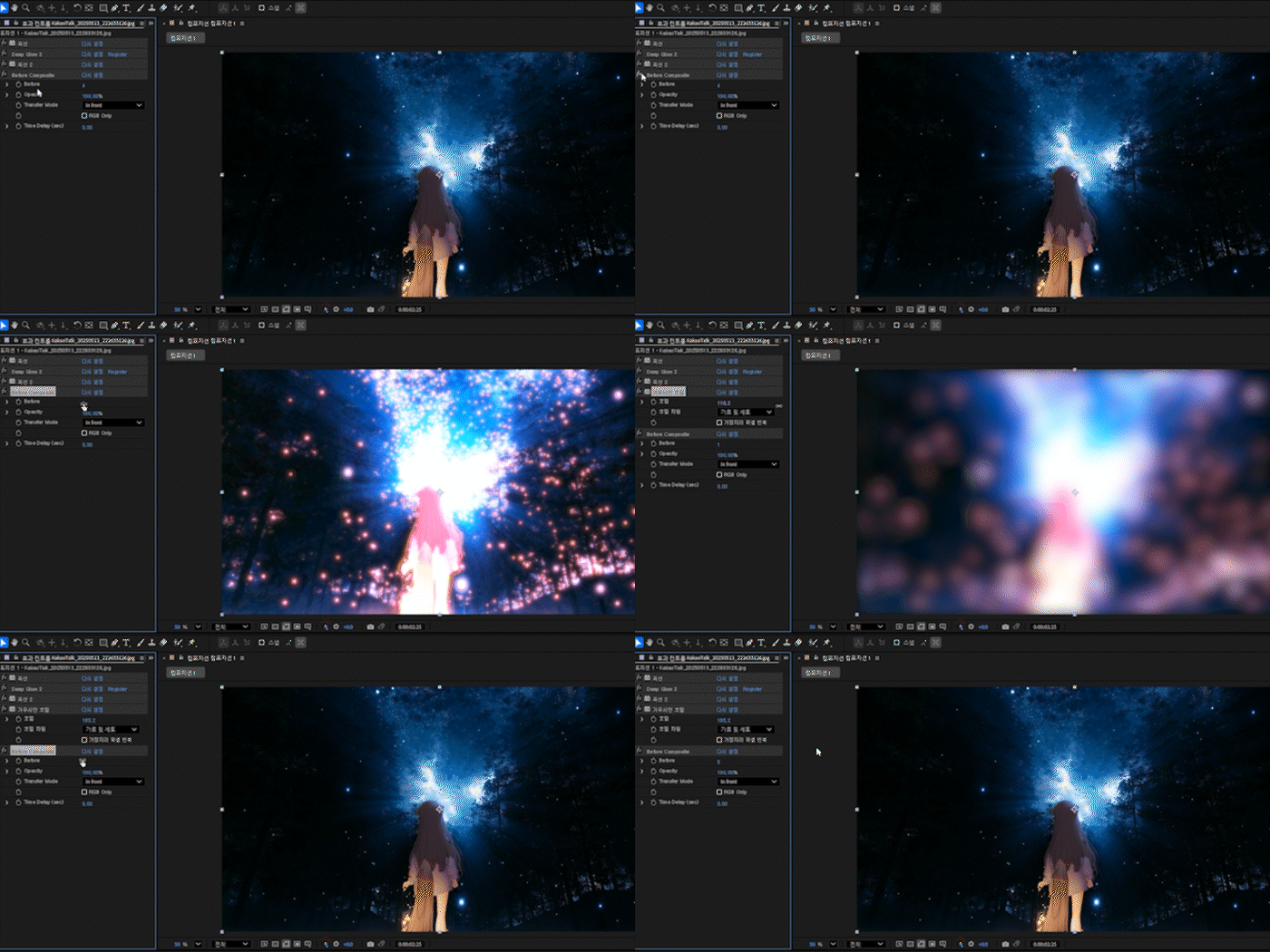
Before Composite
безкоштовно
This plug-in supports Mac and windows.
On Mac, permission must be granted in Privacy & Security settings during the first launch.
Before is a feature that retrieves the frame of a previous effect by the specified amount relative to the current effect's position.
(If you experience buffer clipping when applying Time Delay, please add CC RepeTile or Motion Tile at the top to expand the buffer before use.)
Important Notes
Compatible and guaranteed to work properly with After Effects 2023 and later versions.
Installation
Windows: C:\adobe\Adobe After Effects\Support Files\Plug-ins\RePiece\
macOS: /Applications/Adobe After Effects/Plug-ins/
Before는 현재 효과 위치를 기준으로 수치만큼의 이전 효과의 프레임을 가져오는 기능입니다.
(Time Delay을 적용할 때 버퍼가 잘리는 현상이 발생하면, 맨 위에 CC RepeTile 또는 동작 타일을 추가하여 버퍼를 확장한 후 사용하시기 바랍니다.)
유의사항
After Effect 2023 이상 버전에 정상 작동을 보장합니다.
적용방법
Windows:C:\adobe\Adobe After Effects\Support Files\Plug-ins\RePiece\
macOS:/Applications/Adobe After Effects/Plug-ins/
Beforeは、現在のエフェクト位置を基準に、指定した数値分だけ前のエフェクトのフレームを取得する機能です。
(Time Delayを適用した際にバッファが途切れる場合は、上部にCC RepeTileまたはMotion Tileを追加してバッファを拡張してから使用してください。)
注意事項
After Effects 2023 以降のバージョンで正常に動作することを保証します。
インストール方法
Windows:C:\adobe\Adobe After Effects\Support Files\Plug-ins\RePiece\
macOS:/Applications/Adobe After Effects/Plug-ins/
Browse the other products below. English is supported.
아래의 다른 상품을 살펴보세요. 한국어를 지원합니다.
以下の他の商品をご覧ください。日本語に対応しています。
безкоштовно
безкоштовно