

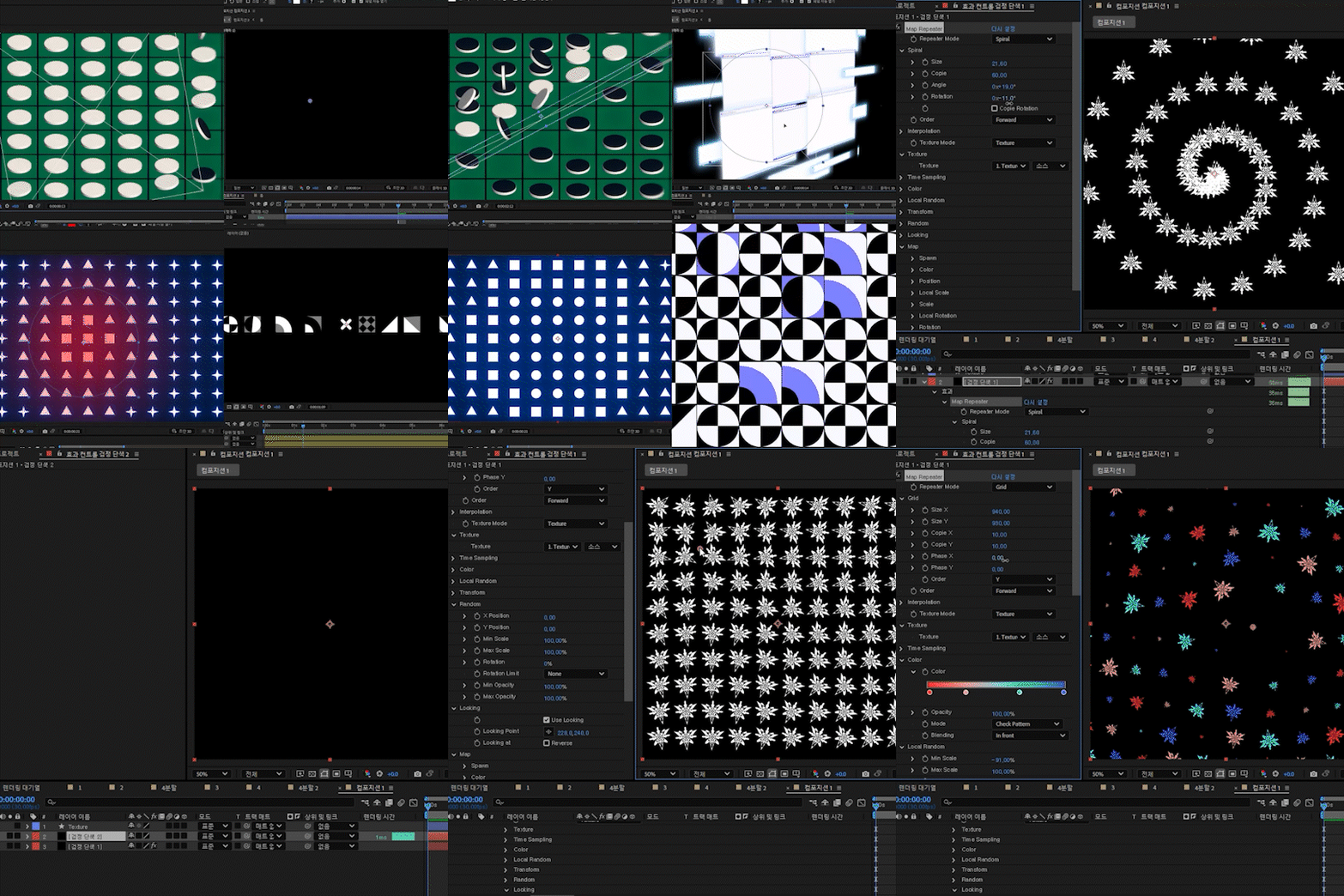
맵 반복(Map Repeater)
$80
This plug-in supports Mac and windows.
On Mac, permission must be granted in Privacy & Security settings during the first launch.
You can set a default repetition mode and freely control the repetitions by assigning various layers as maps.
How to Use
1. The size of this solid determines the maximum area where repetitions will be generated.
2. Apply the effect to the solid layer (Effect -> RePiece -> Map Repeater)
3. In the effect controls, assign the desired texture layer.
Feature Description
*This is a brief overview. Experiment with various settings to fully experience the functionality.
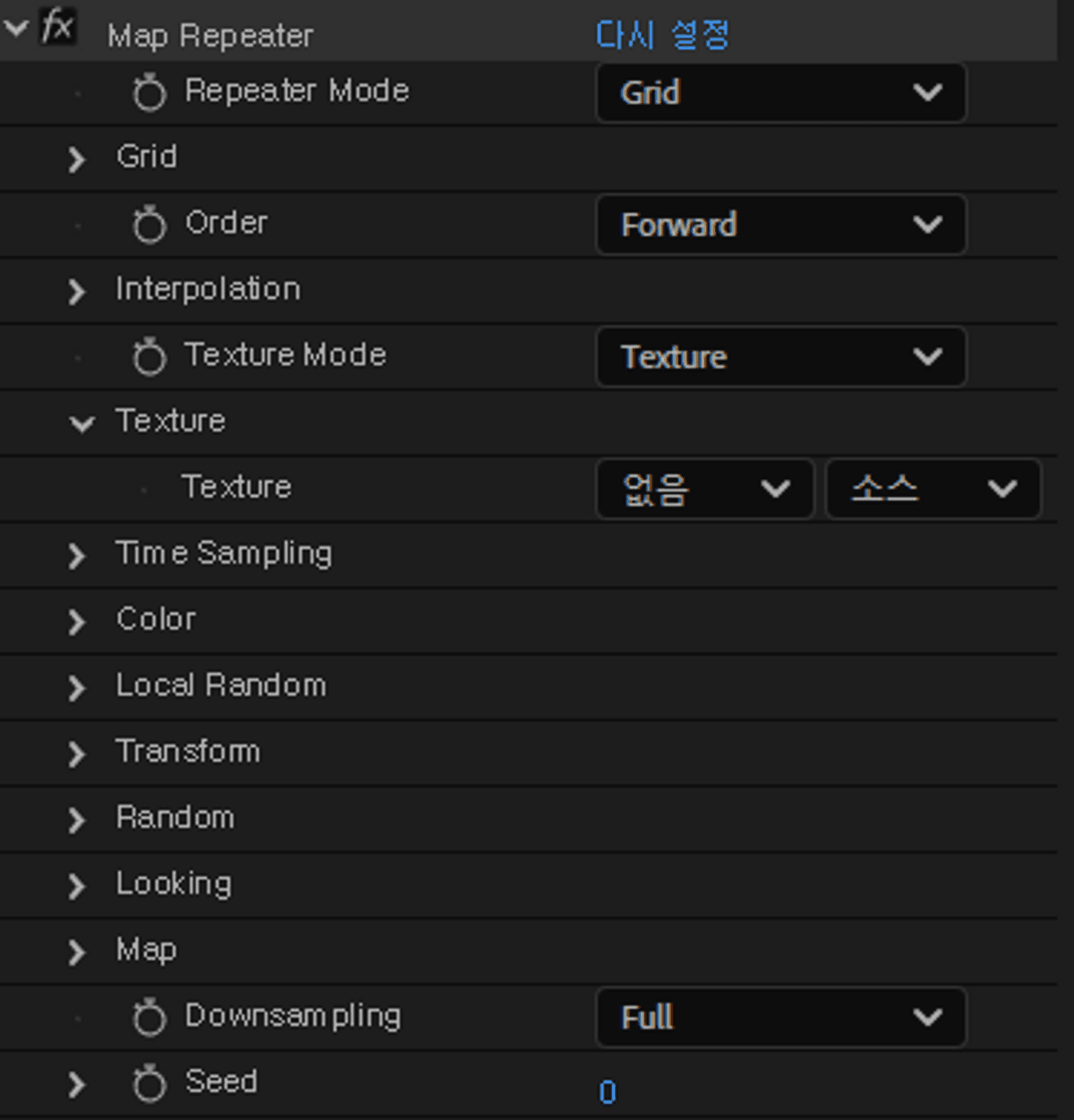
Repeater Mode
Controls the placement of repeated elements.
- Grid
- Circle
- Spiral
Interpolation
Last CopieDetermines how the last, fractional copy is handled.
Controls interpolation for incomplete copies.
- Scale
- Opacity
- Time
Texture
- Texture Layer
Set a single texture layer using the layer parameter.
- Textures
Set multiple texture layers using the custom layer parameter.
The order of layers determines the settings.
(Settings are maintained even if the order of layers changes.)
As an exception, entering 0 will set an empty texture.
*You should not specify your own layer index.
Time Sampling
Controls the time offset of texture layers.
You can use an Offset Time Map layer to manipulate texture timing like time displacement.
TransformControls individual transformation for each repeated instance.
Random Adds random variation to the transformation of each repeated instance.
Looking Rotates the repeated instances to either look at or look away from a specified point.
Map
Controls these properties based on referenced map layers.
- ColorBlends the color of repeated layers based on another layer.
- Position
- Scale
- Rotation
- Opacity
Important Notes
Compatibility is guaranteed for After Effects 2023 and later versions.
Installation
Place the file in After Effects (current version) \Plug-ins directory.
기본 반복 모드를 설정하고, 다양한 레이어를 맵으로 지정하여 반복을 자유롭게 제어할 수 있습니다.
사용 방법
1. 단색 레이어를 생성합니다. 단색 레이어의 크기는 반복이 그려지는 최대 범위입니다.
1. 생성한 단색레이어에 효과를 적용한다. (Effect -> RePiece -> Map Repeater)
3. 효과에서 Texture 레이어를 지정합니다.
기능 설명
*간략한 기능 설명입니다. 수 많은 기능을 직접 만져보면서 체험해보세요
Repeater Mode
생성되는 위치를 조절합니다.
- Grid
- Circle
- Spiral
Interpolation
- Last Copie 소수점개수의 복사를 실행할때 소수점을 버리는지 여부입니다.
완전히 생성되지 않은 복사에 대한 보간 여부입니다.
- Scale
- Opactiy
- Time
Texture
- Texture
레이어 파라미터를 통해서 단일 텍스쳐 레이어를 설정합니다.
- Textures
커스텀 레이어 파라미터를 통해서 여러 텍스쳐 레이어를 설정합니다.
레이어의 순서로 설정할 수 있습니다.
(레이어의 순서가 바뀌어도 유지됩니다)
예외적으로 0을 입력하면 비어 있는 텍스쳐를 설정할 수 있습니다.
*자기자신의 레이어 순서를 지정할 수 없습니다.
Time Sampling
텍스쳐의 타임을 지정합니다.
offset Time Map 레이어를 활용하여 시간 변위처럼 다룰 수 있습니다.
Transform 반복되는 레이어의 개별 변환을 관리합니다.
Random반복되는 레이어의 개별 변환에 랜덤성을 추가합니다.
Map
- Color반복되는 레이어의 색상을 다른 레이어를 참고하여 블렌딩합니다.
- Position
- Scale
- Rotation
- Opactiy
유의상황
After Effect 2023 이상 버전에 정상 작동을 보장합니다.
적용방법
After Effects (현재 버전)\Plug-ins 에 파일을 넣으시면 됩니다.
基本の繰り返しモードを設定し、さまざまなレイヤーをマップとして指定することで、繰り返しのパターンを自由にコントロールできます。
使い方
1. この平面レイヤーのサイズは、繰り返しが生成される最大範囲を決定します。
2. この平面レイヤーにエフェクトを適用します(Effect -> RePiece -> Map Repeater)
3. エフェクトコントロールで、使用したいテクスチャレイヤーを指定します。
機能説明
*これは概要に過ぎません。さまざまな設定を試して、機能を最大限に体験してください。
Repeater Mode生成される位置を制御します
- Grid
- Circle
- Spiral
Interpolation
- Last Copie 最後のコピーが小数点付きの場合、その扱いを設定します。
未完成のコピーに補間処理を行うかどうかを制御します。
- Scale
- Opactiy
- Time
Texture
- Texture Layer
レイヤーパラメーターを使用して単一のテクスチャレイヤーを設定します。
- Textures
カスタムレイヤーパラメーターを使用して複数のテクスチャレイヤーを設定します。
レイヤーの順序で設定を決定できます。
(レイヤーの順序が変わっても設定は維持されます。)
例外として、0を入力すると空のテクスチャを設定できます。
*自分自身のレイヤーの順序を指定することはできません。
Time Sampling
テクスチャの時間を制御します。
「Offset Time Map」レイヤーを使えば、時間変位のような効果も可能です。
Transform繰り返される各レイヤーの個別変形を制御します。
Random各インスタンスに対してランダム性を加えます。
Map
- Color参照レイヤーを元に、インスタンスの色をブレンドします。
指定したマップレイヤーに基づき、各プロパティを制御します。
- Position
- Scale
- Rotation
- Opacity
注意事項
After Effects 2023 以降のバージョンでの互換性が保証されています。
インストール方法
ファイルを After Effects (現在のバージョン) \Plug-ins ディレクトリに置きます。
Browse the other products below. English is supported.
아래의 다른 상품을 살펴보세요. 한국어를 지원합니다.
以下の他の商品をご覧ください。日本語に対応しています。
$80
$80