



패스 반복(Path Repeater)
$200
This plug-in supports Mac and windows.
On Mac, permission must be granted in Privacy & Security settings during the first launch.
If the plugin is blocked or cannot be loaded, you can also remove the quarantine flag via Terminal
sudo xattr -r -d com.apple.quarantine /path/to/PluginName.plugin
After performing this, relaunch After Effects.
(This applies only to Mac)
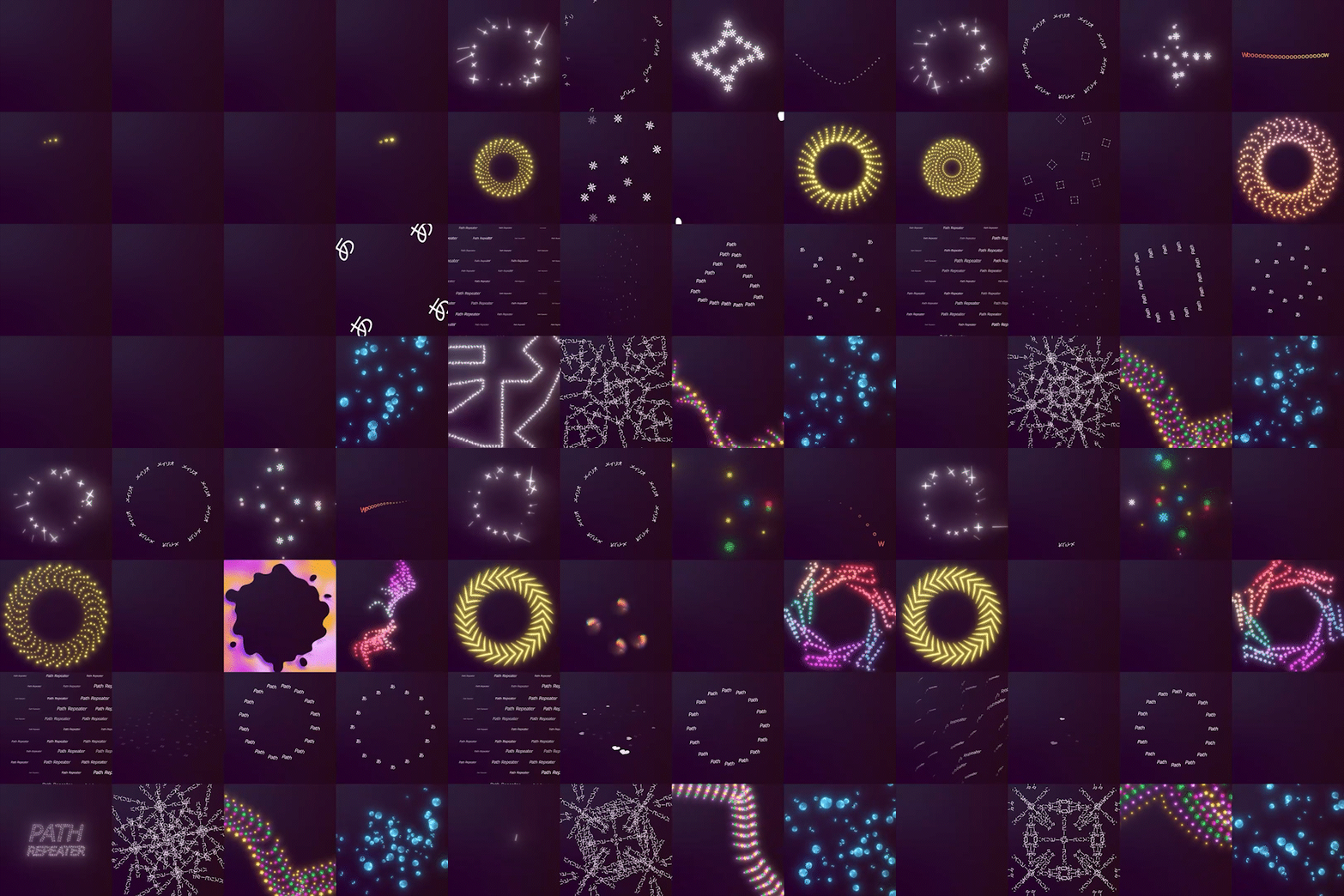
Repeats layers along paths regardless of image, video, shape, or text.
Supports color depths from 8 to 32 bits.
How to Use
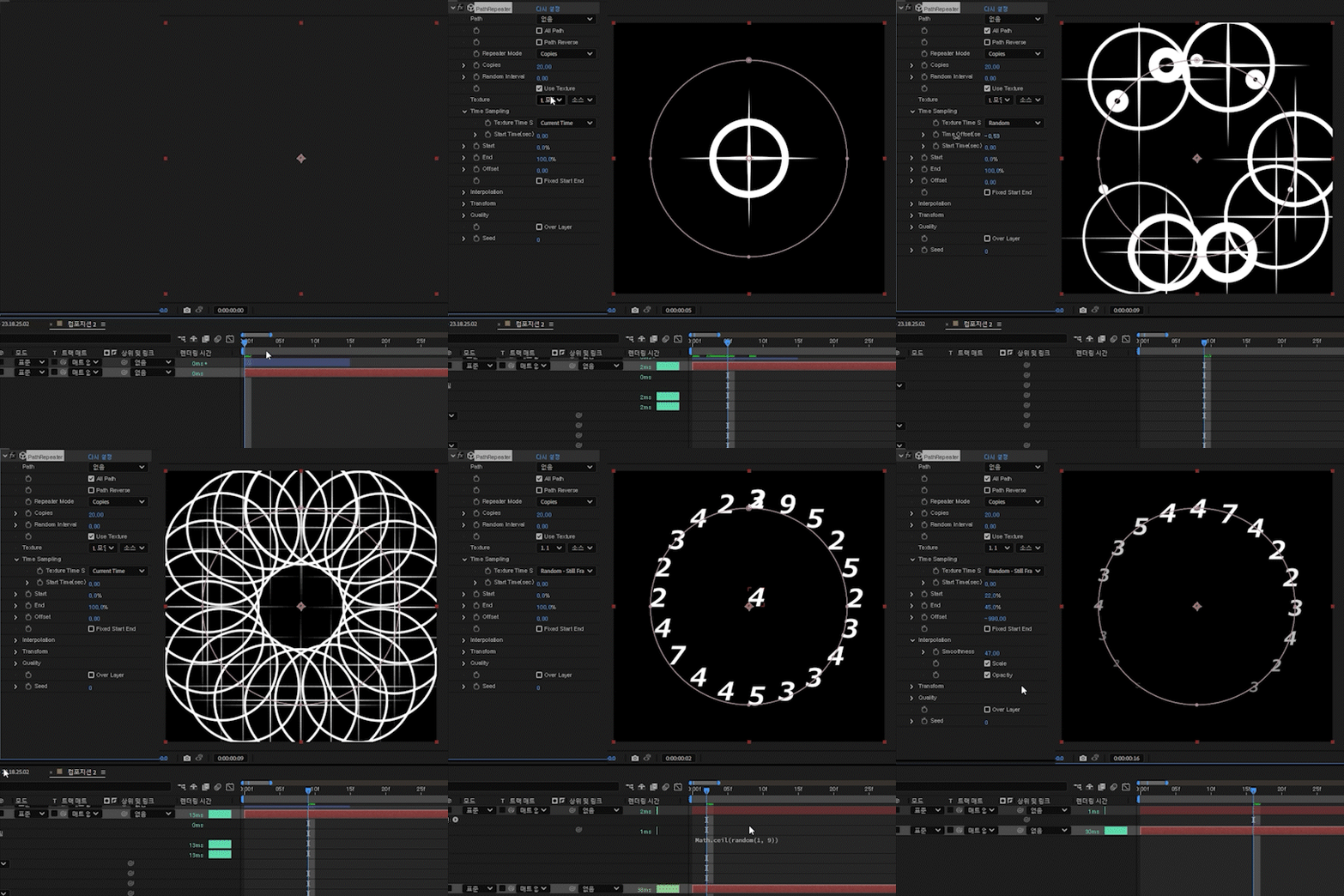
1. Create a solid color layer and apply the effect.
2. Create a mask on the solid layer and assign the mask to the path, or enable All Path.
3. Set the texture.
Feature Description
*This is a brief overview. Experiment with various settings to fully experience the functionality.
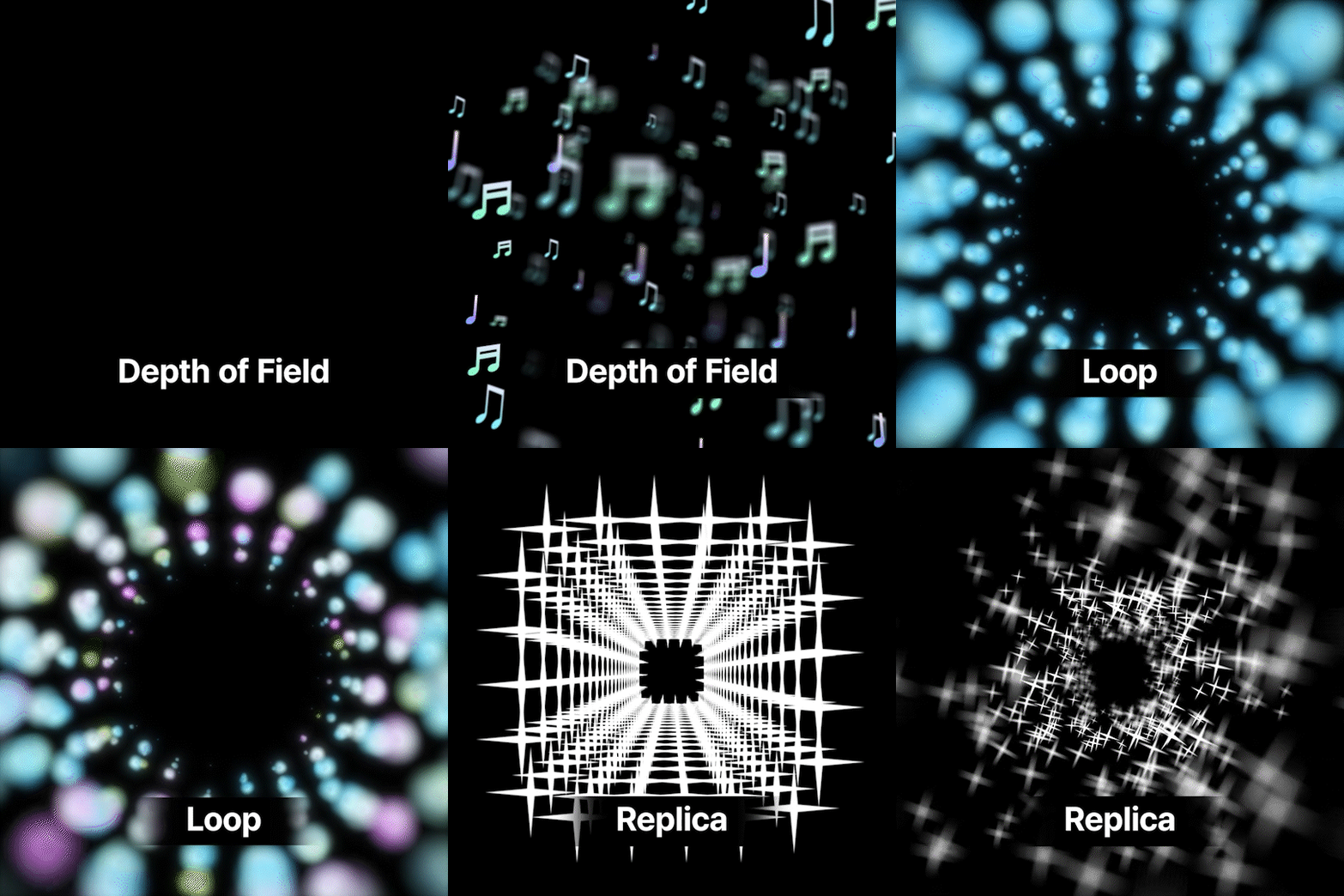
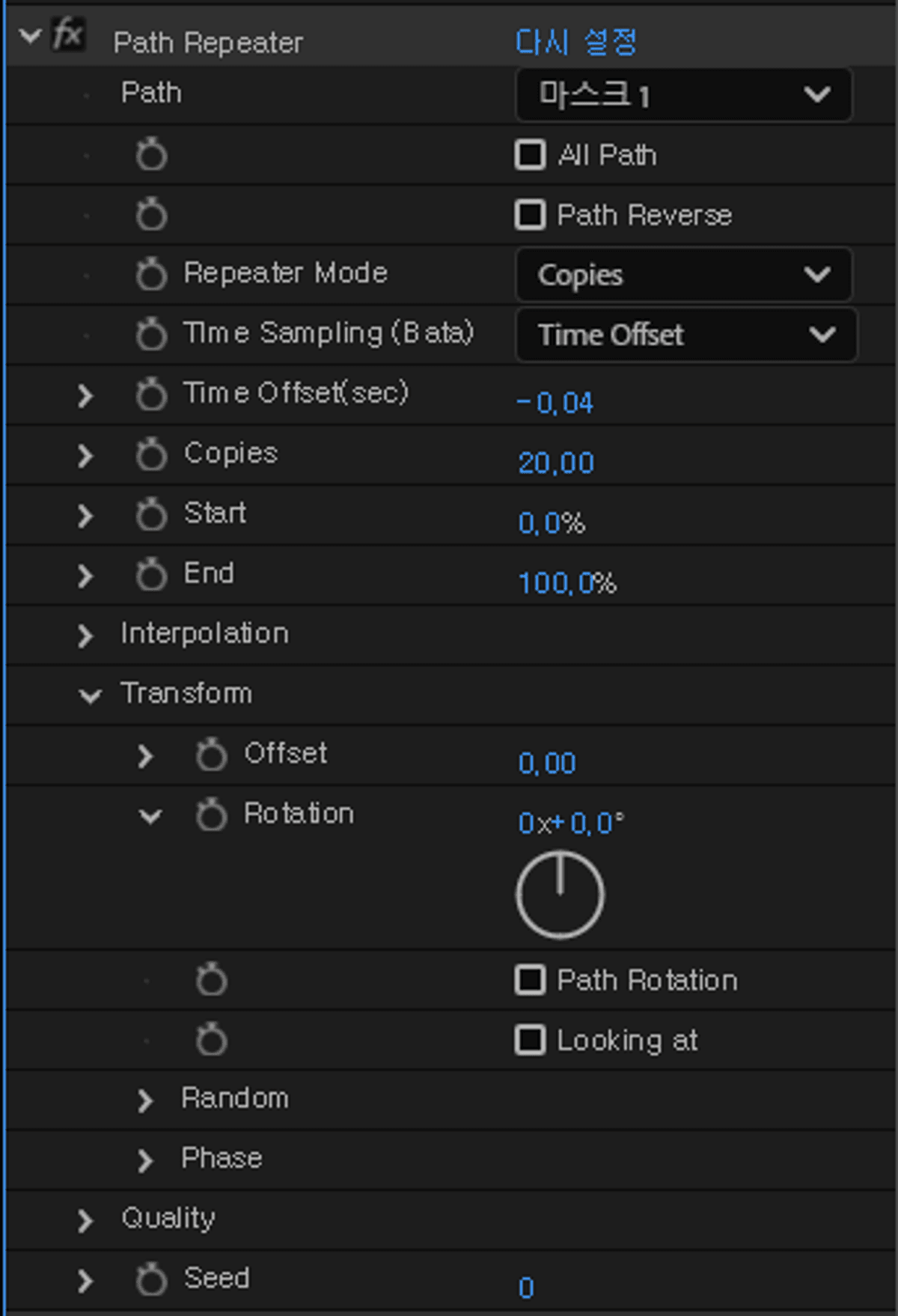
Repeater Mode -Determines the arrangement pattern of the repeated instances.
Options: Path, Grid, Circle, Spiral, Box.
Although it’s a path repeater, simpler alternative modes are also available.
Texture
- Texture Layer
Set a single texture layer using the layer parameter.
- Textures
Set multiple texture layers using the custom layer parameter.
The order of layers determines the settings.
(Settings are maintained even if the order of layers changes.)
As an exception, entering 0 will set an empty texture.
*You should not specify your own layer index.
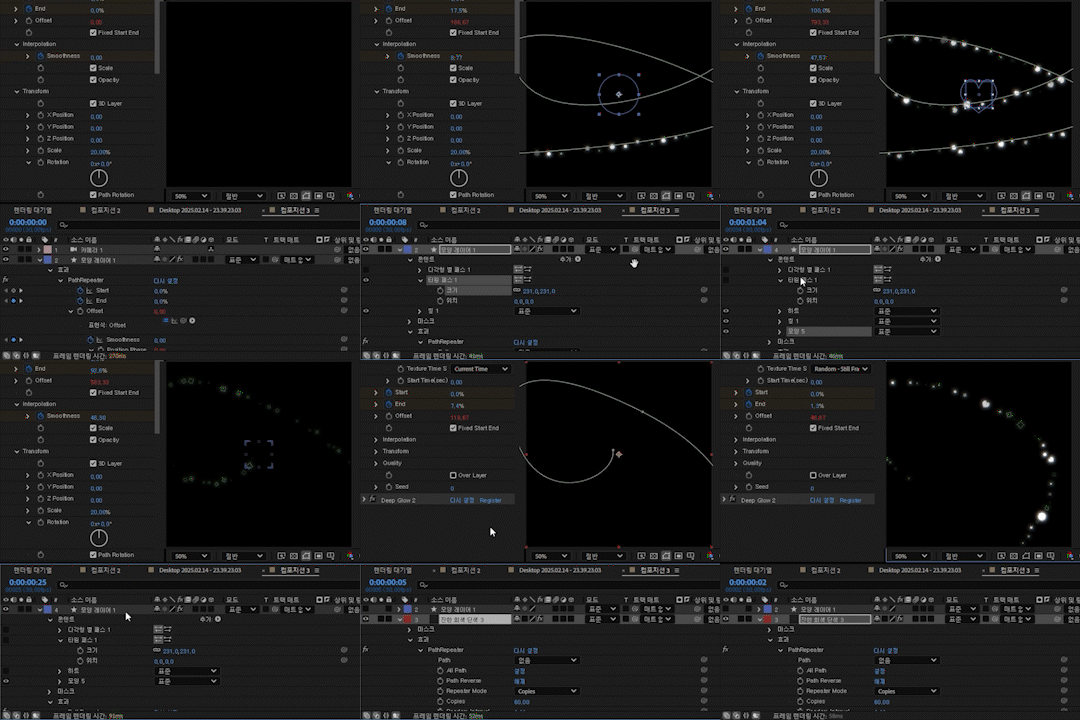
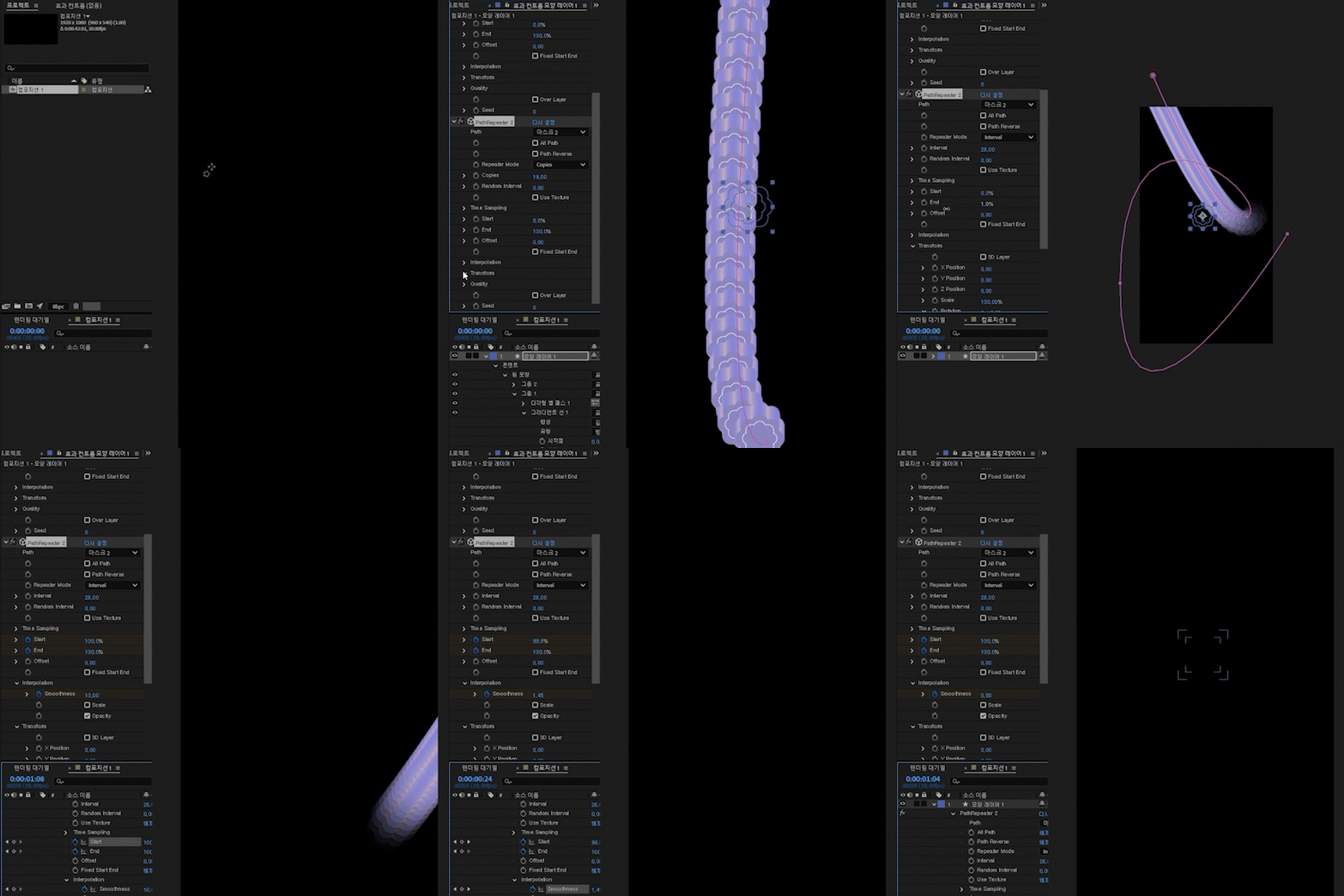
Start & End -Controls the start and end of the entire path.
Smoothness -Softens the start and end transitions.
Fixed Path -Defines start and end points based on a fixed path, not relative to offset.
(All fixed options refer to whether start/end are relative to offset or not.)
Interpolation
- Filter Complete Copies -Displays only fully generated copies (drops fractional copies).
- Scale
When the number of repetitions at the start and end doesn't align, the size is interpolated to adjust.
- Opactiy
When the number of repetitions at the start and end doesn't align, the opacity is interpolated to adjust
Time Sampling
- Fast Time -Snaps time to exact frame intervals (for optimization).
Transform -Manages individual transitions of repeated layers
Random - Manages various random transformations.
World Transform -Allows rotation around the center point.
Distance- Adjust size, rotation, and opacity based on distance.
Camera- Enables 3D mode. Z-axis is ignored unless After Effects camera mode is active.
Downsampling- Downsamples textures for optimization.
Important Notes
Compatibility is guaranteed for After Effects 2023 and later versions.
GPU acceleration is required. This plugin runs using GPU acceleration.
Graphics card must support OpenGL 3.3 or higher.
Installation
Please unzip the file and place the entire folder into the following path
Windows: C:\adobe\Adobe After Effects\Support Files\Plug-ins\RePiece\
macOS: /Applications/Adobe After Effects/Plug-ins/
Tip
During optimization, empty areas of textures may be automatically cropped. To maintain clean shapes despite size changes, use precomposition or similar methods to fix the form.
이미지, 동영상, 모양, 텍스트 상관없이 패스에 따라 레이어를 반복합니다.
색상8~32bit지원
사용 방법
1. 단색 레이어를 생성후 효과를 적용합니다.
2. 단색 레이어에 마스크를 생성하고Path에 마스크를 지정하거나 All Path를 활성화합니다.
3. Texture를 설정합니다.
기능 설명
*간략한 기능 설명입니다. 수 많은 기능을 직접 만져보면서 체험해보세요
Repeater Mode - 복제되는 인스턴스의 배치 형태를 결정합니다.
Path,Grid,Circle,Spial,Box
패스 리피터지만 간단하게 쓸 수 있는 다른 모드도 있습니다.
- Texture
레이어 파라미터를 통해서 단일 텍스쳐 레이어를 설정합니다.
- Textures
커스텀 레이어 파라미터를 통해서 여러 텍스쳐 레이어를 설정합니다.
레이어의 순서로 설정 설정할 수 있습니다.
(레이어의 순서가 바뀌어도 유지됩니다)
예외적으로 0을 입력하면 비어 있는 텍스쳐를 설정할 수 있습니다.
*자기자신의 레이어 순서를 지정할 수 없습니다.
Start & End -패스에 반복되는 시작과 끝을 제어합니다.
Smoothness -시작과 끝을 부드럽게 해줍니다.
Fixed Path - 오프셋에 상대적이지 않은 패스를 기준으로 시작과 끝을 지정합니다.
(모든 Fixed 옵션은 오프셋에 상대적인지에 대한 차이입니다.)
Interpolation
- Filter Complete Copie - 완벽하게 생성된 복제만 보이게 합니다. (소수점 생성 버림)
- Scale -보간을 통해 시작과 끝에 반복되는 개수가 맞지 않을 때 크기를 조정합니다.
- Opactiy -보간을 통해 시작과 끝에 반복되는 개수가 맞지 않을 때 불투명도를 조정합니다.
Time Sampling
- Fast Time - 프레임 단위에 딱 맞아 떨어지게 시간을 스냅합니다. (최적화 용도)
Color - 커스텀 파라미터로 컬러를 지정합니다.
Transform- 반복되는 레이어의 개별 변환을 관리합니다.
Random -각종 랜덤 변환을 제어합니다.
World Transform - 중앙을 중심으로 회전 시킬 수 있습니다.
Distance - 거리기반으로 크기, 회전, 불투명도를 조절 할 수 있습니다.
Camera - 3d의 유무입니다. AE Camera모드로 되어있지 않으면 Z축은 반영되지 않습니다.
Downsampling - 텍스쳐를 다운샘플링하여 최적화합니다.
유의사항
After Effect 2023 이상 버전에 정상 작동을 보장합니다.
GPU 가속 필수 - 본 플러그인은 GPU 가속을 기반으로 작동합니다.
그래픽 카드: OpenGL 3.3이상 지원
적용방법
압축을 풀고 경로에 폴더채로 넣어주세요
Windows:C:\adobe\Adobe After Effects\Support Files\Plug-ins\RePiece\
macOS:/Applications/Adobe After Effects/Plug-ins/
팁
최적화 과정에서 텍스처의 빈 공간이 자동으로 잘릴 수 있습니다. 크기 변화에도 깔끔하게 유지하려면 프리컴포지션 등을 활용해 형태를 고정하세요.
画像、動画、シェイプ、テキストに関係なくパスに沿ってレイヤーを繰り返します。
カラーは8ビット〜32ビットに対応。
使い方
1. 単色レイヤーを作成し、エフェクトを適用します。
2. 単色レイヤーにマスクを作成し、マスクをパスに指定するか「All Path」を有効にします。
3. テクスチャを設定します。
機能説明
*これは概要に過ぎません。さまざまな設定を試して、機能を最大限に体験してください。
Repeater Mode - 複製されるインスタンスの配置パターンを決定します。
パス、グリッド、サークル、スパイラル、ボックスのモードがあります。
パスリピーターですが、簡単に使える他のモードもあります。
- Texture
レイヤーパラメーターを使用して単一のテクスチャレイヤーを設定します。
- Textures
カスタムレイヤーパラメーターを使用して複数のテクスチャレイヤーを設定します。
レイヤーの順序で設定を決定できます。
(レイヤーの順序が変わっても設定は維持されます。)
例外として、0を入力すると空のテクスチャを設定できます。
*自分自身のレイヤーの順序を指定することはできません。
Start & End -パスに繰り返される開始と終了を制御します。
Smoothness - 開始と終了を滑らかにします。
Fixed Path -オフセットに依存しない固定パスで開始・終了を指定します。
(すべてのFixedオプションはオフセットに対する相対かどうかの違いです。)
Interpolation
- Filter Complete Copies -完全に生成されたコピーのみ表示(小数点のコピーは切り捨て)。
- Scale -補間を使用して、開始と終了の繰り返し数が一致しない場合にサイズを調整します。
- Opactiy -補間を使用して、開始と終了の繰り返し数が一致しない場合に不透明度を調整します。
Time Sampling
- Fast Time - フレーム単位で時間をスナップ(最適化用)。
Transform - 繰り返されるレイヤーの個別変換を管理します。
Color - カスタムパラメーターで色を指定。
Transform - 繰り返されるレイヤーの個別変形を管理。
Random - さまざまなランダム変形を制御。
World Transform - 中心を軸に回転可能。
Distance - 距離に応じてスケール、回転、不透明度を調整。
Camera - 3Dモードの有効化。AEのカメラモードでない場合はZ軸が反映されません。
Downsampling - テクスチャをダウンサンプリングし最適化。
注意事項
After Effects 2023 以降のバージョンでの互換性が保証されています。
GPUアクセラレーション必須。 本プラグインはGPUアクセラレーションで動作します。
グラフィックカードはOpenGL 3.3以上の対応が必要です。
インストール方法
圧縮ファイルを解凍し、フォルダごと指定のパスに入れてください。
Windows:C:\adobe\Adobe After Effects\Support Files\Plug-ins\RePiece\
macOS:/Applications/Adobe After Effects/Plug-ins/
ヒント
最適化の過程でテクスチャの空白部分が自動的にトリミングされる場合があります。
サイズ変更でも形を崩さず綺麗に保つにはプリコンポジションなどを活用して形状を固定してください。
Browse the other products below. English is supported.
아래의 다른 상품을 살펴보세요. 한국어를 지원합니다.
以下の他の商品をご覧ください。日本語に対応しています。
$200
$200