
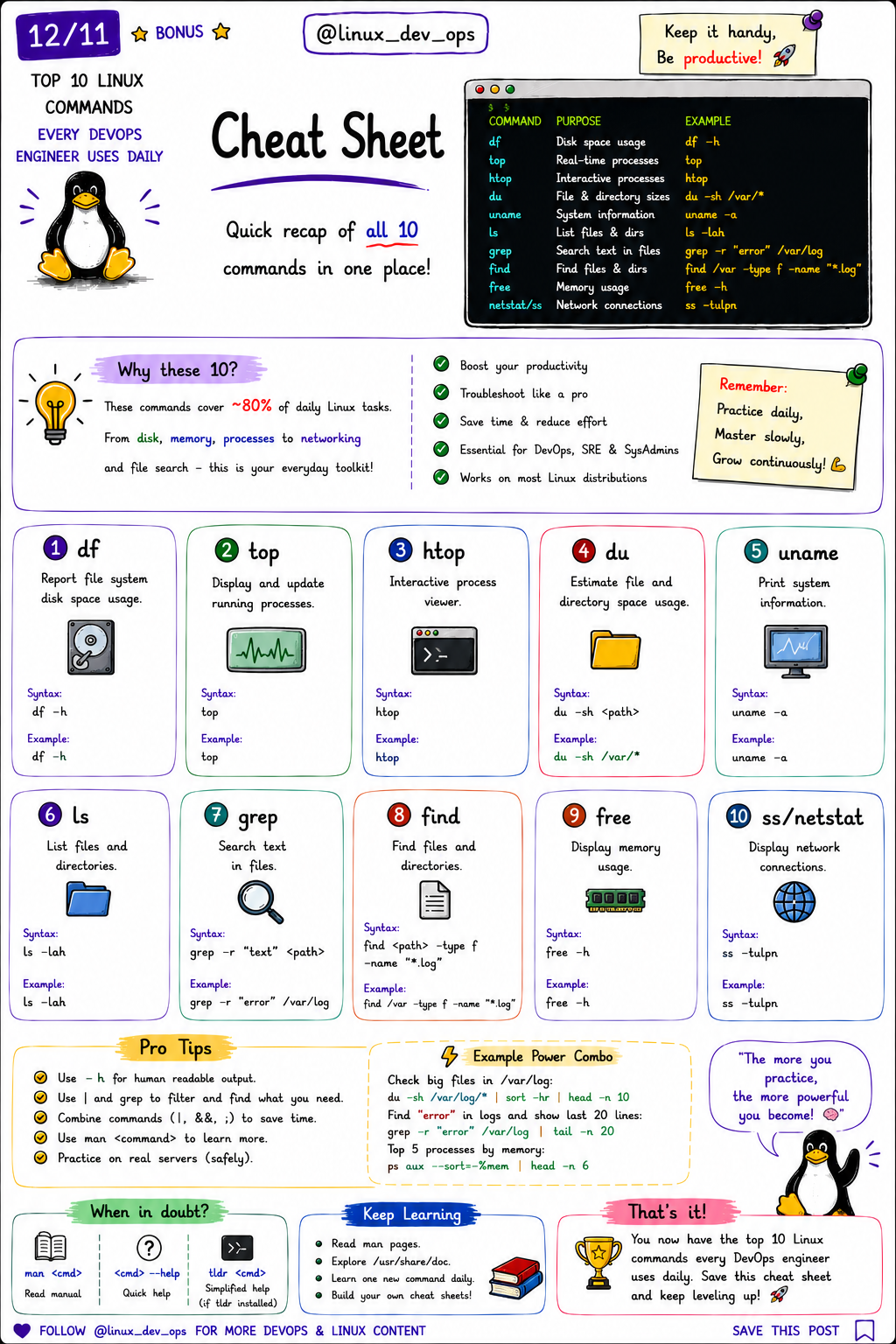
Top 10 Linux Commands Every DevOps Engineer Uses Daily
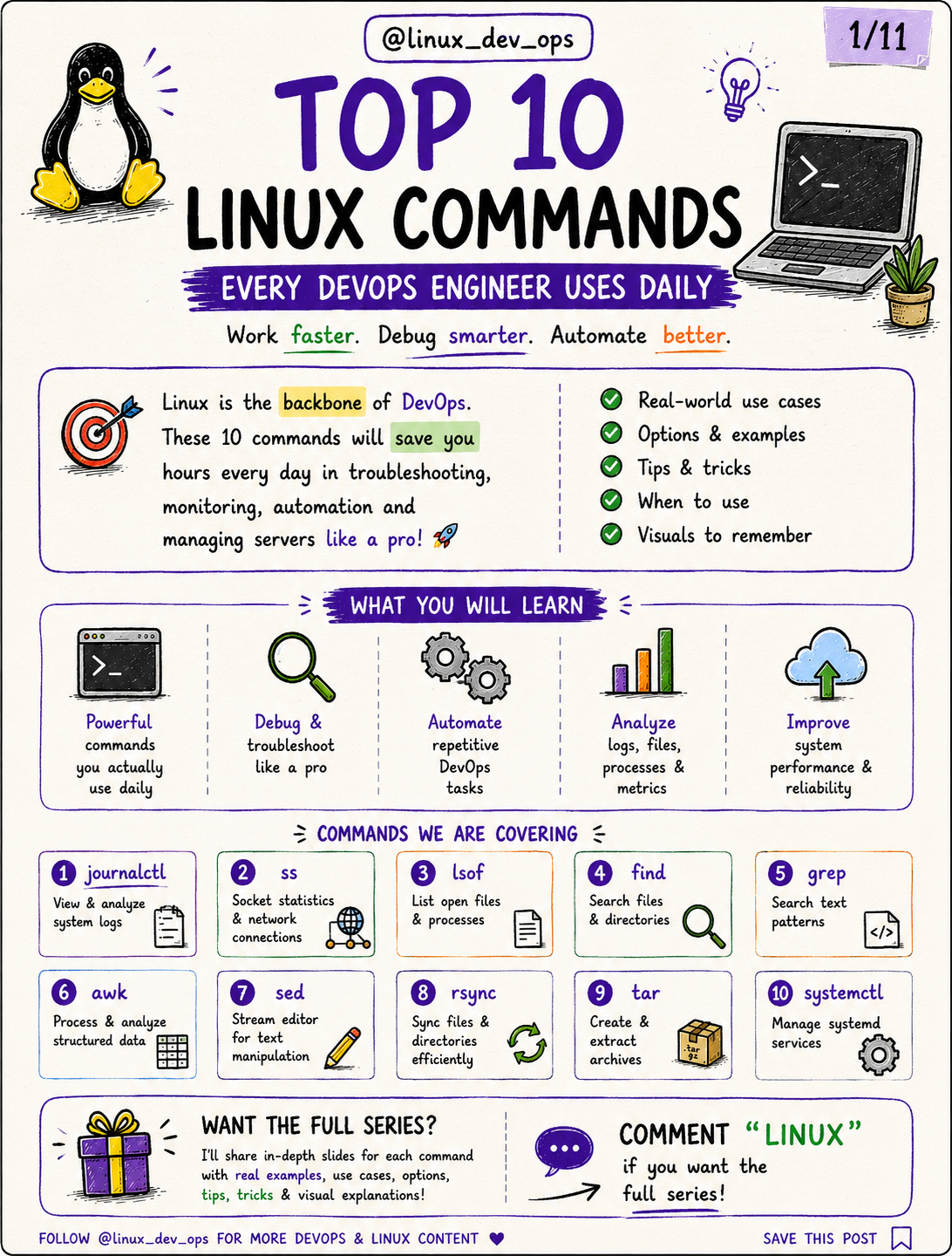
If you work with Linux servers every day, you quickly realize that a handful of commands solve most production problems.
Whether you’re troubleshooting an outage, checking server health, investigating logs, or deploying applications, these commands become part of your daily workflow.
This guide covers the 10 Linux commands every DevOps engineer, Linux administrator, SRE, and backend engineer should know.
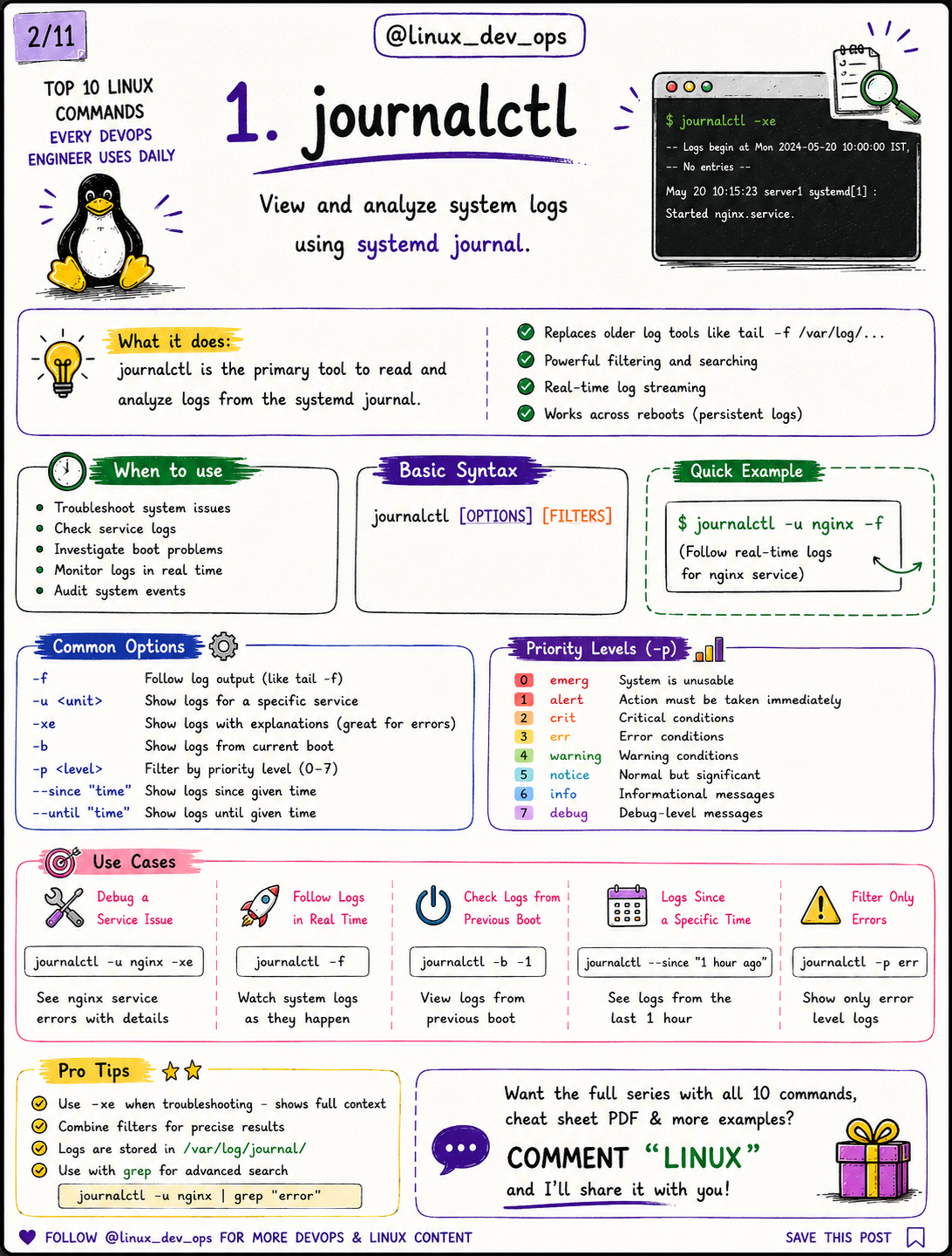
1. journalctl
Purpose: View and analyze systemd logs.
Common Uses
Investigate service failures
Debug boot issues
Follow logs in real time
Filter logs by service
Example:
journalctl -u nginx -f
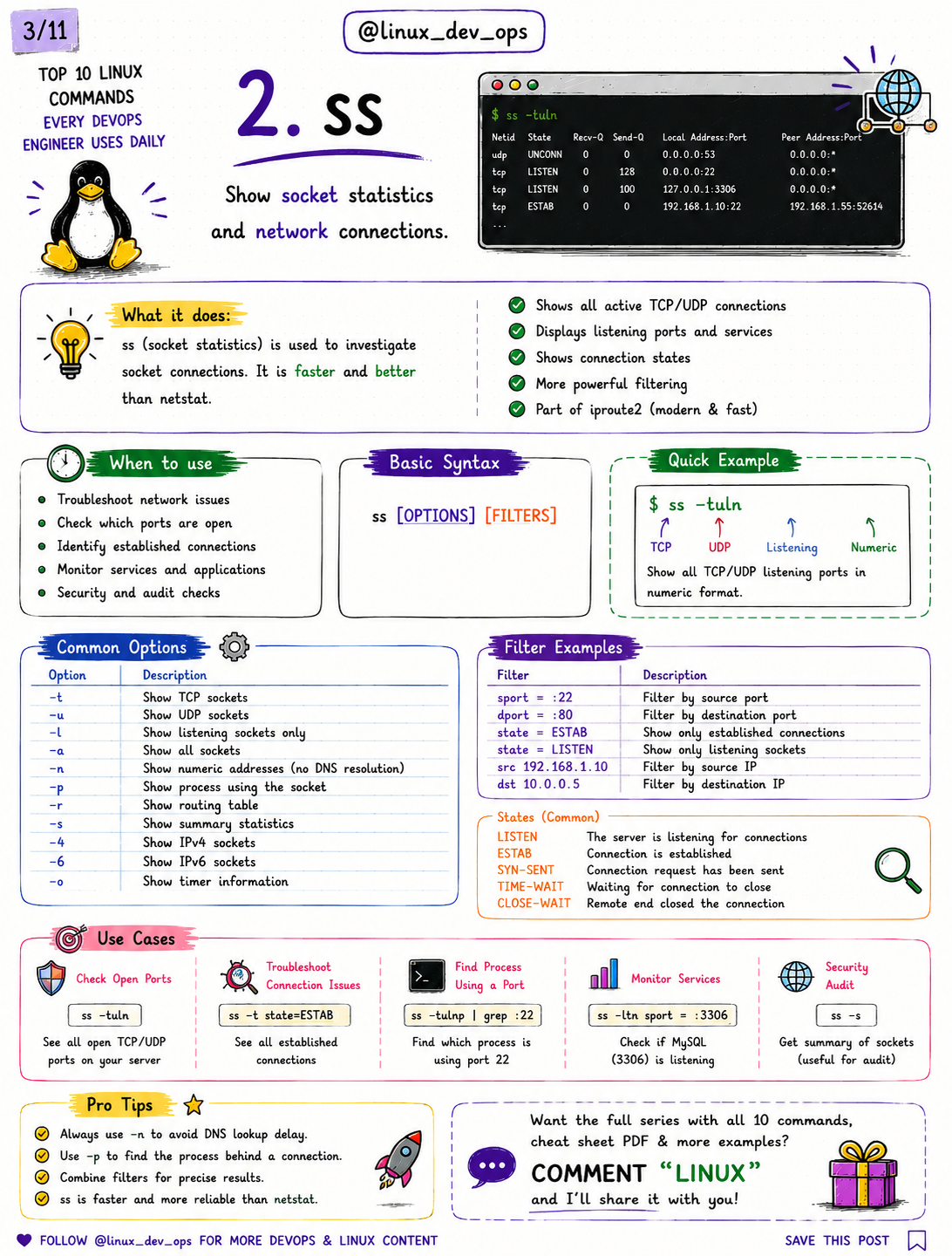
2. ss
Purpose: Inspect TCP/UDP connections and listening ports.
Example:
ss -tulnp
Use it when:
Finding open ports
Checking running services
Debugging network connectivity
Identifying listening processes
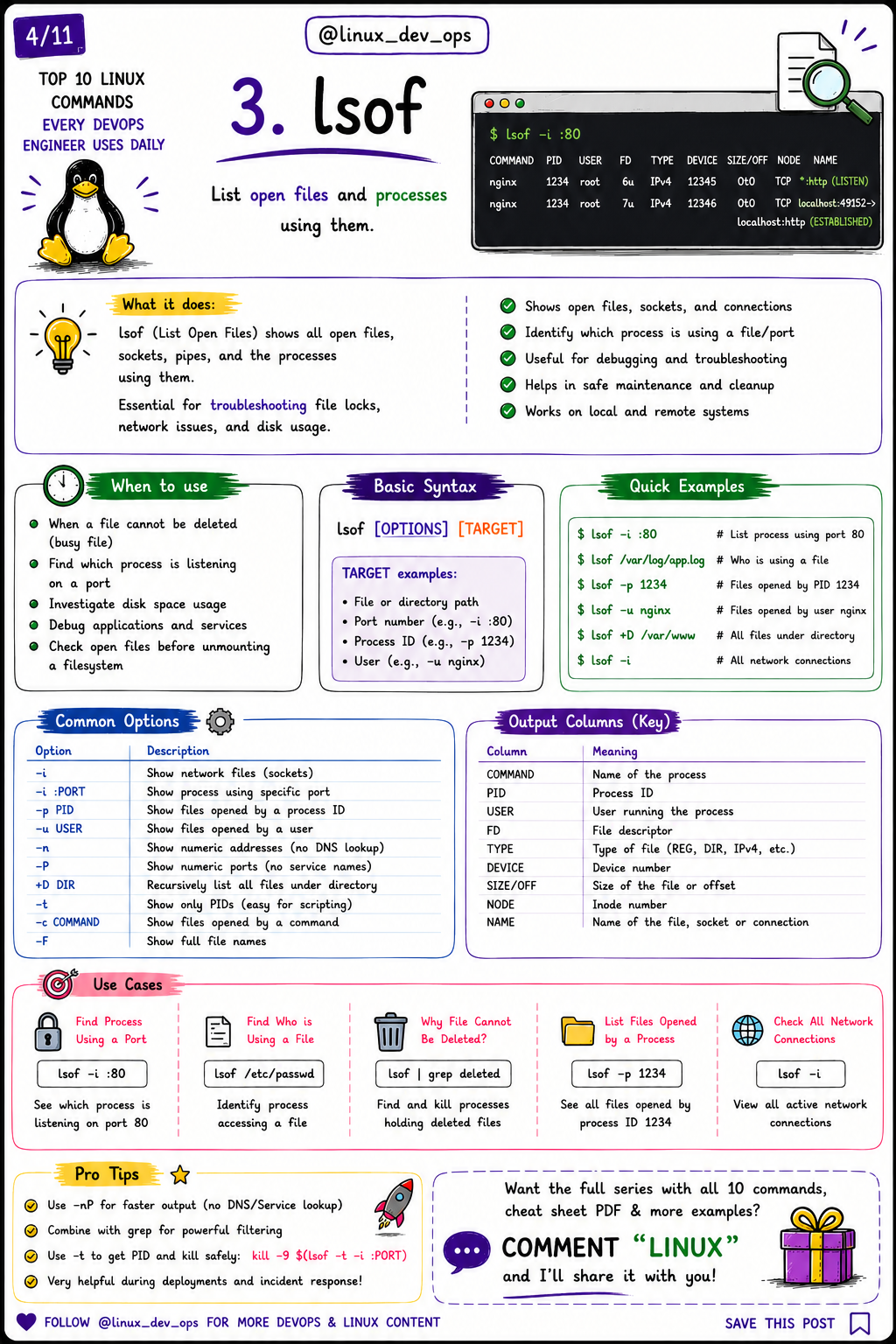
3. lsof
Purpose: Show which process is using a file or network port.
Example:
lsof -i :80
Useful for:
Finding blocked ports
Checking file locks
Debugging deployment failures
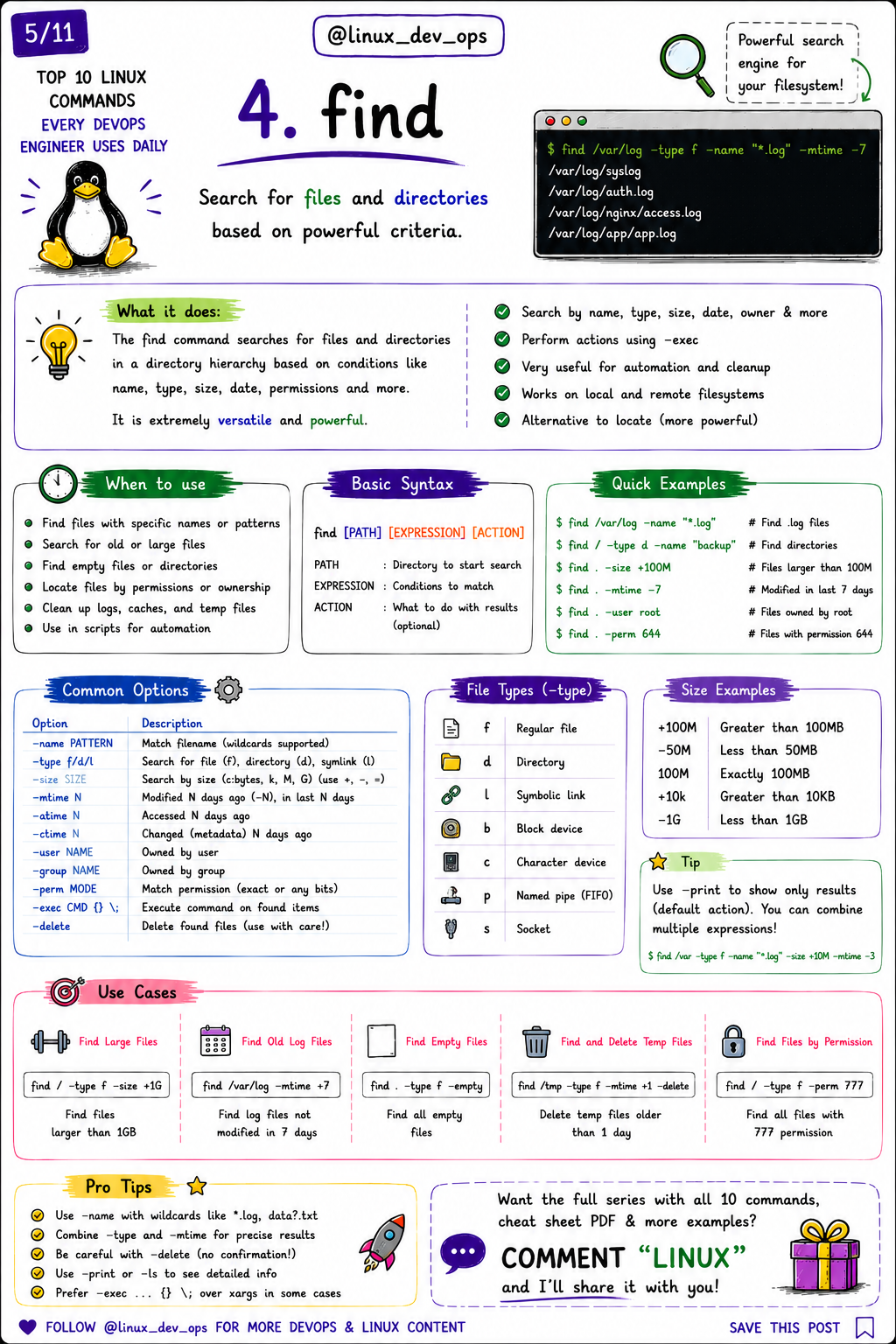
4. find
One of the most powerful Linux commands.
Example:
find /var/log -name "*.log"
You can search by:
Name
Size
Owner
Permissions
Date
Type
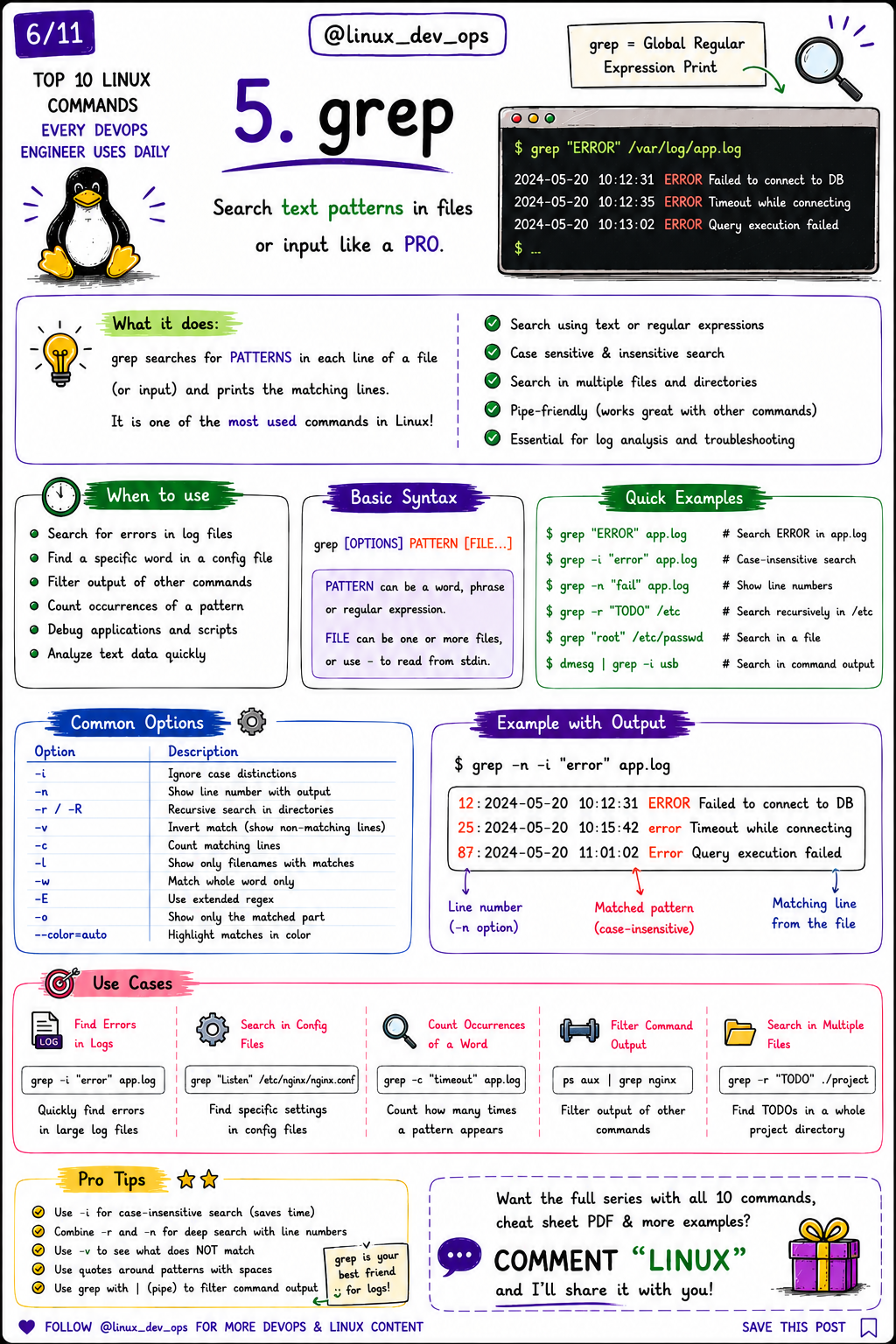
5. grep
Search text instantly.
Example:
grep -i "error" /var/log/nginx/error.log
Perfect for:
Log analysis
Config search
Filtering command output
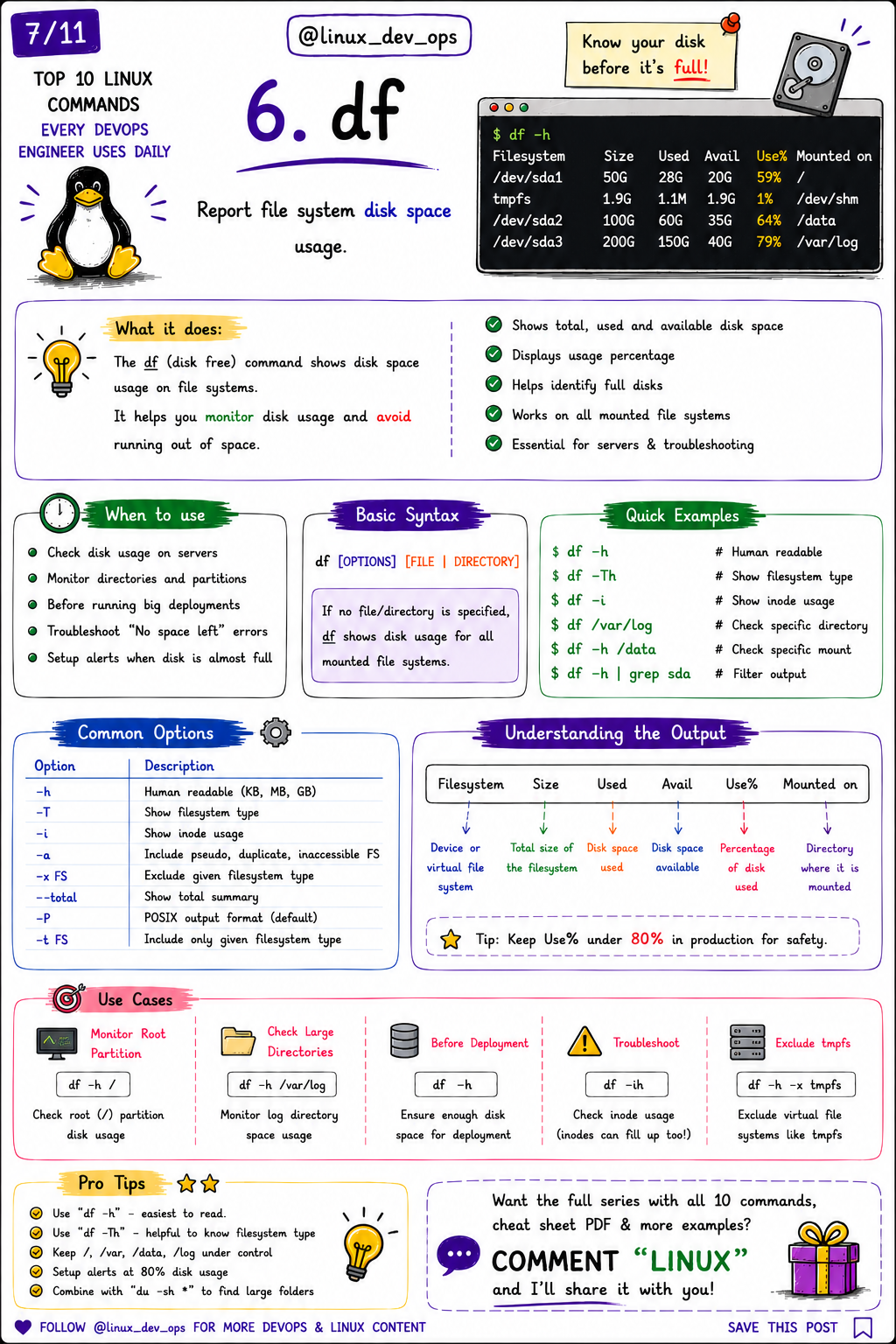
6. df
Check filesystem usage.
Example:
df -h
Always monitor disk usage before production deployments.
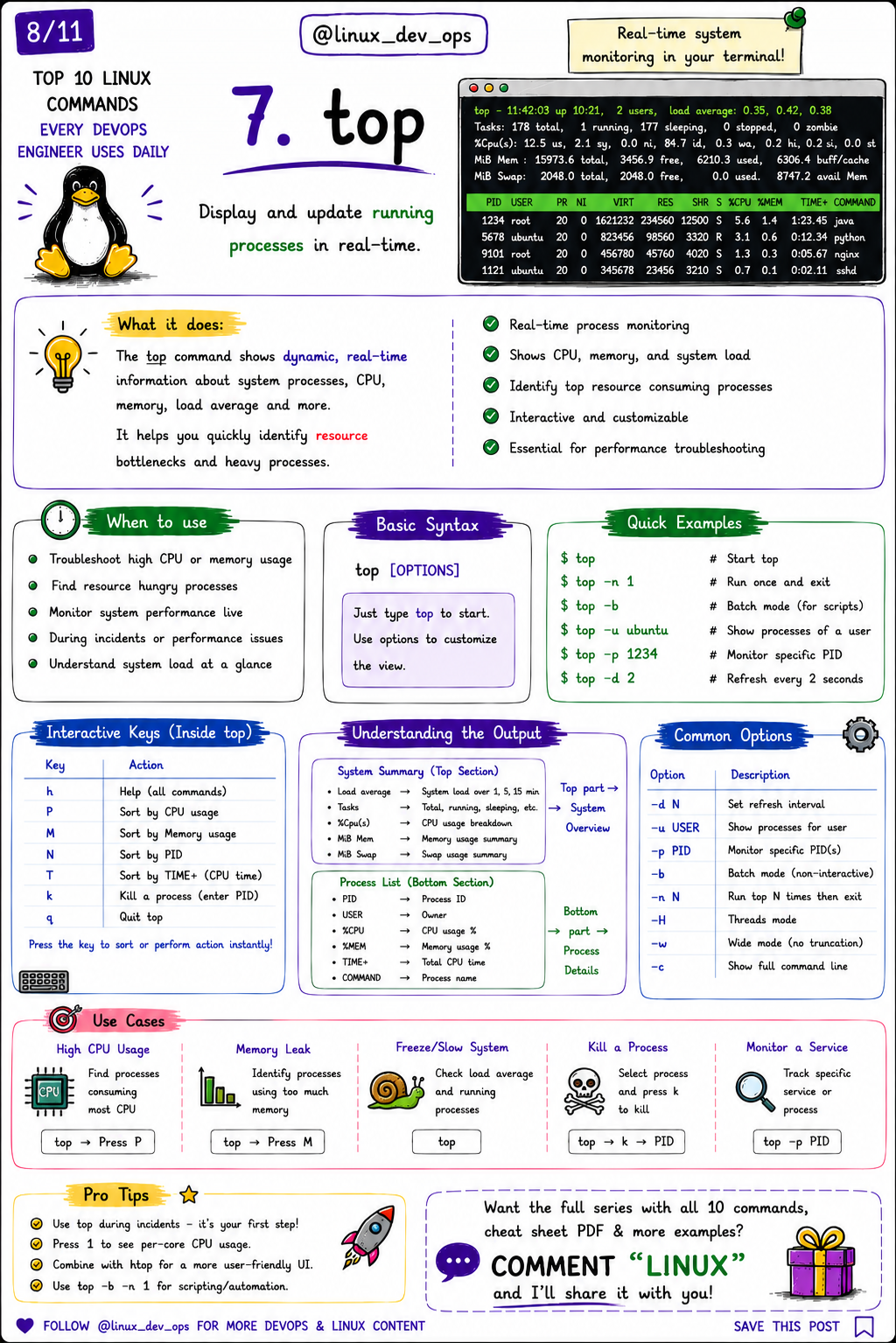
7. top
Real-time system monitoring.
Shows:
CPU
Memory
Running processes
Load Average
Example:
top
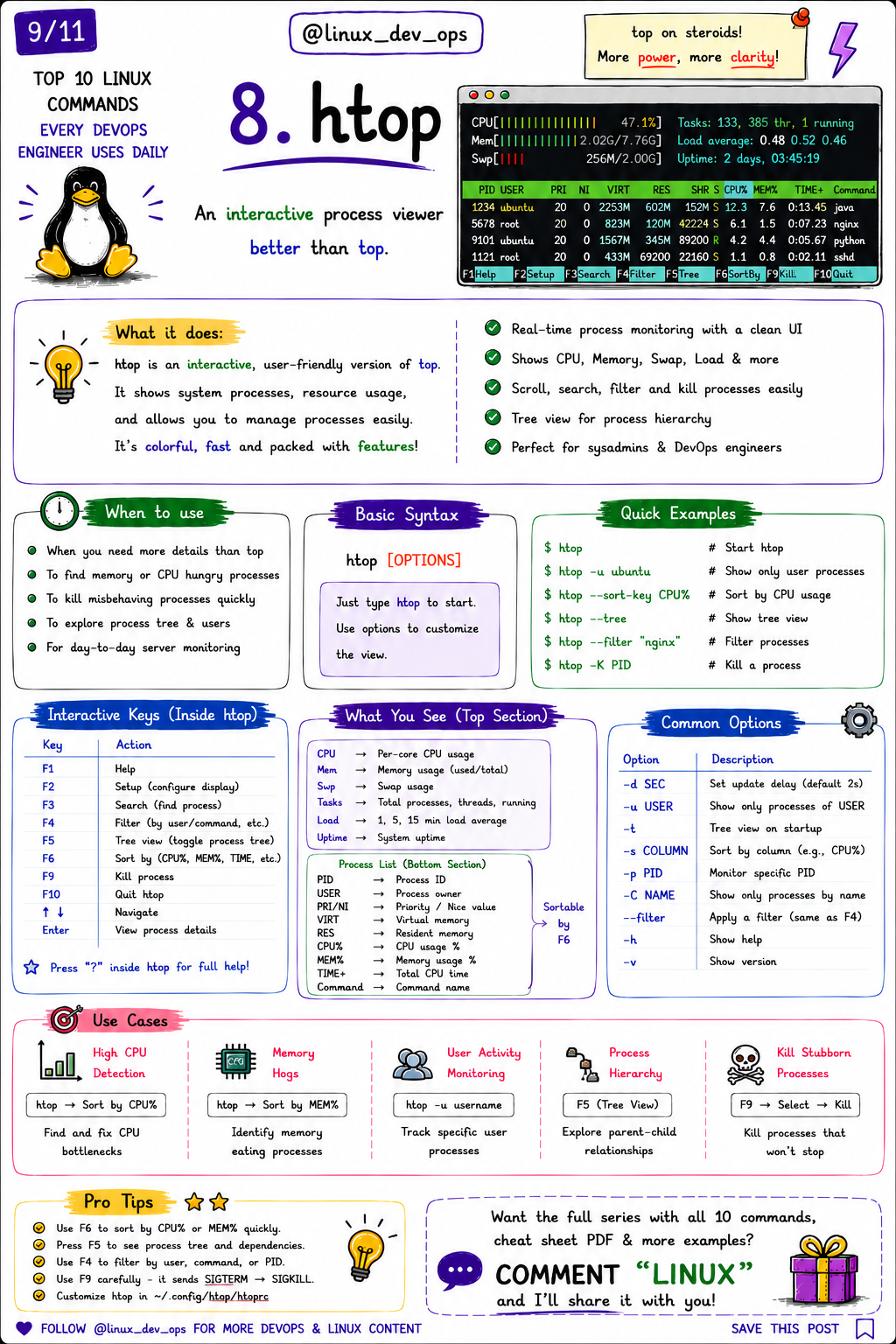
8. htop
A modern alternative to top.
Features:
Interactive interface
Process search
Tree view
Easy process management
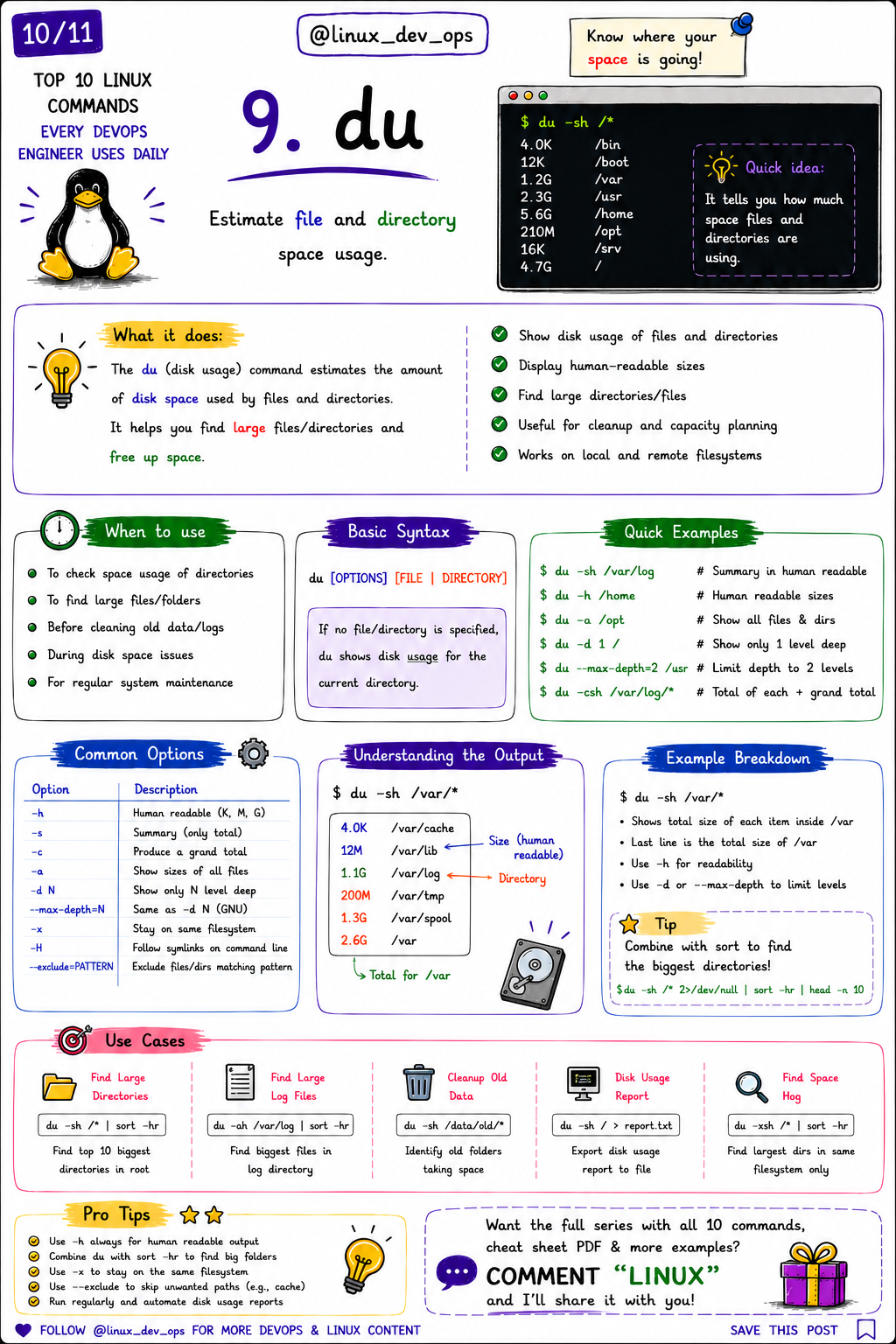
9. du
Find what’s consuming disk space.
Example:
du -sh /var/log/*
Extremely useful when a server suddenly runs out of storage.
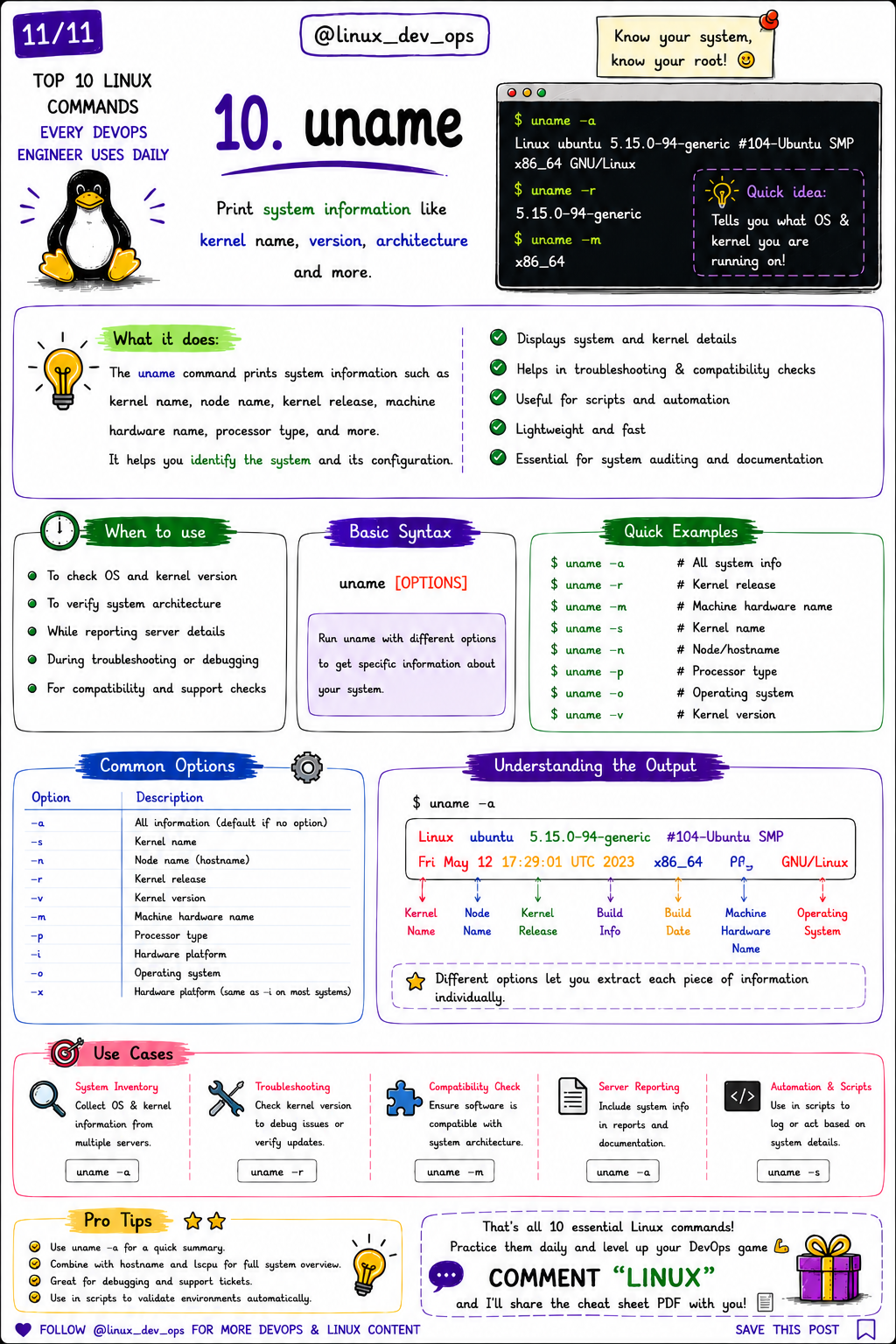
10. uname
Display Linux kernel and operating system information.
Example:
uname -a
Helpful for:
Troubleshooting
Automation
Compatibility checks
Production Tips
✔ Learn keyboard shortcuts for each command.
✔ Combine commands with pipes (|) for powerful workflows.
✔ Read the manual pages:
man <command>
✔ Practice on a virtual machine before using commands in production.
Free Resources
This article is part of my Linux & DevOps Learning Series.
You’ll also find:
Production-ready Bash scripts
Linux cheat sheets
Architecture diagrams
DevOps project guides
Automation templates
Illustrated engineering notes
If this guide helped you, consider supporting my work through Buy Me a Coffee. Every contribution helps me create more free content for the Linux and DevOps community.
Thank you for your support! ☕