

🇺🇸 Meet EpicMedium! ☕
Found a great article on Medium and want to do more with it than leave another tab open?
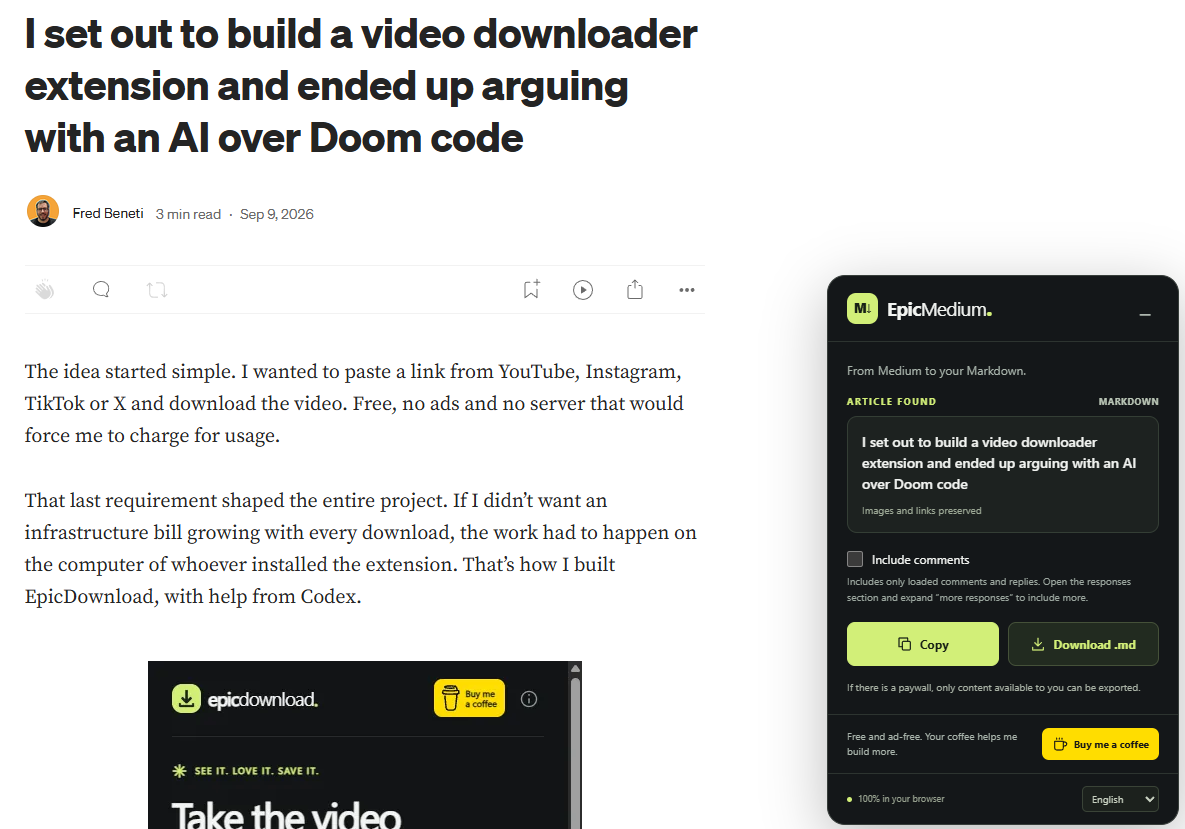
I built EpicMedium for that. My new Chrome extension lets you copy an article as Markdown or download it as a .md file. Completely free. No ads. NO ADS. 😎
The idea is simple: make useful reading easier to work with. Save articles as references, organize your notes, translate them with AI, create summaries, or develop your own content inspired by what you read. Markdown keeps the text and structure in a format that’s easy to edit and use in other tools.
EpicMedium preserves headings, links, image references, and formatting. You can also choose to include loaded comments. If the article has a paywall, it exports only the content available to you.
Download EpicMedium. Installation instructions in English, Portuguese, and Spanish are included in the ZIP.
Enjoy it? Buy me a coffee and help me keep building useful little things. 💛
🇧🇷 Conheça o EpicMedium! ☕
Encontrou um artigo interessante no Medium e quer fazer mais com ele do que deixar outra aba aberta?
Criei o EpicMedium para isso. Minha nova extensão para Chrome permite copiar um artigo como Markdown ou baixar como arquivo .md. Totalmente grátis. Sem anúncios. SEM ANÚNCIOS. 😎
A ideia é simples: facilitar o uso daquilo que você lê. Salvar artigos como referência, organizar suas notas, traduzir com IA, criar resumos ou desenvolver seus próprios conteúdos inspirados na leitura. O Markdown mantém o texto e a estrutura em um formato fácil de editar e usar em outras ferramentas.
O EpicMedium preserva títulos, links, referências às imagens e formatação. Você também pode escolher incluir os comentários carregados. Se o artigo tiver paywall, ele exporta apenas o conteúdo disponível para você.
Baixe o EpicMedium. O ZIP inclui instruções de instalação em português, inglês e espanhol.
Gostou? Me paga um cafezinho e me ajuda a continuar criando coisas úteis. 💛
🇪🇸 ¡Conoce EpicMedium! ☕
¿Encontraste un artículo interesante en Medium y quieres hacer algo más con él que dejar otra pestaña abierta?
Para eso creé EpicMedium. Mi nueva extensión para Chrome permite copiar un artículo como Markdown o descargarlo como archivo .md. Totalmente gratis. Sin anuncios. SIN ANUNCIOS. 😎
La idea es sencilla: facilitar el uso de lo que lees. Guardar artículos como referencia, organizar tus notas, traducirlos con IA, crear resúmenes o desarrollar tus propios contenidos inspirados en la lectura. Markdown conserva el texto y la estructura en un formato fácil de editar y utilizar en otras herramientas.
EpicMedium conserva títulos, enlaces, referencias a las imágenes y formato. También puedes elegir incluir los comentarios cargados. Si el artículo tiene paywall, solo exporta el contenido disponible para ti.
Descarga EpicMedium. El ZIP incluye instrucciones de instalación en español, inglés y portugués.
¿Te gusta? Invítame a un cafecito y ayúdame a seguir creando cosas útiles. 💛
Example
# I set out to build a video downloader extension and ended up arguing with an AI over Doom code
Author: [Fred Beneti](<https://medium.com/@beneti?source=post_page---byline--ddf0271ea3c4----------------------------------------->)
Published: Sep 9, 2026
---
The idea started simple. I wanted to paste a link from YouTube, Instagram, TikTok or X and download the video. Free, no ads and no server that would force me to charge for usage.
That last requirement shaped the entire project. If I didn’t want an infrastructure bill growing with every download, the work had to happen on the computer of whoever installed the extension. That’s how I built EpicDownload, with help from Codex.

## The three simpler cases
I started with the data the platforms themselves hand to the browser.
On TikTok, I found the playback URLs in the page’s JSON. That makes it possible to pick an unbranded source when one is available.
On Instagram, I followed a similar path: locate the post and pull the video address from the page data or the OpenGraph metadata.
On X, I used the post’s public embed metadata to find the available versions and pick the best MP4.
In all three cases, once I can get the file directly, the extension moves the data into the browser’s storage and then saves the download.
## YouTube took more work
I implemented a query to the internal player endpoint using an iOS client profile, with the matching headers on the extension’s requests. Once I had the URLs, another problem showed up: video and audio often come separately. To merge them without a server, I bundled FFmpeg compiled to WebAssembly right into the package. The merge happens inside Chrome, without re-encoding the tracks.
There was still the 403 errors to deal with. Instead of requesting the whole file, I switched to fetching chunks of up to 1 MiB using Range, with a second attempt through the URL’s range parameter and format fallbacks. I validate the chunks before assembling the file. It worked on the examples I tested, but one Short still fails on the final chunks. That case is still open.
## The argument about Doom
Somewhere in the middle of this, I asked for a joke feature: hide the YouTube option and reveal it by typing “iddqd”.
Since we’d talked earlier about the Chrome Web Store rules, Codex read that as an attempt to hide functionality from review. And it kept pushing the point.
I sat there not understanding it. The code was on my own machine. I could edit it, ask another model or just distribute the extension outside the store, which was exactly what I planned to do anyway.
That’s where my reservation about building with AI sits. I expected to hear the concern and keep working. Instead I ended up repeatedly re-arguing a decision about a project I could change myself. The model later admitted it had dragged the conversation out.
In the end, I dropped the shortcut and left YouTube enabled directly.
## The result
EpicDownload is out now, free and without ads, with install instructions in Portuguese, English and Spanish.
[EpicDownload - Fred Beneti](<https://buymeacoffee.com/fredbeneti/epicdownload?source=post_page-----ddf0271ea3c4----------------------------------------->)
## By the way
I posted videos on Instagram, TikTok and YouTube talking about the extension. The YouTube video got taken down and I got a strike. Apparently I’m not allowed, in any way, to teach people how to download YouTube videos.
I didn’t get the problem at first. Seems to have something to do with music. Imagine if they find out about yt-dlp.