

First of all thank you to Leon for shouting a few coffee's, I am aiming to keep this app free.
Below is a list of changes to the Fearby Screen Saver over the last few weeks. Ever the late early 1990's I have had a fascination with 3d Graphics (see my old 3DFishTank project here), I love making this. Apps can be reverse engineer source code anyway. 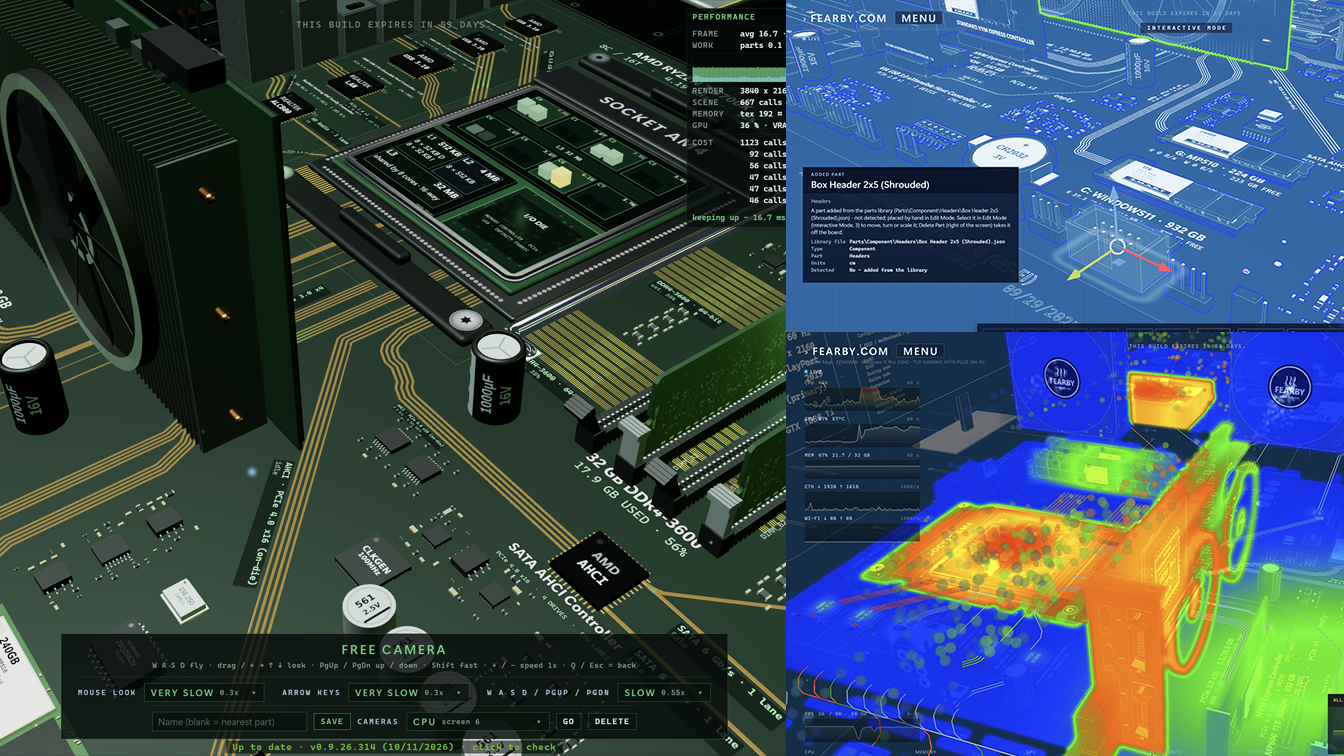 Recent Changes
v0.9.26.319
Driving and Flying mini games (testing the limits of the threejs 3d engine)
v0.9.26.317
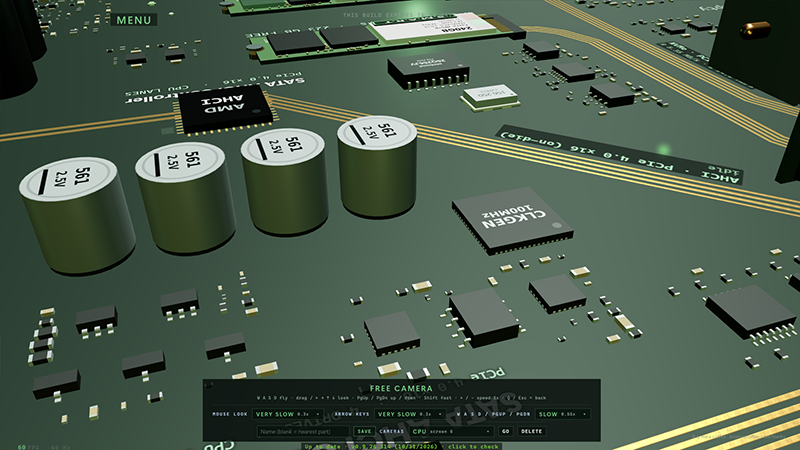
Sharper picture. The saver now draws one dot per screen pixel instead of stretching a smaller image, so a fresh install starts crisp.
Much clearer images, no more backend scaling up, more gpu usage by default but feel free to scale down in Settings → Graphics → Render resolution.
Readable text. Labels and chip text stay sharp as the camera sweeps across the board.
Smooth on fast screens. A new slider sets the frame rate from 15 to 240, and the default stays a cool, quiet 60.
One Graphics tab. Sharpness, frame rate and monitors are together, with a line for each screen showing what it will draw.
Plain-English settings. Every option says what it does, and old settings upgrade to the new defaults once while your own choices are kept.
Feel free to tweak Anti-aliasing and graphics settings.
Tested upto 240fps
v0.9.26.315 & v0.9.26.316
First visit to each screen compiles shaders behind a brief cover.
Draw calls more than halved; smoother frames on large detailed boards.
Updater Repair now properly repairs and confirms when it has finished.
Updater recognises newer installed builds and stops offering an older repair.
Installer window now opens in front instead of hiding behind others.
Pressing Escape twice no longer quits while closing an open window.
Holding a screen key no longer flips rapidly between different views.
FPS graph warns when your graphics card cannot keep up smoothly.
Drag information panels anywhere; positions are remembered for next time too.
Double-click a data line to snap it perfectly straight in edits.
v0.9.26.314
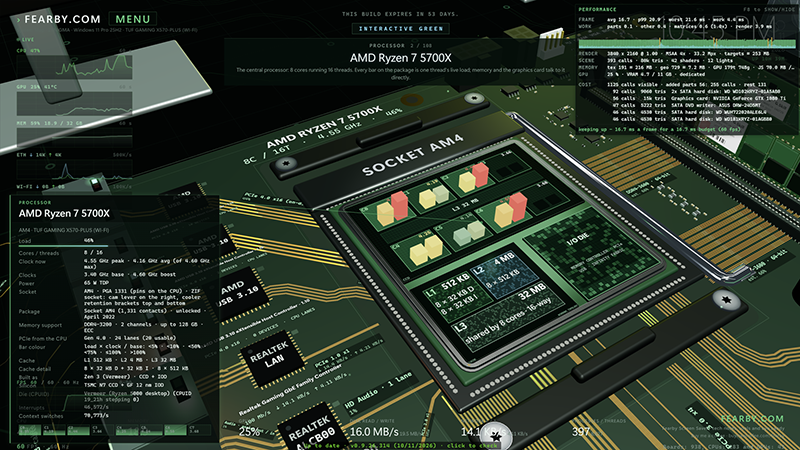
Fewer draw calls in Thermal, Realistic, Edit and RGB views: those views now take less than half the work per frame, so they run much smoother.
Whole models merged (graphics card, drives, memory, I/O and more): about 40 % less work per frame, so smoother on laptops and integrated graphics.
Refresh rate choice: owners of 144–240 Hz screens can run the saver at 120, 60 or 30 fps, without tearing.
Frame cap fix: a 60 fps cap on high-refresh screens now runs at an even 60 fps instead of a stuttering ~70.
FPS graph with a “can’t keep up” warning: a red box flags slowdowns, and clicking it gives only fixes that will actually help.
Render resolution and texture filtering settings: slower PCs can lower the load, and faster ones get sharper text on angled surfaces.
Tidy Lines: automatic boards start neat, with parallel lines and no crossings, which saves lots of manual line fixing.
Double-click to straighten a data line: snaps a slightly crooked stretch to horizontal, vertical or 45° instantly.
F8 Performance panel with a per-part cost list: shows where the time goes and which parts cost the most, so users can fix it.
Movable panels: the info, card, Thermal and Performance panels can be dragged out of the way, and stay put next time.
Esc goes back one step at a time: Esc no longer skips steps, and the F-key windows switch cleanly between each other.
Updater no longer freezes: it stays responsive when handing over to the installer, so no “Not Responding” scare.
Added-parts limit raised from 256 to 1,024: bigger custom boards are possible, with warnings before they get too heavy for the graphics card.
Memory freed on rebuild: texture memory is now freed when the board rebuilds, which should stop long sessions slowly using more memory.
Reset Defaults button in Settings: puts every setting back to a fresh install in one click, while keeping board edits and added parts.
Movable Child Forms
v0.9.26.313
FearbyComScreenSaverUpdater.exe (same as Budgiebackup.com), Older versions no longer read the new version.json file
Multi-select parts in Edit Mode; move them as one block.
Duplicate, Duplicate Many and Delete for added library parts.
Save State / Load State backs up and restores user made board layouts.
Thermal air and heat particles now flow around parts.
Exit Edit Mode button is the only way out.
Failed save keeps you in Edit Mode; nothing lost.
Automatic update check once a week, never at launch.
Manual update check anytime, from Settings or version line.
PCIe M.2 cards and unidentified slot cards now drawn correctly.
Memory slot fixes; typing 1–7 in boxes works now (not change scenes).
Antialiasing>
Much More
v0.9.26.307
Menu appears at the start of the Interactive EXE version
Faster Startup
F7 Benchmark of the System
Upgrade Advisor Enhancements
Secret Easter Egg when Moving Parts
Etc
v0.9.26.305
Fix Preview not working in the screen saver
Easy Access Feature Menu
Alpha Upgrade PC Advisor (F6)
Change colours of lights in the scene
Much More
v0.9.26.302
Add parts from the parts library to your board
Export your added parts to a file (backup)
Import parts back from a file
Clear all user added added parts with one button
A progress box shows in the middle of the screen
Leaving Edit Mode offers to save your parts
New “Parts” tab in Settings (auto-save and folder choice)
New realistic capacitors and misc parts
Better UI Placements
The saver won’t start if a game is running or the graphics card is busy
The black screen says why it didn’t start
New “Tweaks” tab in Settings
CD, DVD and Blu-ray drives now show
The drive tray opens and closes live
The drive shows if a disc is in
Hard drive heads move on every drive
USB device boxes are wider, with more detail
Network adapters show in the I/O boxes
A “Loading” box shows when you switch scenes (keys 1-6)
Edit Mode: parts get a blue outline, green when hovered
Fixed fans drawing in front of parts in Thermal Mode
Bottom line shows if your version is up to date
The installer warns that an update overwrites board edits
SATA hard drive cards now show the right speed
v0.9.26.301
Better Screen Saver Settings
Force the saver to close within a couple of seconds of any input, no matter what.
Pause rendering and all the background polling when the display turns off or the PC locks.
Optionally drop to a low-power or blank mode after a few hours.
Occasional memory usage checks.
Recover properly if the graphics driver resets mid-run.
Write a small health log so I can see if anything is creeping up over a long run (cap file size).
Add a section to the saver to enable debugging
Settings Screen DPI Monitor 100% to 200% Scaling Fix
v0.9.26.301 Alpha Build Expires on the 1/1/2027
v0.9.26.300
Switched to a MSI Installer (NSIS Installer was giving Flase Malware Flags)
v0.9.26.299
New: parts library (early preview)
F4 Parts: a library of about 480 PC parts and components, each viewable in 3D. Sadly just a simple cube for now to performance test the parts library loader.
Add Part: in Blueprint Mode (3), Edit Mode, add real parts to your edited board, with live progress while each one loads.
Work in progress: parts may be wiped with each build for now.
Malware false-positive and security hardening
Disabled automatic network access: the saver and app never contact the internet on their own.
Updates: a “Check for updates” button in Settings, used at most once a week.
LAN scan removed: Flight Sim’s network-discovered stars are gone (was local PC's ping times); the stars are now random.
No global keyboard polling: Space-to-pause now works without watching the keyboard system-wide.
No files unpacked to TEMP: all files are installed up front into Program Files.
Uncompressed, signed installer.
Setup no longer makes itself your screen saver unless you tick the box.
One installer only: the large self-contained build has been retired.
Screen saver install turned off by default in setup
Removed the Full Installer with .NET runtimes included (scanners thinks thats shady (but tis a Visual Studi Build Option)?
v0.9.26.298
RGB Mode Lighting Enhancements on HDD Platters
Free Camera Mode (press 6)
Set and Reload Camera Positions
Screen Saver Settings
Etc
v0.9.26.297
When the camera moves behind the monitors they hide (and not block the view)
v0.9.26.296
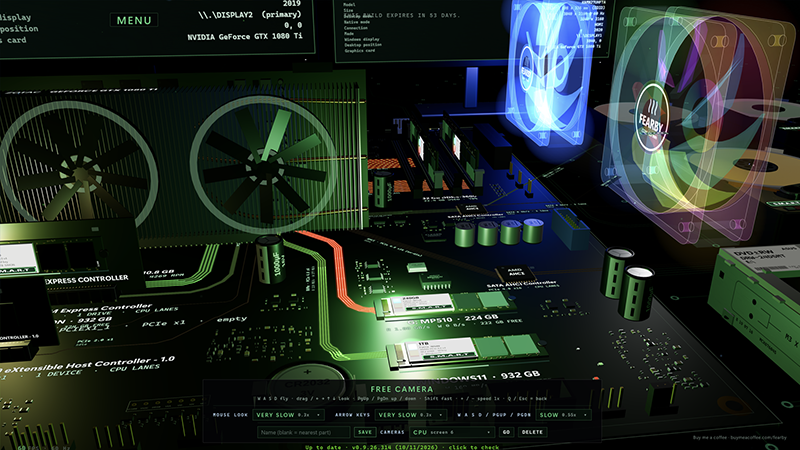
RGB Fans
Dummy FAN Control
v0.9.26.295
Sound effects: new “Play sounds” setting (on by default) with 35 sounds in the app, Edit window and Settings.
Silent screen saver: the real screen saver never plays sound.
Expired builds: an expired alpha now keeps running in a limited mode instead of freezing or closing.
Expiredbuild limits: it stays on the camera tour, ignores keys and mouse (except Esc twice), and shows an “Alpha build expired, please update” message.
Expired settings: your saved view settings are ignored but not erased, so a newer version finds them again.
Better auto layout: parts are placed and wired automatically so lines stay clear of parts and each other.
Fewer manual fixes: you should rarely need Edit Mode to tidy the board.
CPU wiring: lines leave the CPU in tidy bundles on each side, and the graphics card connects from the bottom.
Rear panel and chips: connector blocks are ordered to keep wiring short, and the controller chips are smaller so they all fit.
Video ports: the HDMI/DisplayPort block now shows whenever there’s no graphics card in a slot.
Power connectors: added the 8-pin and 4-pin CPU power sockets along the top edge.
Laptop boards: redesigned, with soldered or SO-DIMM memory, the graphics chip under the CPU, and ports on the board edges.
Mini PC / NUC boards: now laid out like a laptop board instead of a squeezed desktop one.
Auto saved layout: the auto layout is stored, so the next start loads it instantly. Reset clears it.
Hardware Detect (F12): the log now explains where each chip was placed and how well the wiring worked.