

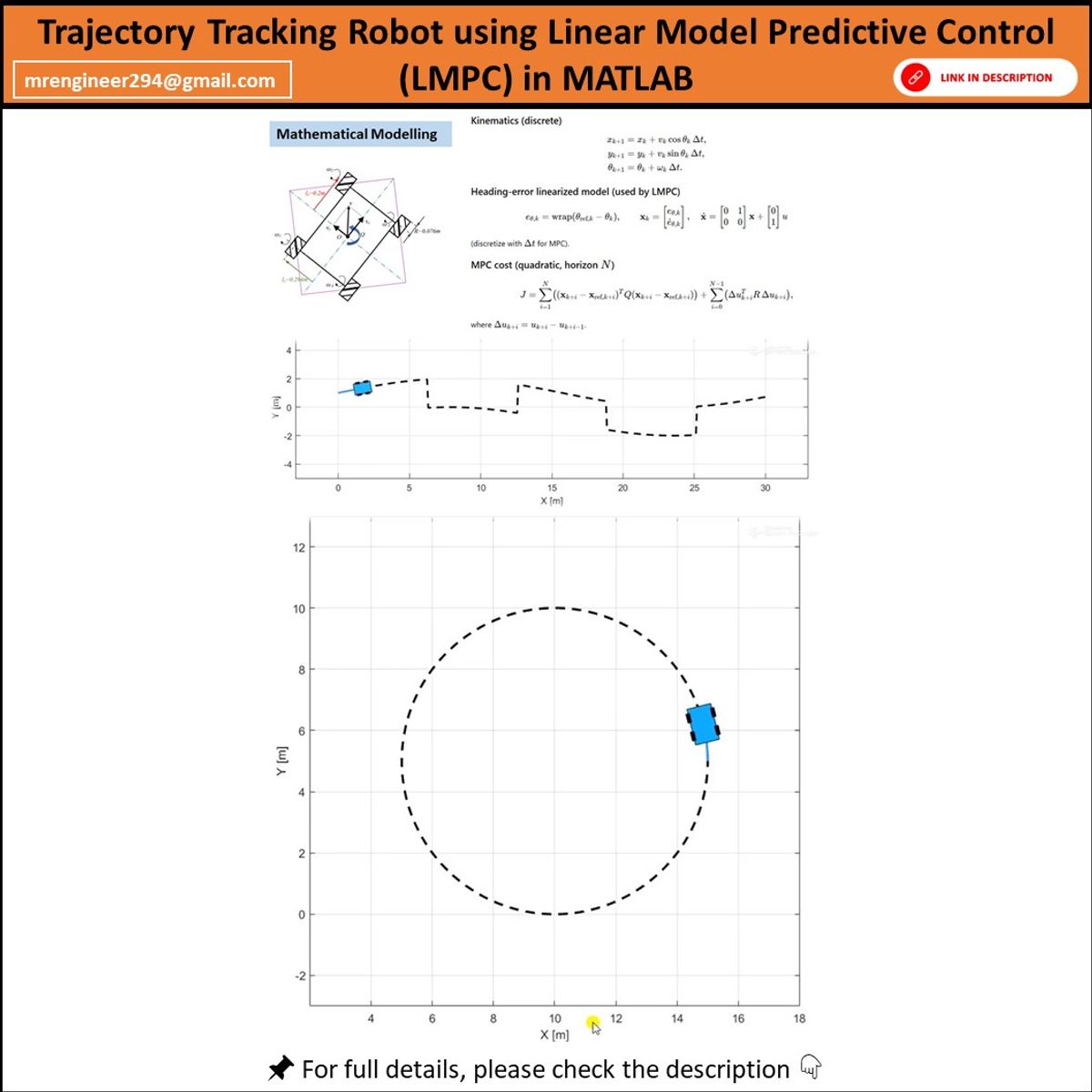
MPC based Differential Drive Robot Trajectory Tracking in MATLAB
$9
2 personnes ont acheté ceci
Project Description:
🚀 Watch your robot track Sine, Circle, Rectangle, Zig-Zag, and Spiral trajectories in real-time!
📈 Fully visualized 4-wheeled robot animation with LMPC control, showing smooth heading correction, velocity modulation, and accurate path tracking.
Perfect For:
🎓 Final Year Projects & Capstone Projects
🤖 Robotics & Control Systems Labs
💻 MATLAB Simulations & Academic Research
📊 Performance Evaluation & Trajectory Tracking Studies
📝 Tutorials, Teaching, and Demonstration of LMPC in Action
Key Features:
✅ LMPC Control: Smooth trajectory tracking using Linear Model Predictive Control.
✅ Multiple Trajectories: Sine Wave, Circle, Rectangle, Zig-Zag, Spiral.
✅ Real-Time Visualization: Animated robot body and wheels for realistic movement.
✅ Adaptive Velocity: Robot slows down for sharp turns, faster on straight paths.
✅ Performance Metrics: RMSE, Mean Absolute Error, Max Error, Path Efficiency.
✅ Easy-to-Use MATLAB Files: Simply run main.m and select trajectory.
✅ Ready for Academic & Commercial Use: Well-commented and professional code.
Included Files:
LMPC_Trajecotry_Tracking/
│
├─ README.md # Detailed project overview and usage guide
├─ main.m # Main simulation script (LMPC + visualization)
├─ generate_trajectory.m # Function to generate multiple trajectories
├─ results/ # Folder to store performance plots and metrics
│ ├─ trajectory_plot.png # Example final trajectory plot
│ └─ error_metrics.txt # Example RMSE, MAE, Max Error, Path Efficiency
├─ assets/ # Optional folder for logos, icons, or visual assets
│ └─ robot_icon.png # Robot icon for visualization (optional)
Why Buy This Project?
✅ Fully functional LMPC robot simulation ready to run in MATLAB.
✅ Animated robot visualization with clear trajectory tracking.
✅ Professional code structure with comments for easy understanding and customization.
✅ Ideal for students, researchers, and instructors to demonstrate advanced control and robotics.
🛑Usage Instructions:
Download the folder LMPC_Trajecotry_Tracking.
Open MATLAB and set the project folder as the current working directory.
Run main.m.
Enter trajectory choice (1-5) in MATLAB command window.
Watch robot track the trajectory with live animation and performance metrics.
Save plots and metrics in the results/ folder.
🚀Before proceeding with the purchase, please ensure you have the following:
✅ MATLAB Software (R2019a or later recommended)
✅ Model Predictive Control Toolbox (Required for LMPC implementation)
✅ Control System Toolbox (Required for system modeling and MPC calculations)
Author:
Engr Programmer
$9
2 personnes ont acheté ceci
Saisissez un prix raisonnable
$
$9