
Notion template
Download here the Notion template
After it opens, just click duplicate and if you think that is worth it, come back and buy me a coffee.
Thank you.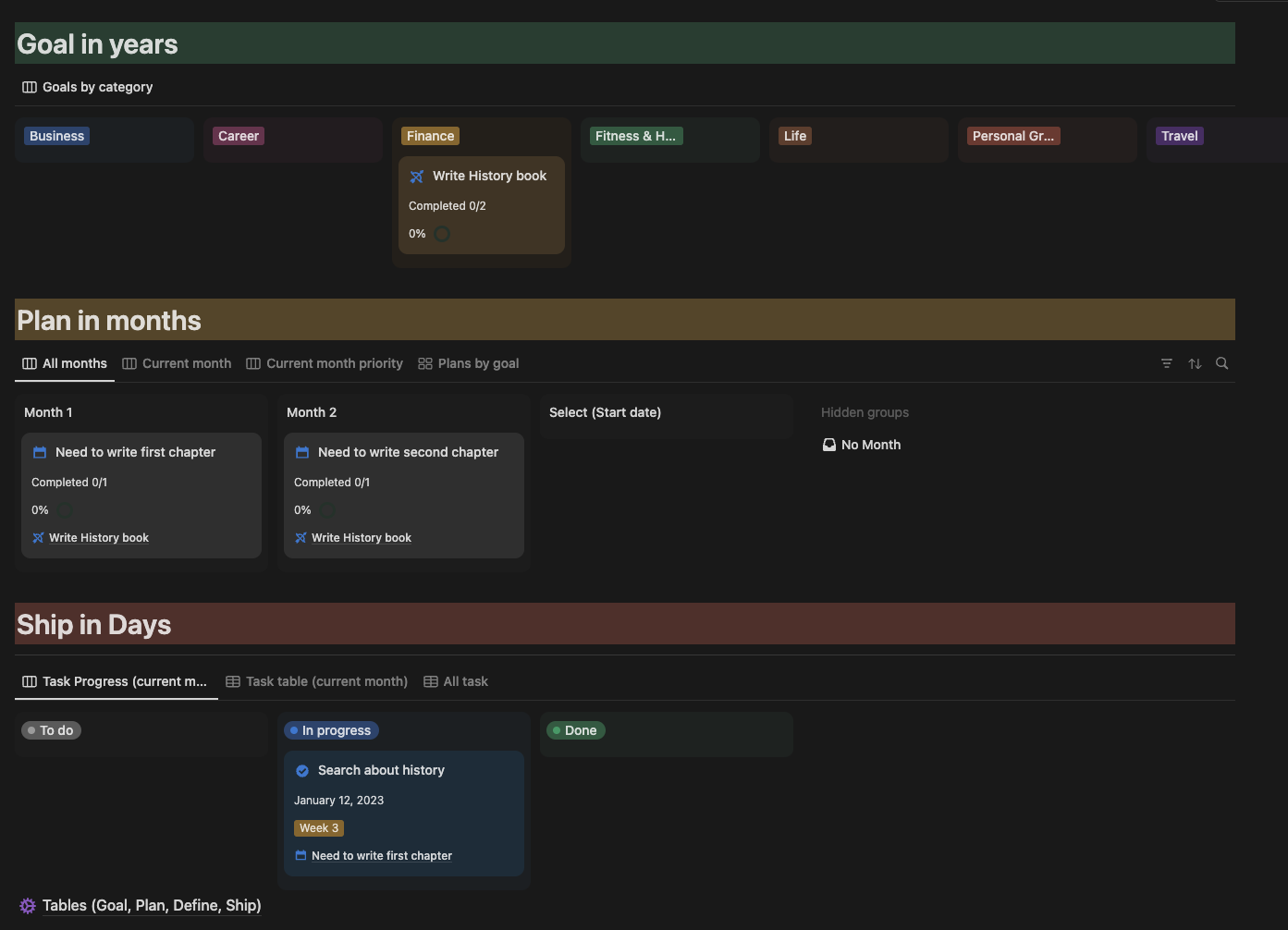
Information about using this template
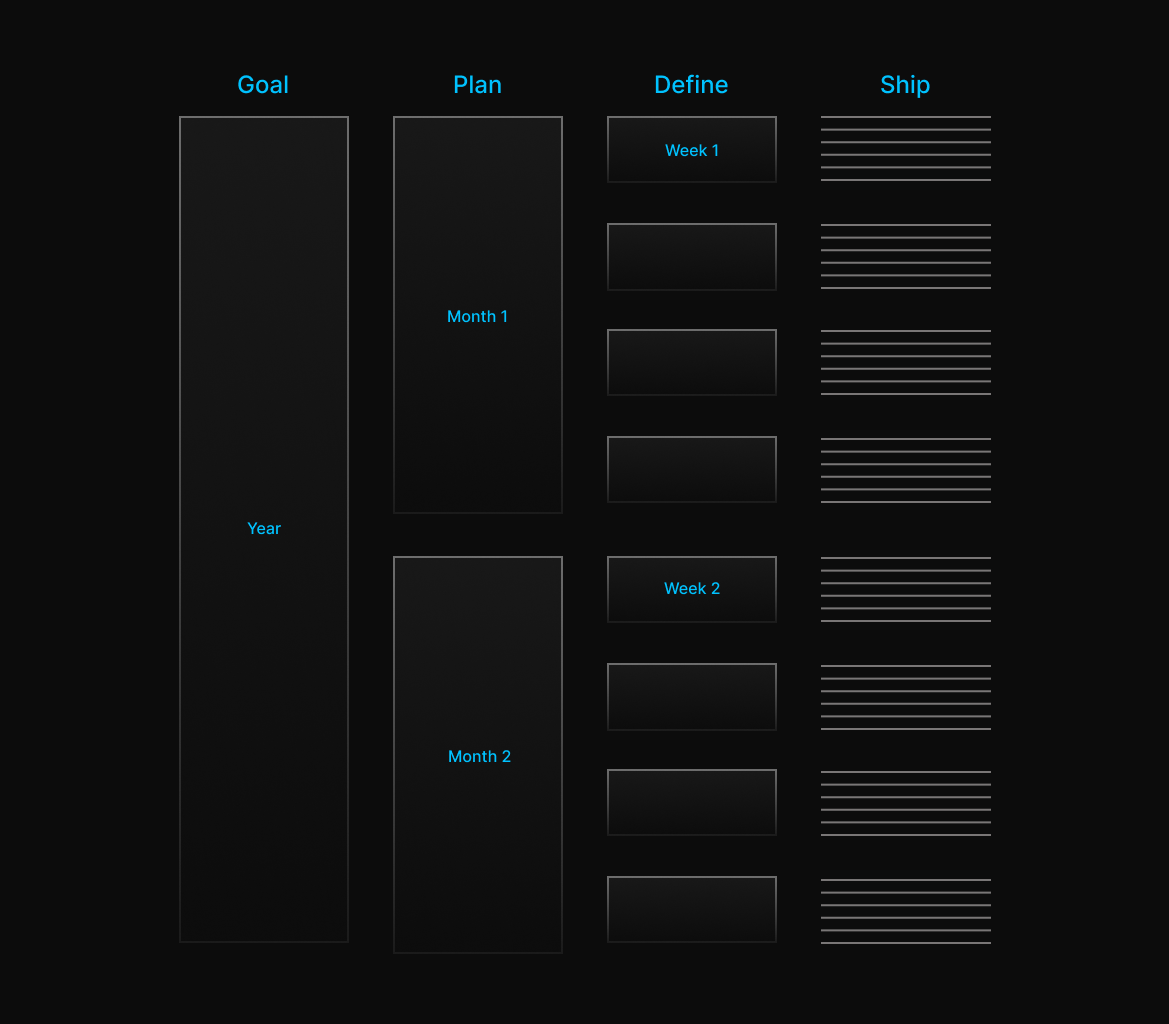
This dashboard gives you a better view of all your goals, plans and daily tasks.
Manage your goals
You have to Create first a goal by selecting the date and category. When you open the goal page inside click “Start your goal (use this template)” it will show next time the plan of each goal separated.
Manage your plans
In plan, you have tabs All months, Current month, Current month priority and Plans by goal, each one help you to navigate your plan in better way. So why you are waiting try to create a plan by starting with selection of Start date, which is important because you can see in pages All months, Current month, Current month priority.
After you pick a date, please know how much important and urgent is your plan, so you have to prioritize.
Manage your tasks
In the end you have Task page so feel free to start by selecting the week, Do on date and Each task need to be done within 14 days after its due date need to be evaluated.