

Are you tired of collecting random, useless emails that don’t convert?
Let me introduce you to a 100% free and powerful email scraping tool ( "To run this tool, you should contact me first. I will send you the instructions " ), which I designed to help you extract highly targeted email addresses directly from websites or Google Search results. And best of all, it integrates perfectly with GetResponse — one of the top email marketing platforms.
🔍 What Is This Tool Exactly?
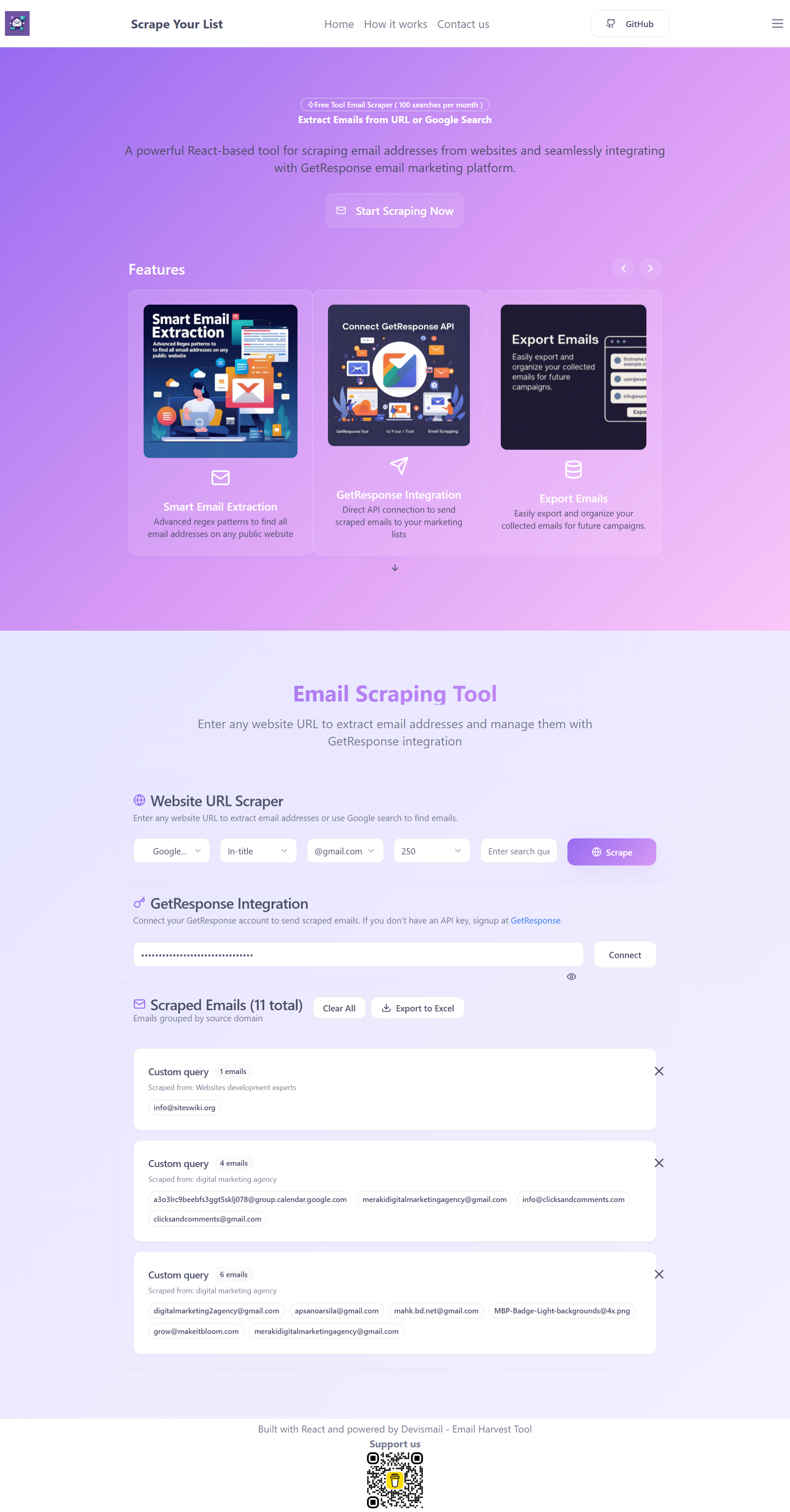
This is a React-based email scraping tool that allows you to:
Extract emails by entering direct website links
Or scrape from Google Search using specific keywords
Send the extracted emails directly to your GetResponse mailing list
Organize and export emails for future campaigns
Filter out invalid or fake emails automatically
It’s an all-in-one solution for digital marketers, freelancers, affiliate marketers, or anyone looking to grow an email list in a smart, automated way.
⚙️ How the Tool Works – Step-by-Step
🧭 Method 1: Extract from Website URL
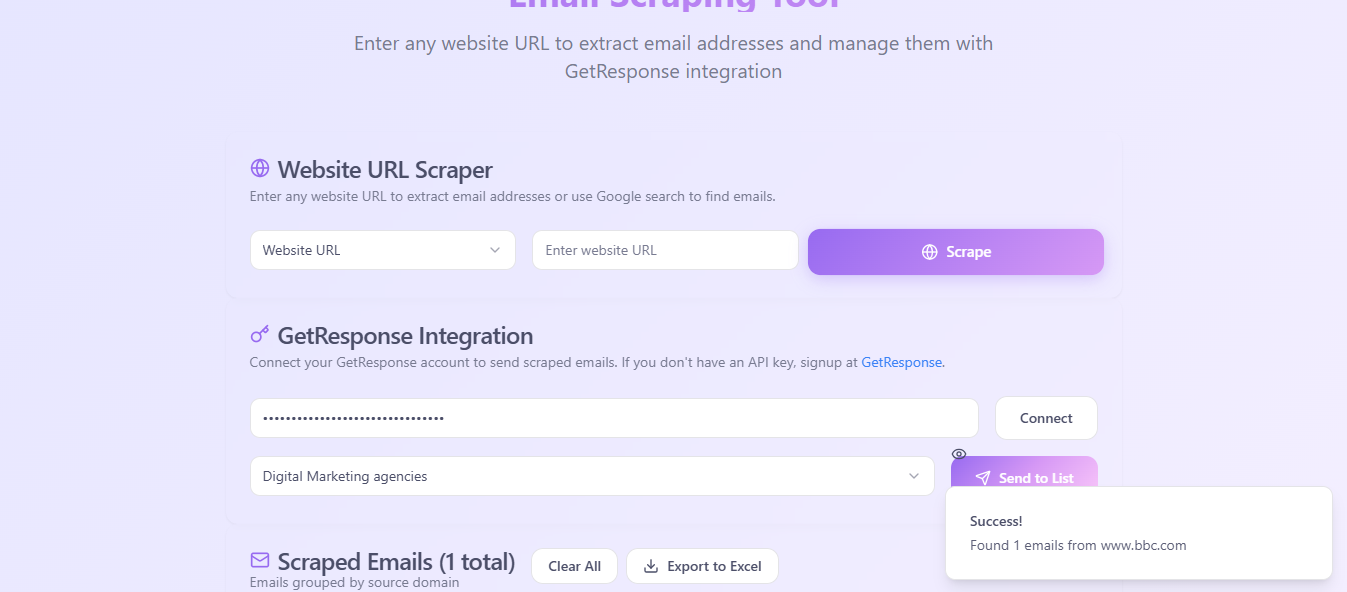
Paste any public website URL (e.g., https://www.bbc.com/contact-bbc-com-help ).
The tool will scan the page and attempt to extract any email addresses it finds.
Even if it's a test or fake email, this feature is great for direct site-specific scraping.
🔎 Method 2: Extract via Google Search (Advanced)
This is where the magic happens!
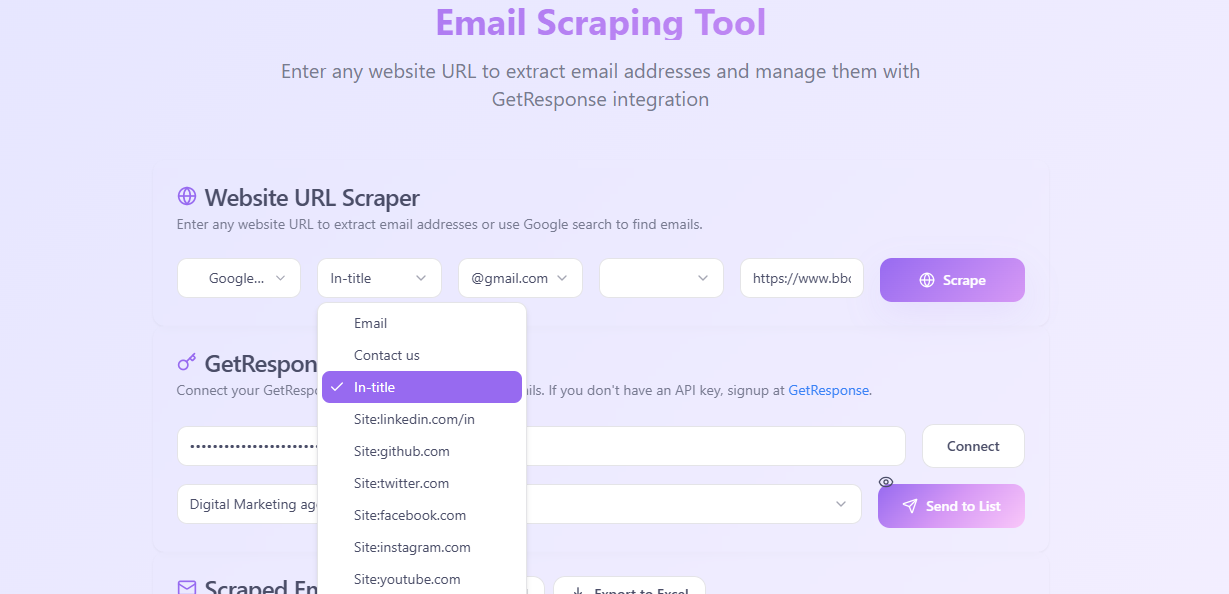
Choose a search engine operator like:
site:github.comsite:twitter.com
Choose a keyword, e.g.
digital marketing agencyFilter for emails like
@gmail.com,@yahoo.com, etc.Select how many search results to scrape: 100, 250, or more.
✅ Perfect for building targeted lists of businesses or professionals.
📦 Seamless GetResponse Integration
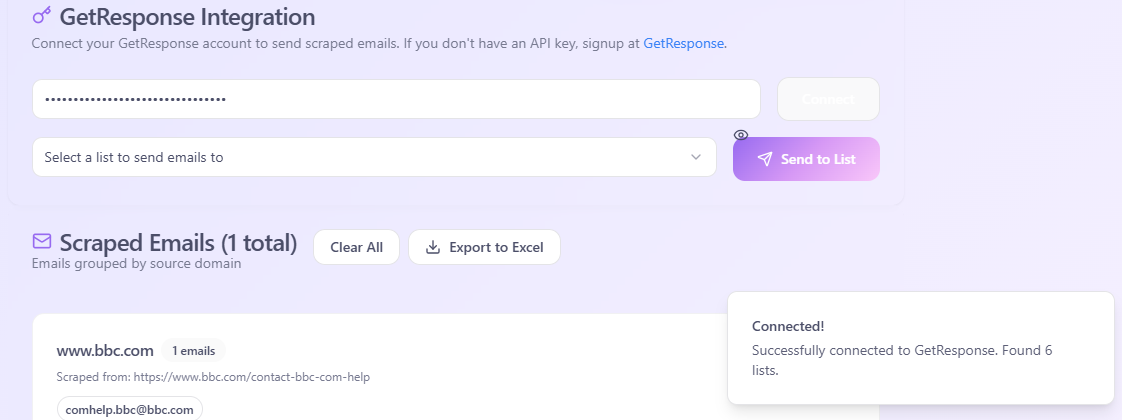
You can connect your GetResponse account using an API Key and send the scraped emails directly to a mailing list.
Steps:
Go to your GetResponse dashboard → Settings → API
Generate a new API Key
Paste the key in the tool and connect
Select a mailing list (or create a new one like "General Marketing")
Click “Send to List”
⚠️ Don’t worry about duplicates or invalid emails!
The tool automatically filters fake or repeated emails — only valid contacts are added to your list.
✉️ Build & Send Newsletters Easily
Once the emails are inside GetResponse:
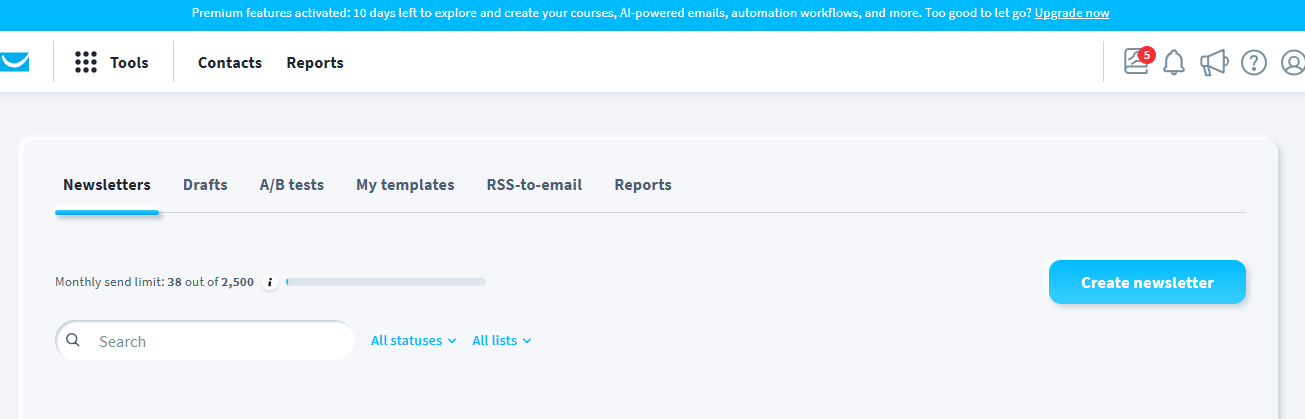
Create a newsletter or promotional email
Use GetResponse’s AI email generator
Customize the design, choose a template, and hit send
🚀 You can start with 4 emails, or scale up to 10,000+ contacts — the platform can handle it all.
💡 Pro Tip: Use Keywords Strategically!
Want leads from web developers? Use:
"web development agency" inurl:contact site:linkedin.com
Want to reach marketing professionals? Try:
"digital marketing expert" @gmail.com site:twitter.com
🔗 Combine smart queries with this tool, and you’ll build a powerful email list in no time.
To TRY THE TOOL AS A LIVE DEMO: https://usefulltools.site/email_marketing/
💻 Coming Soon: Full Guide on How to Install This Tool on Your Device (Totally Free!)
Stay tuned!
I’ll be publishing a step-by-step tutorial to help you install and run this tool on your own device. No hidden fees. No subscriptions. Just pure value.
📩 Follow me on BuyMeACoffee to get notified when the installation guide is published.
📩 For download this tool you will find the links in this channel description: @coder-marketer
☕ Support Us to Keep Building Tools Like This
If you liked the tool, learned something new, or want to help us continue developing features, please consider supporting us on:
Every bit of support motivates us to bring better, faster, and more powerful tools to the community.
📬 Got Questions?
You can reach out directly:
📧 Email: [[email protected]]
💬 WhatsApp: [+46-727753891]
🛠️ Contact Form inside the tool
Feel free to ask anything. Whether it’s tech support, installation help, or feedback — I’m here to help.
🔁 Recap: Why You Need This Tool Today
✅ Extract targeted emails in seconds
✅ Integrate directly with GetResponse
✅ Eliminate fake & duplicate contacts
✅ Export and send newsletters easily
✅ 100% Free—Forever!
For more details about the tool, watch this video:
🔗 Try the Tool Now ( I will post the link very soon and how you can install it )
🔗 Sign up for GetResponse Free Trial
📢 This article was written exclusively for my audience on BuyMeACoffee. Please share it with anyone who might benefit from this powerful tool.