
Have you ever noticed muffled audio after your phone gets wet, or found that your speaker doesn't sound as clear as it used to? 📱
Water or debris around a speaker grille can affect sound quality. Before downloading another app, you can try a simple browser-based audio tool.
That's why we built WaterEjector by DevDeskApp, a free online tool designed to help users try sound-based methods for clearing water from phone speakers and testing audio output.
No app installation is required. Just open the tool in your browser and explore its audio utilities.
🔊 How Does WaterEjector Work?
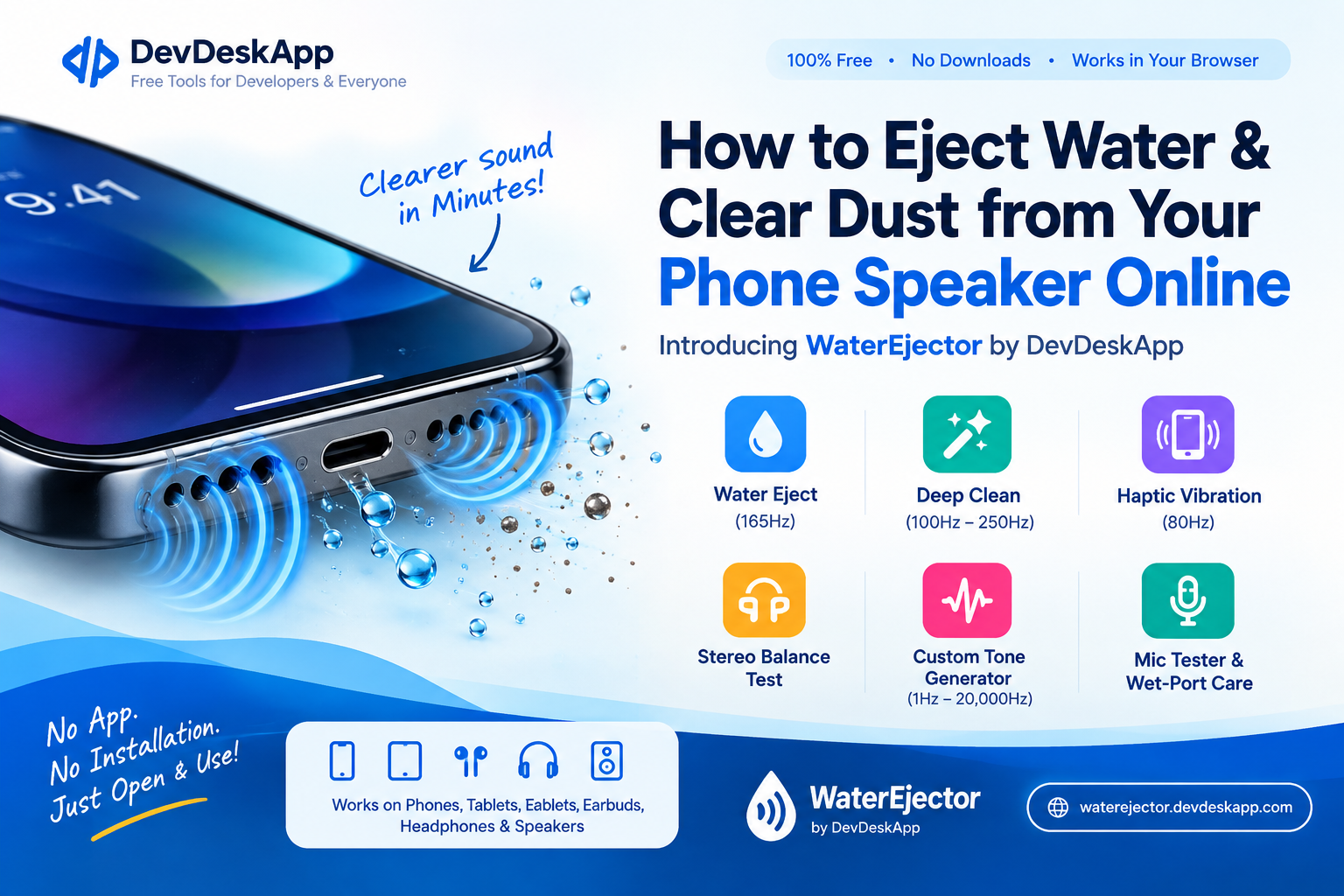
WaterEjector uses sound frequencies and audio patterns to produce speaker vibrations that may help move small water droplets away from a speaker grille.
Here's the basic idea:
Sound Wave Generation: Low-frequency audio produces movement in the speaker diaphragm.
Speaker Vibration: These vibrations may help loosen or move small droplets near the speaker opening.
Moisture Displacement: Depending on the device and where the moisture is located, the sound may help move some water away from the grille.
Important: Sound-based cleaning is not a guaranteed fix for water damage or internal moisture. If your phone has been submerged or is showing signs of damage, follow the manufacturer's drying instructions instead.
👉 Try WaterEjector for free: https://waterejector.devdeskapp.com/
🛠️ Explore the WaterEjector Audio Toolkit
WaterEjector brings several useful audio tools together in one browser-based interface.
💧 Water Eject Mode: Plays a 165 Hz tone intended to help move water droplets around the speaker opening.
🧹 Deep Clean Mode: Uses a frequency sweep from 100 Hz to 250 Hz for experimenting with speaker vibrations and helping dislodge loose debris near the grille.
📳 Haptic Vibration Mode: Provides access to vibration-related functionality where supported by the device and browser.
🎧 Stereo Balance Test: Helps check left and right audio channels on compatible headphones and stereo speakers.
🎛️ Custom Tone Generator: Lets you explore audio frequencies from 1 Hz to 20,000 Hz, subject to your device and browser's audio capabilities.
🔌 Microphone Tester and Wet-Port Guidance: Helps you check microphone input and find practical guidance for handling possible moisture exposure.
Feature availability and performance may vary by device, browser, and hardware.
💡 Free Online Speaker Cleaner No App Download Required
You don't always need to install another application just to run a basic audio test.
WaterEjector is designed to work directly in a compatible web browser, making it convenient to access from supported smartphones, tablets, and computers.
Why try WaterEjector?
✅ Free access to browser-based audio utilities
✅ No dedicated app installation required
✅ Works with compatible browsers, including Chrome and Safari
✅ Useful audio testing features in one place
✅ Accessible from supported iPhone and Android devices
✅ Simple interface for quick speaker and audio checks
Actual compatibility depends on your device, operating system, browser, and available audio features. WaterEjector cannot guarantee that every device will respond in the same way.
A Quick Safety Reminder
If your phone gets wet, disconnect charging cables and accessories, switch it off if recommended by the manufacturer, and follow the manufacturer's drying instructions. Avoid charging a wet device, inserting objects into the speaker grille, or using excessive heat.
WaterEjector is an audio utility, not a substitute for professional repair or manufacturer-recommended water-damage procedures.
☕ Help Us Keep DevDeskApp Free
We built WaterEjector to make useful audio tools accessible without requiring users to download another application.
Maintaining free online tools takes time and resources, including hosting, maintenance, testing, and continued development.
If you've found WaterEjector useful, consider supporting our work with a coffee. ☕
Your contribution helps support ongoing maintenance and the development of more free browser-based tools.
Every bit of support is appreciated. Thank you for being part of the DevDeskApp community! 💜
🚀 Try WaterEjector Today
Whether you want to experiment with sound-based water ejection, test your headphones, or explore audio frequencies, WaterEjector gives you a convenient place to start.
🔊 Try it here: https://waterejector.devdeskapp.com/
🌐 Explore more free developer tools: https://www.devdeskapp.com/
Thanks for supporting independent tool development!
The DevDeskApp Team