

Handle component events using JavaScript, specifically through functions from the ExtJS library. Let's go through a simple example. Open the UniGui project in Delphi and add 2 elements to the form: UniButton1 and UniEdit1.
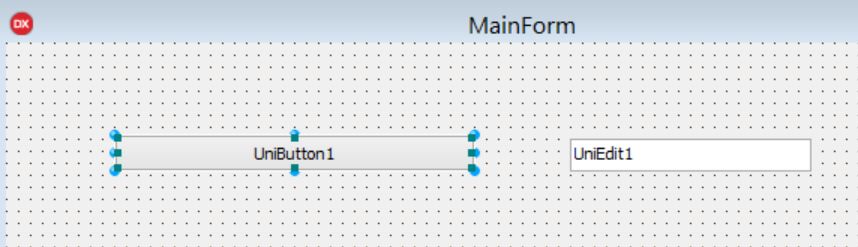
Now, in the Object Inspector, let's find the ExtEvents property.
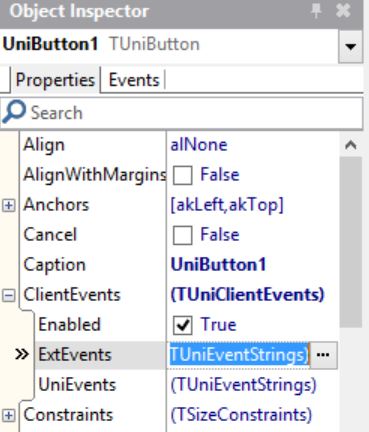
Next, double-click on the empty field next to the click event, and the system will automatically generate the code for us.
function click(sender, e, eOpts)
{
}
Next, we just need to complete it.
function click(sender, e, eOpts)
{
MainForm.UniEdit1.setValue('myValue');
}
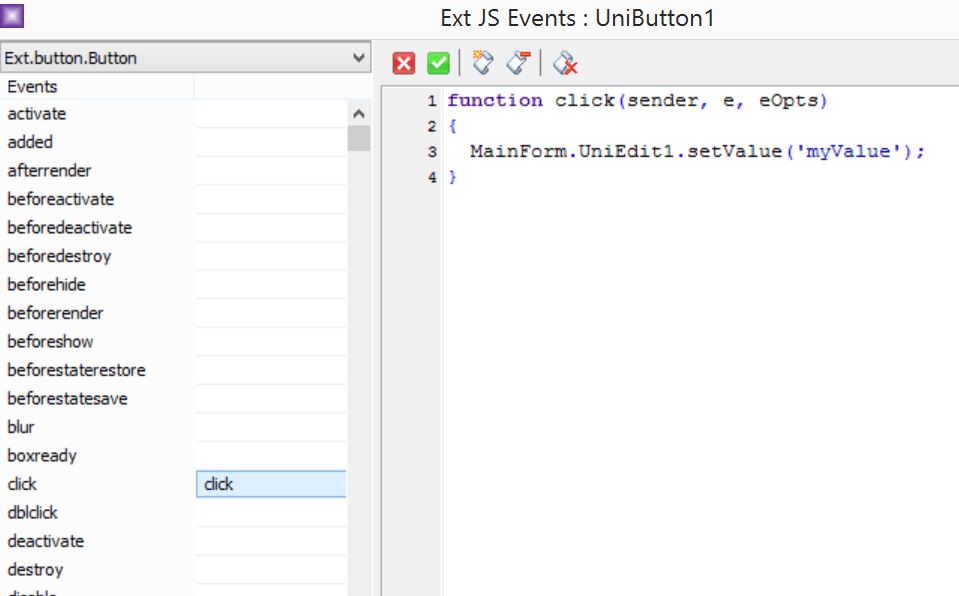
And here’s the most interesting part!!! Pay attention to the structure.
MainForm.UniEdit1.setValue('myValue');
The first part, MainForm.UniEdit1, is essentially pure Delphi code, while the last part, setValue('myValue'), is a method from the ExtJS library for the component Ext.form.field.Text. But what is this component? In Delphi, it corresponds to UniEdit1.
In general, all this code is in JavaScript, but for the convenience of Delphi developers, the names of the elements and the structure are designed to closely align with the Delphi spirit.
Thus, how can you access a specific element through JS from Delphi?
Select the element you will be working with (for example, the button UniButton1 in our case).
Open the Object Inspector in Delphi.
Find ClientEvents, then ExtEvents.
Next, select the event you want to handle, such as click, and then double-click on the empty field next to it – a function template will appear, for example, like this for the click event.
function click(sender, e, eOpts)
{
}
Next, if we want to handle UniEdit1, we will close ExtEvents for the button and open it for UniEdit.
Now let's see what type of element we have according to the ExtJS library classification; this can be seen in the upper left corner.
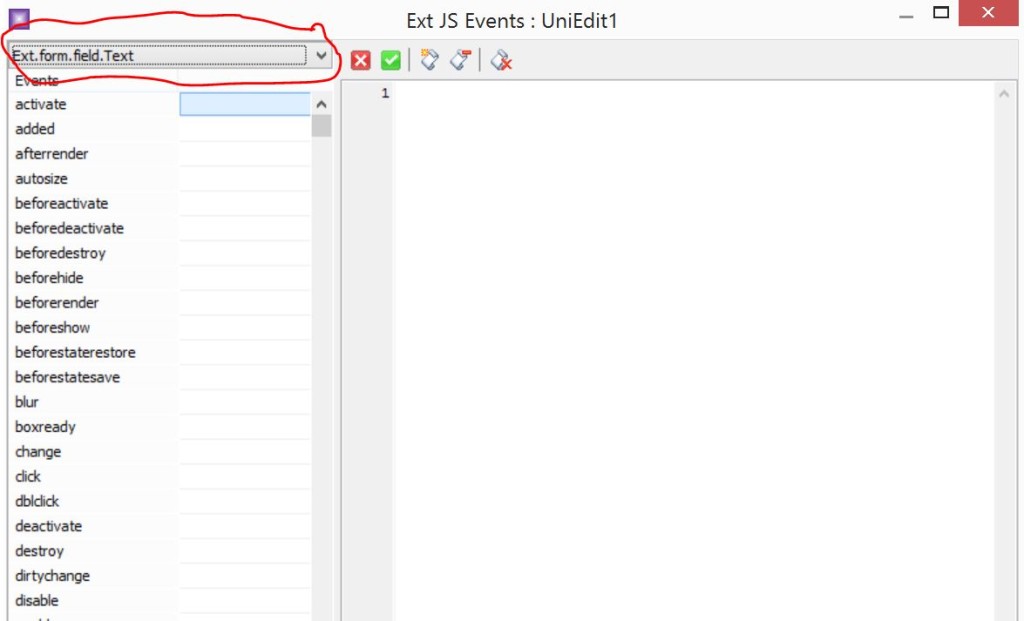
Next, you can dive into the API of the library for this element and choose a specific property or method, depending on your task.
Then, we will return to ExtEvents for the button and write, for example, a handler like this:
function click(sender, e, eOpts)
{
MainForm.UniEdit1.setValue('myValue');
}
The entire chain leading up to the declaration of the method/property is written as in Delphi: MainForm.UniEdit1, while the second part, .setValue('myValue'), is written according to the API of the JS library. In general, this entire construct is JavaScript, specifically its framework ExtJS, so it is important to maintain the correct case. Since Delphi is a case-insensitive language, it is easy to make mistakes.
!!!!!! Important note: JavaScript is a case-sensitive language, so it is crucial that the case matches what is written in Delphi. That is,
Correct:
MainForm.UniEdit1.setValue('myValue'); // <<<< Exactly matches what is written in Delphi
Incorrect:
mainform.UniEdit1.setValue('myValue'); //<<< Case error
Mainform.UniEdit1.setValue('myValue'); //<<< Case error