

DFSplashScreen
Press enter or click to view image in full size
Press enter or click to view image in full size
Press enter or click to view image in full size
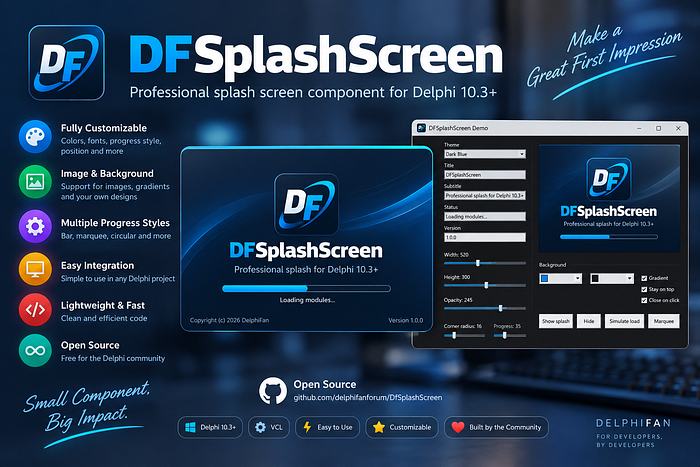
Professional VCL splash screen component for Delphi 10.3 Rio and later.
Website: delphifan.com
Email: [email protected]
Version: 1.0.0
License: MIT
Drop TDFSplashScreen on a form, or create it in your .dpr before the main form is created. Size, colors, opacity, rounded corners, logo, background image, progress bar, and fade in/out are all published properties.
Requirements
Delphi 10.3 Rio or newer
VCL (Win32 / Win64)
Quick start (no package install)
Add these units to your project:
Source/DFSplashScreen.Types.pasSource/DFSplashScreen.Form.pasSource/DFSplashScreen.pas
Then show the splash while the application starts:
program MyApp;uses
Vcl.Forms,
DFSplashScreen in 'Source\DFSplashScreen.pas',
DFSplashScreen.Types in 'Source\DFSplashScreen.Types.pas',
DFSplashScreen.Form in 'Source\DFSplashScreen.Form.pas',
uMain in 'uMain.pas' {frmMain};var
Splash: TDFSplashScreen;begin
Application.Initialize;
Application.MainFormOnTaskbar := True; Splash := TDFSplashScreen.Create(nil);
try
Splash.Theme := stDark;
Splash.Title := 'My Application';
Splash.Subtitle := 'Loading, please wait';
Splash.AppVersion := 'Version 1.0.0';
Splash.Copyright := 'Copyright (c) 2026';
Splash.Width := 520;
Splash.Height := 300;
Splash.Opacity := 245; // 0..255
Splash.CornerRadius := 16;
Splash.ShowSplash; Splash.UpdateProgress(30, 'Creating forms...');
Application.CreateForm(TfrmMain, frmMain);
Splash.UpdateProgress(100, 'Ready');
Splash.HideSplash;
finally
Splash.Free;
end; Application.Run;
end.Install into the IDE (optional)
Do not right-click the project group. Install is only on the package project.
In Delphi: File → Close All.
File → Open
Packages\DFSplashScreen.dproj(the.dproj, not the.groupproj).Confirm 32-bit Windows.
Project → Options → Description → Usage = Designtime and runtime.
Right-click
DFSplashScreen.bplin Project Manager.Click Install (Turkish IDE: Yükle).
TDFSplashScreen appears on the DF Controls palette.
If the menu still has Run instead of Install, the file was opened as an application: close it and open Packages\DFSplashScreen.dproj again.
You can still create the component in code; installing is only needed for dropping it on a form at design time.
Demo
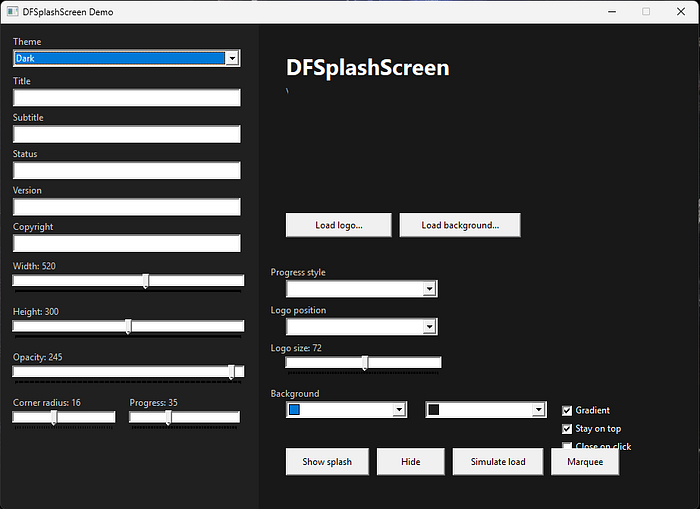
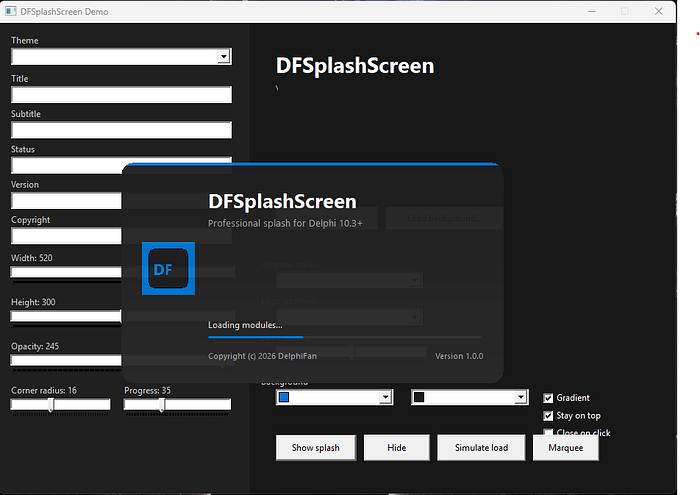
Open Demo/DFSplashScreenDemo.dproj, compile, and run. The demo starts with a splash, then lets you change theme, width, height, opacity, radius, colors, logo, background image, and progress style live.
Themes
ThemeDescriptionstDarkDefault dark UIstLightLight UIstMidnightGitHub-style dark bluestOceanTeal accentstSunsetWarm accentstCustomYour own colors
Changing a color property automatically switches the theme to stCustom.
Main properties
PropertyDefaultMeaningTitle, Subtitle, Statussample textHeadline and status lineAppVersion, Copyrightsample textFooterWidth, Height520 x 300Logical size at 96 DPI (auto-scaled)Opacity245Window transparency (0 = invisible, 255 = opaque)CornerRadius16Rounded corners (0 = square)AccentColorWindows-style blueTop bar and progressBackgroundColor, BackgroundAltdarkFill / gradient endTitleColor, TextColorwhite / grayTextProgressColor, ProgressBackColoraccent / trackProgress barProgress, ProgressMin, ProgressMax0 / 0 / 100Determinate progressProgressStylepsBarpsBar, psMarquee, psHiddenProgressHeight4Bar thicknessLogo, LogoPosition, LogoSizeleft / 72PNG, JPEG, BMP, GIFBackgroundImage, OverlayDarkenempty / 80Full-bleed photo with dimmingGradientTrueVertical background gradientFadeInMs, FadeOutMs280 / 220Fade animationStayOnTopTrueAlways on topCloseOnClickFalseClick closes the splashAutoHideInterval0Auto hide after N milliseconds (0 = off)FontNameSegoe UITitle and body font
Main methods
Splash.ShowSplash;
Splash.UpdateStatus('Connecting...');
Splash.UpdateProgress(60, 'Loading modules...');
Splash.LoadLogo('C:\Brand\logo.png');
Splash.LoadBackground('C:\Brand\splash.jpg');
Splash.HideSplash;
Splash.Execute(
procedure
begin
// your startup work
end);UpdateProgress and UpdateStatus are safe to call from a worker thread (they marshal to the main thread).
Events
OnShow— after the splash is shownOnHide— after fade-out completesOnTimeout— whenAutoHideIntervalelapses
Tips
Call
ShowSplashbeforeApplication.CreateFormso users see feedback during a slow startup.HideSplashwaits for the fade-out, so it is safe toFreeimmediately afterwards in the.dpr.Prefer PNG logos with transparency.
Values for width, height, radius, and logo size are specified at 96 DPI and scaled for the current monitor.