

The action column helps to bring actions with a grid row directly into the grid itself, it looks like this
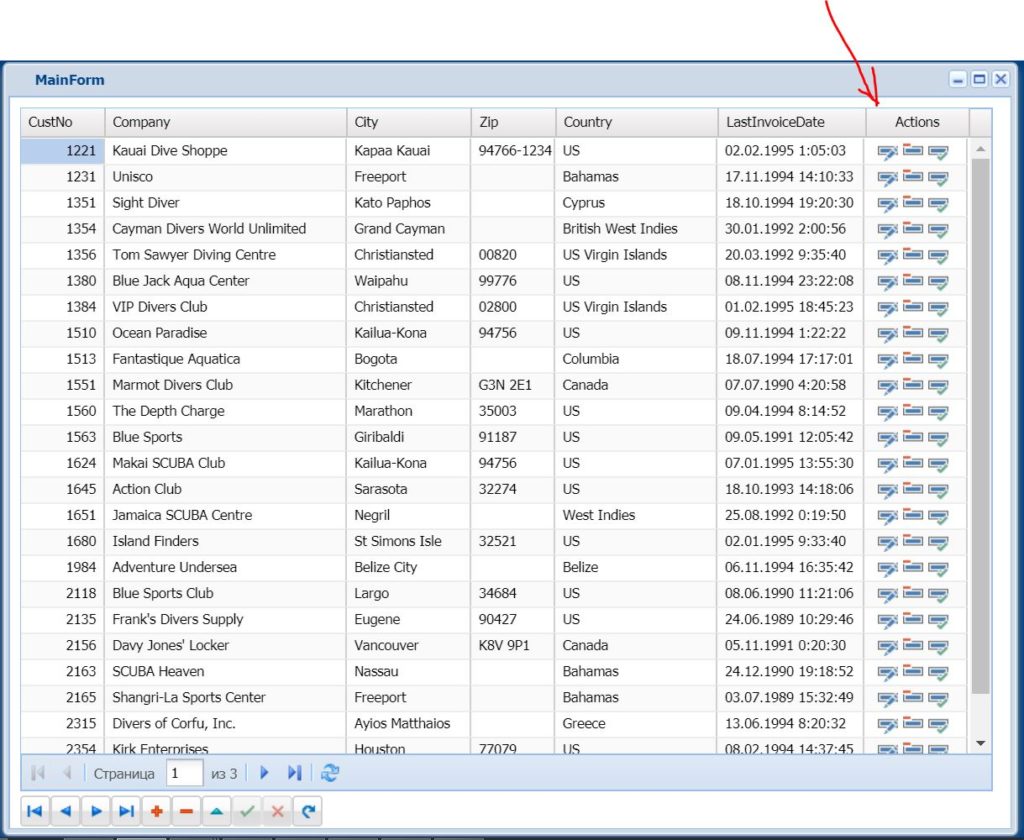
How to set it up?
DBGrid -> Columns -> Select any column that we have defined as an action column for ourselves and enable the corresponding property
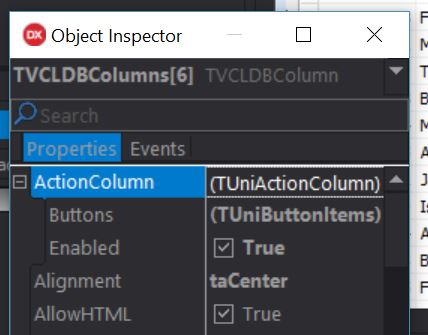
Next, we need to add and configure buttons in Buttons. Icons can be taken from UniNativeImageIndex
We can process the actions themselves like this
procedure TMainForm.UniDBGrid1ColumnActionClick(Column: TUniDBGridColumn;
ButtonId: Integer);
begin
case ButtonId of
0 :
begin
ClientDataSet1.Edit;
end;
1 :
MessageDlg('Are you sure', mtConfirmation, mbYesNo,
procedure(Sender: TComponent; ARes: Integer)
begin
case ARes of
mrYes : ClientDataSet1.Delete;
end;
end
);
2 :
begin
ClientDataSet1.Edit;
ClientDataSet1.FieldByName('LastInvoiceDate').AsDateTime := Date;
ClientDataSet1.Post;
end;
end;
end;