

We are happy to announce that we have finally published the new version of Type, which is now ready to download on App Store and Play Market. We want to say Thank You for everyone who supported us. Yet, it is just the beginning!
What's next?
We are thrilled to develop new features for Type. Therefore, we would like to use Buy Me a Coffee both as a support service and as our team blog to share information about new and upcoming features, start discussions, provide tips, and post short tutorials! We have many plans and truly hope to build a small community with all of you. Please don't hesitate to send us feedback—whether to share an idea or report a bug you've found.
First steps
We understand that the first encounter with Type might be a bit overwhelming, so in this post, we would like to start a small tutorial habit to share all the nice functions Type has to offer:
1. The first ever feature we developed for Type, was a Tag system. Add any kind of tag to your note to make it easier to find in the future. All the created tags can be reused to avoid the creation of similar tags.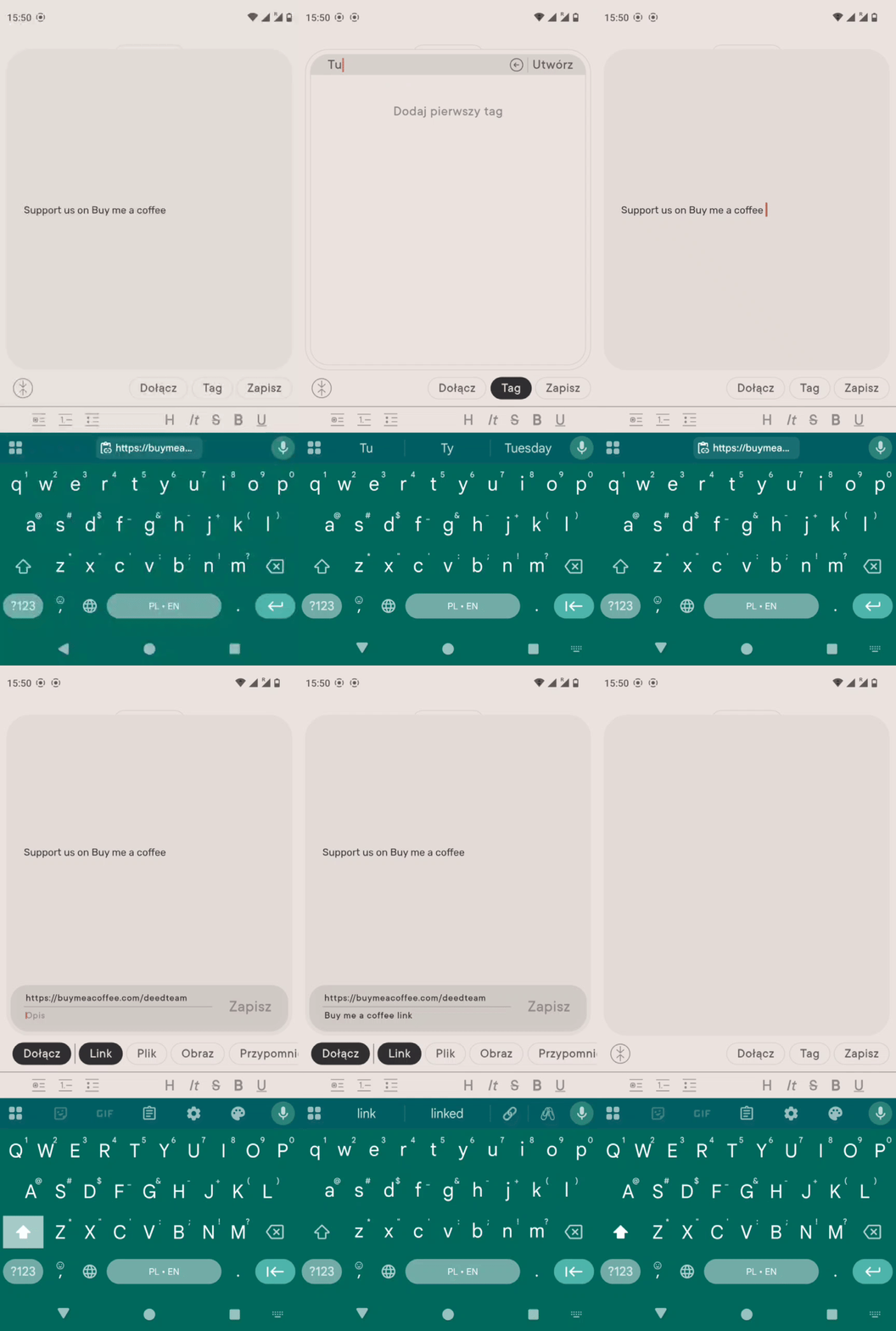 2. This is how you edit an existing note:
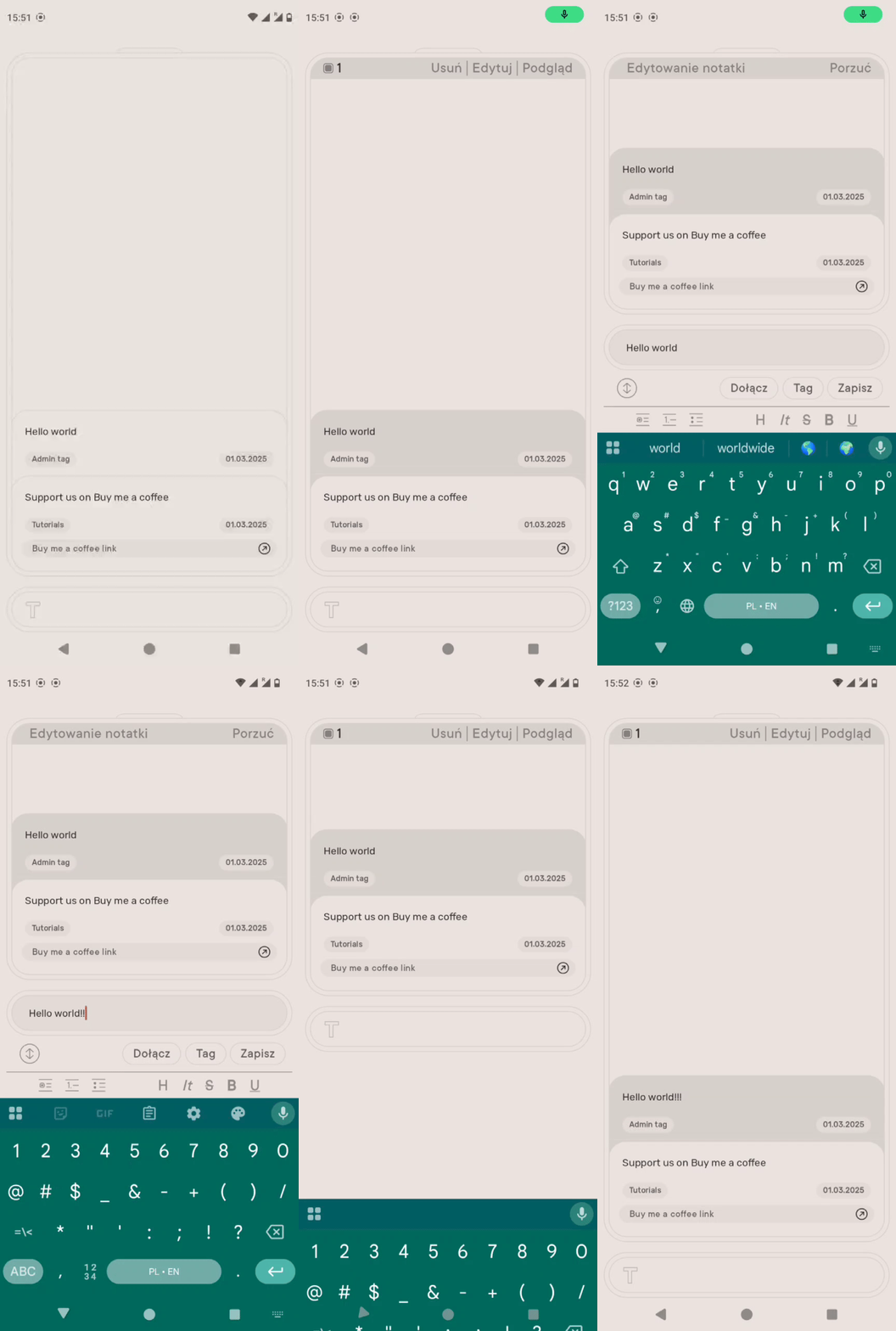
3. Add a new contact! (This function is available after you create an account: Swipe from top to bottom to access the overview -> swipe again to go to the settings frame, click the profile button, and create a new profile.)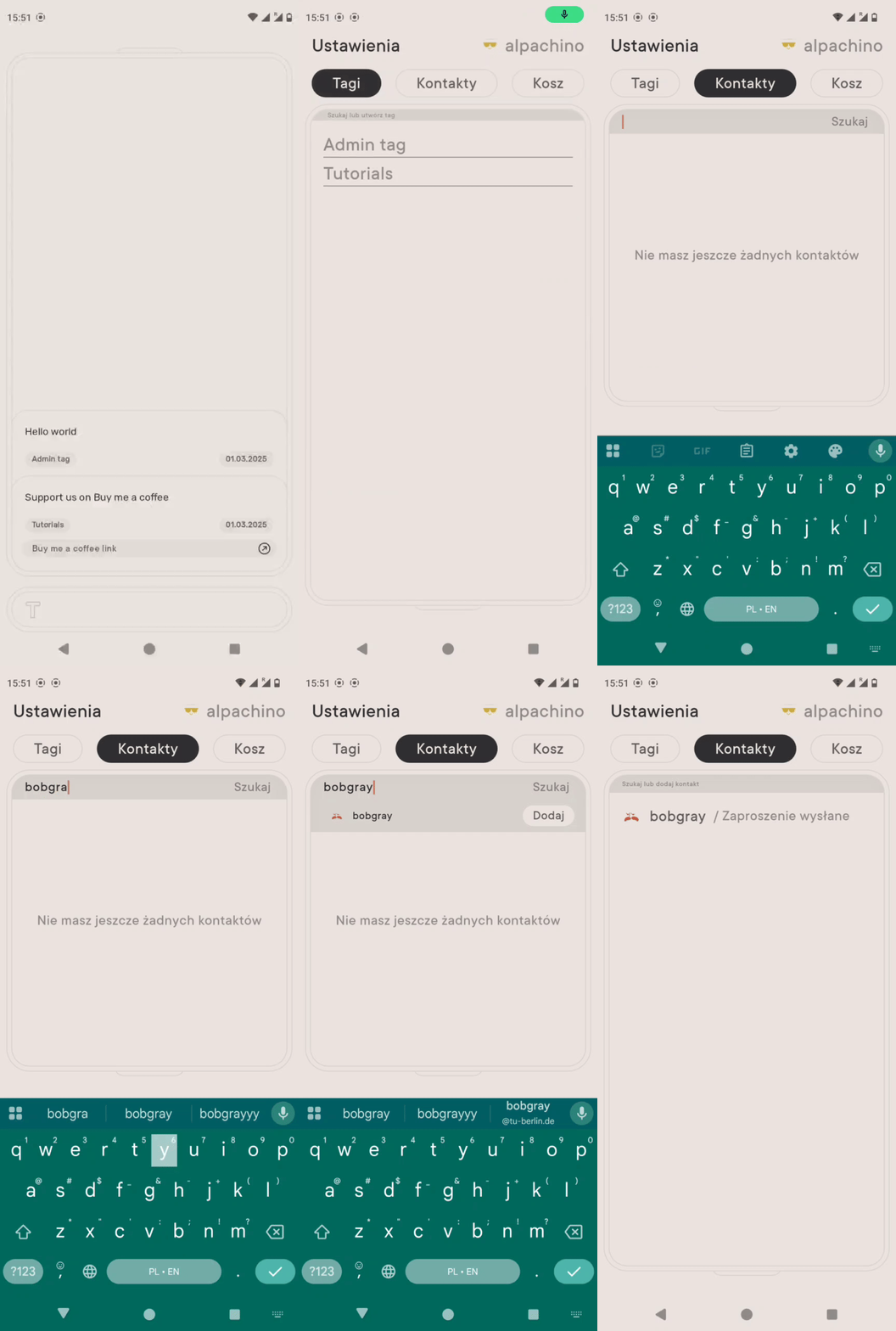
4. All deleted notes are stored in the trash for one week, allowing you to easily retrieve them.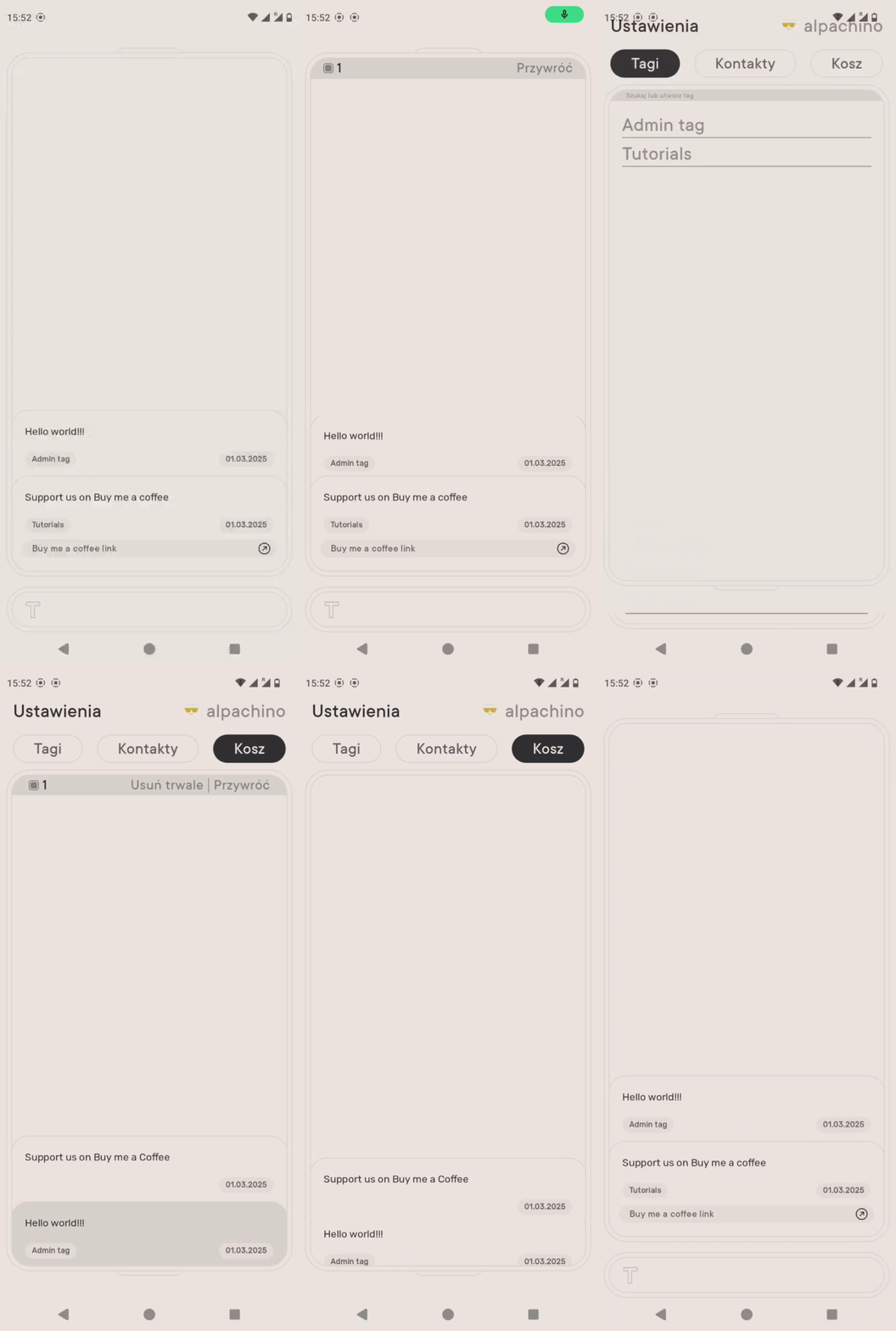
We hope it was somehow helpful to start with Type! Stay tuned and let us know if you need any support :)
Kind regards
Piotr and Bartek