

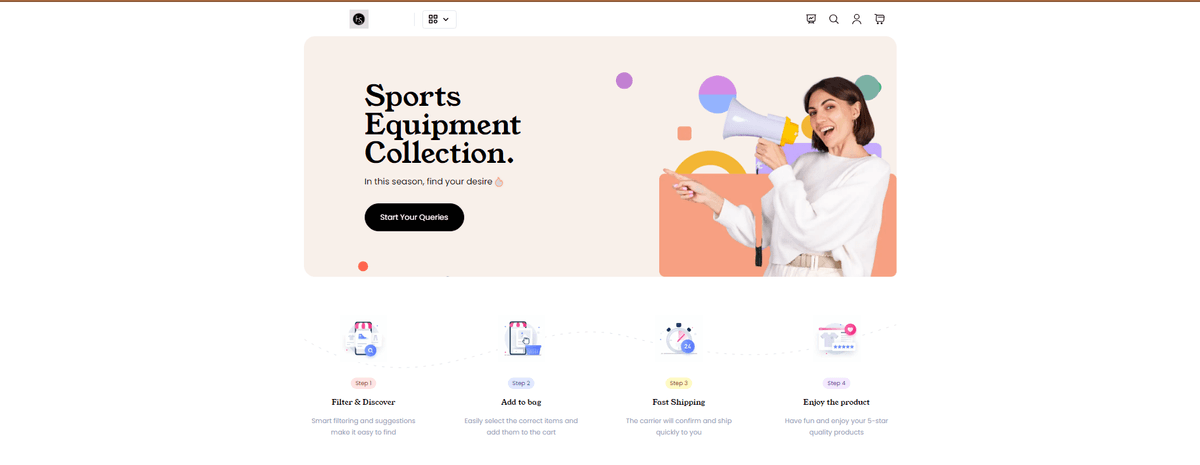
E-store App | NextJS 13 + MongoDB + Stripe Payment Gateway
$11
Discover a shopping experience at E-store app where you can buy the product with the secure payment so stackies can enjoy buy the product 100% original with the elevate online shopping journey with the UI user-friendly navigation and exclusive deals👍
Features
Here's the feature of E-Store that I've built so far:
Pages
Total x31 Pages
Home x1
Detail x1
Filter x1
Auth x3
Dashboard x3
Buyer x5 cart & favorites
Seller x8 CRUD intension
Admin x10 CRUD intension
Modals
Total x15 Modals
Category x1
Brand x1
Store x1
Search x1
Cart x1
Auth x1
Buyer x2
Seller x2
Admin x5
Addition features:
Real-Time interaction cart, favorites, create, read, update & delete
Separate Dashboard panel for admin, seller & buyer
Advance search filter to highlight matched words & letters
Image preview avatar, thumbnail & gallery
Responsive design and suitable to use in pc, laptop, tablet & mobile
Payment gateway using stripe
Intuitive user-friendly design ui/ux
Secure channel bypass according to role based
💻 Technologies
Client Server
@reduxjs/toolkit bcryptjs
autoprefixer cloudinary
eslint colors
eslint-config-next cors
next dotenv
postcss express
react jsonwebtoken
react-dom mongoose
react-icons multer
react-redux multer-storage-cloudinary
tailwind-scrollbar-hide validator
tailwindcss nodemon
@tailwindcss/forms
🚀 Getting started
This is step by step to use this project as follow:
Prerequisites
NextJS 13
Redux Toolkit
Tailwind CSS
React Icons
MongoDB
Mongoose
ExpressJS
Cloudinary
Stripe
Starting
Environment Setup
Client Side
Make .env file in the client folder and do the following:
NEXT_PUBLIC_BASE_URL="http://localhost:8080/api"
And after you have make an .env file, do to install the package in your terminal: yarn install
Server Side
Make .env file in the server folder and do the following:
# Port number
PORT=8080
# Origin URL
ORIGIN_URL="http://localhost:3000"
# MongoDB Atlas URI
DB_Name="ecommercebounty"
ATLAS_URI="YOUR_MONGODB_ATLAS_URI"
# JWT secret
TOKEN_SECRET="JWT_TOKEN"
# Cloudinary credentials
CLOUD_NAME="CLOUDINARY_CLOUD_NAME"
API_KEY="CLOUDINARY_API_KEY"
API_SECRET="CLOUDINARY_API_SECRET"
# Stripe Payment Credentials
STRIPE_PUBLISHABLE_KEY="YOUR_STRIPE_PUBLISHABLE_KEY"
STRIPE_SECRET_KEY="YOUR_STRIPE_SECRET_KEY"
And after you have make an .env file, do to install the package in your terminal: yarn install
How to get JWT_TOKEN?
If you want to get the JWT_TOKEN, make a new terminal and do as follow:
1.) First you must type node and press enter (Make sure that you install the nodejs version 20 and above.)
2.) Type require('crypto').randomBytes(16).toString("hex") and press enter. Afterthat, you'll be get the random JWT Token Secret and copy & paste it into JWT_TOKEN.
$11
Gib einen fairen Preis ein
$
$11