
(English below)
Guide til at bruge bonusmaterialet til episoderne.
Hver episode har sit eget opslag (post) på Buymeacoffee. I hvert post finder du:
Link til at downloade episoden (WAV eller MP3)
Link til at downloade niveau 2-episoden (WAV eller MP3)
Link til ordliste, hvor de sværeste ord i episoden er oversat til dansk (PDF)
Link til online læringsredskab (online learning tool).
Når du klikker på linket til det online læringsredskab, kommer du ind på en startside, som den herunder:
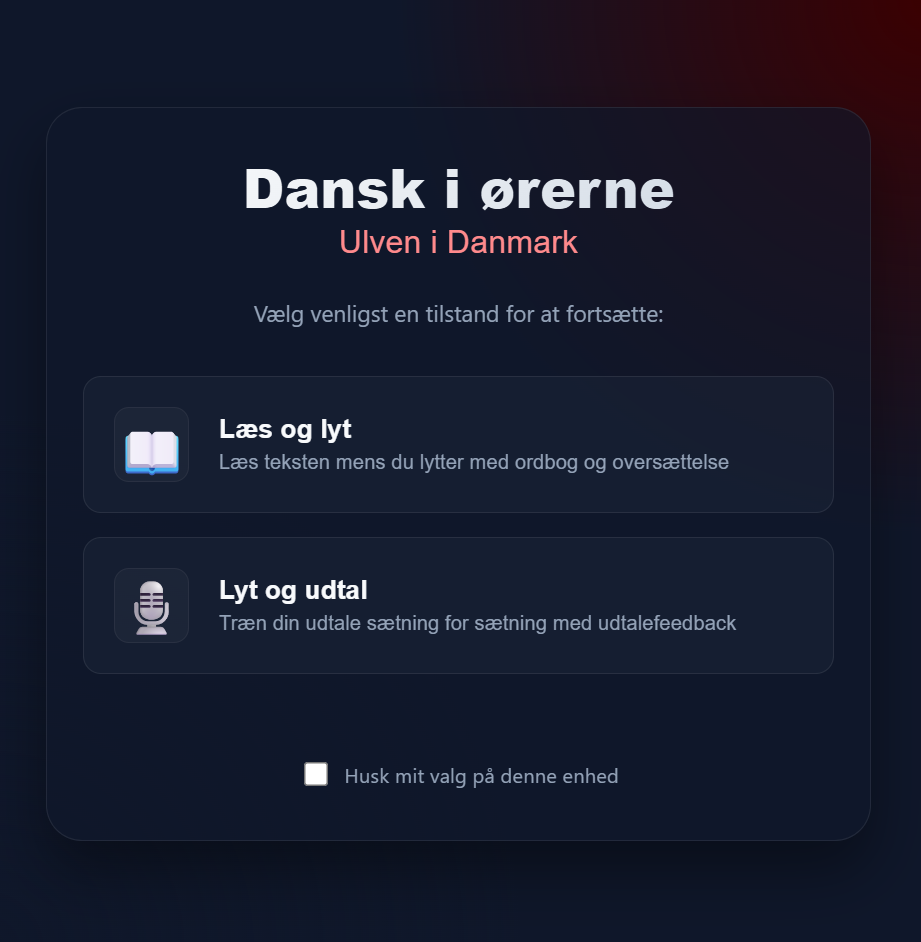 Her kan du vælge mellem to forskellige redskaber: læs og lyt eller lyt og udtal.
Læs og lyt:
Episoden er opdelt i sektioner/kapitler. Du kan klikke "play" på hver sektion, og høre den del af episoden. Du kan klikke på "translate" og oversætte episoden til engelsk. På de tre streger i højre øverste hjørne, kan du vælge hastighed på episoden. Til venstre kan du aktivere word-pickeren.
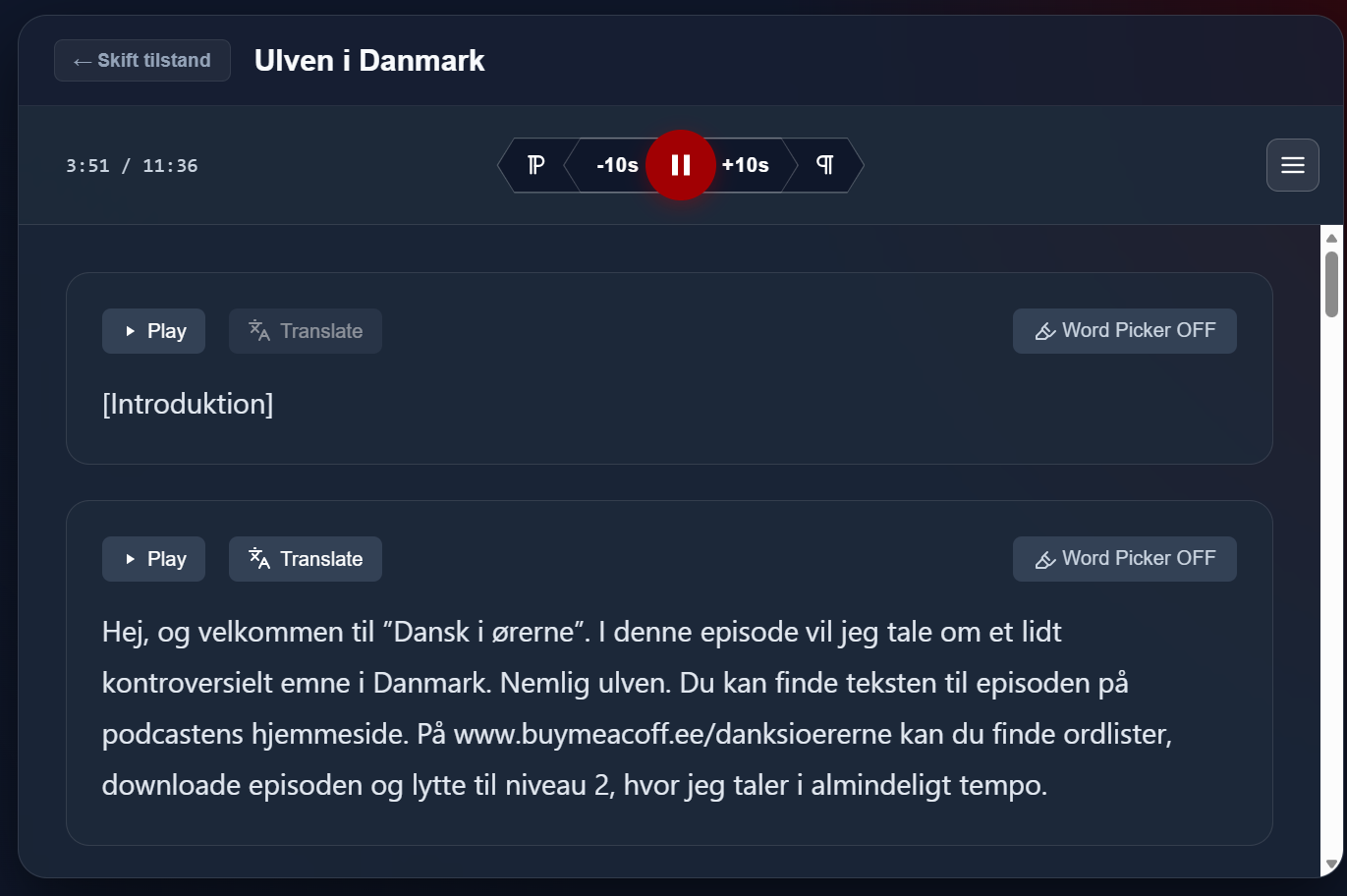 Når du aktiverer word-pickeren, kan du klikke på et ord du ikke forstår, og klikke "show definition". Så bliver du sendt ind på www.ordnet.dk, hvor ordet er forklaret.
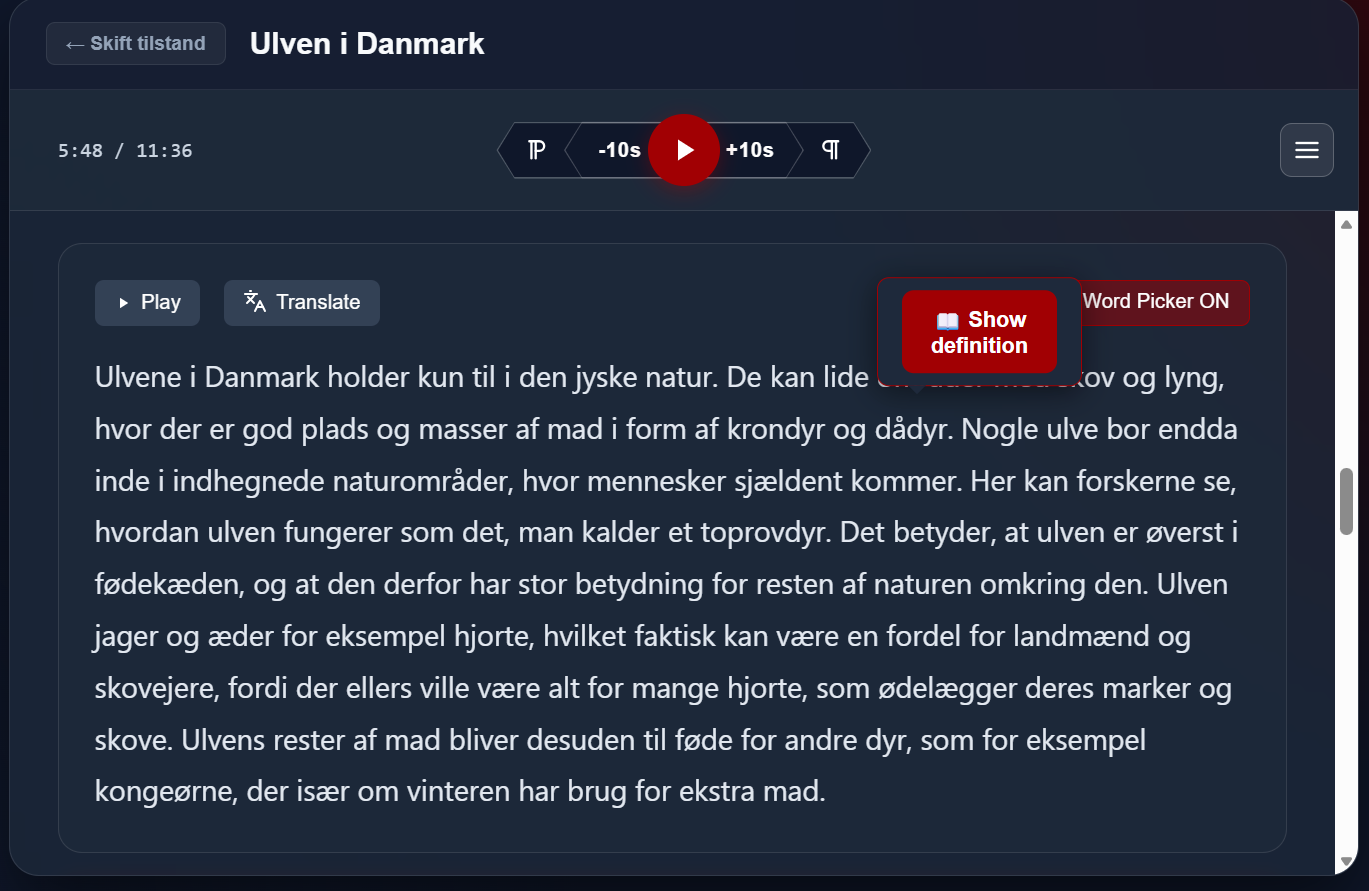 Til slut kan du klikke på de tre streger i øverste højre hjørne og vælge "View word list". Så får du vist en liste over alle de ord, du har valgt imens du lyttede til episoden. Det er især brugbart hvis du foretrækker at lytte til episoden uden pauser, og så træne de svære ord når du er færdig med at lytte.
ENGLISH
Guide to using the bonus material for the episodes.
Each episode has its own post on Buy Me a Coffee. In each post, you will find:
Link to download the episode (WAV or MP3)
Link to download the Level 2 episode (WAV or MP3)
Link to a vocabulary list with translations of the most difficult words from the episode into Danish (PDF)
Link to an online learning tool.
When you click the link to the online learning tool, you will arrive at a landing page like the one below:
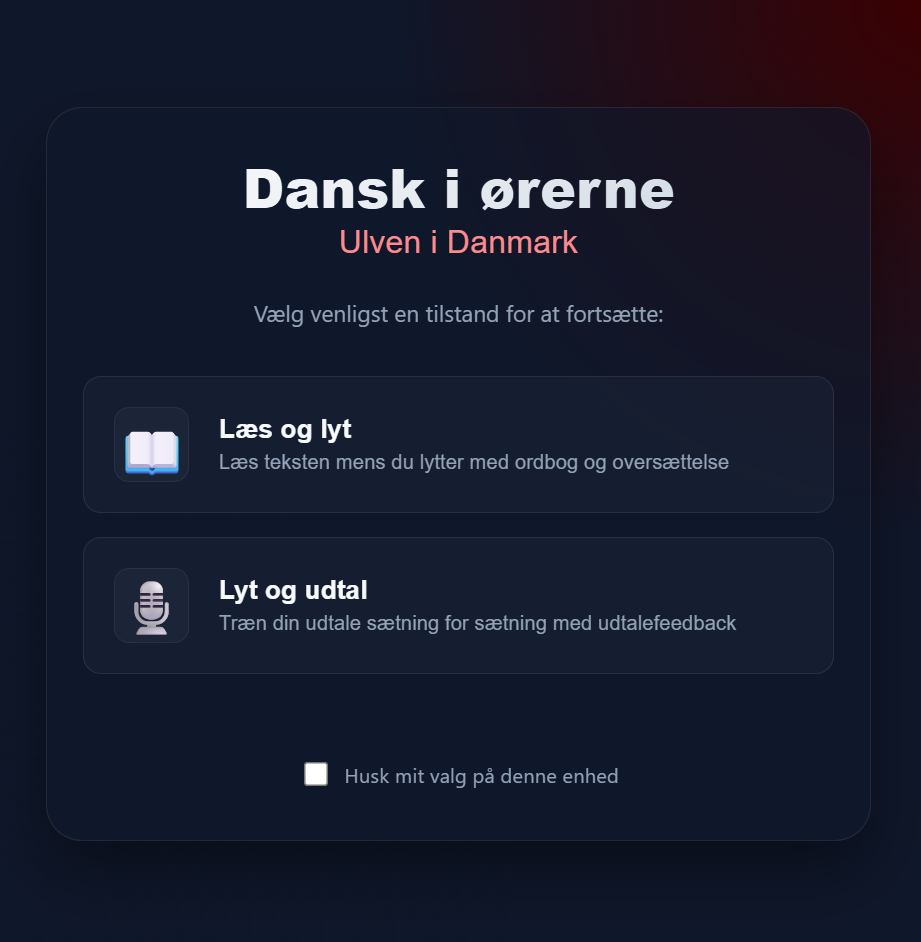 Here, you can choose between two different tools: "Read and Listen" or "Listen and Pronounce."
Read and Listen:
The episode is divided into sections or chapters. You can click "Play" on each section to listen to that part of the episode. You can click "Translate" to translate the episode into English. Using the three lines in the top right corner, you can adjust the playback speed. On the left, you can activate the word picker.
Here, you can choose between two different tools: "Read and Listen" or "Listen and Pronounce."
Read and Listen:
The episode is divided into sections or chapters. You can click "Play" on each section to listen to that part of the episode. You can click "Translate" to translate the episode into English. Using the three lines in the top right corner, you can adjust the playback speed. On the left, you can activate the word picker.
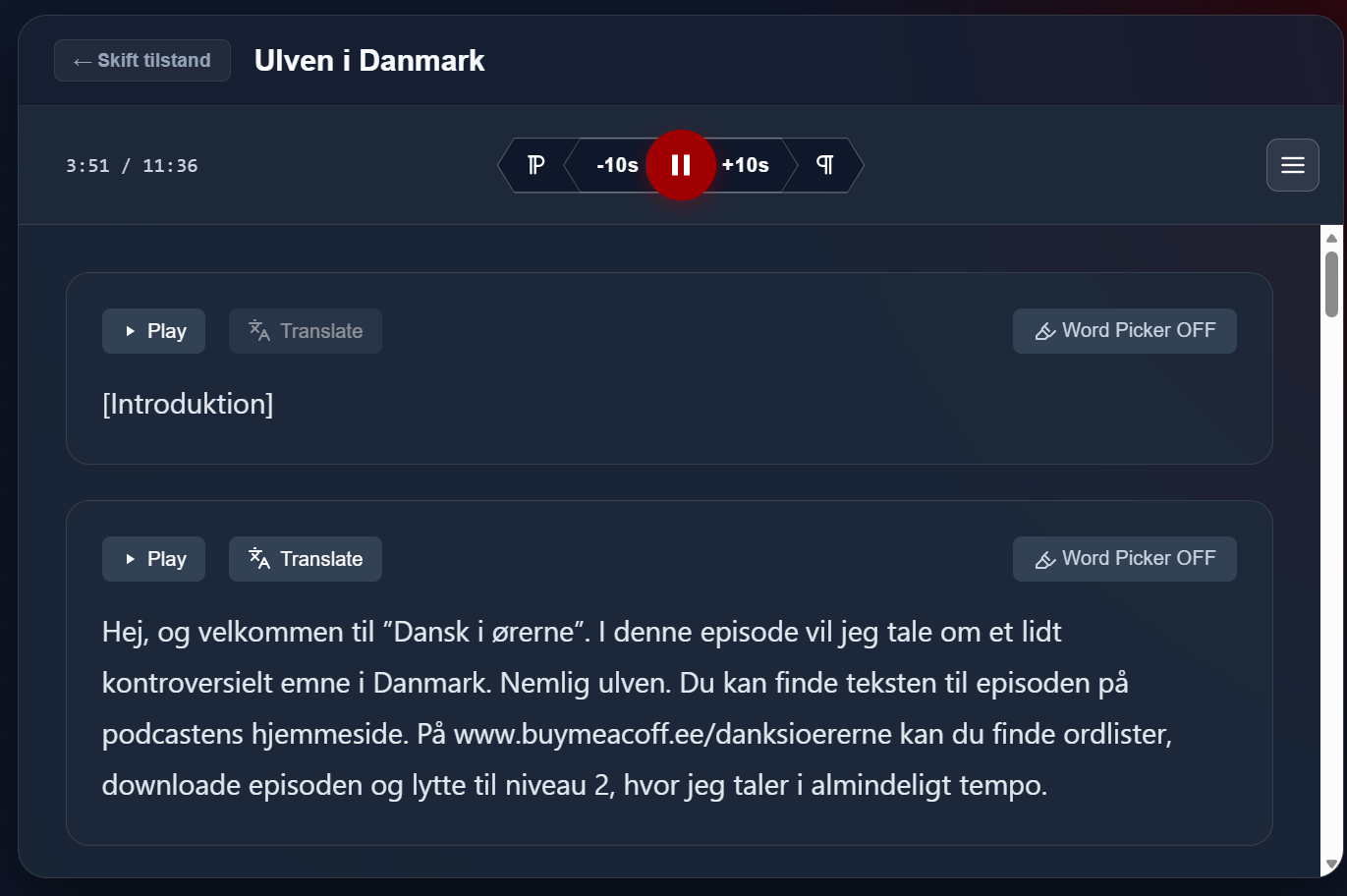 When you activate the word picker, you can click on a word you don't understand and click "show definition." You will then be directed to www.ordnet.dk, where the word is explained.
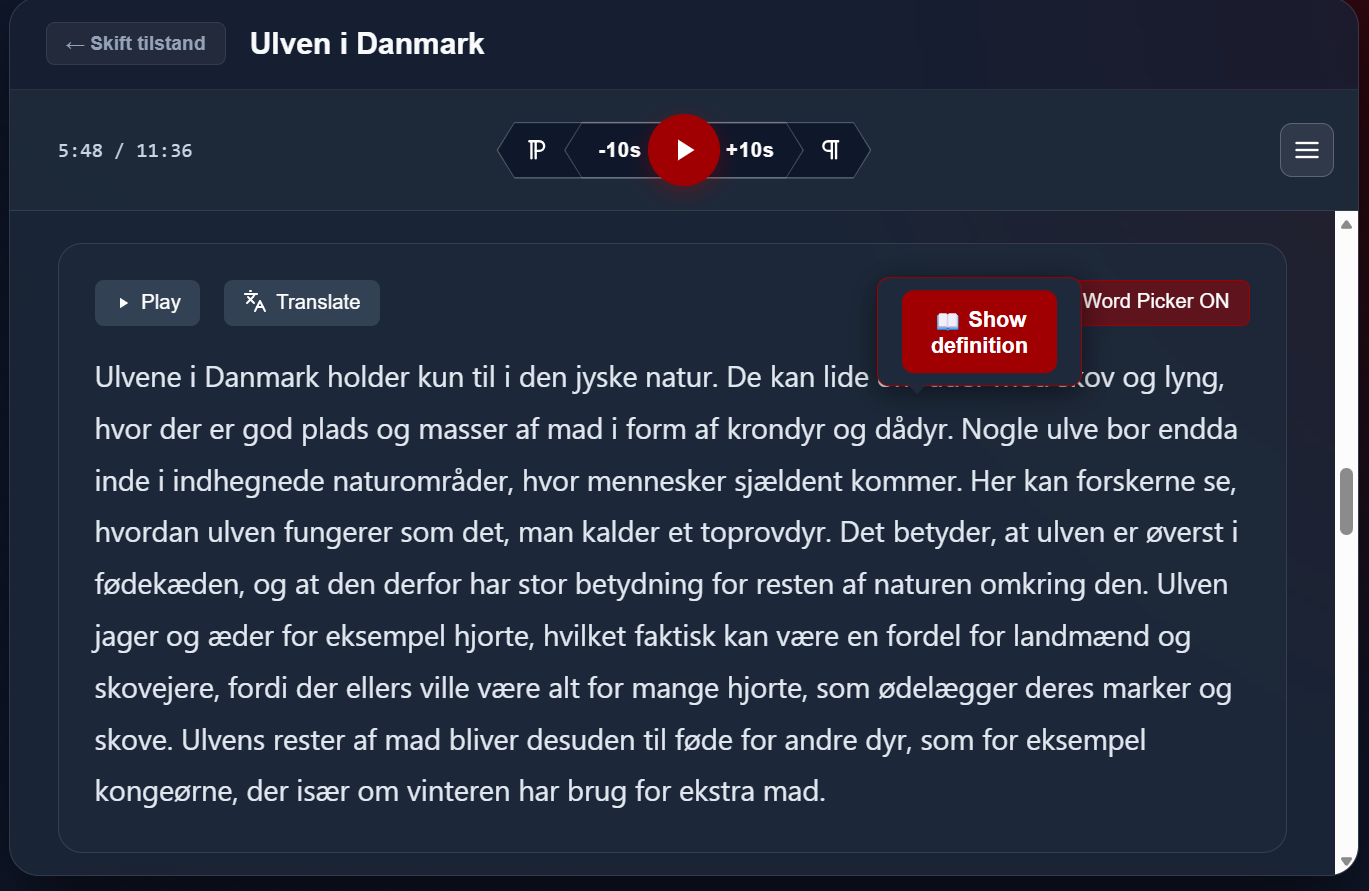 Finally, you can click on the three lines in the top right corner and select "View word list." This displays a list of all the words you selected while listening to the episode. This is particularly useful if you prefer to listen to the episode without pausing and then practice the difficult words once you have finished listening.