

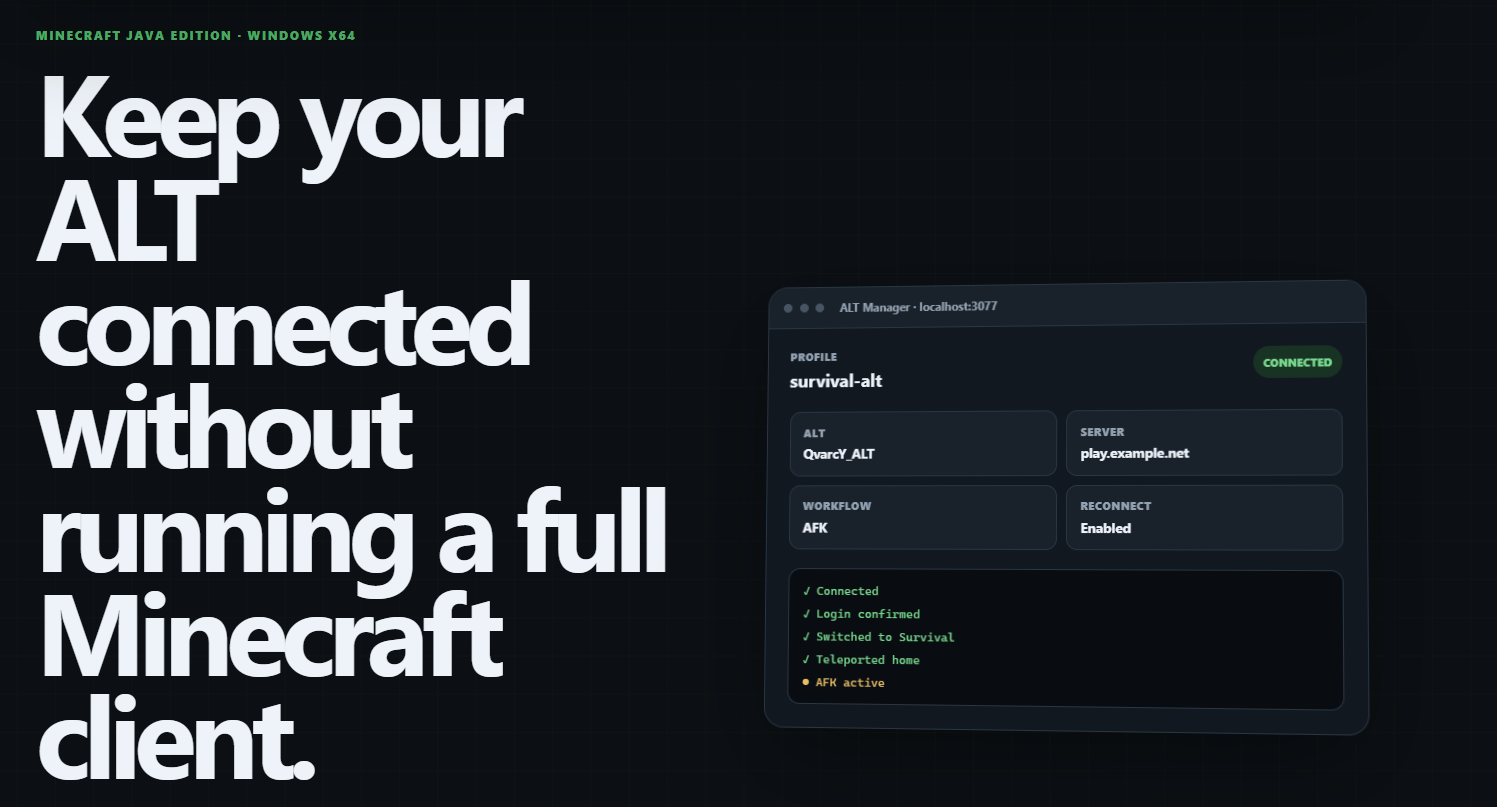
If you use ALT accounts on Minecraft servers, you probably know the situation.
You want an ALT to stay online, remain AFK, reconnect after a disconnect, maybe log in, switch from a hub to another server and teleport somewhere specific.
And for that… you keep another complete Minecraft client running.
That means another game window, more RAM usage, more CPU/GPU resources and another client you have to babysit when something disconnects.
I thought there should be a better way.
So I built Minecraft ALT Manager.
What is Minecraft ALT Manager?
Minecraft ALT Manager is a free and open-source Windows application for managing Minecraft Java Edition ALT accounts without running a full Minecraft game client.
It connects the ALT directly to a Minecraft server and provides a local browser-based control panel where you can configure and monitor what the account should do.
But I didn't want to build something that only worked with one particular server.
Minecraft servers behave very differently.
One server might simply require:
Connect → AFK
Another might require:
Connect → /login → Hub → Survival → /home → AFK
And another could use completely different commands and server messages.
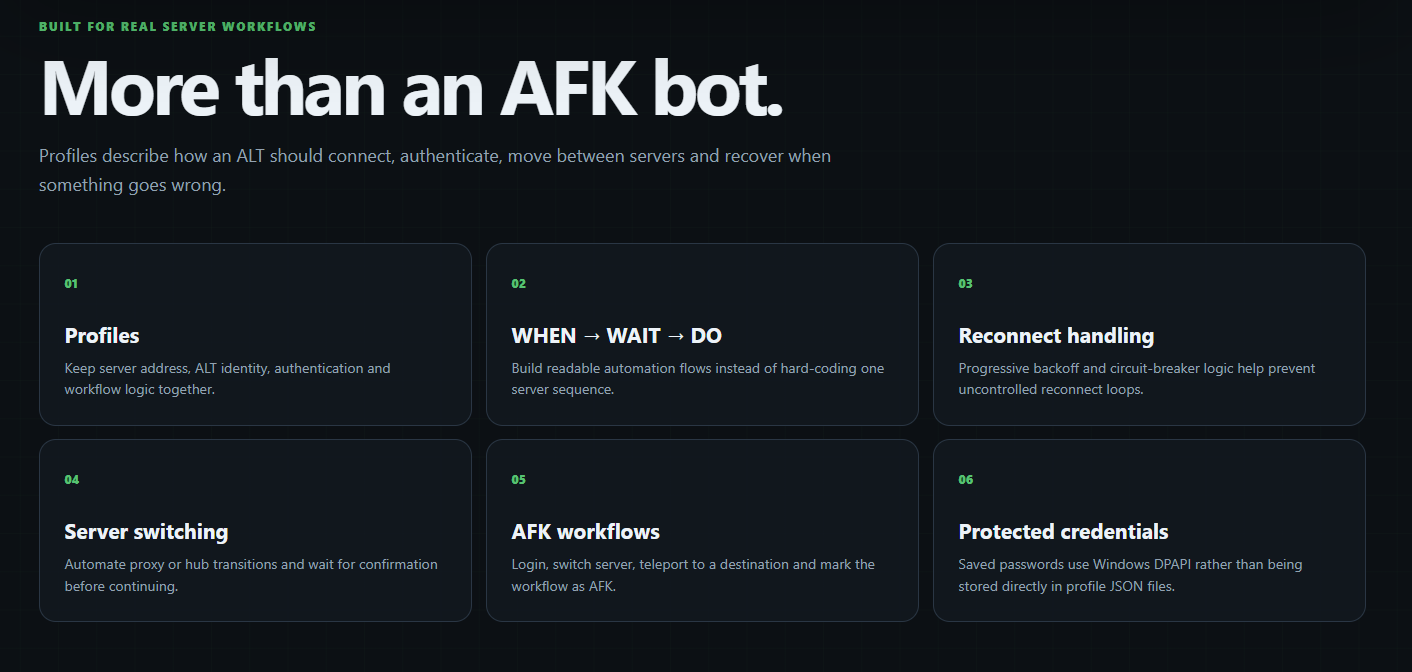
That led to one of the most important parts of the project: configurable workflows.
WHEN → WAIT → DO
Instead of hard-coding every possible server configuration into the application, Minecraft ALT Manager uses a simple automation model:
WHEN something happens
↓
WAIT for a defined delay
↓
DO something
For example:
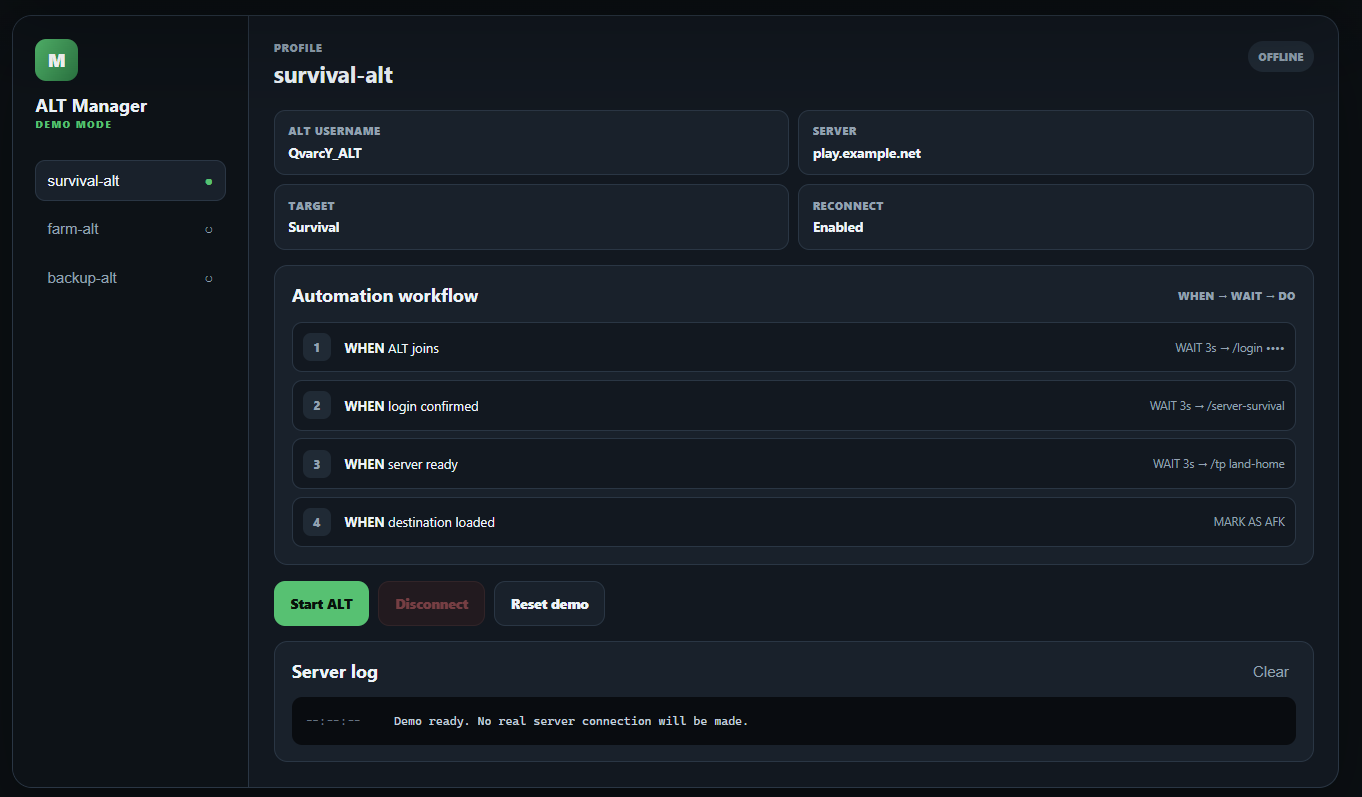
WHEN the ALT joins
→ WAIT 3 seconds
→ DO /login {password}

WHEN login succeeds
→ WAIT 3 seconds
→ DO /server-survival

WHEN the Survival server is ready
→ WAIT 3 seconds
→ DO /tp land-home

WHEN the destination is loaded
→ MARK AS AFK
This means the same application can be adapted to very different Minecraft servers simply by creating another profile.
No need to rewrite the program every time.
A profile system instead of one giant script
Minecraft ALT Manager currently includes several guided starting templates:
Exploration mode
Direct AFK
Login + AFK
Hub / Proxy + Home
Exploration mode is particularly useful when you don't yet know exactly how a server behaves.
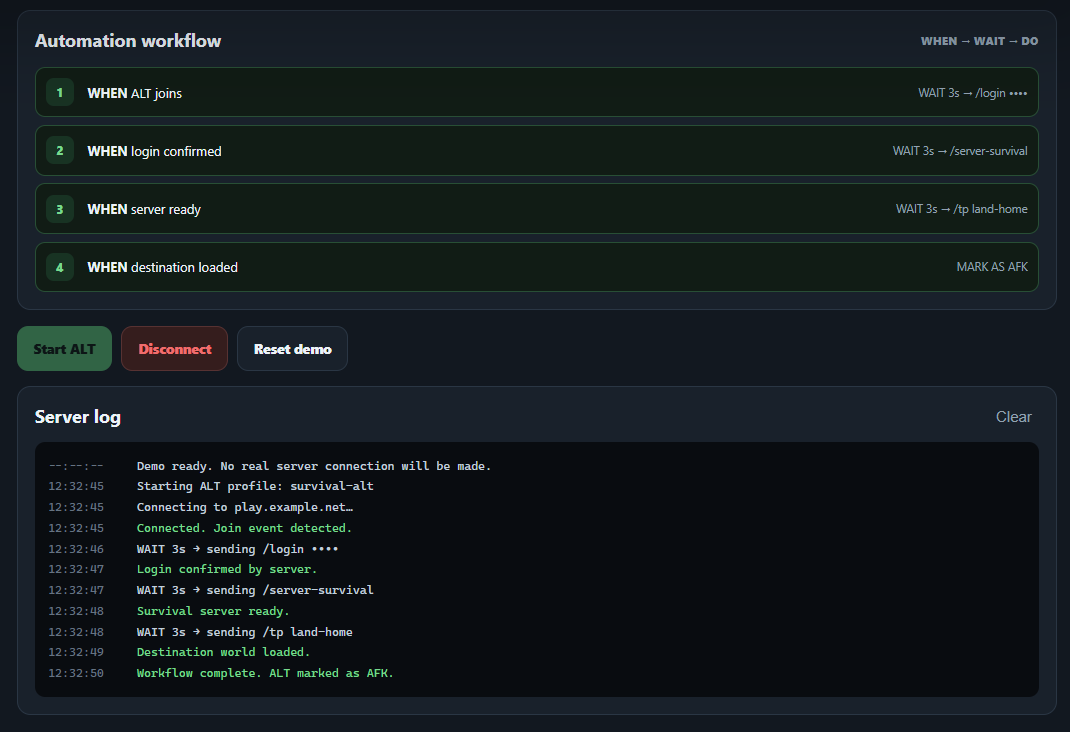
You can connect the ALT, watch server messages in real time and manually send commands from the built-in console.
Server log messages can then be used while creating the automated workflow.
Once everything is configured, the ALT can handle the same process automatically.
Disconnect? It can take care of that too.
Keeping an ALT online isn't very useful if it gives up after the first network hiccup.
Minecraft ALT Manager includes automatic reconnect handling with progressively increasing retry delays.
It also includes a reconnect circuit breaker.
That means it won't endlessly hammer a server if something is genuinely wrong.
A temporary disconnect can result in:
Disconnect
→ Wait
→ Reconnect
→ Continue workflow
→ AFK
But repeated failures can eventually stop the automatic reconnect cycle and wait for manual intervention.
That makes the system much more predictable than a simple infinite reconnect loop.
Modern Minecraft made this more interesting than expected
One of the more challenging parts of the project was dealing with newer Minecraft Java protocol behaviour.
Modern proxy networks can transition a connection through states such as:
PLAY
→ CONFIGURATION
→ PLAY
This can happen, for example, when moving between servers behind a Velocity proxy.
Minecraft ALT Manager contains additional handling for these transitions as well as modern CLIENT_TICK_END compatibility.
In other words, what started as “connect an ALT and leave it AFK” eventually turned into a much more interesting protocol and automation project.
The current release has been tested with Minecraft Java Edition 1.21.11, including a complete Velocity-based server transition workflow.
Passwords don't belong in profile files
Another thing I didn't want was this:
/login MySuperSecretPassword123
sitting inside a profile JSON file.
Minecraft ALT Manager therefore allows workflows to use:
/login {password}
The actual saved password is stored separately and protected on Windows using DPAPI.
The real password is resolved only when the workflow needs it.
This also makes profile export and sharing much safer because the password does not need to be embedded directly inside the workflow configuration.
Portable or installed — your choice
I also wanted the program to be easy to try.
The Windows release contains its required Node.js runtime, so users of the packaged version don't need to install Node.js separately.
You can either install Minecraft ALT Manager normally or run it in portable mode directly from the extracted folder — even from a USB drive if you want.
The current packaged release is roughly 44 MB compressed.
And yes — it's open source
Minecraft ALT Manager is available publicly on GitHub under the GNU GPL v3 license.
The current stable release is:
Minecraft ALT Manager v3.2.0
You can explore the project here:
GitHub repository
https://github.com/QvarcY/minecraft-alt-manager
Interactive browser demo
https://qvarcy.github.io/minecraft-alt-manager/
Latest Windows release
https://github.com/QvarcY/minecraft-alt-manager/releases/latest
English User Guide
https://qvarcy.github.io/minecraft-alt-manager/guide-en.html
Latviešu pamācība
https://qvarcy.github.io/minecraft-alt-manager/guide-lv.html
The browser demo lets you explore the interface without actually connecting to a Minecraft server or storing credentials.
Who is it for?
Minecraft ALT Manager isn't intended to bypass server protections or ignore server rules.
It's designed for environments where ALT accounts, AFK accounts and automated clients are permitted.
Every Minecraft server has its own rules, so always check them before using automated clients.
But if you run ALT accounts on a server where they're allowed, I think this can make managing them considerably easier.
And this is only the first public release.
There are already plenty of ideas for where the project could go next.
If Minecraft ALT Manager saves you some RAM, saves you from another Minecraft window sitting permanently on your desktop, or simply turns out to be useful, you can support my work here on Buy Me a Coffee.
It helps me keep building, testing and publishing projects like this.
Thanks for checking it out — and have fun experimenting with it.