
image de couverture

Achetez un café à CompileTab

Add a video message

Boutique

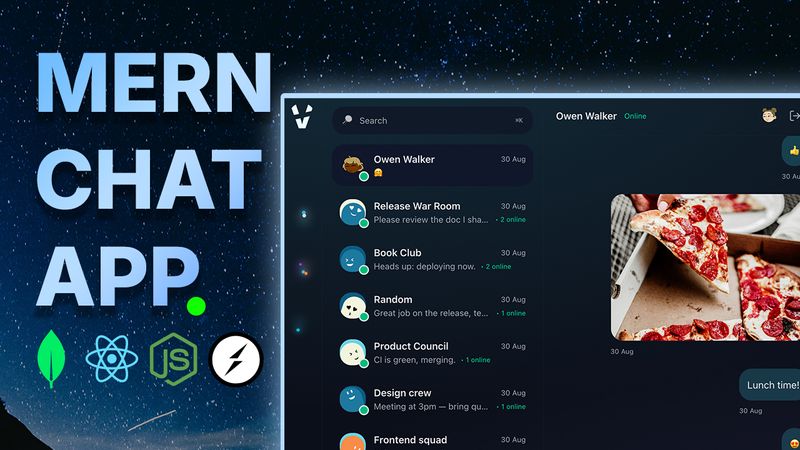
⚡ Viper Chat - MERN App


Follow these steps to run the project locally:

- Once you download the file, unzip it
- Open the folder in the Vscode editor

📂 Backend Setup

1. Open terminal and navigate to backend folder:

cd backend

2. Install dependencies:

npm install

3. Rename `.env.example` to `.env` file inside `backend` folder (replace placeholder values with your own):

PORT=8080
NODE_ENV=development
JWT_ACCESS_SECRET=any_string
MONGODB_URI=your_mongodb_uri_string
COOKIE_NAME_ACCESS=access_token
CLOUDINARY_CLOUD_NAME=your_cloudinary_cloud_name
CLOUDINARY_API_KEY=your_cloudinary_api_key
CLOUDINARY_API_SECRET=your_cloudinary_api_secret

4. Seed Data:

npm run seed

5. Start backend server:

npm run dev


🎨 Frontend Setup

1. Open a new terminal and navigate to frontend folder:

cd frontend

2. Install dependencies:

npm install

3. Rename `.env.example` to `.env` file inside `frontend` folder

4. Start frontend app:

npm run dev


🚀 Run the App

- Open browser and go to:
👉 `http://localhost:5173` (default Vite port)
- Make sure backend (8080)and frontend (5173)are both running.
- Ensure that you add all your keys here like MongoDB URI, JWT Secret and Cloudinary API credentials

Login in using credentials:
Password: 123456

$20