
When I first started getting sales on Zazzle I began keeping a little map of where orders went across the USA. I wasn't keeping track of any details, just coloring in states when I'd get my first order there. It was fun seeing my map slowly fill in; each new state landed was a milestone to celebrate. I didn't think I'd ever get Alaska, and one pocket of the country (MT, ID, WY, ND, SD) was particularly stubborn, as was Vermont. VT was actually my last state to color in, save Montana. Montana remains my sole hold-out.
I've shared my map a number of times to the Zazzle Community Forums - when I've been extra excited over finally landing one of the stubborn states! - and it's always generated a lot of interest from other Designers in being a fun idea, with many starting their own map. But my original map, I was just filling states in in green as I'd get them. Pretty boring.
This week I decided to recreate my map in a multi-layered format that allows complete customization to make a really unique personal map one would be proud to share or feature on their website, blog, social media, and other promotional efforts.
Here's what my personal map looks like now:
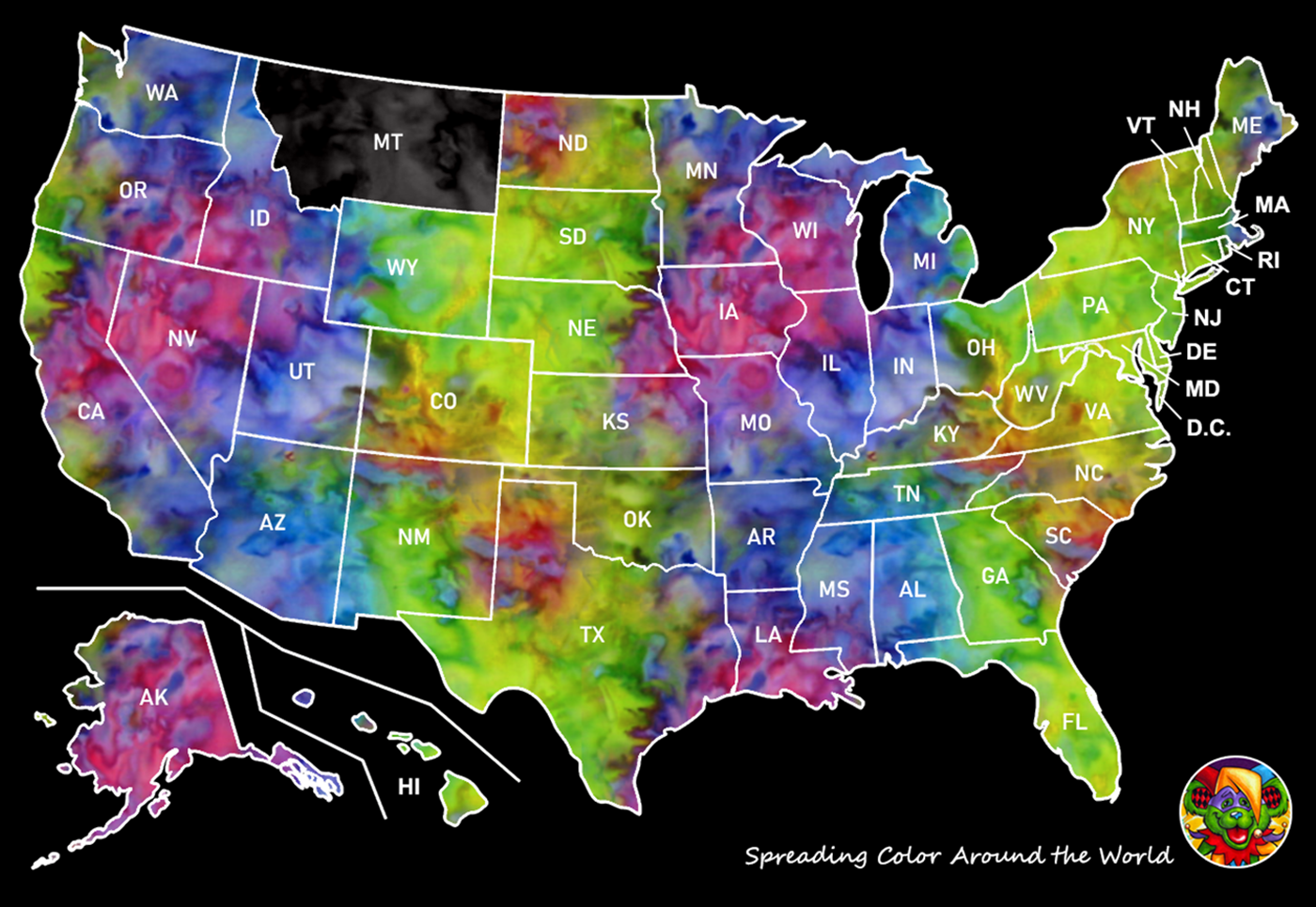 How cool is that?
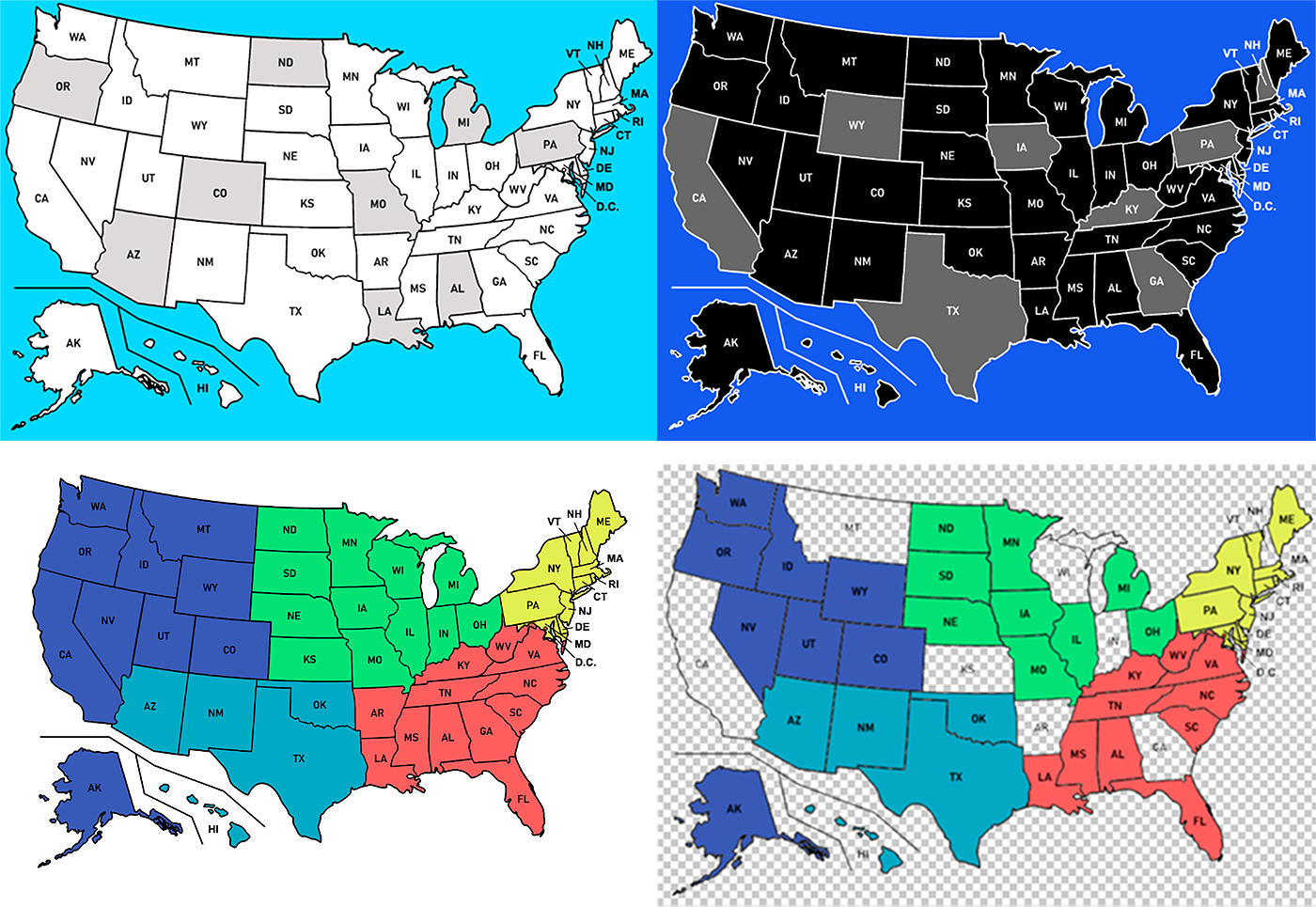
My free map template is actually three starter-map versions in one file.
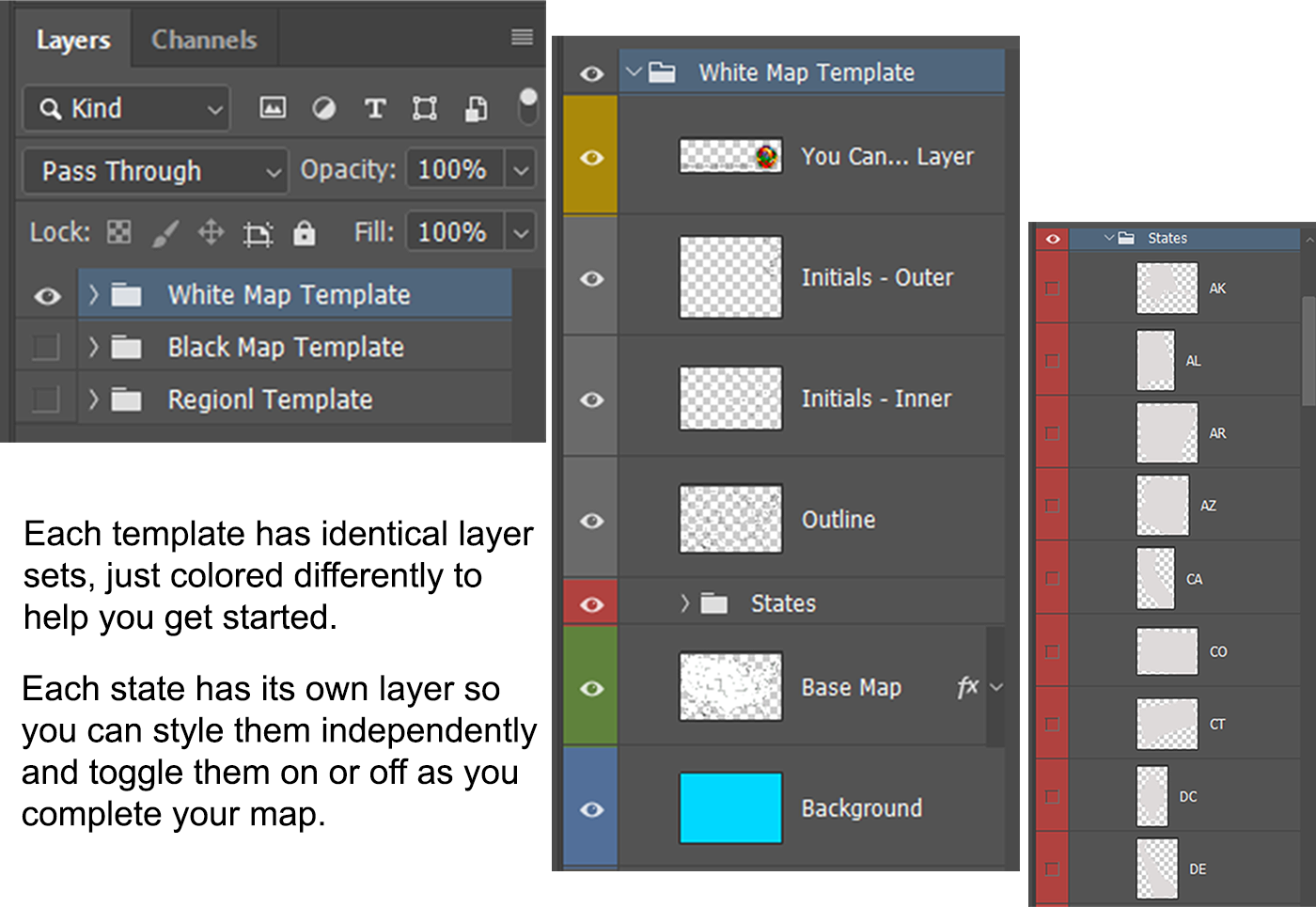 For The White and Black maps the individual state layers are gray and toggled off by default.
For the Regional map, each state is conveniently color-coded for you and toggled on by default.
 Since you can style each part of the map independently there is no limit to how creative you can get in making your own custom map.
You can apply a color, pattern or gradient overlay to the background, base map, and/or individual states. Make the background transparent, or make the base map transparent and keep just the outline, or make both transparent and fill the states in as you get them like a puzzle. Fill the states in all differently for a crazy-quilt look. Add an image of the first (or most recent) product that sold to that state. Fill them with state flag patterns or the state bird. Whatever you think up.
It's something to have fun with even if you've long ago completed the US.
Add a catchy marketing line paired with your logo or QR code and you've got an eye-catching graphic you can use on your website, blog and social media to promote yourself.
Here are some suggestions:
Nationwide reach. Personal touch.
50 states. 1 designer. Countless happy customers.
Coast-to-coast style: My designs are officially in every U.S. state.
From main streets to mountain peaks, my work is out there in all 50 states.
My art is better traveled than I am - officially in all 50 states.
Check the map: my designs just officially hit state #50.
Proudly serving customers in every single state.
I hope you have fun with this, and I'd love to see your custom map if you make one so feel free to drop a link in the comments to where you are using it.
Here's the link to the template:
https://colscreations.com/SharedFiles/Map_FreeTemplate.psd
* You are free to use this template to create your own custom map for sharing/displaying on your own website, blog, social media and marketing/promotional material, in print or digital. Maps created with this template are not to be used as a design element in products (physical or digital) that you are selling.
~ Col's Creations
April 22, 2026