

 One wrong guess at a time
Supporting as many file formats is a key aspect of Kirra and getting designs out of Deswik and into Kirra is part of that. Pit designs, blast strings, survey surfaces, all sitting in .duf files, the Deswik Universal Format. There's no public spec for it. I got most of it wrong for a while before I got it right.
Here's what's actually in there, and where I tripped over. First, the thing I'll say up front so nobody has to ask: Kirra reads .duf, it does not write it.
Deswik is a paid product. I reckon mostly there's a clean line between reading a format so a person can get their own data out, and authoring files that pretend to be a vendor's. There is a line I will cross for singular files like single surfaces or block models.
Everything below I worked out by staring at real massive files.
It's a Snappy stream wearing a hat
The first ten bytes tell you what you're holding:
ff 06 00 00 73 4e 61 50 70 59 → ....sNaPpYThat's a Snappy framed stream, Google's compression format. So a .duf isn't a design, it's a compressed design. You walk the frame chunk by chunk, decompress each Snappy block, and stitch the output back into one long byte stream. That stream is the real file.
One annoyance I'll pass on so you don't lose the time I did.
Deswik's writer emits files whose checksums a "by-the-book" Snappy file reader rejects. The checksum says the block is corrupt, the block is completely fine, and a strict decoder refuses to open a file that every other tool opens without complaint. So Kirra reads the checksum field and ignores it. I'd rather read your file than be right about a CRC that Deswik's software likely can't be bothered getting right either.
The record stream, and the trap in it
Decompress the frame and you get a flat run of records. Every record starts with the same six bytes, then a four-byte class id that says what it is:
02 12 00 00 00 00 | <class id>A record runs to the start of the next one. The class ids I care about are polyline, point, polyface (that's the mesh), and a table entry that holds the layers. Easy, right. Scan for the six-byte header, read the class id, cut the stream into records.
This is where I lost an afternoon.
The header pattern isn't rare. 02 12 00 00 00 00 turns up by accident inside the raw bytes of ordinary coordinates.
A 64-bit float is eight bytes, and plenty of normal eastings and elevations have a byte run in the mantissa that looks exactly like a record header. Treat every hit as a boundary and you slice a real record in half. The front looks like a valid object with a chopped-off geometry array, the back is rubbish, and the actual entity just vanishes. No error. Nothing in the console.
The surface simply doesn't draw, and you sit there wondering why a file that's clearly full of geometry imports as empty. I caught it on a dense grid mesh that was being read as two records instead of one.
The fix is dull and load-bearing: a six-byte header only counts if the four bytes after it are a class id I recognise. A random coordinate that happens to look like a header is very unlikely to also be followed by a valid class id, so that one check throws out nearly all the false hits. The tempting move is to loosen it to "any plausible number".
Don't. The moment you do, the record-splitting comes straight back, and next time it won't be a test file, it'll be someone's actual pit.
That whitelist is the most important line in the whole parser, and it's the least interesting to look at.
Colours and layers
Inside a record the data is a bag of tagged properties. A type byte, a property id, then a value whose shape depends on the tag. Doubles, strings, 3D vectors, colours, GUIDs. Once you know the tags it stops being a wall of hex.
Colour is a tag with RGBA in it, read per entity, so your strings and surfaces come into Kirra wearing the colours you gave them instead of a flat default. Layers were the satisfying bit. Deswik keeps layer definitions in their own records, each with a GUID and a name, and every real entity carries a GUID pointing at the layer it belongs to. So you do two passes: build a map of GUID to name from the definitions, then look up each entity's layer by its GUID. The names come through as full Deswik paths, and Kirra splits the path across its own tree, so imported geometry lands grouped the way it was grouped in Deswik and not tipped into one bucket named after the file.
The bit that cost me an hour: those layer strings use .NET's string encoding, a length prefix packed 7 bits to a byte, then UTF-8. Read the length the obvious way and every layer resolves to nothing, and the whole design collapses onto a single default layer. Small thing. Wrecks the entire import.
Lines, points, and Deswik's idea of "closed"
Polylines are the easy case. Marker, vertex count, tag, then that many XYZ triples as doubles. Read them in world coordinates, UTM or a mine grid, exactly as they sit. Kirra doesn't touch the Z.
Two Deswik habits to clean up. It sometimes writes a closed polygon's last vertex explicitly and also sets a closed flag, which draws a zero-length segment sitting on top of itself. And in one dialect it repeats the second vertex as the closer instead of the first, which pinches the ring shut in the wrong spot and leaves the true first point spiking off on its own. Both get fixed on the way in.
Points are a single 3D vector. Nothing to say about them.
Meshes are where it got real.
Triangle soup, and the near-gigabyte
A Deswik polyface stores triangle soup. Every face carries its own three vertices. Nothing is shared. A face and the one next to it both physically list the two vertices they have in common, as separate copies, byte for byte.
On a small mesh, fine. On a survey surface it's a disaster. I had real DTMs with 7.3 million faces. Three vertices a face, stored independently, is about 21.7 million vertices in the file, and nearly all of them are exact copies of one the file already listed a few faces back.
Do the obvious thing, read all 21.7 million into little {x, y, z} objects so you can triangulate, and you're asking for the better part of a gigabyte of RAM for one surface. The tab falls over before it's drawn a triangle. That was a pain in the arse the first time it happened, because everything looked correct right up until the browser gave up.
The answer is to weld as you read, not after. As each vertex comes off the stream you hash its coordinates. Seen it before, reuse the index you already handed out. New one, give it the next index and push its three numbers onto a flat numeric buffer, no object. The faces reference vertices by number, so you rewrite their indices to point at the welded set. That drops ~21.7 million soup vertices to about 3.6 million real ones, a normal-sized surface, and it does it straight into a typed buffer without ever building the gigabyte of junk. The duplicates die the instant they're spotted.
One rule I won't bend, and it's a mining rule, not a coding one: weld only on exact coordinates. Never merge two vertices because they're close. In mining two points 5 mm apart can be two deliberately different points, a tolerance, a survey pickup, a boundary.
Snap "near enough" ones together and you've quietly corrupted the thing the surface exists to record. Exact match or leave them alone.
The memory wall, and going through it instead of over it
Welding fixes the object blow-out. It doesn't fix the other ceiling.
A .duf is compressed and expands several times over when you decompress it. A big project file's decompressed stream can go past what a single JavaScript buffer is even allowed to hold, which is about two gigabytes for one contiguous array.
A multi-gig design can't sit in one buffer, full stop. And chewing through it on the main thread would freeze the whole app while it worked.
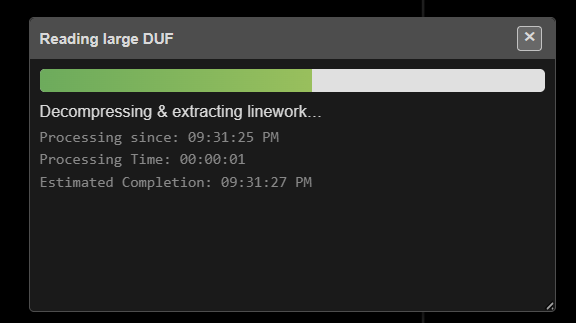
So above a size threshold, Kirra moves the lot off the main thread and off the memory ceiling, using OPFS, the Origin Private File System. It's a private scratch disk the app gets to itself, and it has no two-gig-per-file limit because it's on disk, not in RAM.
The shape of it:
Stream the compressed file into an OPFS scratch file in chunks, so even the original never has to be fully in memory.
Parse it in a Web Worker, its own thread, its own heap, so the interface stays live and you can keep working while a giant surface loads.
As the worker decompresses each Snappy block, write the output straight to a second OPFS scratch file through a synchronous file handle. The fully decompressed design, which might be many gigabytes, never exists in RAM as a whole. It goes compressed-on-disk, through a small buffer, to decompressed-on-disk.
Read that on-disk stream back through a sliding 4 MB window that pages in the slice you're looking at. To the parser it reads like a normal byte buffer, same calls, same offsets, but only 4 MB is ever resident. Nearly every read is already in the window, and the odd miss is a microsecond off an SSD. That's what removes the size limit for good.
Hand the finished mesh back to the main thread by transferring the buffers, not copying them, so a few million triangles cross the thread boundary instantly.
Delete the scratch files on success, on error, and on cancel. OPFS files survive a reload, so leaving them behind eats the user's disk.
Small files skip all of that and parse in memory in a blink, but the welding runs either way, so even the fast path never builds the soup.
What I still haven't cracked
Text
Deswik's annotation and label text, the actual worded callouts in a drawing, I haven't worked out yet. The record layout for the string, the insertion point, height, rotation, style, still opaque. Text entities get skipped on import for now. It's next. Layer names I trust less than they look. The GUID lookup works on every file
I've tested, but it's pattern-matching on property tags, not a full decode of the table-entry record. On a dialect I haven't seen it could come back empty and drop everything onto a default layer. I treat it as provisional.
If it happens to you I'd like the file.
A couple of the mesh vertex encodings have only been checked on a handful of files. They've held so far. "So far" is doing some work in that sentence. If you've got a .duf that comes in wrong, a garbled surface, missing layers, an open polygon that should be closed, send it over. Odd files are how you find the edges of a format like this.
Kirra reads .duf today: lines, polygons, points, and those big welded survey meshes, on their real layers, in their real colours, at about any size you can throw at it.
Brent Buffham, https://kirra-design.com