
Are you looking for a better Patreon alternative that suits the way you work? You’re not alone. Many creators are looking at other platforms, and the reasons range from fees to a lack of flexibility with monetization.
It’s a good time to explore your options, too. There are now platforms for all kinds of creators, whether you want to accept support, build a community, sell courses, or earn from your writing.
Unlike the long-winding blogs out there, I won’t sell you a one-size-fits-all solution, because that’s simply not how it works. The right Patreon alternative varies from creator to creator, depending on what you do and how you want to earn from it. In this guide, we’ll look at 10 platforms and when each one makes sense.
Please keep in mind: Prices are based on published rates checked in November 2026. They may change, so it’s worth checking each platform’s pricing page before signing up.
TL;DR
| Platform | Best for |
|---|---|
| Buy Me a Coffee | Multiple ways to earn, all in one place |
| Ko-fi | Commissions and custom creative work |
| Substack, beehiiv, and Medium | Writing, newsletters, and earning from readership |
| Circle | Building paid communities |
| Thinkific, Kajabi, and Podia | Creating and selling online courses |
| MemberPress | Offering paid content on WordPress |
10 best Patreon alternatives
1. Buy Me a Coffee: Best Patreon alternative overall
Buy Me a Coffee tops my list. Bear with me, I have plenty of good reasons to reach for this claim. For one, it can accommodate all creators, and has something for everyone. Whether you teach, write, sing, dance, or make silly videos, you name it, we have creators from the niche-est of niches. It works for all of them, without changing their content or the way they wish to express.
That’s the best part about the platform. It doesn’t put you in a box.Creators also have the flexibility to choose a way to earn too. You can use it to run membership content, sell digital products, or even receive one-time support from your audience.
To get started, all you need to do is sign up with your name and Email. Then, add a link to your socials; wherever it is that you post content. That’s it, now you have your own Buy Me a Coffee page.
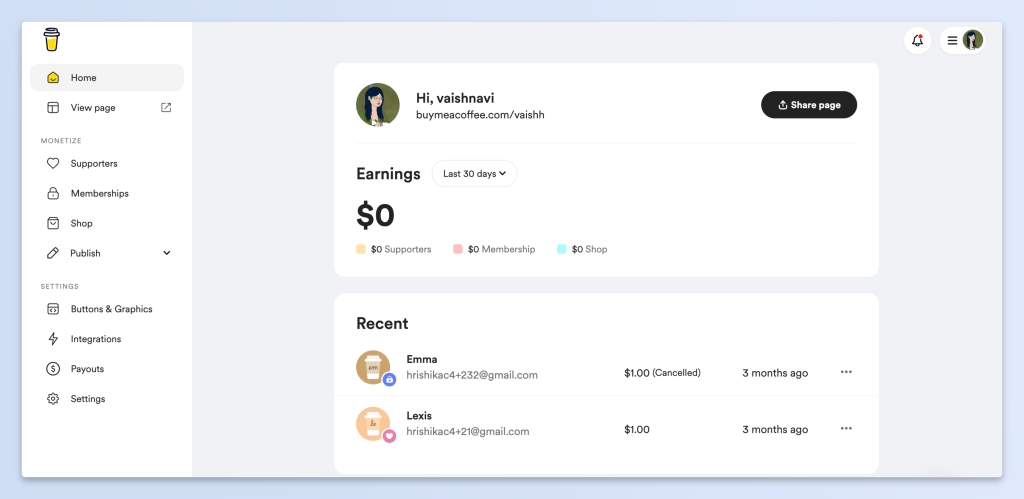
Now, you’ll get dashboard that gives you multiple ways to earn, that can be managed from one place.
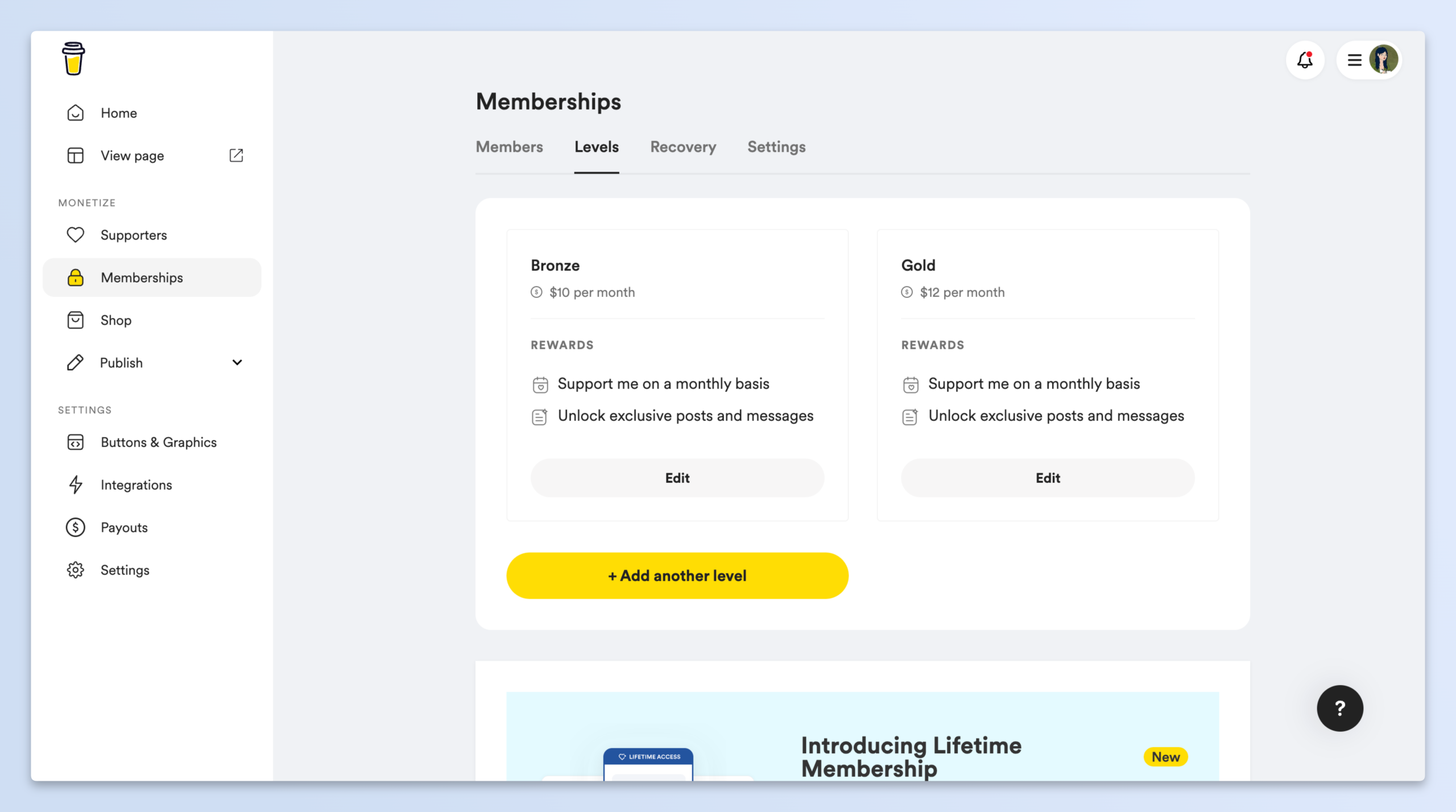
How memberships work on Buy Me a Coffee
It’s super easy to get started with memberships on Buy Me a Coffee. You can simply add the details and fees per month and publish. Alongside, there are features like free trials, limiting slots and Discord access to make sure you can draw more members. You can customize it to fit your content and monetization needs, and it can be up and running the very minute.
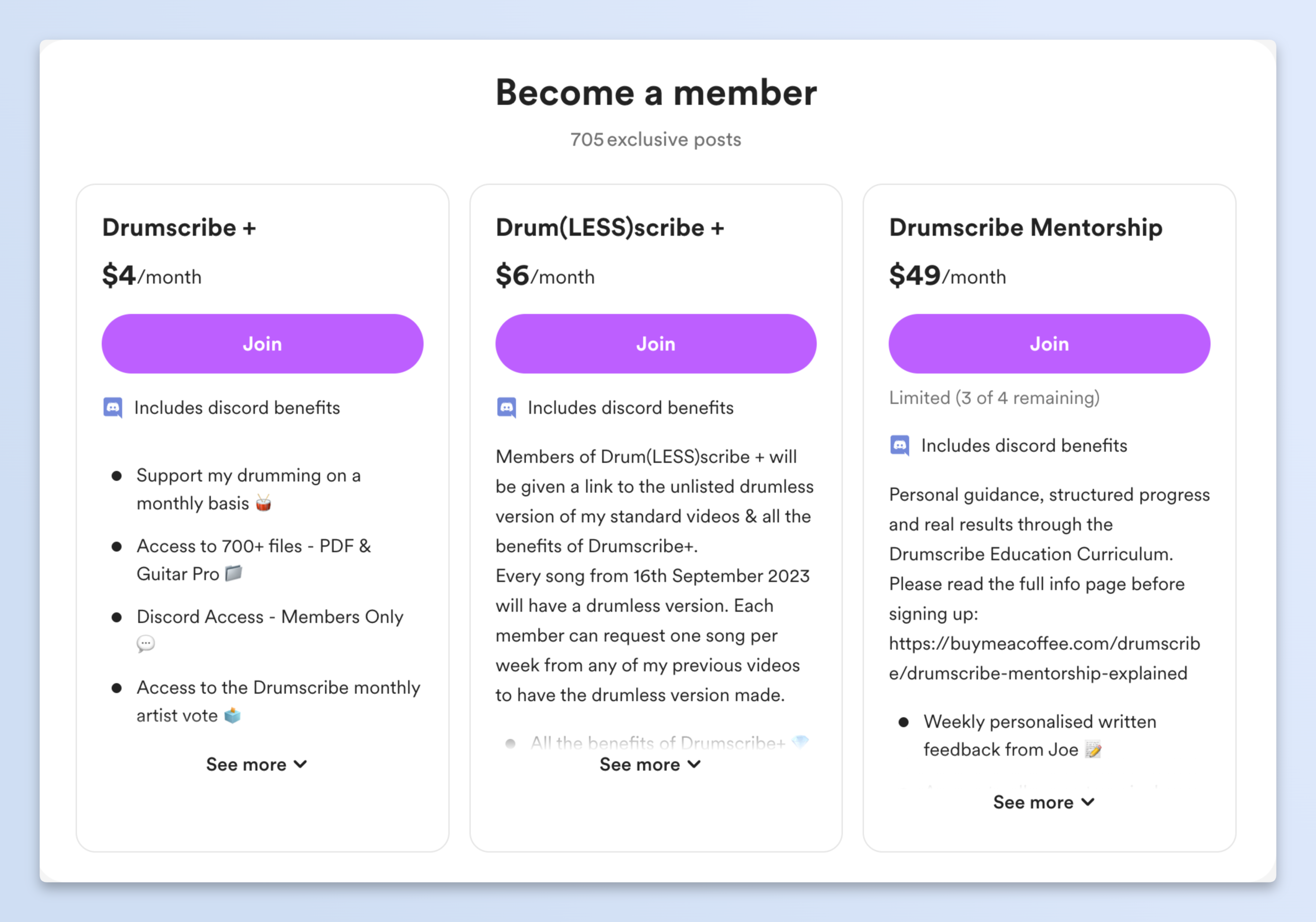
To give you a clearer picture, here’s an example of a creator, running a membership for drumming content and lessons under the name Drumscribe. They’ve added multiple tiers, with varied prices and content access. This way, it’s easier for first-time members to commit, and have a variety to choose from according to what they need at the moment.
A new source of income: One-time support
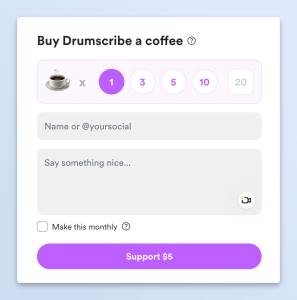
Now, that’s not all you can do on Buy Me a Coffee. You can also have your audience “buy you a coffee” aka send one-time support. This is an option that has the least friction. Your audience can send you support in one tap, without even creating an account.
It might be a more unreliable source of income, but it’s income most creators are sitting on, because they think it wouldn’t add up to a lot. Maybe it won’t, too. But think about it. The odds are so much higher. A new audience might just be more willing to send you a one-time support, or maybe that’s what some well wishers of yours can afford. And before you know it, these smaller amounts may add up to a lot more than you think.
Digital Shop
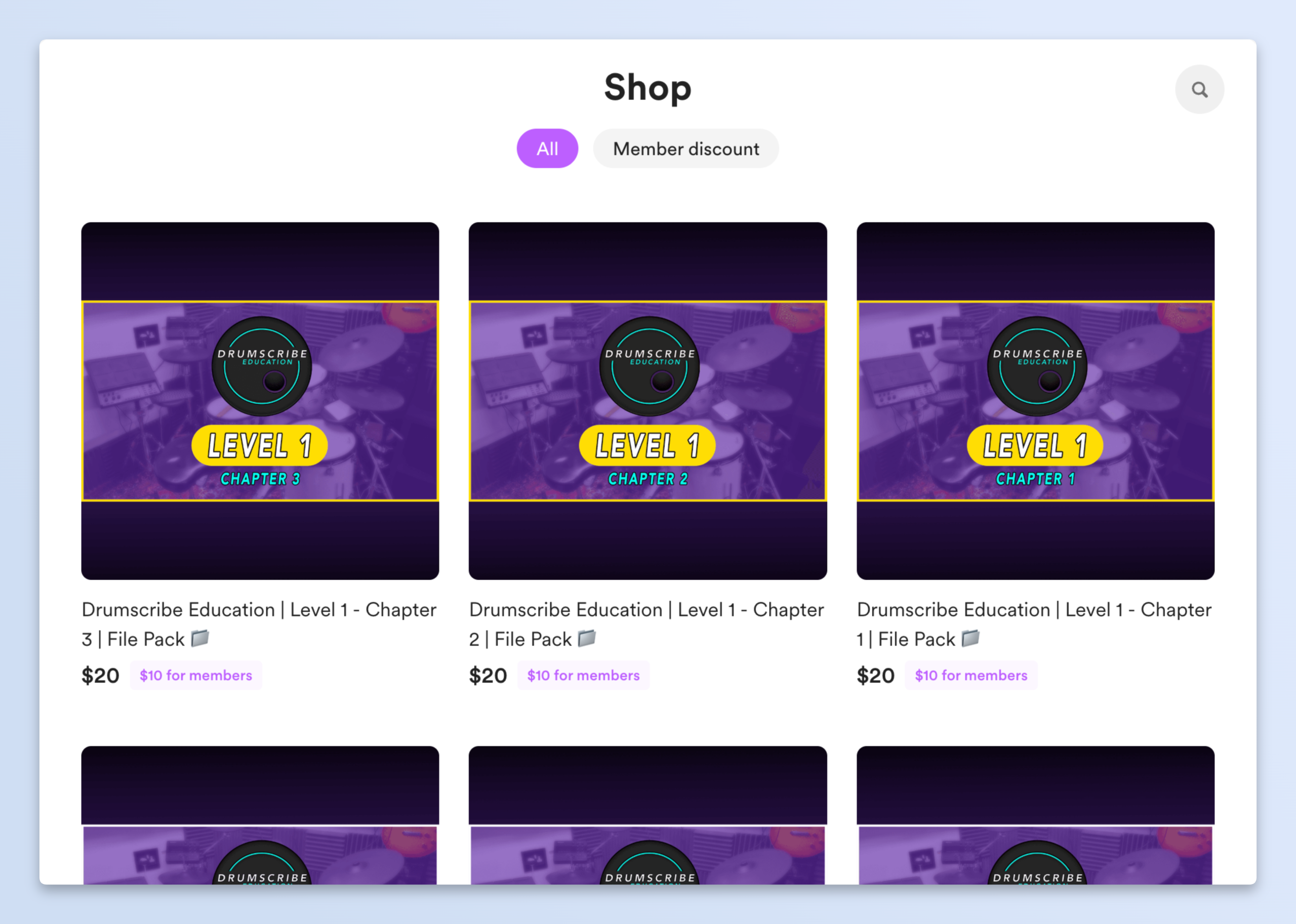
Buy Me a Coffee tries and I think succeeds too, in giving everything creators need, to earn from their craft. For that reason, along with memberships and tips, it also lets you run a digital storefront. You could sell anything, from digital prints, Notion templates, or your expertise, through 1-1 calls, portfolio reviews and more. You can even keep some of the shop items free for members and supporters, to add an incentive.
| Pricing | Free to start, takes 5% platform fee per transaction, when you start earning. |
| Set up | Takes just a few minutes. Sign up with your email, customize your profile, connect a payout method, and share your unique link. |
| Best for | Creators of all types, whether they want to earn from tips, memberships or shops. |
Why Buy Me a Coffee has an edge:
- Takes the smallest cut in comparison to most platforms out there.
- Has multiple ways to earn, and is best for passive, recurring income.
- Works well alongside other platforms where you host content, and doesn’t require you to migrate fully. You can paste your Buy Me a Coffee link there.
2. Circle: Best for running a community business in one place
Circle is another option if building a community is a big part of what you do. It brings discussions, courses, events, and payments together in one place.You can create different spaces for your members, organize conversations, and offer access to courses or events. It also gives you options to build a branded community instead of sending members to different platforms for everything.
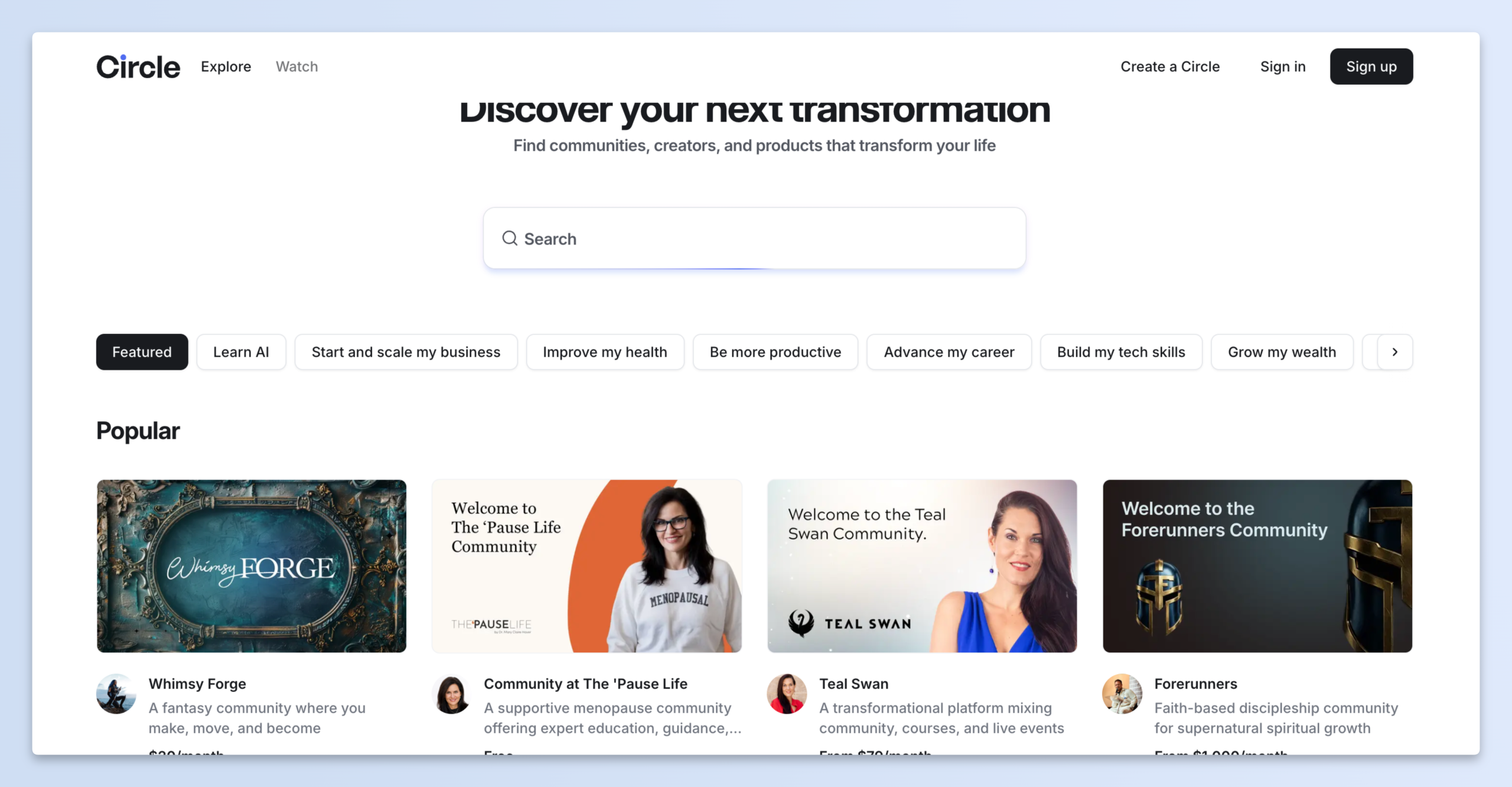
The main difference from Patreon is that Circle is built around running a community, not just offering paid content. They also have a Discover Directory that makes it easier for new audiences to browse by category and find your page.
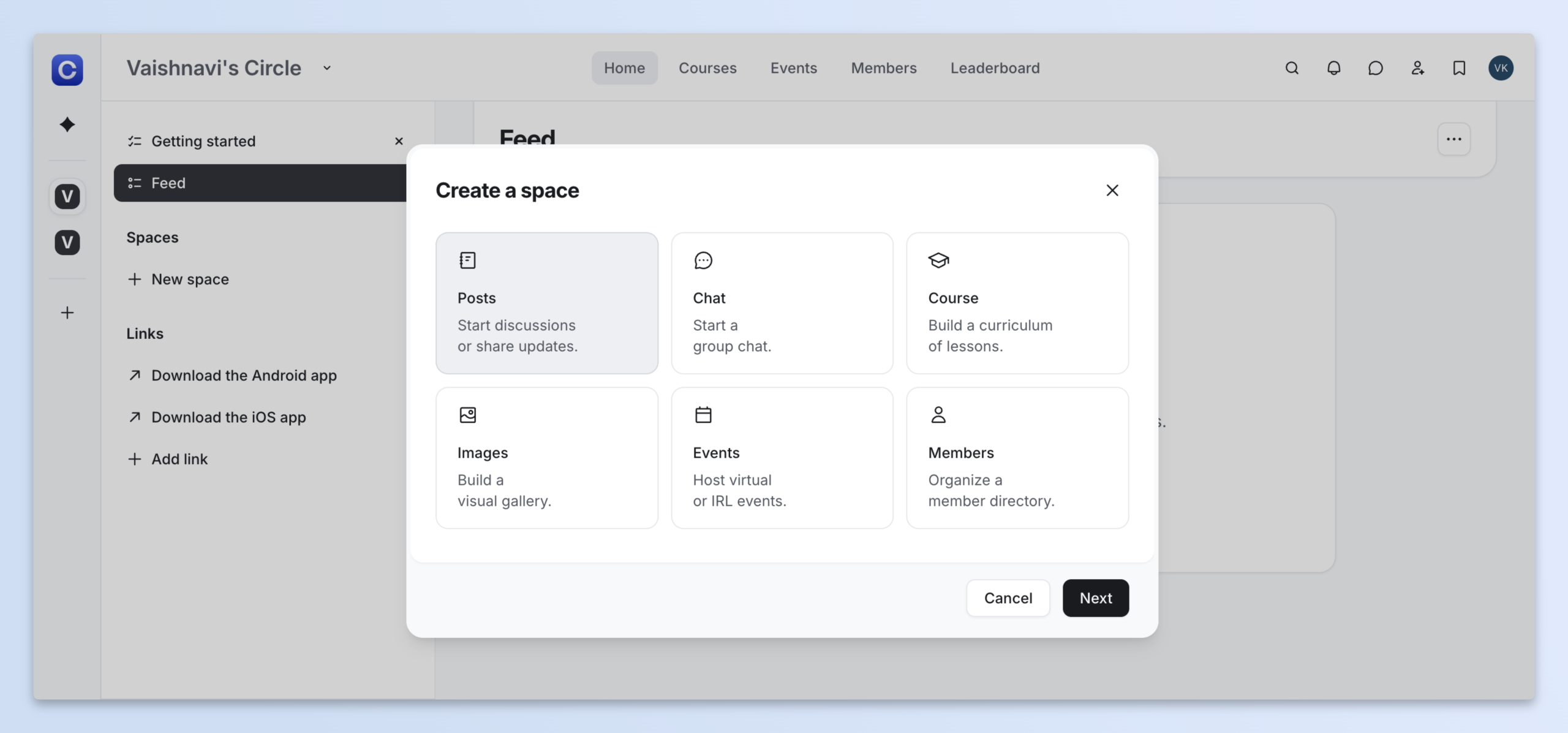
I especially liked that Circle gives you a few ways to bring your community together right from the start. You can kick things off with a discussion post, start a group chat, build a course, share images, host events, or create a space where members can connect.
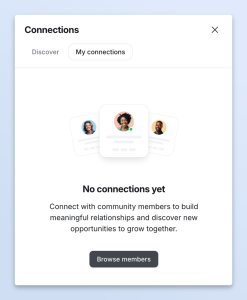
There’s also a Connections feature where members can browse the community, find people they’d like to know, and connect with them. They can see all their connections in one place, making it easier to get to know other members.
| Feature: Spaces | Create separate areas for discussions, announcements, and different activities. You can organize them around topics or membership access. |
| Feature: Courses and events | Offer courses and host events without having to manage them on separate platforms. |
| Best for | Coaches, educators, and creators who want to run a paid community with courses and events. |
| Pricing | Professional plan starts at $89/month with a 2% transaction fee. Business plan starts at $199/month with a 1% fee. |
3. Kajabi: Best for established course and coaching businesses
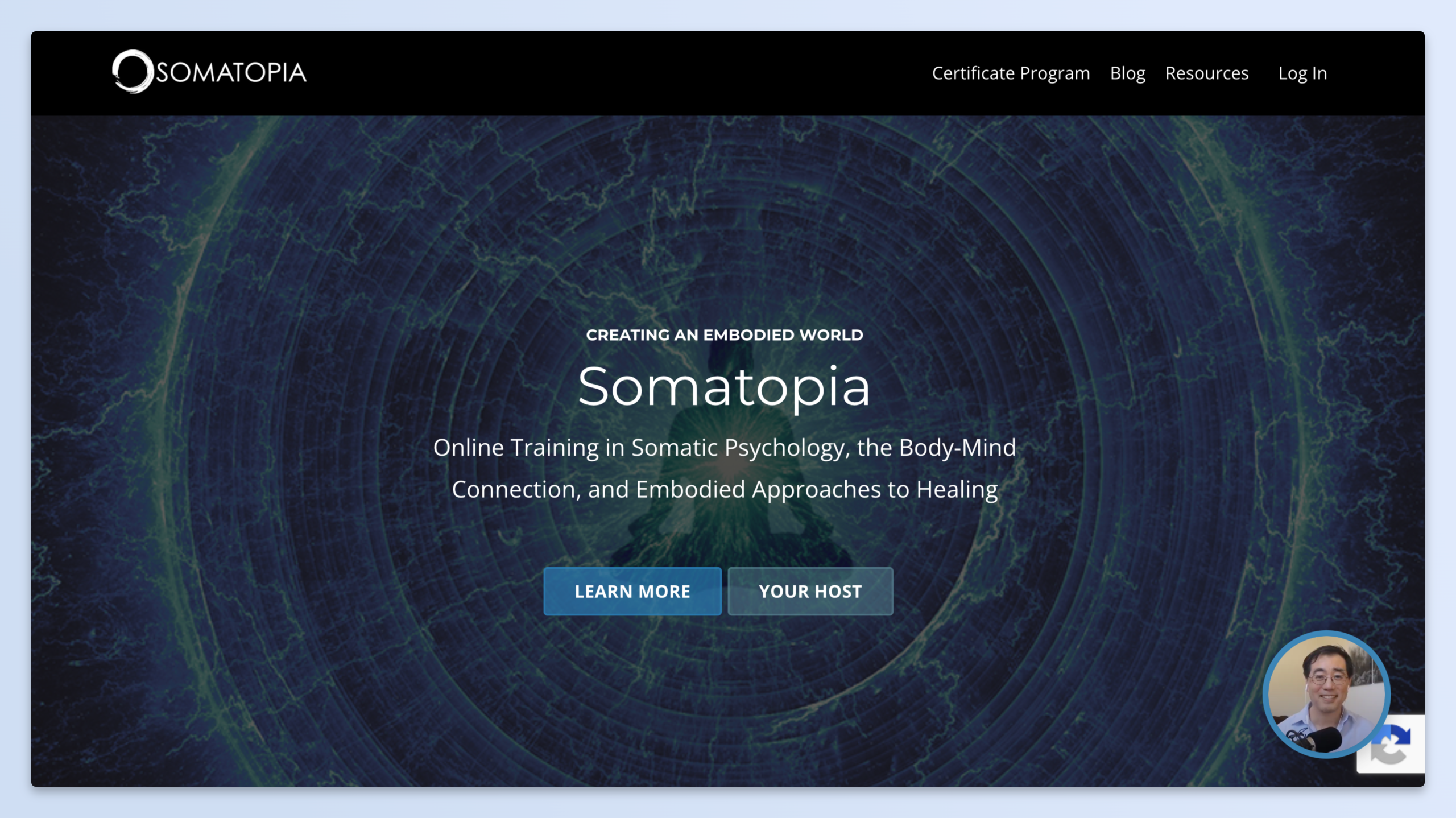
If selling courses or coaching programs is your main source of income, Kajabi is worth considering. It gives you tools to create courses, offer memberships, build a website, send marketing emails, and set up sales pages. So, you can manage most parts of your online business from one place instead of using separate tools for each task. For example, you can check out this certificate course from Somatopia.
| Feature: Course and coaching tools | Create structured courses and coaching offers for your audience. |
| Feature: Email and sales tools | Build landing pages, send email campaigns, and set up sales funnels. |
| Best for | Creators who already have an audience and want to run a course or coaching business. |
| Pricing | Basic plan starts at $143/month when billed annually. Higher plans cost more and offer additional features. Kajabi doesn’t charge a platform transaction fee when you use Kajabi Payments, but payment processing fees still apply. |
4. Thinkific: Best for course creators on a budget
Thinkific is a more focused option if you mainly want to teach through online courses. You can create lessons, organize them into modules, add quizzes and assignments, and track how students are doing.
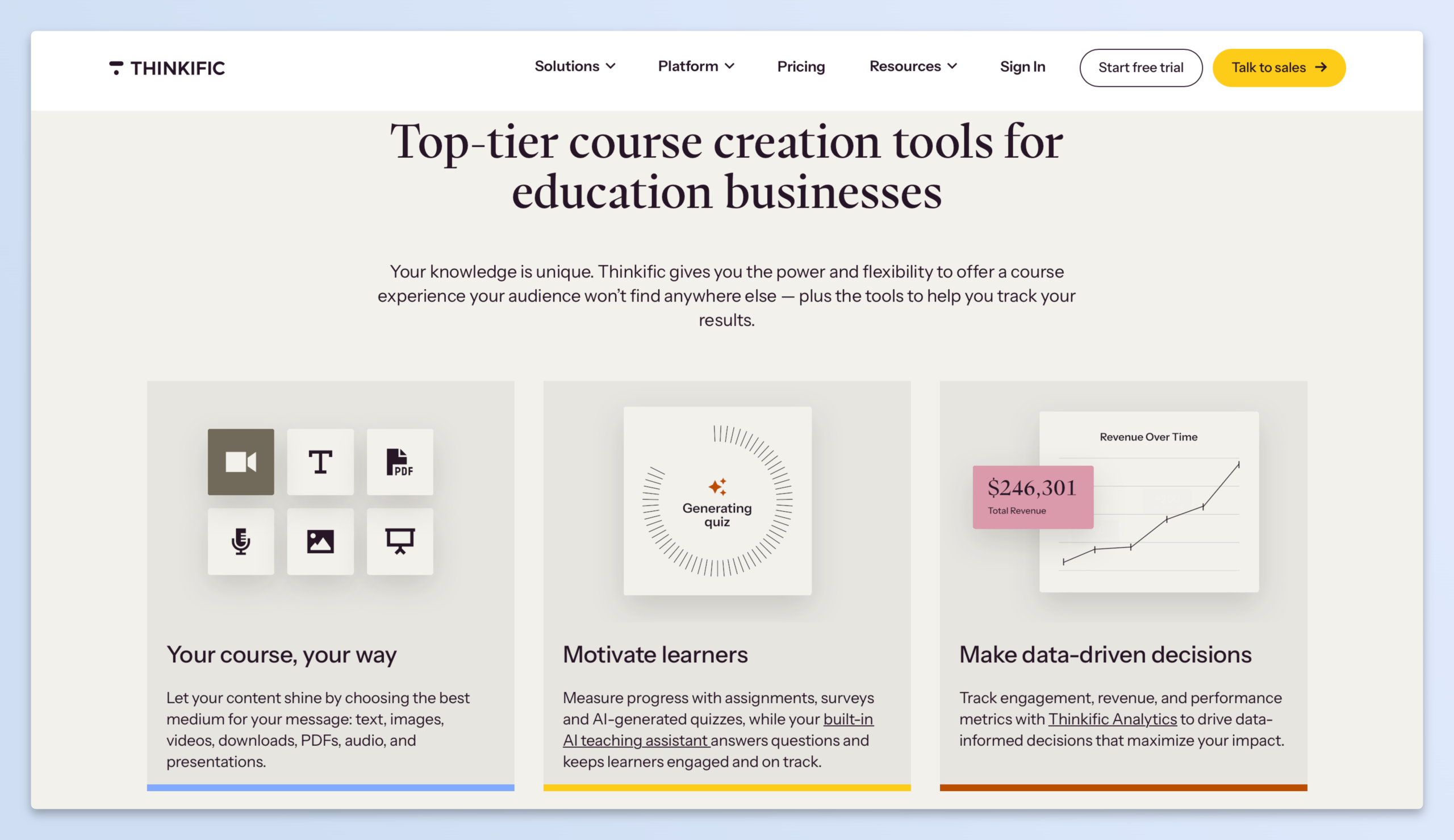
You don’t get the same range of business and marketing tools as Kajabi, but that’s not necessarily a bad thing. If all you need is a place to build and sell courses, Thinkific may be enough.
One downside that may slow you down is that your audience needs to create an account to be able to browse courses on the platform, adding an extra layer of hesitation.
| Feature: Course builder | Organize your lessons into sections and create a structured learning experience. |
| Feature: Quizzes and certificates | Add assessments and give students certificates when they complete a course. |
| Best for | Teachers and educators who want a dedicated course platform without paying for a larger business suite. |
| Pricing | Basic plan starts at about $40/month when billed annually. Higher plans offer additional features, including more options for memberships and communities. Check the current pricing page for exact rates. |
5. Ko-fi: Best for artists and creators who take commissions
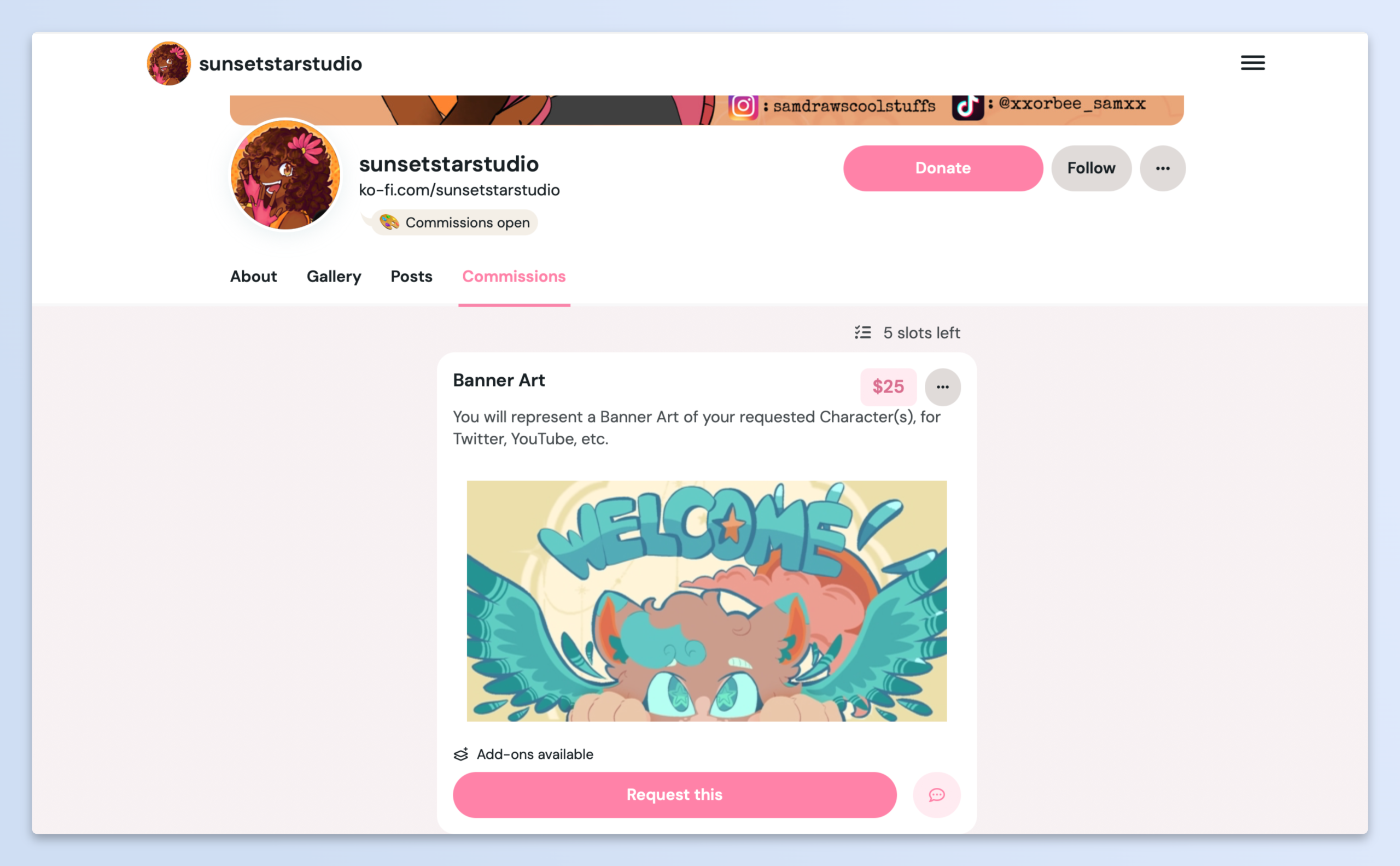
Ko-fi is worth considering if you regularly take custom requests or offer creative services. Its Commissions feature gives you a dedicated space to list the work you’re available for, set prices, and let people request a slot. Here’s how an artist, sunsetstarstudio, is using Ko-fi for commissions.
Setting up Ko-fi is pretty easy too. All you need to do is sign up with your Google account and give your page a username and image. Ones that’s out of the way, there’s a couple of things you can do with your page.
Ko-fi lets you create a goal when you need support for something specific. You can set how much you want to raise, show supporters your progress, and even count sales from your Shop and Commissions towards the target.
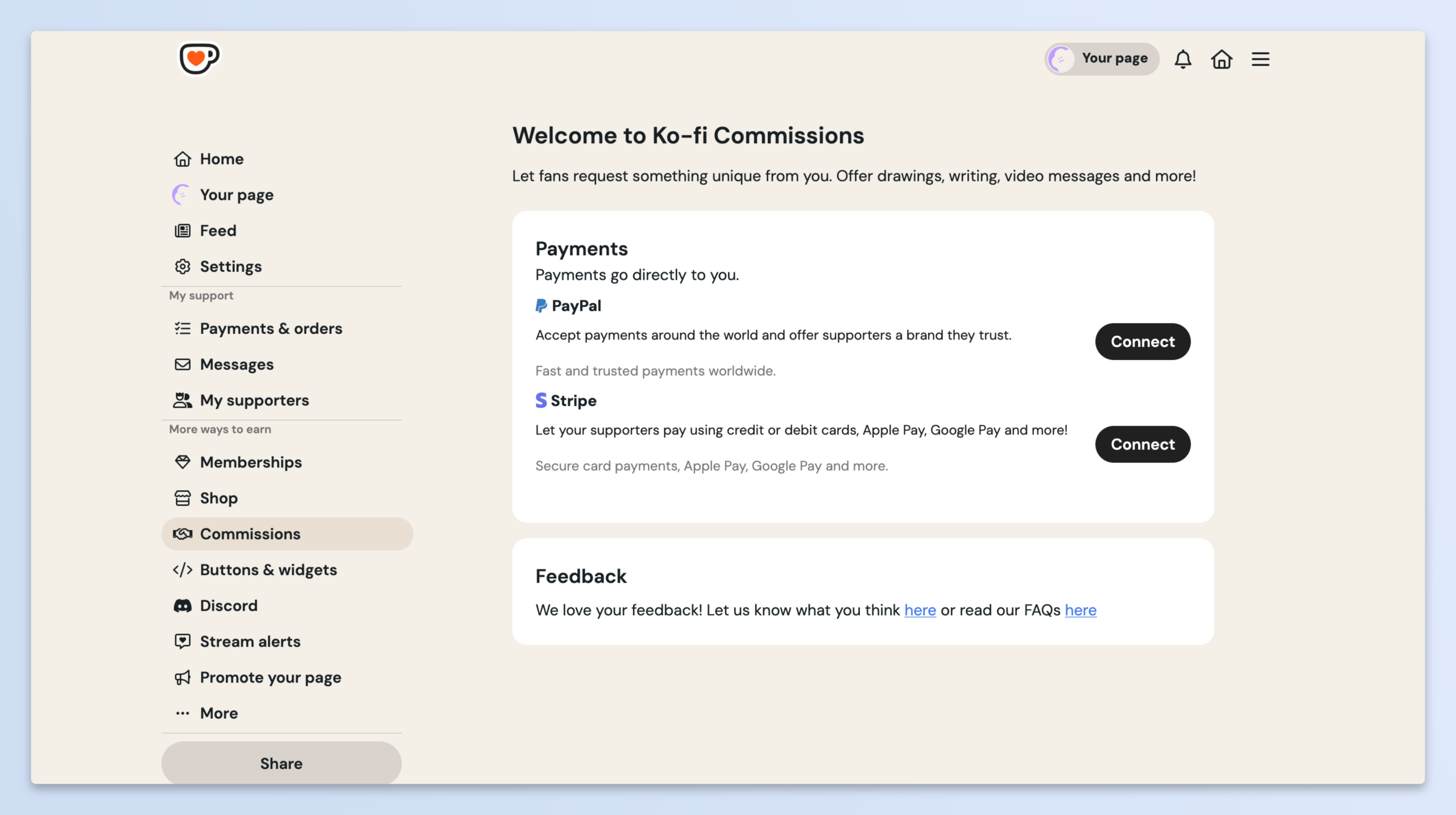
For artists, the commissions feature is of real value. lets you offer custom work or services directly from your page. You can create listings for things like custom illustrations, writing, editing, or music lessons, set your own prices, and explain what buyers can expect. To go live with this, all you need to do is connect your payout and start listing what you’d like to offer.
| Feature: Commissions | Create listings for custom artwork, writing, tutorials, feedback sessions, and other creative services. Set your prices, terms, and availability. |
| Feature: Add-ons | Let buyers customize their orders with extras, such as additional artwork, faster delivery, or extra revisions. |
| Best for | Artists, illustrators, and other creatives who regularly take commissions or offer custom services. |
| Pricing | Free to start. Ko-fi charges a 5% service fee on commissions, shop sales, and memberships. One-time tips are free of service fees on its Free option. Ko-fi Gold costs $12/month and removes service fees. Payment processing fees apply separately. |
6. Podia: Best for courses, downloads, and memberships
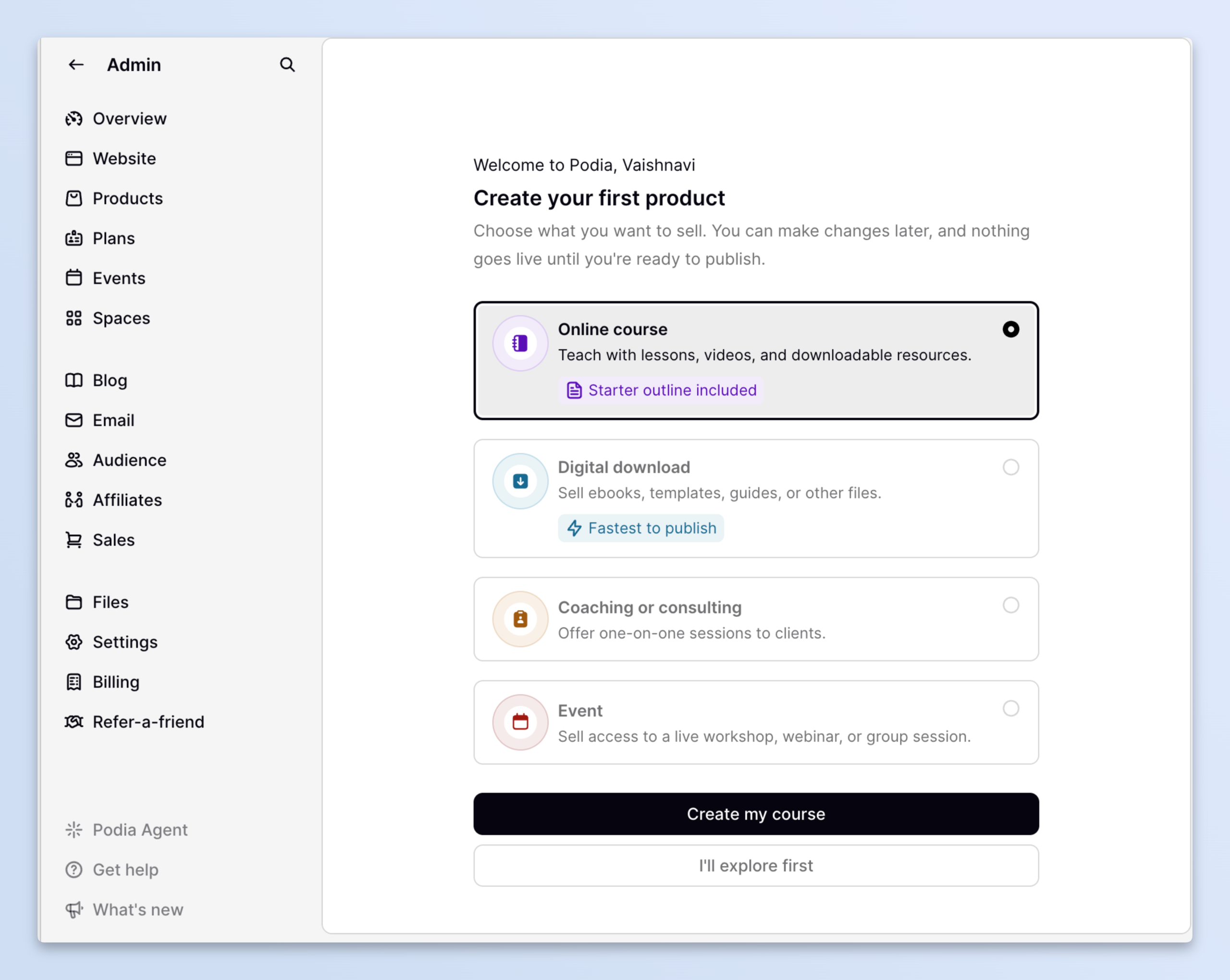
Podia is a good option if you sell more than one kind of digital product. You can use it to sell online courses, downloads, coaching, and memberships from the same storefront.
Like the platforms above, the great thing about Podia is the variety of things you can do on the platform. If you’re confused, you can test the waters yourself. There’s a “no card required” sign up for free trial that let’s you get a sense of how it works. Once you’re in you can decide what type of content you wish to host.
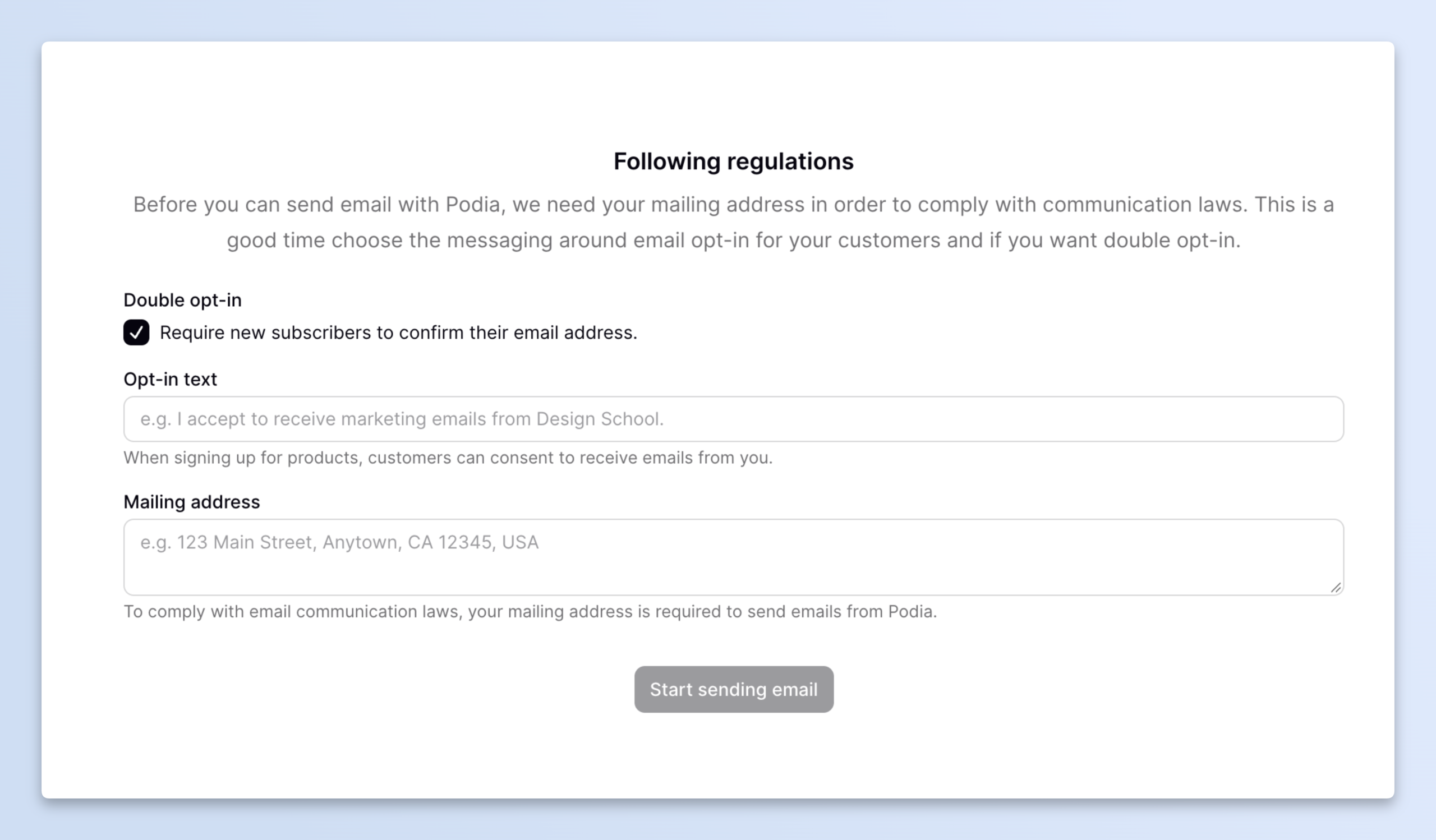
Podia also has an email marketing feature that lets you send newsletters and updates to your audience, keep subscribers informed, and promote your products. Before you can start sending emails, though, you’ll need to add a mailing address and set up your email opt-in preferences.
| Feature: Digital products and courses | Sell downloads, online courses, and other digital resources from your storefront. |
| Feature: Email marketing | Send emails to your audience without needing a separate email marketing platform. |
| Best for | Solo creators who sell a mix of digital products, courses, and memberships. |
| Pricing | Mover plan starts at about $42/month when billed annually and has a 5% transaction fee. Shaker starts at about $84/month with no Podia transaction fee. Payment processing fees still apply. |
7. MemberPress: Best for creators who already use WordPress
Already have a WordPress website? MemberPress lets you add paid memberships to it without moving your content to another platform.
It’s a WordPress plugin that lets you decide which pages, posts, downloads, or courses people can access based on their membership. You can also set up different membership levels and charge for access.
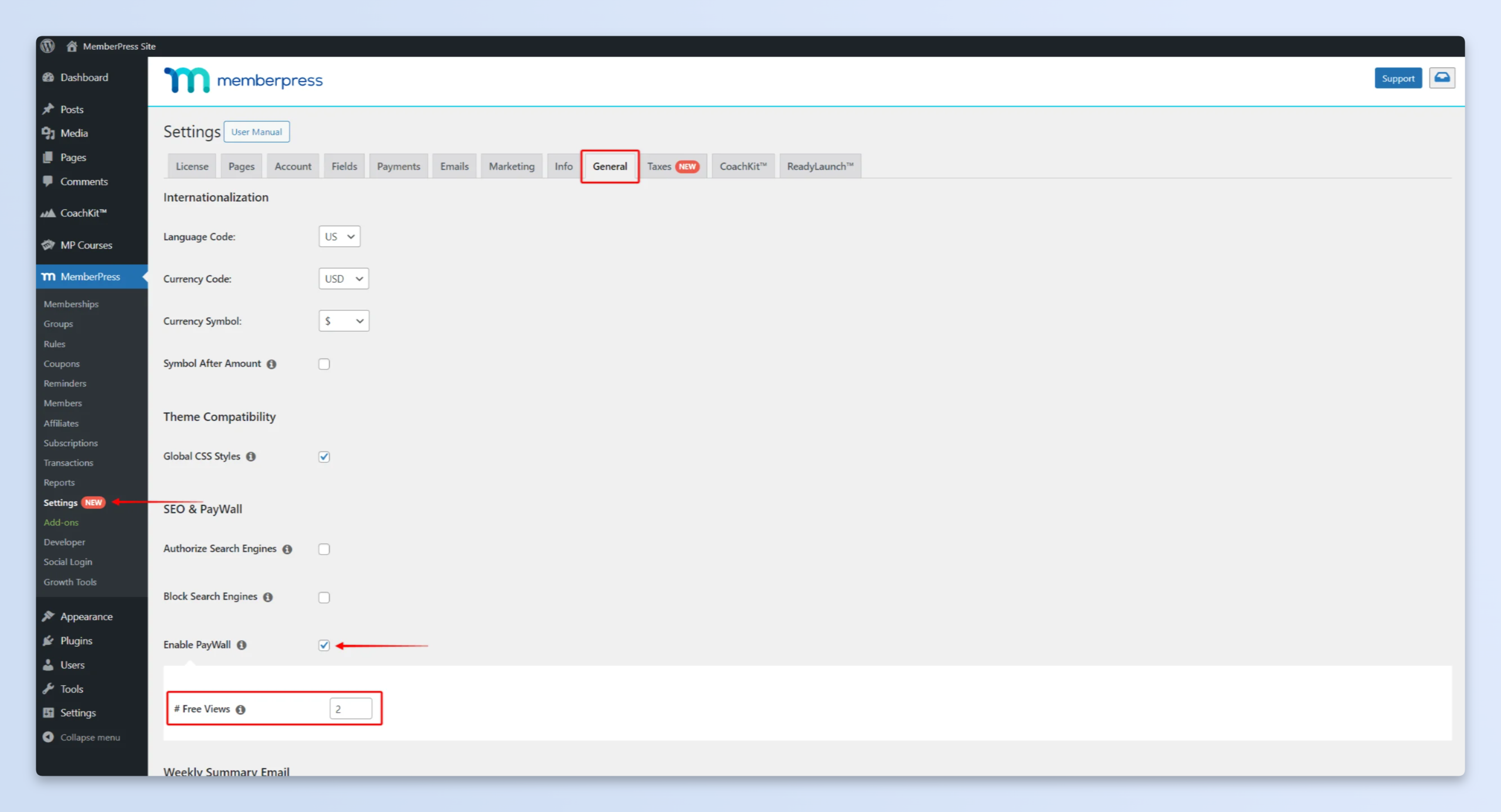
What you need to know here is that everything runs on your own WordPress site. You have more control over how it looks and works, but you’ll also need to manage your website and hosting yourself.
| Feature: Membership access rules | Choose which parts of your website are available to members and which are public. |
| Feature: Course tools | Create and sell courses directly through your WordPress site. |
| Best for | Creators who already have a WordPress website and want to add paid memberships to it. |
| Pricing | Annual plans only. The entry-level plan starts at around $180–$200 per year, with additional transaction fees on the Launch plan. You’ll also need to pay for WordPress hosting. |
8. Medium: Best for writers who want to earn from readership
Medium works a little differently from the other platforms here. Instead of setting up your own paid membership and charging readers every month, you can earn through Medium’s Partner Program.
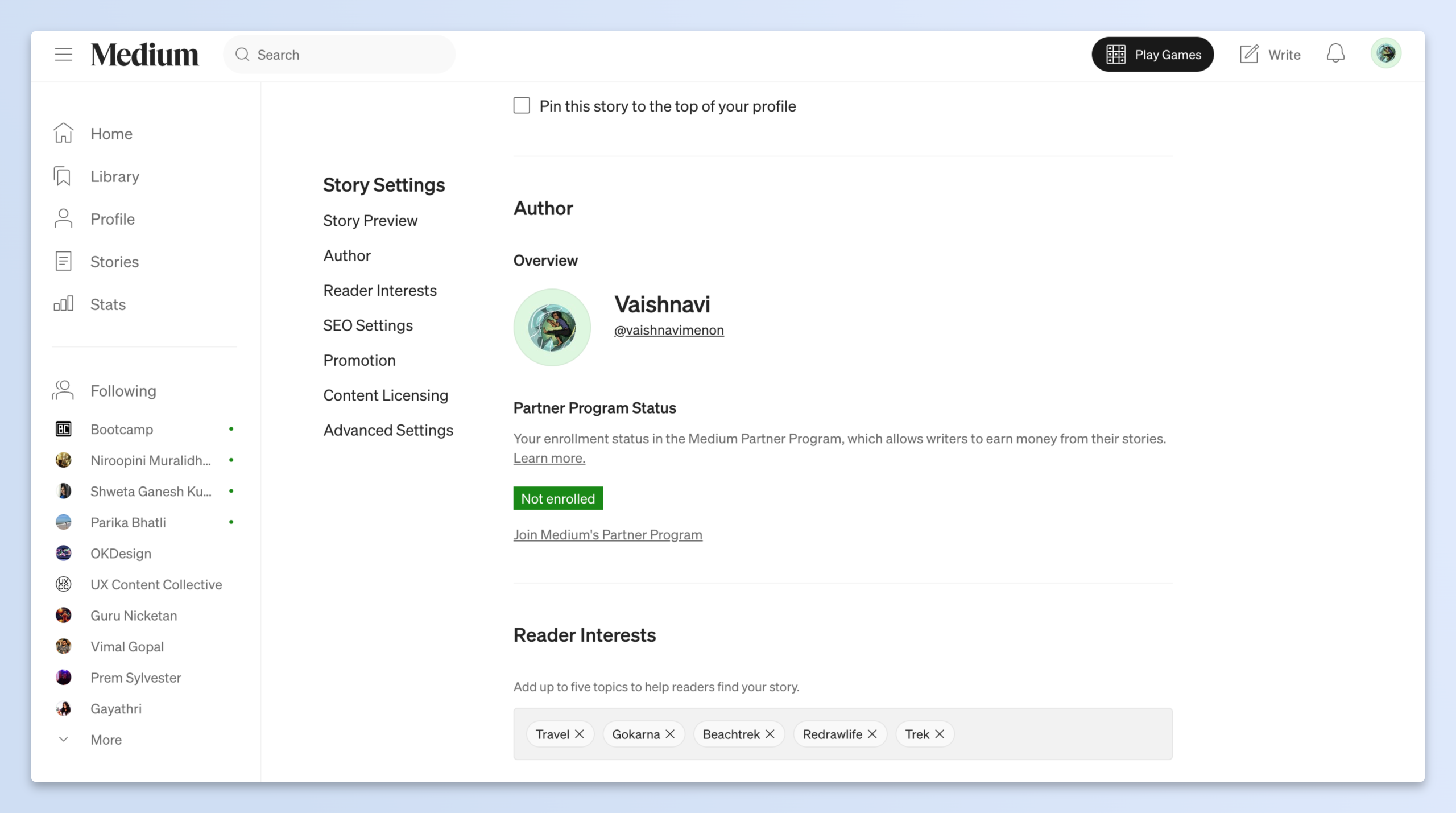
Your earnings depend on how paying Medium members read and engage with your stories. So, the more time eligible members spend reading your work and interacting with it, the more you may earn.
You can publish articles for free or paywalled, and readers can discover them through Medium’s platform. You don’t have to manage your own subscription plans or payment setup.
From your dashboard, you can also access your readership statistics, both monthly and lifetime. This can be helpful in understand how specific content pieces are doing, and also who your audience is.
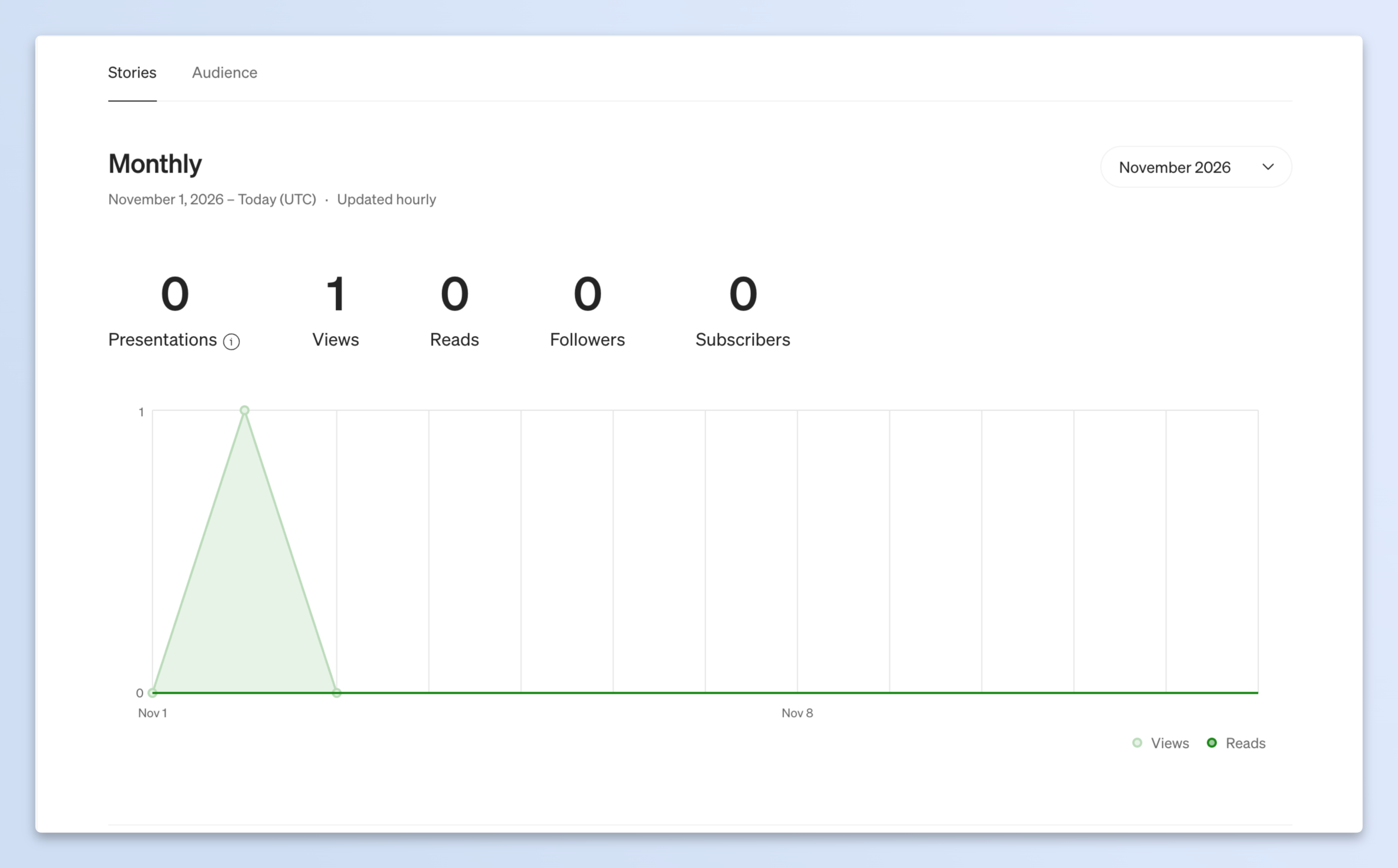
| Feature: Built-in readership | Publish your stories on Medium and make them available to its reader community. |
| Feature: Partner Program | Earn based on eligible member reading time and engagement. |
| Best for | Writers who want to publish articles and earn from readership without managing their own paid subscriptions. |
| Pricing | Free to publish. To earn through the Partner Program, you need a paid Medium membership and a verified Stripe account. Earnings aren’t fixed and depend on how people read your stories. |
9. beehiiv: Best for growing and monetizing a newsletter
If newsletters are your thing, beehiiv is worth checking out. It’s built to help you publish emails, grow your subscriber list, and make money from your newsletter. You can check out Aaron’s page to see how a writer’s page on beehiiv looks.
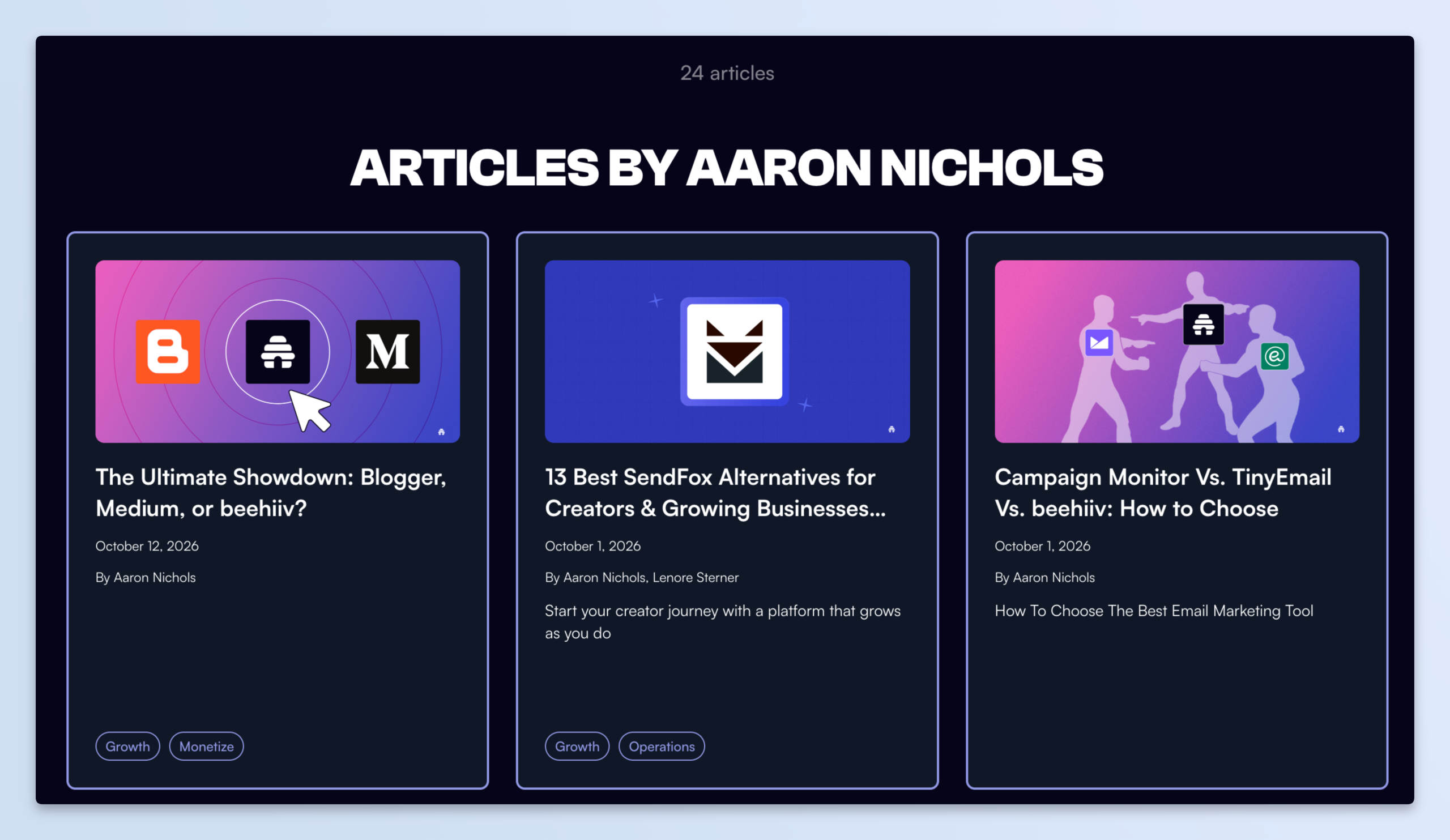
Along with paid subscriptions, it offers tools like referrals, recommendations, and an ad network. So, you have a few different ways to grow your audience and earn from it.
One thing to note is that beehiiv doesn’t take a platform fee from paid subscriptions. However, you’ll need a paid plan to use that feature.
| Feature: Referral and recommendation tools | Give readers ways to share your newsletter and help new people discover it. |
| Feature: Ad network | Explore sponsorship opportunities through beehiiv’s advertising tools. |
| Best for | Newsletter creators who want to grow their subscriber list and earn through paid subscriptions or ads. |
| Pricing | Has a free plan, but paid subscriptions aren’t included. Paid plans start at around $59/month, depending on the plan and subscriber count. Check the current pricing page for the latest rates. |
10. Substack: Best for paid newsletters and audience discovery
Substack is built around writing and newsletters. You can publish posts, send them to your subscribers by email, and offer paid subscriptions to readers who want access to more of your work. For inspiration on how to set up your page, check out midnight crumbs by hannah bay on Substack.
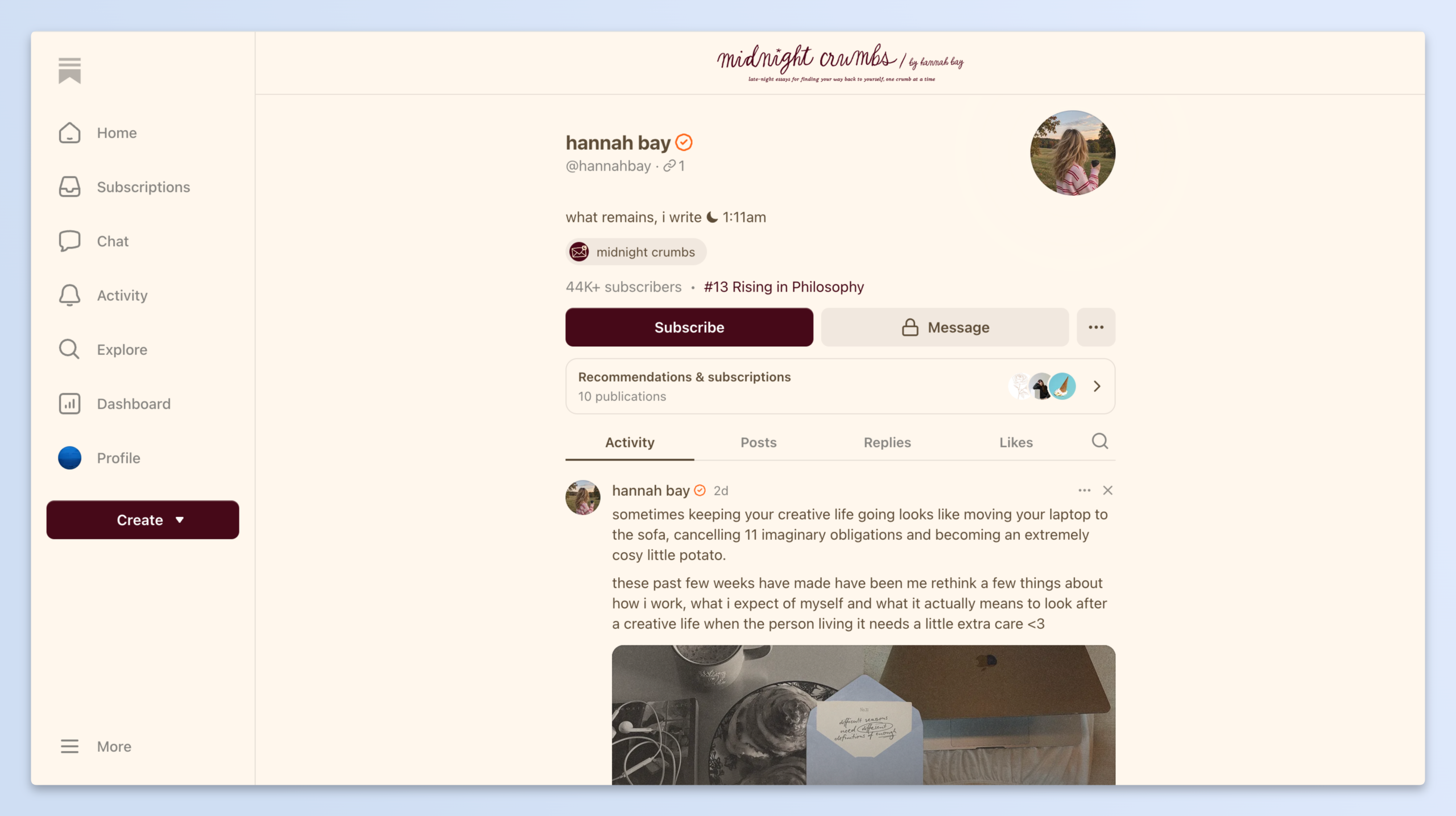
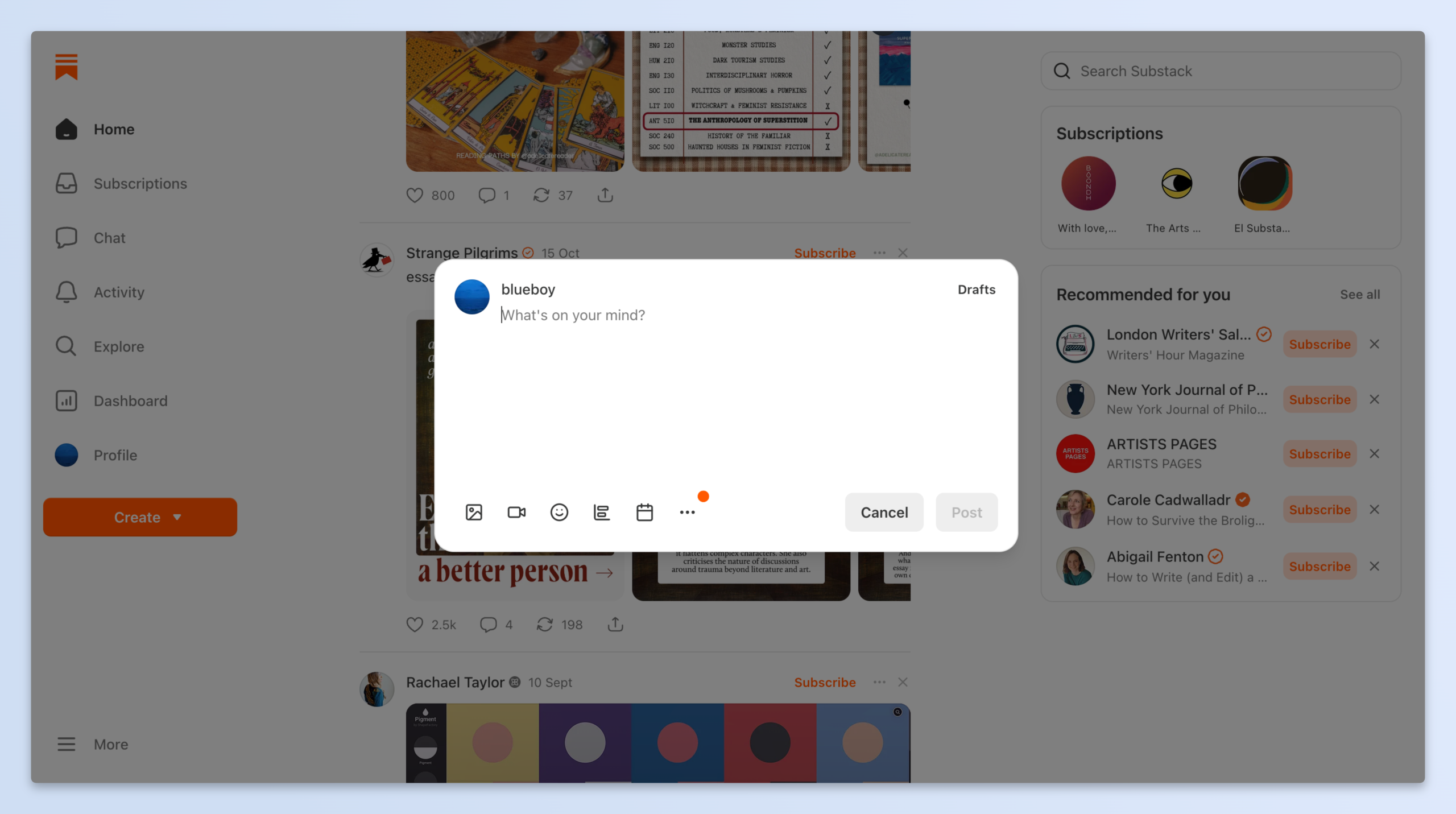
What makes Substack interesting is the network around it. Features like Notes and recommendations give you ways to connect with other writers and get your work in front of new readers.
Substack also has a website editor that I found useful. You can customize how your publication looks by changing the layout, colours, fonts, header, and navigation. It gives you some control over how your website looks and feels without needing to code.
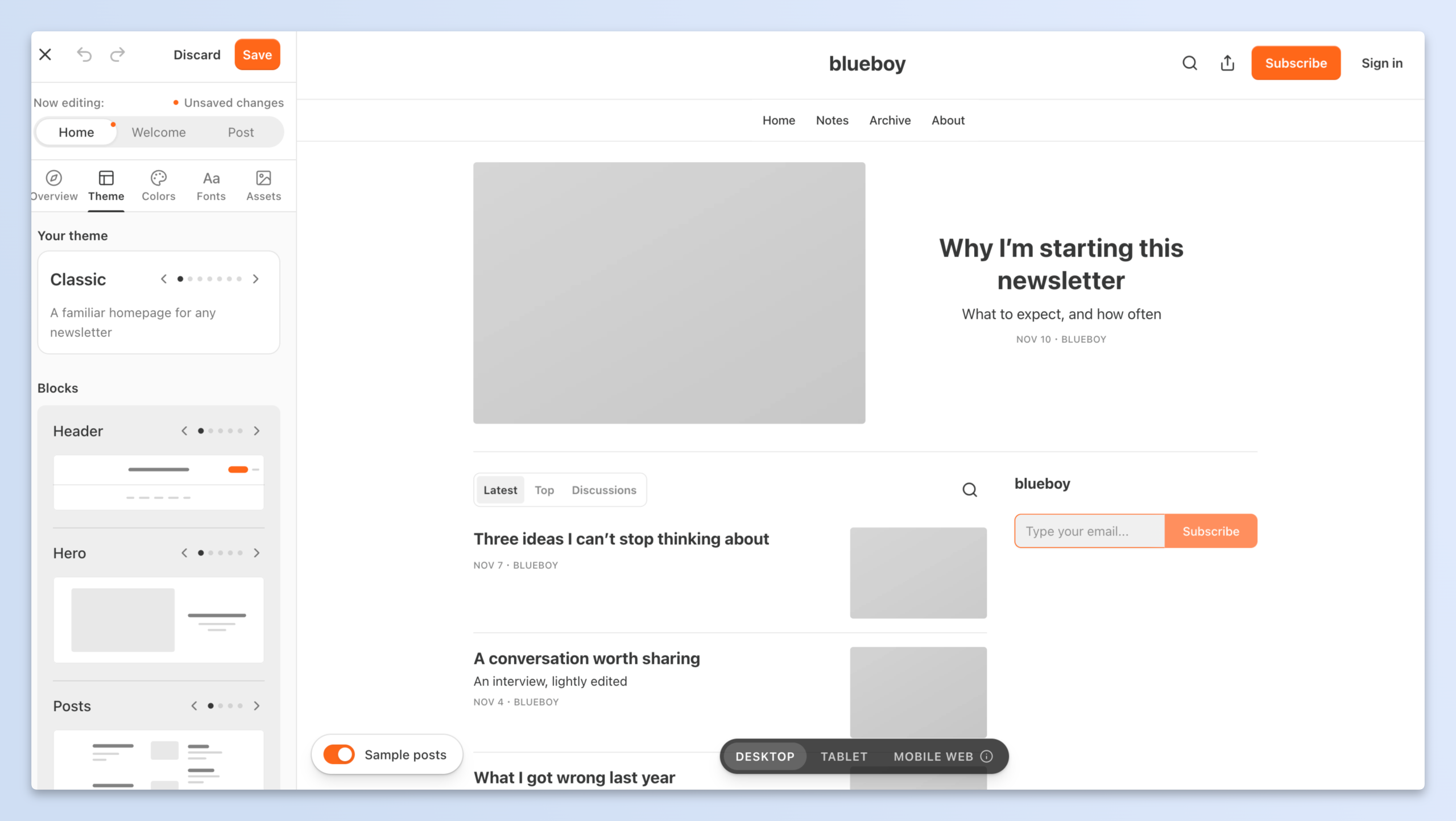
So, if you’re a writer who wants to build a newsletter and grow an audience around it, Substack is a good option to explore.
| Feature: Notes and recommendations | Share shorter updates, connect with other writers, and get recommended to new readers. |
| Feature: Free and paid subscriptions | Choose which posts are free and which are available only to paying subscribers. |
| Best for | Writers, journalists, and newsletter creators who want to publish regularly and use Substack’s network to reach more readers. |
| Pricing | Free to publish. Once you turn on paid subscriptions, Substack takes 10% of your subscription revenue, with payment processing fees charged separately. |
One more thing: you don’t have to pick just one
Every platform on this list works for somebody. But if you don’t want to move everything to a new place, you don’t have to. Buy Me a Coffee works next to whatever you already use. You keep posting where you post, and you add a link.
Here’s how that looks:
| Where you post | How to add Buy Me a Coffee |
|---|---|
| WordPress site | Put the link in your menu or at the end of your posts. Readers can tip you in one tap, no account needed. |
| Medium or Substack | Add it to your bio or the bottom of your stories. Readers who don’t want another subscription can still support you once. |
| YouTube, Instagram or Spotify | Put it in your bio or video description. Fans can tip, join a membership or buy from your shop. |
| Teaching without a full course setup | Sell your lessons as a digital product, offer 1-1 calls and run a monthly membership. Thinkific is there if you need quizzes and certificates later. |