

Becoming Part of Amazon Associates (Need To Know)
1. Amazon.com website is different from Amazon Associates website.
2. It is also known as Amazon's Affiliate Marketing Program
3. Completely FREE to Join
Are you using the phone to view this?
Here is the mobile version:
Amazon Work From Home - Mobile Friendly
Setting up your Amazon Associate Account
1. Sign up with the link: https://affiliate-program.amazon.com/
2. Fill out your account information
3. List the website(s) and/or app(s) you plan to promote Amazon Affiliate links.
4. Once you get to the next section (Profile), you need to give them your preferred Store ID. Treat it like a username. After you have came up with a preferred "username", describe the type of content you create.
A. Example: Food Blogger - Post experiences you have had at different restaurants, and etc..
B. Example: Referral Content Creator - Share ways to make money
5. Once you are finished, You will be asked to enter Payment & Tax Information (This is optional; however, you can not get paid until it is done)
What is SiteStripe and Why do I need it?
It is the Amazon Associate Toolbar. It is the easiest way to generate a link for any Amazon product or program. The steps to enabling the toolbar is below.
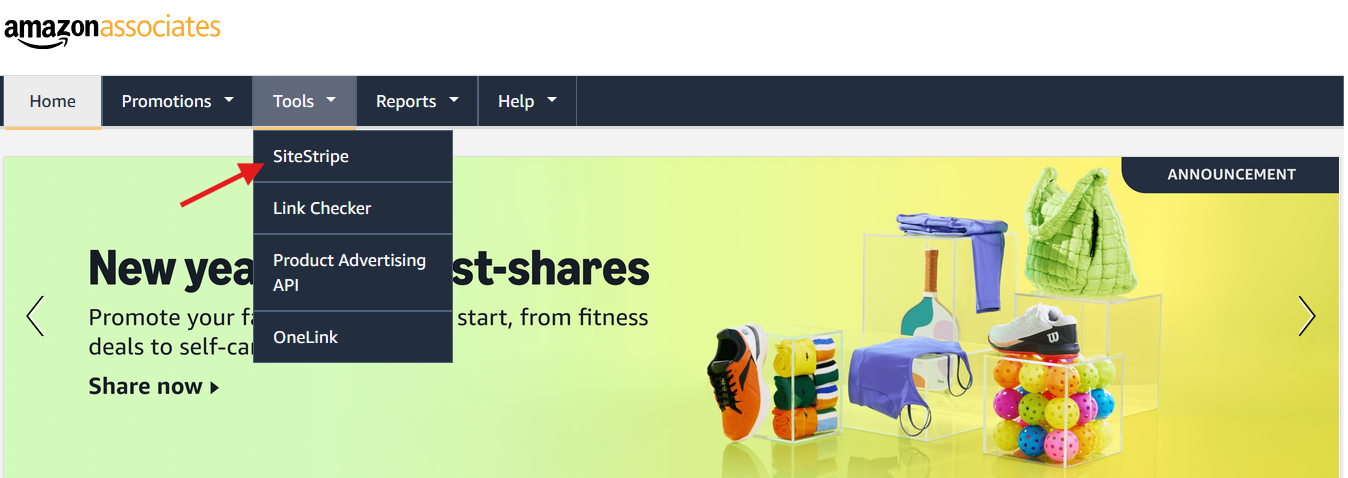
Step 1: Hover over the middle tab (Tools) and click on SiteStripe.
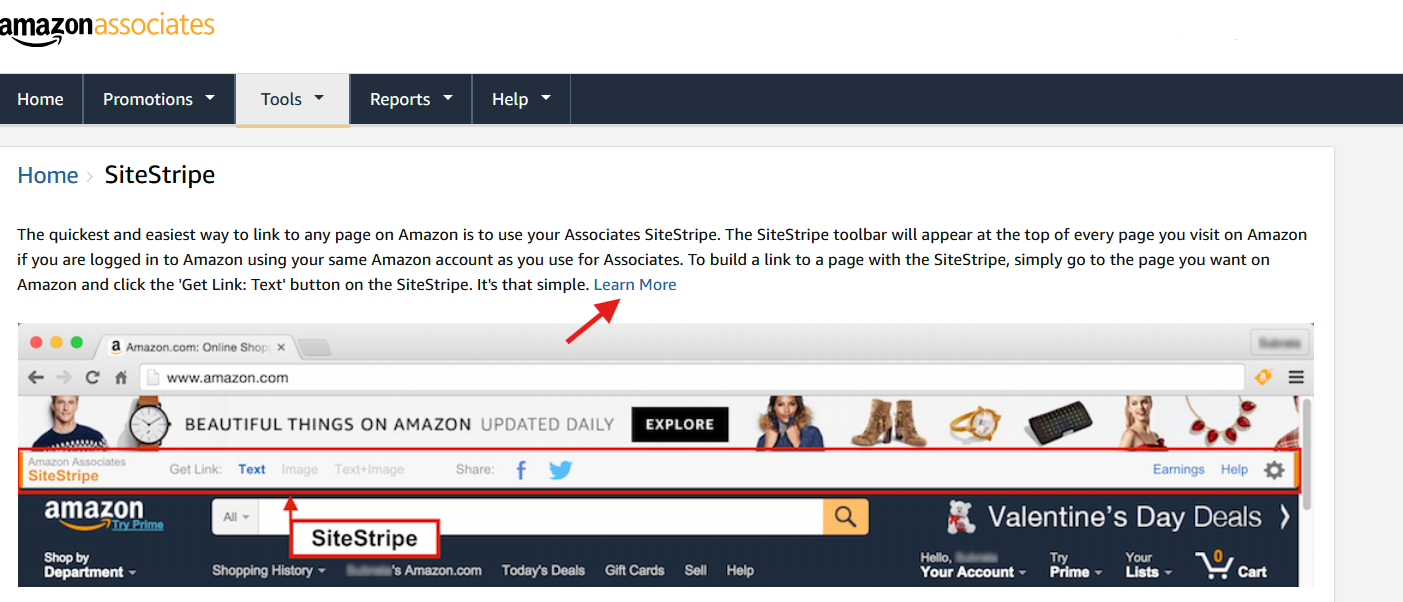
Step 2: Once you are on the SiteStripe page, click on "Learn More".
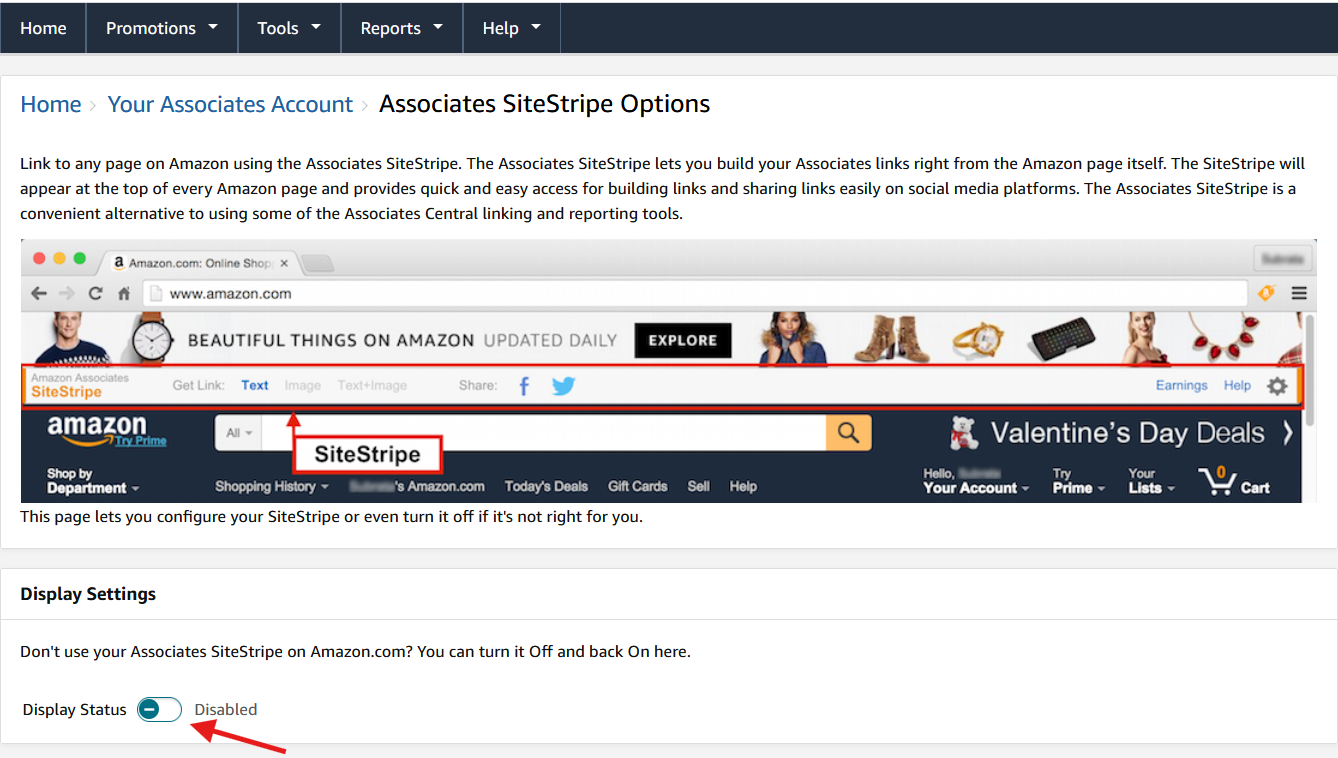
Step 3: At the bottom of the screenshot is the display settings for the toolbar, the toolbar is currently disabled. You would need to switch the display status to enabled.
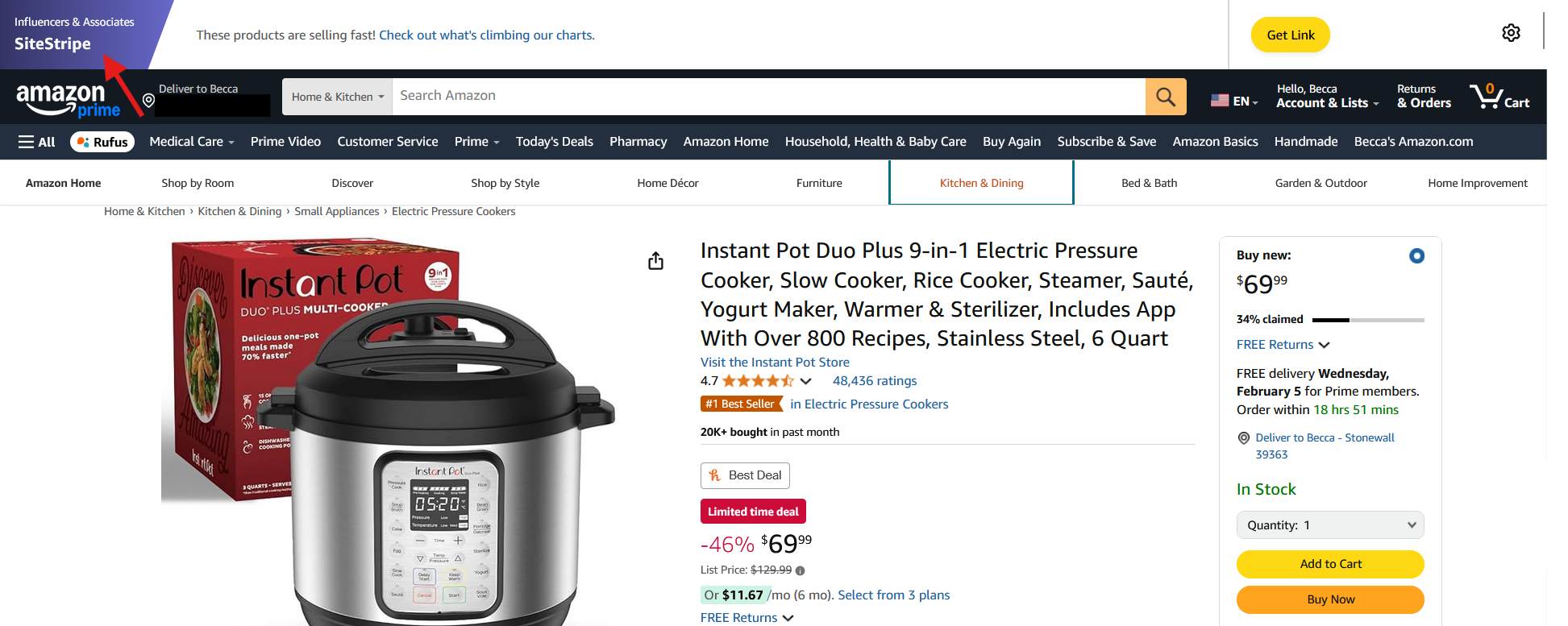
Step 4: This is what SiteStripe should look like. It is shown at the top of any Amazon pages as long as you are logged in on both Amazon.com and Amazon Associates. You are now able to get your first and future links.
How do I get my generated link?
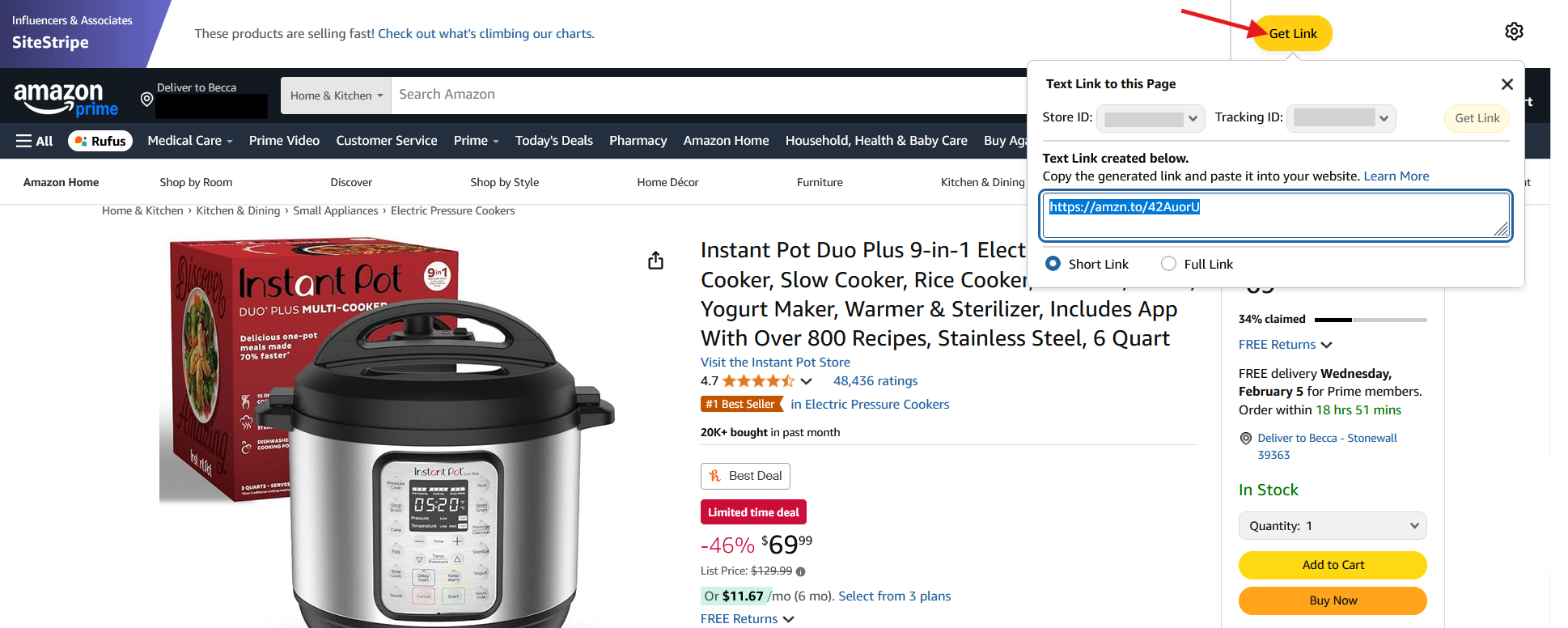
A. Specific Product: On Amazon.com, Find a product you are wanting a link for. Once you do, you need to click "Get Link". This is found at the top right where the arrow is pointed at. You can choose between short & full link. The link provided highlighted in blue is an example. Each link is randomly generated.
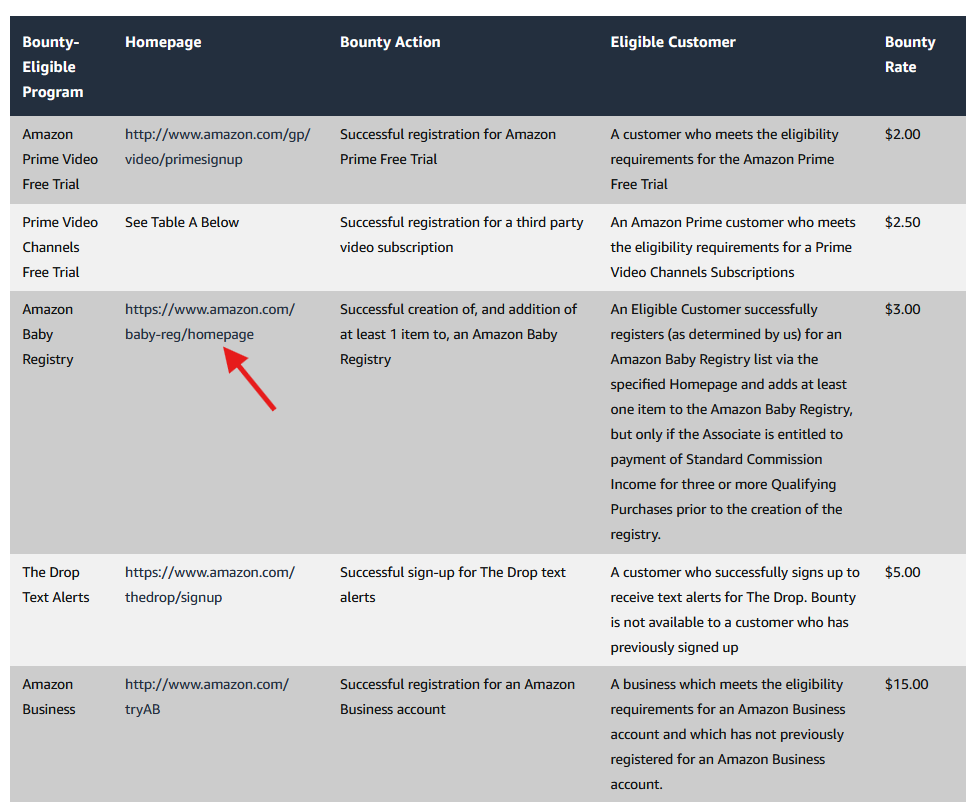
B. Bounty Events: Bounties are programs. They are mainly consist of free trials and memberships. The screenshot below shows only a small portion of bounties available. To see the full list of bounty programs available, click here. In order to get your generated link for one of the bounties, look at the 2nd section "Homepage". There are a list of links you can choose from.
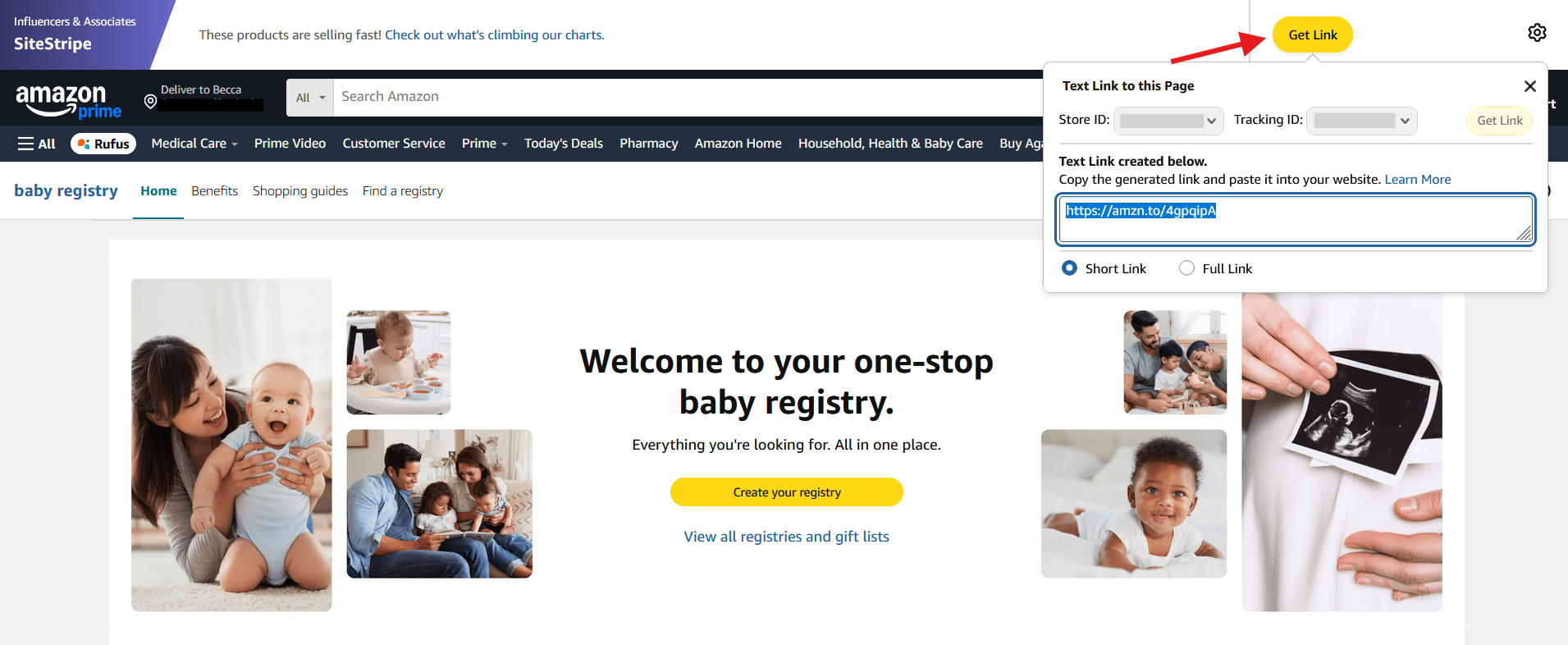
Example: You are wanting to promote Amazon Baby Registry. Click the link above the red arrow. It will take you to the Baby Registry Page on Amazon.com. Get your link in the top right corner.
What are the commission rates through Amazon?
You can look at the full list here: Associates Program Standard Commission Income Statement
————————————————————
Feel free to ask any questions you may have.
My Contact Information:
Facebook - https://www.facebook.com/profile.php?id=100076935160119