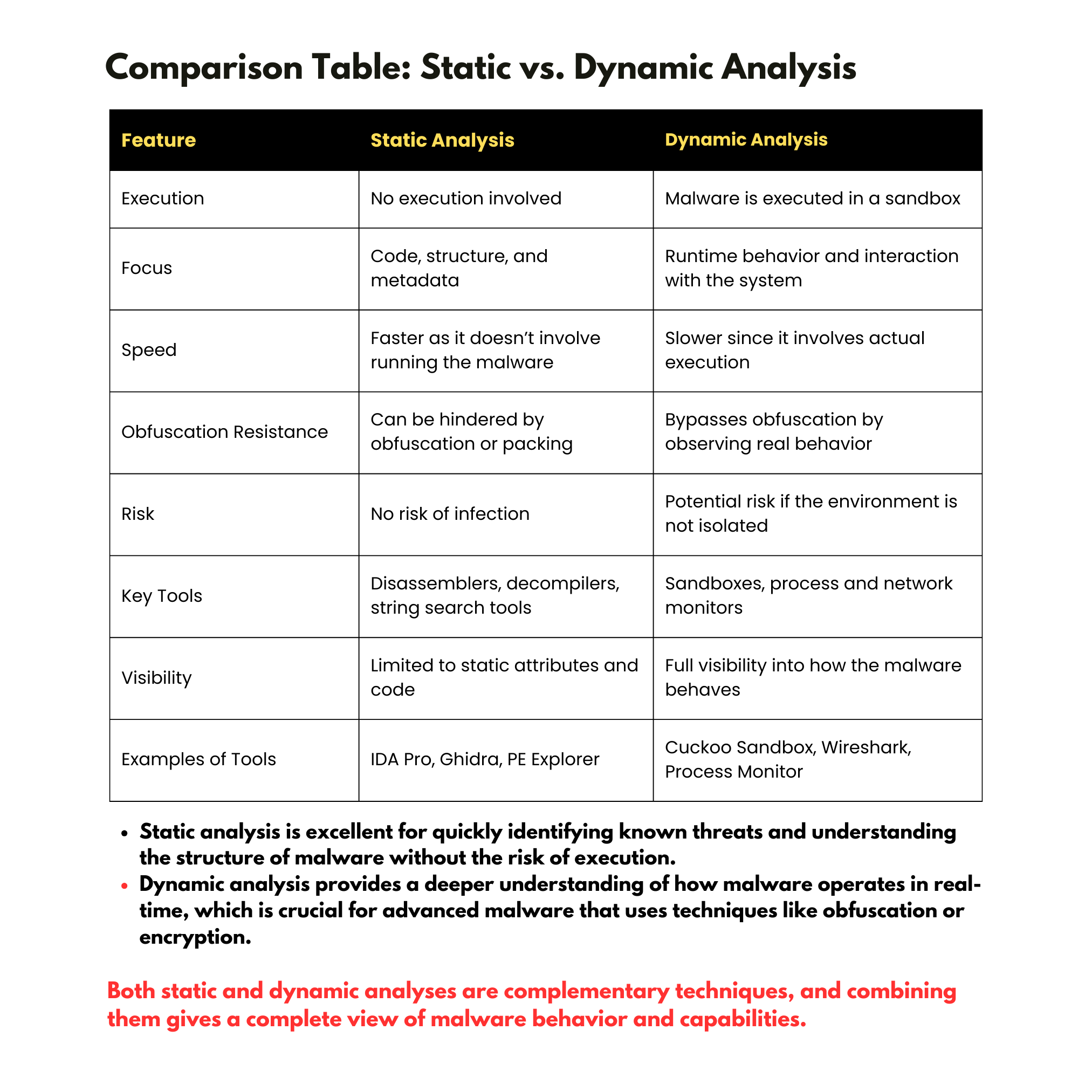


In malware analysis, two fundamental approaches are used to understand and investigate malicious software: Static analysis and Dynamic analysis. Each method has its strengths and focuses on different aspects of malware behavior. Here’s a breakdown of both techniques:
1. Static Analysis
Definition:
Static analysis involves examining the malware without executing it. This process analyzes the code, structure, and metadata of the malware file to understand its capabilities.
Techniques:
File Examination: Checking the file's hash, file type, and size.
Disassembly: Converting the malware’s machine code into assembly language to understand the code's logic and flow.
Decompilation: Attempting to convert the binary code into a higher-level language (like C or Python).
String Analysis: Searching for readable text within the malware’s binary, such as URLs, API calls, or error messages.
Header and Metadata Analysis: Examining the file's headers to identify the compiler used, time stamps, and imports/exports.
Signature-based Detection: Using predefined signatures (like known malicious file hashes) to match known malware patterns.
Advantages:
No execution risk: Since the malware is not run, there is no risk of infecting the analysis environment.
Speed: Static analysis can be faster than dynamic analysis as it doesn’t require execution over time.
Insight into structure: Can reveal what the malware is intended to do, including potential obfuscation or packing techniques.
Disadvantages:
Limited by obfuscation: Malware authors often obfuscate or pack their code to make static analysis difficult.
No runtime behavior: Static analysis doesn’t reveal how the malware behaves when executed or interacts with its environment.
2. Dynamic Analysis
Definition:
Dynamic analysis involves executing the malware in a controlled environment (sandbox) to observe its real-time behavior. This method is focused on understanding how the malware operates when it runs.
Techniques:
Sandboxing: Running the malware in a virtual environment that mimics a real system to observe its actions.
Process Monitoring: Observing the processes created by the malware and monitoring their behavior (e.g., process creation, memory usage).
Network Analysis: Analyzing any outgoing network traffic or communication to command-and-control (C2) servers.
File and Registry Monitoring: Watching for changes to the file system or registry entries as the malware executes.
API Calls Monitoring: Tracking the system API calls made by the malware to understand its interaction with the operating system.
Behavioral Analysis: Analyzing specific actions the malware takes, such as creating persistence, injecting code, or stealing data.
Advantages:
Behavioral insight: Reveals the malware's runtime behavior, including how it interacts with the host, network, and environment.
Bypasses obfuscation: Even if the malware code is obfuscated, dynamic analysis can expose its real behavior.
Network activity observation: Helps detect if the malware attempts to communicate with remote servers or download additional payloads.
Disadvantages:
Execution risk: Running malware can potentially lead to infections if not properly contained in a sandbox or isolated environment.
Slower: Dynamic analysis may take longer because it involves monitoring the malware’s execution over time.
Anti-analysis measures: Some malware can detect virtual environments or sandboxes and alter its behavior to avoid detection.