

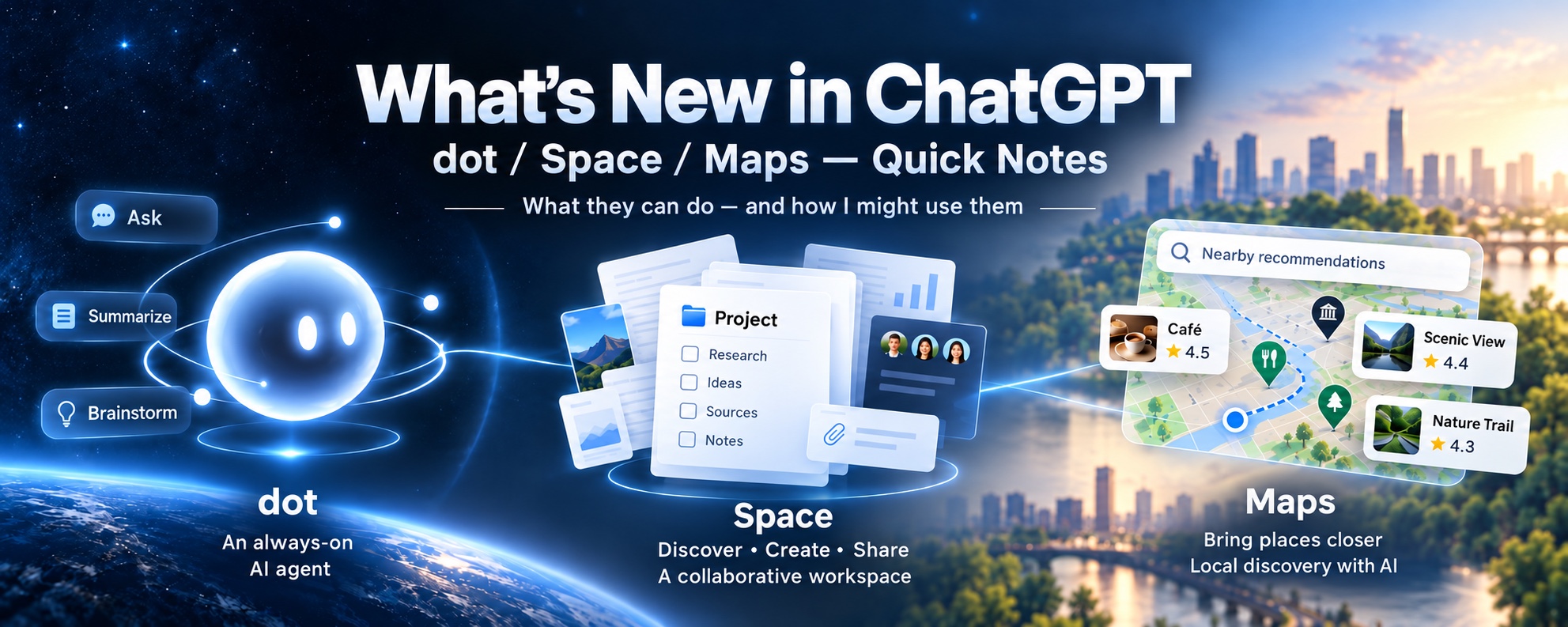
 I noticed that several new features—including dot, Spaces, and Maps—had appeared in the ChatGPT app, so I wrote down some notes for myself on what has changed.
The two that may matter most are dot and Spaces.
dot: an always-on agent
OpenAI describes dot as an “always-on agent.” With regular ChatGPT, the work begins when you ask a question. A dot, on the other hand, seems designed to take responsibility for an ongoing area of work over a much longer period.
References:
For example, you might ask a dot to keep track of changes to issues, pull requests, and CI in a particular GitHub repository; continuously follow papers and open-source projects in a specific field; or collect and organize the same kind of information every day.
What makes this different from Scheduled Tasks is that it is not simply a timer that says, “Run this prompt every morning at 9:00.” A dot is designed more like an entity with ongoing responsibility for a subject. It can apparently keep track of states such as in progress, scheduled, and completed.
As for its working environment, a dot appears able to use cloud computers and browsers, connected apps, and tools such as Codex when needed.
You can also define rules for how far it may proceed on its own. The idea is not necessarily to automate everything, but to set guardrails: “You may handle this without asking,” and “Check with me before going any further.”
I continuously follow areas such as browser use, Jev, Codex, Claude Code, and AI-agent research. I can imagine assigning a dot to each theme and asking it to flag only meaningful changes—new papers, GitHub releases, official announcements, or notable implementation examples. Used this way, a dot could act as a kind of continuous sensor, which would fit my working style well.
Another important point is how well this could fit my publishing workflow. The research behind my technical blog, X posts, Substack, technical reports, and Zenn articles currently takes a great deal of effort, even though the outputs are related. Ideally, one body of research could flow into a landing page in Pages, become the basis of a proposal or design document, supply material for an X post, and eventually grow into a full article on my main site or Zenn.
Perhaps a dot could look across work already in progress and identify “sections that are ready to publish,” “reports that have not yet become articles,” or “updates to topics I wrote about before.” I tend to invent new projects before finishing the follow-up on existing ones, so I have tried assigning a dot the role of detecting events worth revisiting. We will see how it goes.
Spaces: an output-centered workspace
The other major addition that pairs with dot is Spaces.
A Space is not simply a replacement for Projects. It appears to be a different concept. Projects were mainly places for grouping conversations and work sessions. Spaces, by contrast, are organized around knowledge and deliverables—an output-centered workspace.
A Space can contain Pages, files, and folders. That means useful work no longer has to remain buried inside chat history; the deliverables themselves can live outside the conversation. In that sense, it feels somewhat like Claude’s Artifacts feature.
I have often found it inconvenient to locate a work memo or research report created in ChatGPT after the fact. If those outputs can exist independently of the chat history, that would be genuinely helpful.
Then there are Pages within Spaces.
Pages are Markdown notes positioned as deliverables that you continue editing together with ChatGPT. They will probably become the main place where finished work lives. Pages seem to function like a shared repository for deliverable ross the broader workspace, rather than items tied exclusively to a single Space.
One question remains: how do we bring useful material out of past conversations and into this new structure?
Maps: place discovery inside ChatGPT
Maps is ChatGPT’s interface for exploring places.
It seems to be more than a way to display a map. The goal appears to be connecting the entire discovery process inside ChatGPT—from discussing what kind of place you want, to comparing candidates, to checking how those places relate geographically.
Suppose I want to find a long-established restaurant in Yokohama that serves handmade soba. My usual process would be to search, read through the options, check their locations in Google Maps, and then return to the search results. To be honest, this is one area where I have relied heavily on Google. With Maps, however, the places discovered during the conversation can apparently be placed directly on a map.
Unfortunately, the current desktop version gives me a “signal is aborted without reason” error, so I cannot use it yet. I hope it starts working soon.
From chat history to outputs
Looking at dot, Spaces, and Maps together, I get the sense that ChatGPT is shifting its center of gravity away from chat history and toward outputs.
The basic pattern used to be:
A person asks a question → AI answers it.
The new model looks more like this:
A person defines the role and boundaries → an agent continuously observes and works → it leaves deliverables in a workspace → the person reviews them and decides what happens next.
In other words, an output-centered way of working is becoming much more visible.
I have always liked Claude’s UI and UX. Perhaps that way of working is now arriving in ChatGPT as well.
Originally published on X on September 30, 2026:
https://x.com/i/article/2105082058792185856