
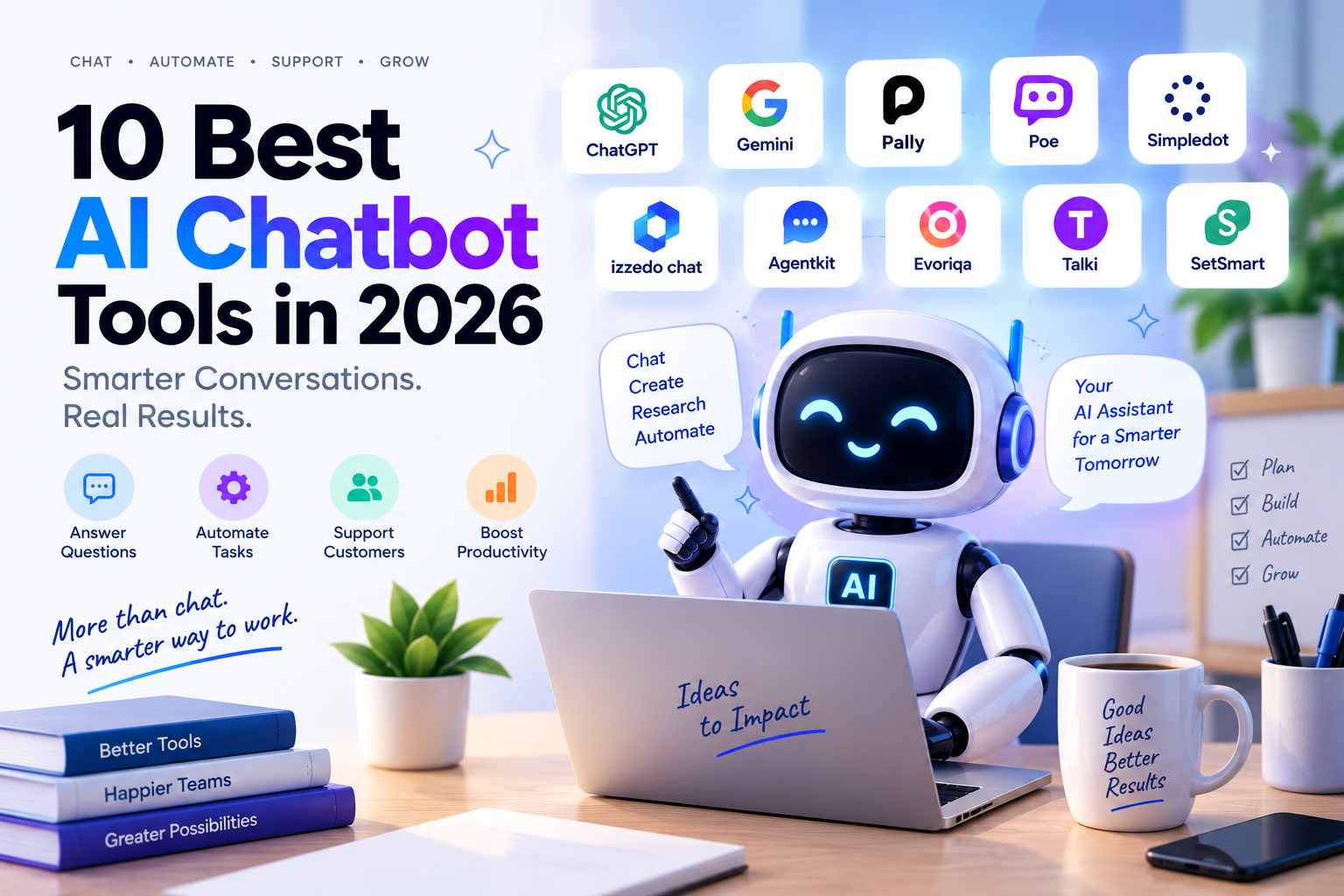
AI chatbots have moved well beyond simple question-and-answer interfaces. In 2026, some chatbots can research information, work with files, connect to other applications, qualify leads, resolve support tickets, and even book appointments.
But the term AI chatbot now covers very different types of software.
Some are general-purpose assistants such as ChatGPT and Gemini. Others are multi-model platforms, while business-focused products such as Agentkit, Evoriqa, Talki, and SetSmart are designed around specific workflows.
I reviewed the chatbot tools in the supplied 2026 category data and focused on products with a clear practical use case. The source includes everything from general assistants and AI agents to creative tools, companion apps, and specialized chatbots.
Here are the 10 tools that stand out for different chatbot use cases.
1. ChatGPT
Best for: General-purpose AI assistance, writing, research, coding, and everyday productivity.
ChatGPT remains one of the broadest AI chatbot options because it combines conversational assistance with research, file handling, image creation, coding, and increasingly agentic workflows.
OpenAI's 2026 plans include a free tier, ChatGPT Go, Plus, and Pro. ChatGPT Go is priced at $8/month in the US, while Plus is $20/month. OpenAI also offers localized pricing in some markets, including India.
Key features
Conversational AI
File uploads and analysis
Web research
Image generation
Coding assistance
Voice conversations
Memory
Codex and advanced AI workflows
Agent-style task execution on supported plans
OpenAI's September 2026 updates also show ChatGPT expanding into connected data, business plugins, Voice improvements, and ChatGPT Work for longer multi-step tasks.
What makes it different
The main advantage is breadth. ChatGPT is not built around just one chatbot use case. A single account can cover writing, coding, research, analysis, brainstorming, and other everyday tasks.
Pros
Very broad range of AI capabilities
Useful for both simple and advanced tasks
Strong file and coding support
Voice and image capabilities
Multiple pricing tiers
Cons
Feature and usage limits vary by plan
Advanced capabilities can require a paid subscription
Pro $200 new sign-ups and upgrades are temporarily paused as of September 10, 2026.
Pricing
Free plan available. ChatGPT Go starts at $8/month in the US; Plus is $20/month. Pricing can vary by country.
Our take
ChatGPT makes the most sense when you want one general AI chatbot that can handle many different types of work rather than a chatbot dedicated to one workflow.
2. Google Gemini
Best for: Google users, research, productivity, and AI-assisted work inside Google services.
Gemini has become much more than a standalone chatbot. Google's current AI plans connect Gemini with services such as Gmail, Docs, Drive, Photos, NotebookLM, and other Google products.
In India, Google's current plans include a free tier, Google AI Plus at ₹399/month, and Google AI Pro at ₹1,950/month.
Key features
Conversational AI
Gemini Live
Deep Research
Image generation and editing
Gemini Notebook
Gmail and Docs integration
Google Flow
Gemini Spark
Large-context workflows
Google introduced Gemini Spark in India as a 24/7 personal AI agent for tasks connected to Google Workspace, while newer Gemini Live models focus on more natural real-time conversations.
What makes it different
Gemini's biggest differentiator is its connection to Google's ecosystem. If your work already revolves around Gmail, Docs, Drive, Sheets, and other Google products, the chatbot can become part of the existing workflow rather than another isolated AI tab.
Pros
Strong Google ecosystem integration
Free plan available
Research and multimodal capabilities
Gemini Live voice interaction
Useful productivity integrations
Cons
Some advanced features are region-dependent
Higher usage limits require paid plans
Certain agentic features are currently limited by country or plan
Pricing
Free plan available. In India, Google AI Plus is ₹399/month and Google AI Pro is ₹1,950/month.
Our take
Gemini is particularly interesting for people already invested in Google's productivity ecosystem. The value increases when you use Gemini alongside Gmail, Docs, Drive, and other Google services.
3. Pally
Best for: People who want a proactive AI personal assistant rather than a traditional chatbot.
Pally takes a different approach to conversational AI. Instead of requiring you to open an AI website, it lives inside messaging channels and connects with services such as email, calendars, Slack, Notion, Drive, and WhatsApp.
Key features
Messaging-based AI assistant
Daily briefs
Persistent memory
Reminders and follow-ups
Web research
Connected apps
Custom automations
Approved bookings and purchases
Phone calls on the Max plan
Pally's current plans are Free, Pro at $25/month, and Max at $100/month.
What makes it different
Pally is designed around proactive assistance. Instead of simply answering "What should I do?", it can monitor connected information, remind you about tasks, and perform approved actions.
Pros
Works through messaging
No dedicated app required
Persistent memory
Proactive alerts and briefs
Connects multiple productivity services
Free plan available
Cons
Free plan limits connected apps
Advanced automations require paid plans
Phone calls require Max
External actions still require approval
Pricing
Free; Pro $25/month; Max $100/month. Annual plans are also available.
Our take
Pally is a good example of how AI chatbots are evolving into action-oriented assistants. It is more useful for people who want an AI to help manage tasks, not simply generate answers.
4. Poe
Best for: Users who want access to many AI models and bots from one interface.
Poe approaches chatbot software differently from single-model assistants. It provides access to bots powered by multiple AI companies and also includes millions of user-created bots.
Key features
Multiple AI models
User-created bots
Official AI bots
Image generation
Video generation
Audio generation
Group conversations
API access
Bot creation and monetization
Poe's current subscriptions provide access to models including GPT-5.5, Claude, Gemini, and other AI systems, with usage controlled through points.
What makes it different
Instead of committing to one AI provider, Poe works as a multi-model AI hub.
That is useful when you want to compare different models or use specialized bots without maintaining separate accounts for every provider.
Pros
Large model selection
Thousands of specialized bots
Image, video, and audio capabilities
Bot creation
API support
Free access available
Cons
Usage is controlled through points
Premium models require higher plans or more points
Different bots can have different capabilities and limits
Pricing
Poe has a free option and multiple paid subscription tiers. Indian App Store pricing currently lists a Basic monthly subscription at ₹499 and another monthly tier at ₹1,999.
Our take
Poe is worth considering if your main requirement is model variety rather than loyalty to a single AI assistant.
5. Simpledot
Best for: Users who want several AI models compared automatically.
Simpledot is an AI aggregation platform that sends a prompt through multiple models and uses a judging system to select a response. The supplied source describes support for 50+ models, research, coding, image generation, memory, and model routing.
Key features
Multi-model AI
Automatic answer comparison
Model routing
Coding
Research
Image generation
Persistent memory
Research Swarm
Verdict confidence scores
Voice features
Its current pricing is ₹0 for Free, ₹399/month for Pro, ₹999/month for Premium, and ₹4,999/month for Elite.
What makes it different
Simpledot tries to remove one common problem with multi-model AI: having to decide which model to use.
Instead, the platform can compare model responses and surface a judged answer.
Pros
Multiple AI models in one workspace
Automatic model comparison
Low-cost Pro plan
Research features
Persistent workspace
India-focused pricing and UPI support
Cons
Free plan allows only three questions per day
Paid plans have daily request limits
Automatic model selection may not match everyone's preference
Quality still depends on the underlying models
Pricing
Free; Pro ₹399/month; Premium ₹999/month; Elite ₹4,999/month.
Our take
Simpledot is particularly interesting for users who frequently switch between ChatGPT, Claude, Gemini, and other models and want a single workspace instead.
6. izzedo chat
Best for: Power users who want multiple models, integrations, research, and automation.
izzedo chat combines more than 20 AI models with agent workflows, research, knowledge bases, integrations, image tools, and automation.
Key features
20+ AI models
Model switching inside conversations
Agent mode
Research runs
50+ integrations
Knowledge bases
Image generation
Document processing
Memory
Recurring automations
Desktop application
The current pricing page lists Free, Hobby at $6/month, Pro at $12/month, Max at $50/month, and Max Plus at $100/month.
What makes it different
izzedo chat combines multi-model chat with workflow automation. That makes it more suitable for users who want their chatbot to interact with other tools and complete structured tasks.
Pros
Large model selection
Model switching
50+ integrations
Agent workflows
Knowledge bases
Automation
Free plan
Cons
Usage limits vary by model and task
Heavy workflows can consume usage quickly
Advanced features require higher plans
Connected AI providers can have different privacy policies
Pricing
Free; Hobby $6/month; Pro $12/month; Max $50/month; Max Plus $100/month.
Our take
izzedo chat sits between a conventional chatbot and an AI workspace. It is more compelling when integrations and automation matter as much as conversation.
7. Agentkit
Best for: Businesses that need an AI chatbot trained on their own website and documents.
Agentkit is designed for businesses rather than casual AI conversations. You can train an AI agent using websites, documents, FAQs, and other content, then embed it into a website.
Key features
Website-trained AI chatbots
Document uploads
Q&A training
One-line website embedding
Lead capture
API calls
Forms and buttons
95+ languages
Conversation analytics
OpenAI, Claude, and Gemini models
Automatic website retraining on higher plans
What makes it different
The important difference is business-specific knowledge.
Instead of asking a general chatbot about your company, Agentkit creates a chatbot trained on your own content.
Pros
Easy website deployment
Multiple training sources
Lead capture
95+ languages
Supports major AI model providers
Free plan
Useful conversation analytics
Cons
Free plan is limited to 50 messages/month
Higher message volumes become expensive
Branding removal requires higher plans
Advanced retraining features are not available on the free tier
Pricing
Free; Hobby $29.99/month; Standard $119.99/month; Pro $399.99/month.
Our take
Agentkit is much closer to a website customer-service chatbot platform than a general AI assistant. That distinction matters when choosing software for a business website.
8. Evoriqa
Best for: Small businesses and teams that want an AI customer-support agent across multiple channels.
Evoriqa turns websites, documents, and FAQs into customer-support agents. The source data describes chat, email, lead capture, appointment booking, human handoff, and white-label capabilities.
Key features
Website AI support
WhatsApp
Instagram
Messenger
SMS
Slack
Email
Voice support
Lead capture
Appointment booking
Human handoff
Source citations
Answer scoring
White-label reseller mode
What makes it different
Evoriqa goes beyond answering questions. Its AI agent can take business actions, such as booking appointments and capturing leads, while handing complicated conversations to humans.
Pros
Multi-channel support
Voice support
Lead capture
Appointment booking
Human escalation
Knowledge-based responses
White-label option
Free plan
Cons
Free plan is limited to 50 messages/month
Voice consumes more credits
Unused monthly credits do not roll over
Higher-volume businesses need higher plans
Pricing
Free; Starter $29/month; Pro $99/month; Business $399/month. White-label plans start at $79/month.
Our take
For businesses, Evoriqa is more interesting than a simple FAQ chatbot because the agent is designed to move conversations toward actions and outcomes.
9. Talki
Best for: B2B teams that want AI-assisted customer support and ticket resolution.
Talki is an AI-native helpdesk focused on B2B support. It combines web chat, email, and Telegram in a shared inbox and uses company documentation to resolve routine tickets.
Key features
Shared support inbox
Web chat
Email
Telegram
AI ticket resolution
Knowledge-base generation
Human escalation
DeepL translation
Customer/payment context
Support analytics
Macros and automation
Talki's current plans are Free, Growth at €9/seat/month, and Pro Max at €19/seat/month.
What makes it different
Talki is focused on resolving support tickets, not simply deflecting them to an AI answer.
The workflow can read the ticket, use the company's knowledge base, reply, and then close or escalate the conversation.
Pros
Low starting price
Shared inbox
AI ticket resolution
Telegram integration
Translation
Customer context
7-day trial
Cons
Free plan is limited to 100 chats/month
Advanced automation requires higher plans
Primarily designed for B2B support teams
Pricing
Free; Growth €9/seat/month; Pro Max €19/seat/month.
Our take
Talki is a strong example of a specialized AI chatbot becoming a complete support workflow rather than remaining a standalone chat widget.
10. SetSmart
Best for: Coaches, consultants, agencies, and businesses generating leads through Instagram, WhatsApp, and Messenger.
SetSmart is different from most chatbot tools on this list because its objective is not simply to answer questions. It is designed to qualify prospects and book sales calls inside social-media conversations.
The supplied source describes automated replies, lead qualification, follow-ups, appointment booking, voice notes, image understanding, and integrations.
Key features
Instagram AI conversations
WhatsApp
Facebook Messenger
Lead qualification
Automated follow-ups
Appointment booking
Voice notes
Image understanding
Calendar integrations
Zapier and Make integrations
API and MCP support
Current pricing starts at $25/month for 250 AI messages. The Pro plan is $97/month with 1,000 included messages and a 7-day trial; Scale is $297/month.
What makes it different
SetSmart is a sales chatbot rather than a general customer-service chatbot.
It can hold a qualification conversation, identify whether a lead meets the required criteria, and book the appointment directly inside the conversation.
Pros
Built for social-media DMs
Automated lead qualification
In-chat appointment booking
Automated follow-ups
Voice-message support
Multiple integrations
Human takeover available
Cons
Usage is message-based
Automatic top-ups can increase costs
Requires initial configuration
It is focused on appointment setting rather than general support
Pricing
Light $25/month, Pro $97/month, Scale $297/month, and Enterprise $797/month.
Our take
SetSmart makes sense when the primary purpose of your chatbot is turning inbound conversations into qualified sales appointments.
How to Choose the Right AI Chatbot
There is no single chatbot that fits every situation. The right choice depends mainly on what you expect the chatbot to do after the conversation begins.
For general AI assistance
Consider ChatGPT or Google Gemini.
These are better suited to people who need one assistant for writing, research, coding, brainstorming, analysis, and everyday questions.
For a proactive personal assistant
Pally is built around connected apps, reminders, proactive alerts, research, and approved actions rather than simple question answering.
For multiple AI models
Look at Poe, Simpledot, or izzedo chat.
They take different approaches, but all reduce the need to maintain separate AI interfaces.
For a website customer-support chatbot
Agentkit is designed around training a chatbot on your website, documents, FAQs, and business information.
For omnichannel customer support
Evoriqa is designed for businesses that want AI across website chat, messaging channels, email, and voice.
For B2B ticket automation
Talki is more specialized around support tickets and shared inbox workflows.
For social-media sales
SetSmart is specifically designed for qualifying leads and booking sales calls inside Instagram, WhatsApp, and Messenger.
What Is an AI Chatbot?
An AI chatbot is software that uses artificial intelligence to communicate with users through natural-language conversations.
Traditional chatbots generally followed predefined rules. Modern AI chatbots can understand more flexible questions and generate responses dynamically.
The supplied 2026 source describes AI chatbots as software designed to simulate human conversation and highlights natural-language understanding, real-time interaction, multi-channel support, and learning or adaptation as core characteristics.
The important difference in 2026 is that many chatbots can now do more than respond.
They may:
Search the web
Analyze documents
Remember context
Connect to external applications
Capture leads
Book appointments
Resolve customer-support tickets
Generate images or other media
Trigger business workflows
Are AI Chatbots Worth Paying For?
It depends on how frequently you use them and what problem they solve.
A free chatbot is usually enough for occasional questions, writing assistance, brainstorming, and basic research.
A paid chatbot becomes more useful when you need:
Higher usage limits
Better models
Longer context
File analysis
Advanced research
Automation
Business integrations
Customer-support workflows
Lead qualification
For businesses, the important question is not simply "How much does the chatbot cost?"
Instead, compare the subscription against the amount of repetitive work it can realistically remove.
FAQ About AI Chatbot Tools
What is the best AI chatbot for general use?
ChatGPT and Google Gemini are broad general-purpose options. Both cover conversational assistance, research, writing, and other AI tasks, while their ecosystems and integrations differ.
Are there free AI chatbot tools?
Yes. ChatGPT, Gemini, Pally, Poe, Simpledot, izzedo chat, Agentkit, and Evoriqa all offer free access or free tiers, although their usage limits vary.
Can AI chatbots automate customer support?
Yes. Tools such as Agentkit, Evoriqa, and Talki are specifically designed to use business knowledge to answer customers and automate support workflows.
Can an AI chatbot book appointments?
Yes. Evoriqa can book appointments as part of its support-agent workflows, while SetSmart is specifically designed to qualify leads and book sales calls through social-media conversations.
Can one AI chatbot use multiple AI models?
Yes. Poe provides access to many third-party bots and models, while Simpledot and izzedo chat are designed around multi-model workflows.
What should businesses look for in an AI chatbot?
Businesses should evaluate knowledge sources, accuracy controls, human handoff, integrations, analytics, message limits, security, pricing, and whether the chatbot can perform useful actions rather than only generate answers.
Conclusion
The AI chatbot market in 2026 is no longer one category with identical products.
ChatGPT and Gemini are broad AI assistants. Pally focuses on proactive personal assistance. Poe, Simpledot, and izzedo chat approach the problem through multiple models and AI workflows.
For businesses, the category becomes even more specialized. Agentkit focuses on website-trained chatbots, Evoriqa combines customer support with actions and multiple channels, Talki focuses on B2B ticket resolution, and SetSmart turns social conversations into qualified appointments.
The key is to choose based on the job you need the chatbot to perform, not simply the number of features listed on its pricing page.
A chatbot for answering questions is very different from one that can resolve a ticket, qualify a lead, or take an approved action. That difference should drive your decision.