

Vendor Direct Pay For Botble Ecommerce Store By Viral Addons
$69
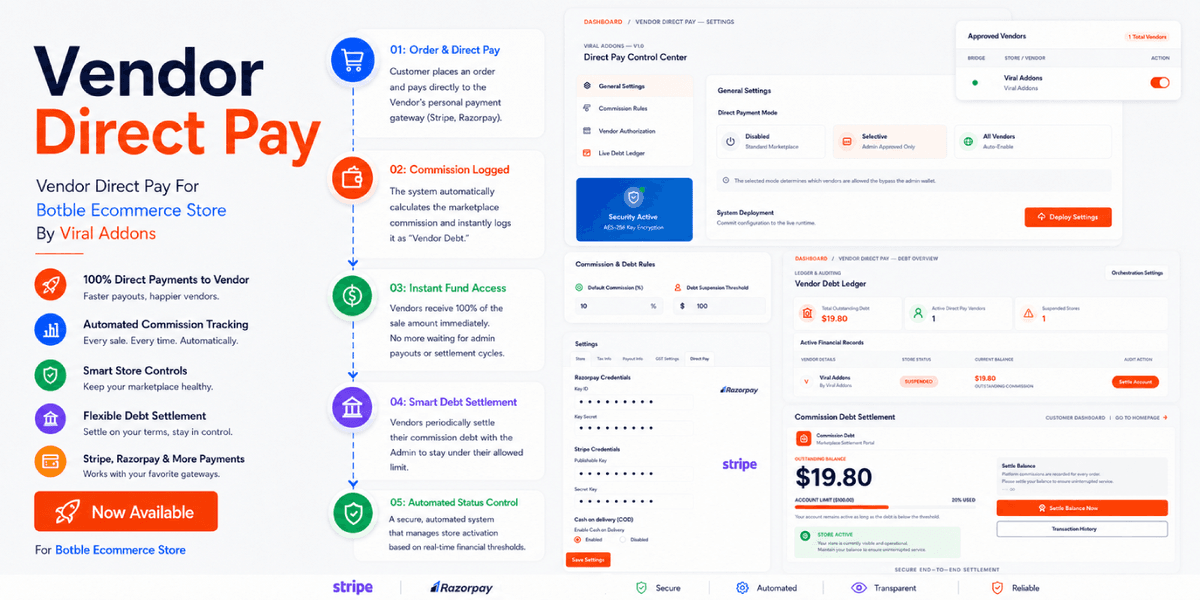
This plugin provides a robust, bi-directional payment and debt management system for Botble Marketplace. It allows vendors to receive payments directly to their own payment gateways (Razorpay, Stripe, Mollie, etc.) while ensuring the marketplace owner collects their commission through a automated debt-tracking and suspension engine.
Key Features
1. Smart Payment Gateway Routing
- Direct-to-Vendor Payments: Payments go directly to the vendor's own API credentials.
- Auto-Filtering: Payment methods are automatically hidden from the checkout page if the vendor has not configured their credentials.
- Vendor-Managed COD: Vendors can explicitly Enable or Disable Cash on Delivery (COD) for their store.
2. Automated Debt & Suspension Engine
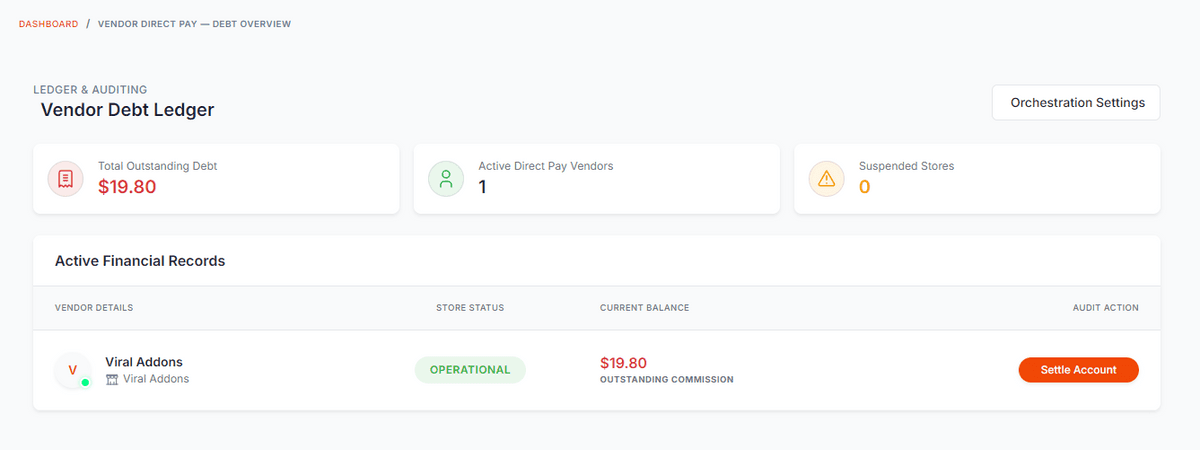
- Real-time Tracking: Automatically calculates vendor commission debt upon order completion.
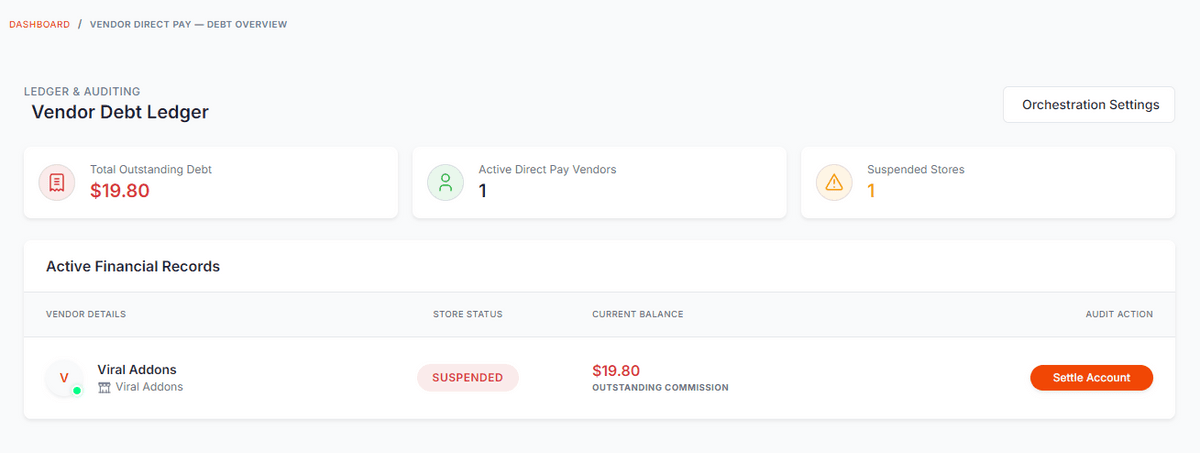
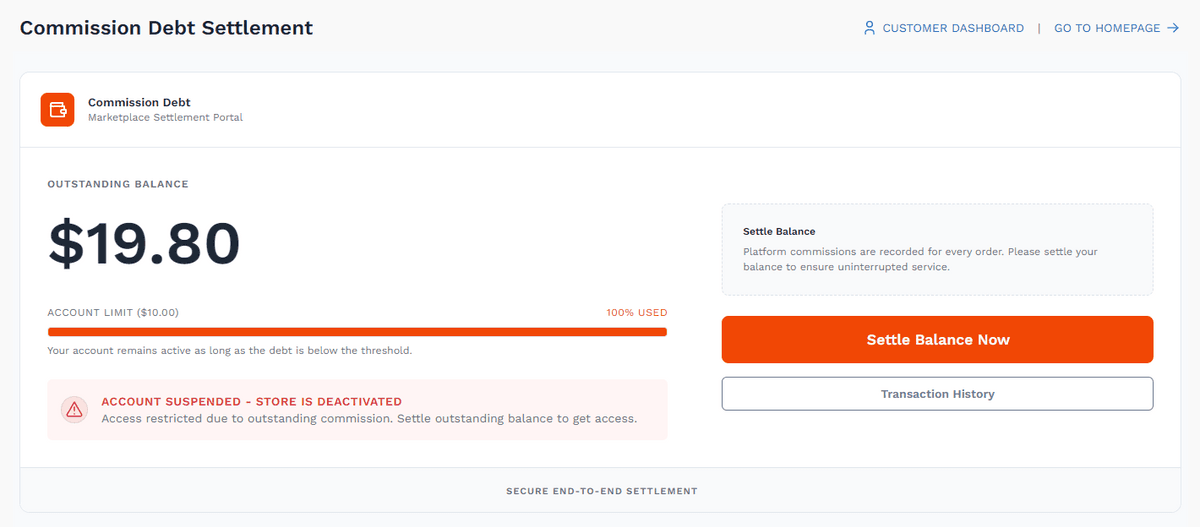
- Automated Suspension: If a vendor's debt exceeds the threshold (configured in settings), their store is automatically deactivated.
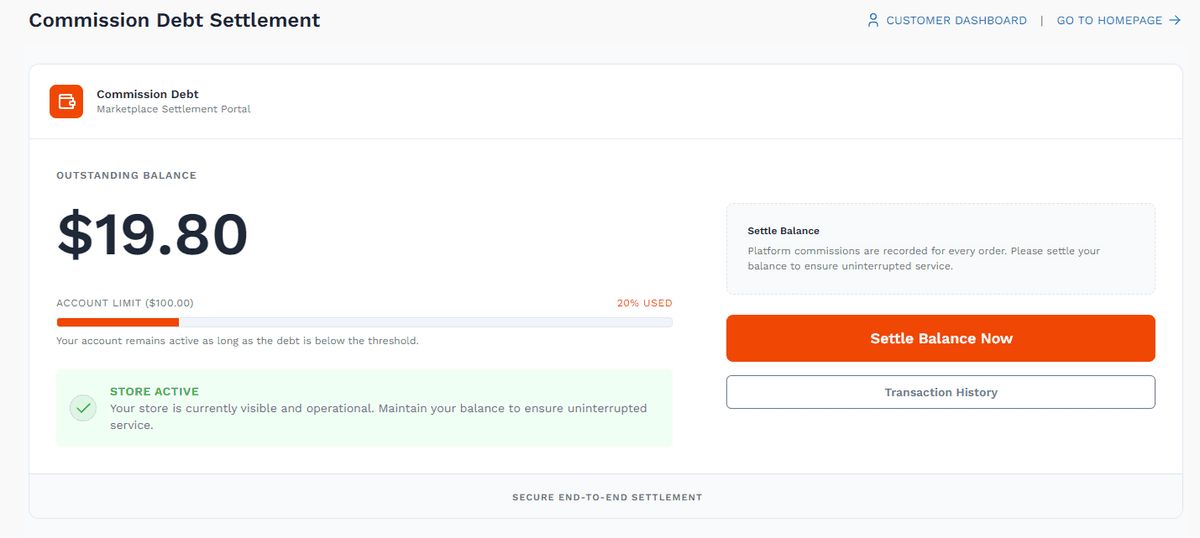
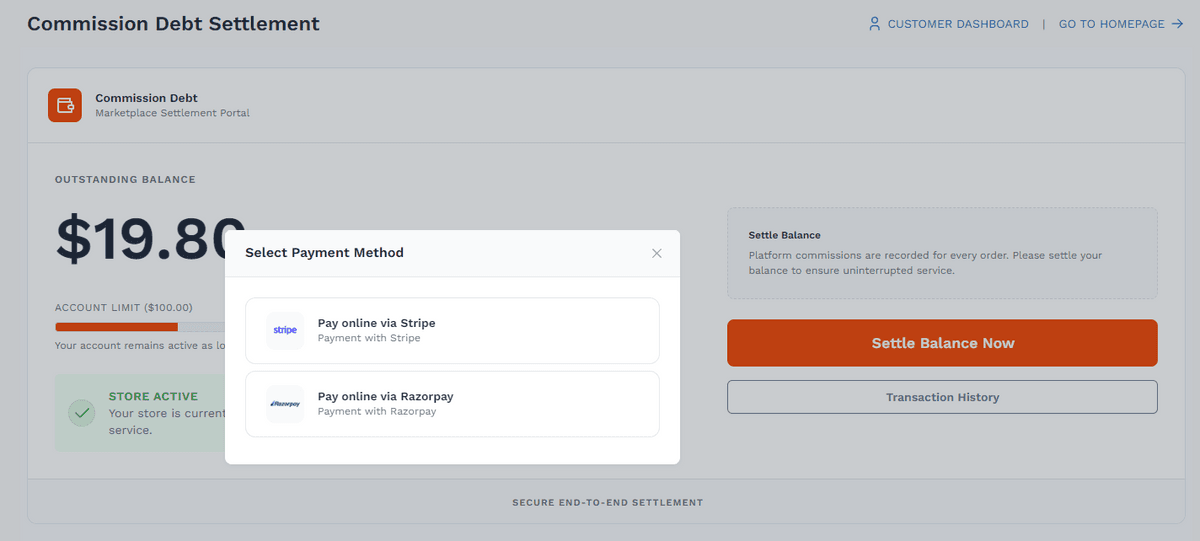
- Instant Reactivation: Stores are automatically reactivated when the vendor settles their debt or the threshold is increased by an admin.
- Bi-directional Sync: Threshold changes trigger a global re-sync of all store statuses.
3. Integrated Vendor Dashboard
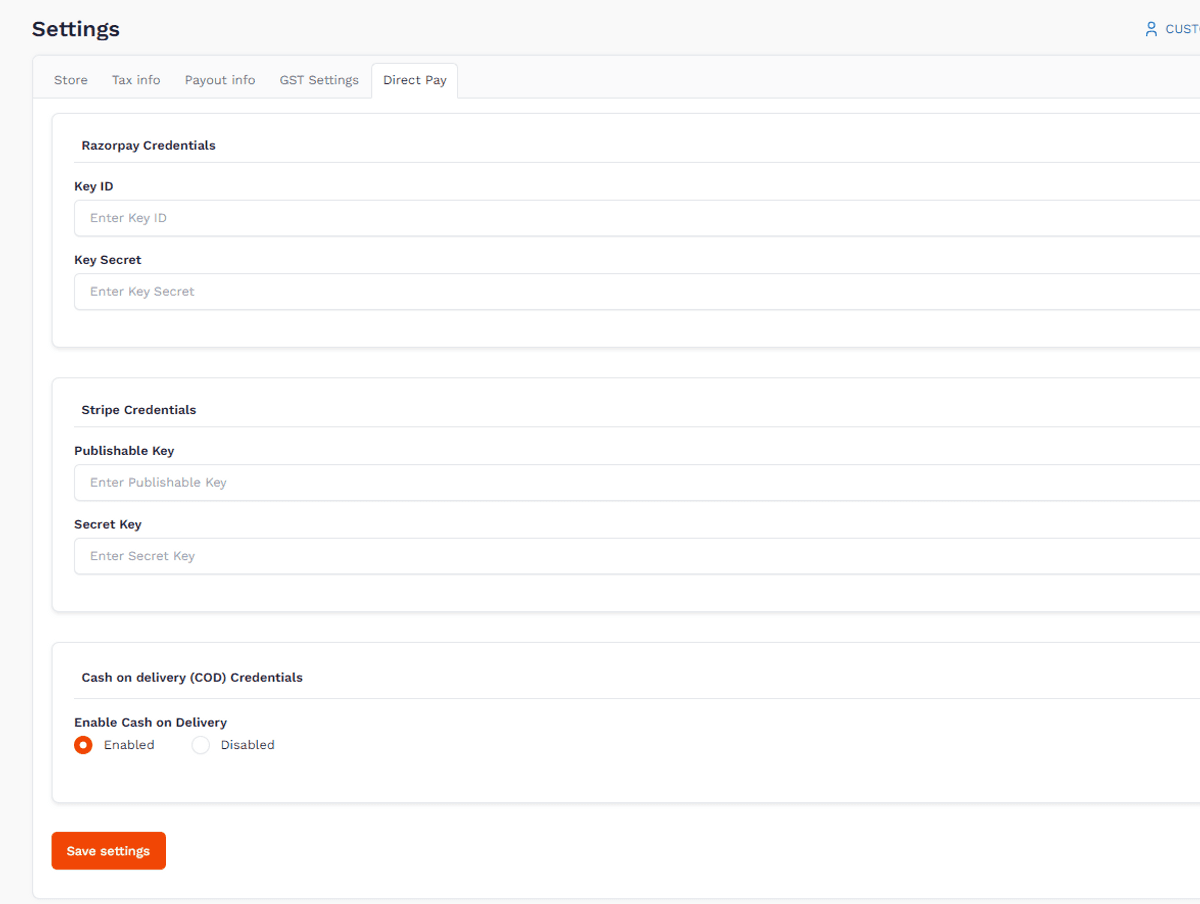
- Credential Management: Vendors can securely manage their own API keys for all supported payment methods.
- Account Status Visibility: Live status alerts on the vendor dashboard keep vendors informed of their store's activation status.
Installation
- Upload: Place the vendor-direct-pay folder into your platform/plugins directory.
- Activate: Go to Admin > Plugins and click Activate on "Vendor Direct Pay By Viral Addons".
Mandatory Marketplace Settings
For the direct payment system to function correctly, the following settings must be configured in Admin > Settings > Marketplace:
- Limit to One Vendor per Order: Must be ENABLED. This ensures the total payment can be routed to a single vendor's gateway.
- Allow vendor manage shipping?: Recommended. Allows vendors to handle their own delivery statuses once paid.
Direct Payment Modes
You can choose how the system enables direct pay in Admin > Settings > Marketplace:
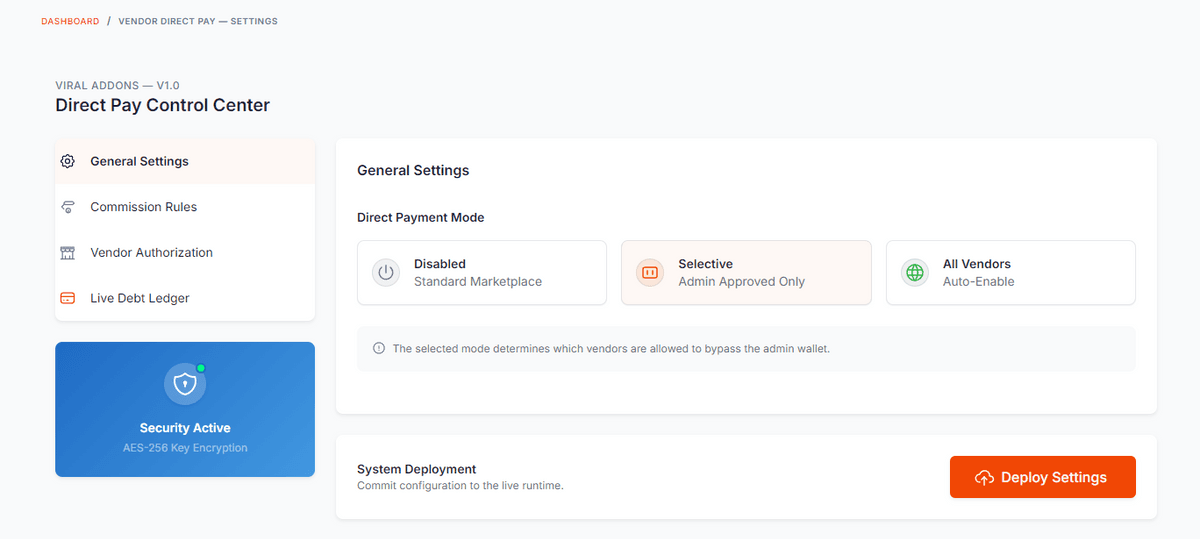
- Disabled: Standard marketplace behavior (all payments go to the admin wallet).
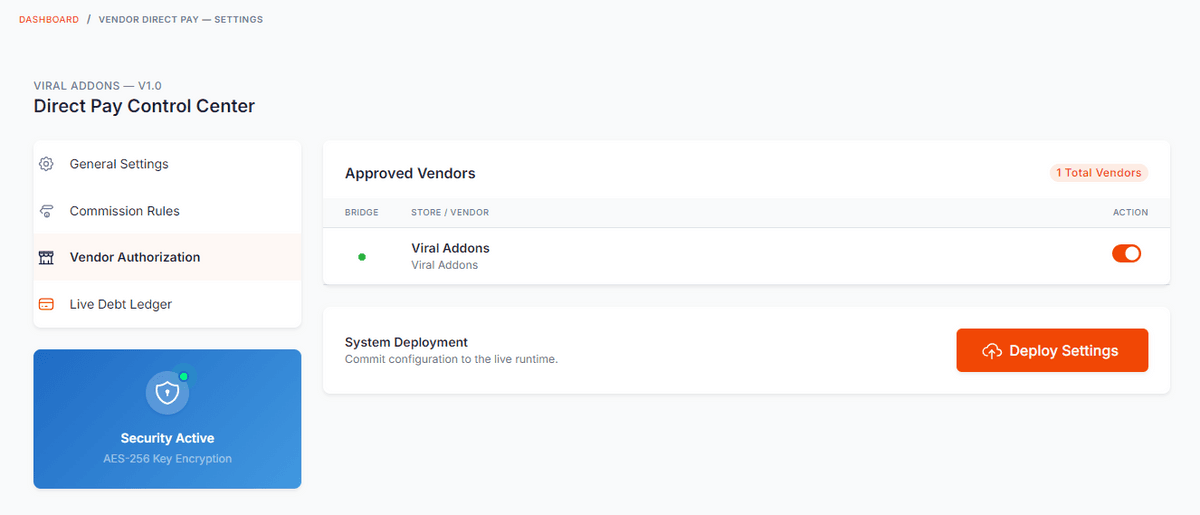
- Selective: Direct pay is only active for vendors manually approved by the admin.
- All Vendors: Automatically enables direct pay for every vendor on the platform.
Setting the Debt Threshold
- Navigate to Admin Dashboard > Settings > Marketplace.
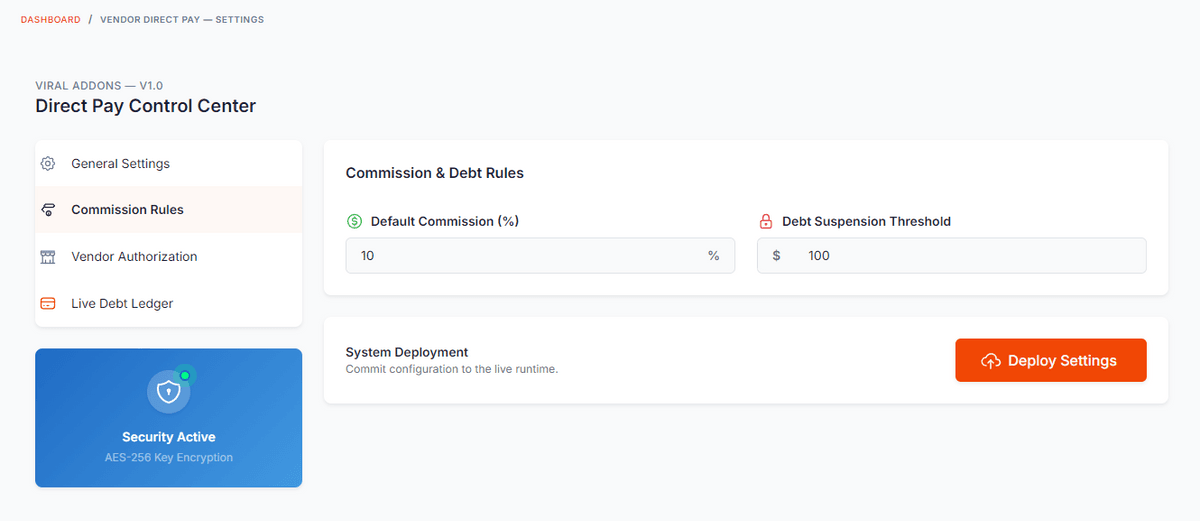
- Locate the Vendor Direct Pay Threshold field.
- Set the maximum debt allowed before a vendor is suspended.
- Click Save Settings.
Monitoring Vendor Debt
- Go to Marketplace > Vendor Debts.
- View real-time debt levels and suspension status for all vendors.
Vendor Usage
Configuring Payment Gateways
- Go to Vendor Dashboard > Settings > Direct Pay.
- Select the gateway you wish to use (Razorpay, Stripe, etc.).
- Enter your API Key and Secret Key.
- To accept COD, select Enabled in the Cash on Delivery section.
- Click Save Settings.
Technical Details
Module Namespace: ViralAddons\VendorDirectPay
Version: 1.0.1 - (Latest version)
Minimum Requirements: PHP 8.1+, Botble E-commerce Core, Botble Marketplace Plugin
--
Developed with ❤️ by ViralAddons.
$69
$69