



Indian GST Report For Botble Ecommerce By Viral Addons
$29
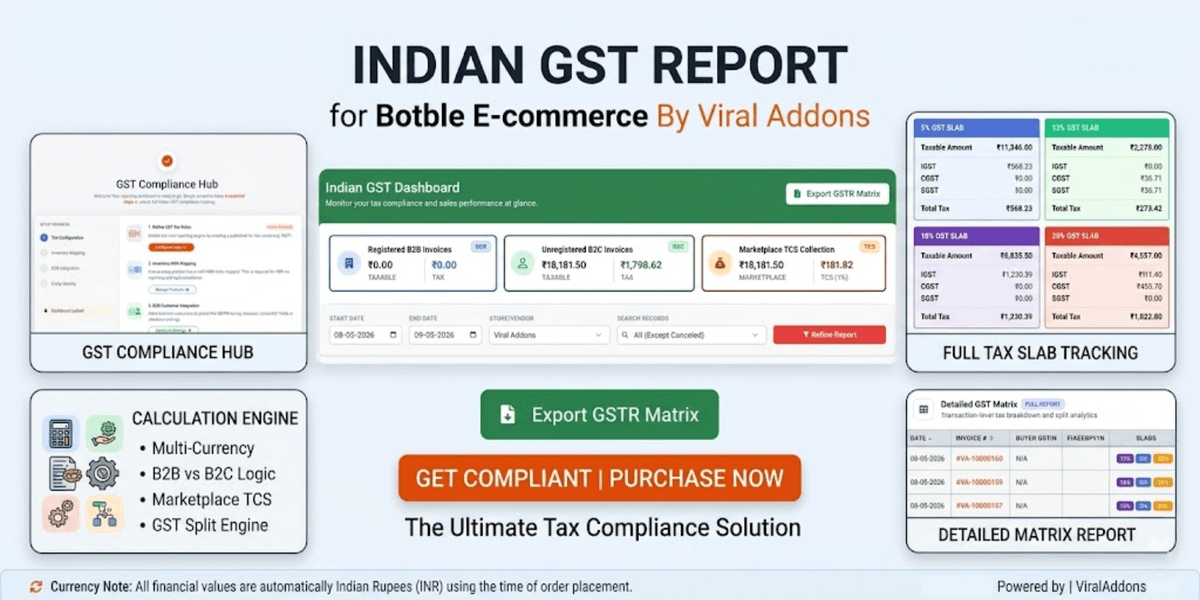
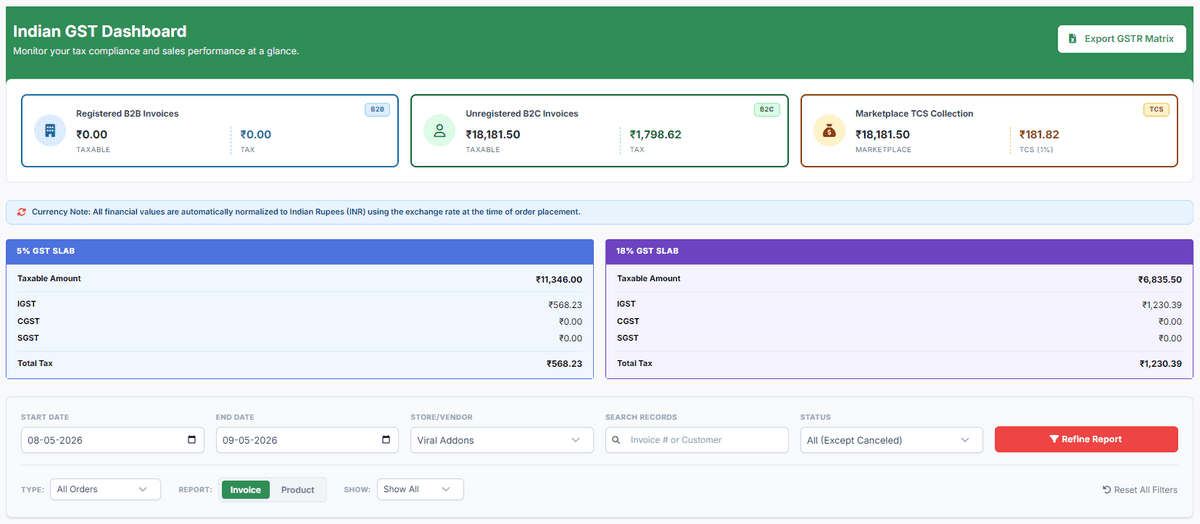
- Automated GST Slabs: Also automatically categorizes sales into 0%, 3%, 5%, 12%, 18%, 28%, etc. slabs with unique color coding.
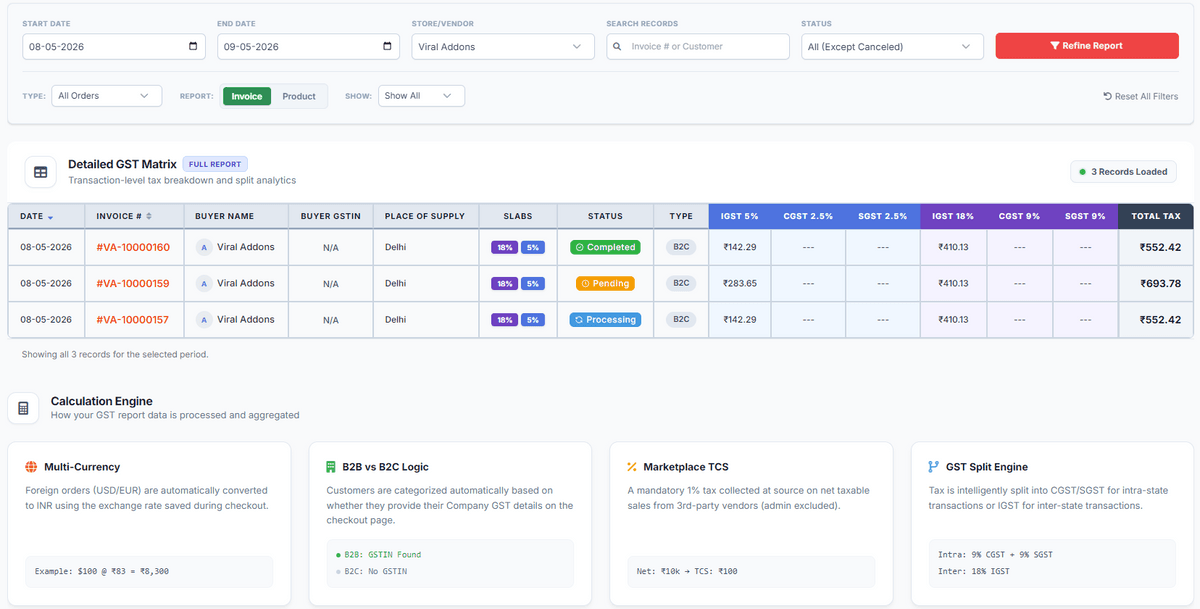
- B2B & B2C Isolation: Intelligently identifies B2B sales using GSTIN data from the tax information on the checkout page. If the customer has a GSTIN, it is a B2B sale. Otherwise, it is a B2C sale.
- Multi-Vendor Support: Seamlessly filters reports by Admin Store or specific Marketplace Vendors. The dashboard automatically adapts to Single-Store environments (dynamically hiding Marketplace TCS metrics when deactivated).
- Smart HSN Extraction: Automatically pulls HSN codes from individual products or their parent records (for variations).
- Multi-Currency Normalization: All financial data is automatically converted to Indian Rupees (INR) using the exchange rate at the time of order placement.
Interactive Dashboard
- Sticky Filters: Filtering controls stay in view while scrolling through large datasets.
- Dynamic Sorting: Sort records by Date or Invoice # with a single click.
- Report Types: Toggle between Invoice-level and Product-level detailed reports.
- Excel/CSV Export: One-click export of the entire GSTR matrix for accounting and filing.
HSN Lookup Logic
- Checks product metadata for hsn_code or hsn.
- If the product is a variation and has no HSN, it automatically falls back to the Parent Product's HSN code.
GST Split Engine
Tax is intelligently split into CGST/SGST for intra-state transactions or IGST for inter-state transactions. The engine compares the Vendor's Business State (set in Store Settings) with the Buyer's Shipping State (from the order address) to determine the correct split automatically.
Example:
Intra-State Transaction (Same State)
Vendor State: Maharashtra (MH)
Customer State: Maharashtra (MH)
Result: CGST 2.5% + SGST 2.5% (Total = 5%)
Inter-State Transaction (Different States)
Vendor State: Maharashtra (MH)
Customer State: West Bengal (WB)
Result: IGST 5% (Total = 5%)
Note: The total GST amount is always the same regardless of type. Only the distribution between Central and State Governments changes.
TCS for Marketplace Vendors
TCS (Tax Collected at Source): 1% is automatically calculated on all marketplace vendor sales.
This is a legal obligation of the Marketplace Operator (Admin) under Section 52 of the CGST Act, regardless of the vendor's GST registration status.
Handling Vendors Without GSTIN
In a marketplace environment, if a vendor has not provided their GSTIN:
- Report Integrity: The dashboard will still capture and display the sales data based on the actual tax charged during checkout.
- TCS Collection: The system continues to calculate the 1% TCS for all marketplace sales, as the Marketplace Operator (Admin) is legally required to deduct this regardless of the vendor's registration status.
- B2B Identification: The classification of B2B vs B2C remains dependent on the Buyer's GSTIN data.
- Compliance Note: While the report displays all collected taxes, it is recommended that vendors provide their GSTIN to ensure tax invoices are legally compliant.
- Legal Compliance: Legally, if a vendor does not possess a GSTIN, they are not authorized to collect tax. If your system charges tax on sales from such vendors, the report will display it; however, during CA filing, these transactions will be classified as "Unregistered Dealer" sales.
Installation
1. Upload the plugin to platform/plugins/indian-gst-report.
2. Go to Admin > Plugins and activate "Indian GST Report".
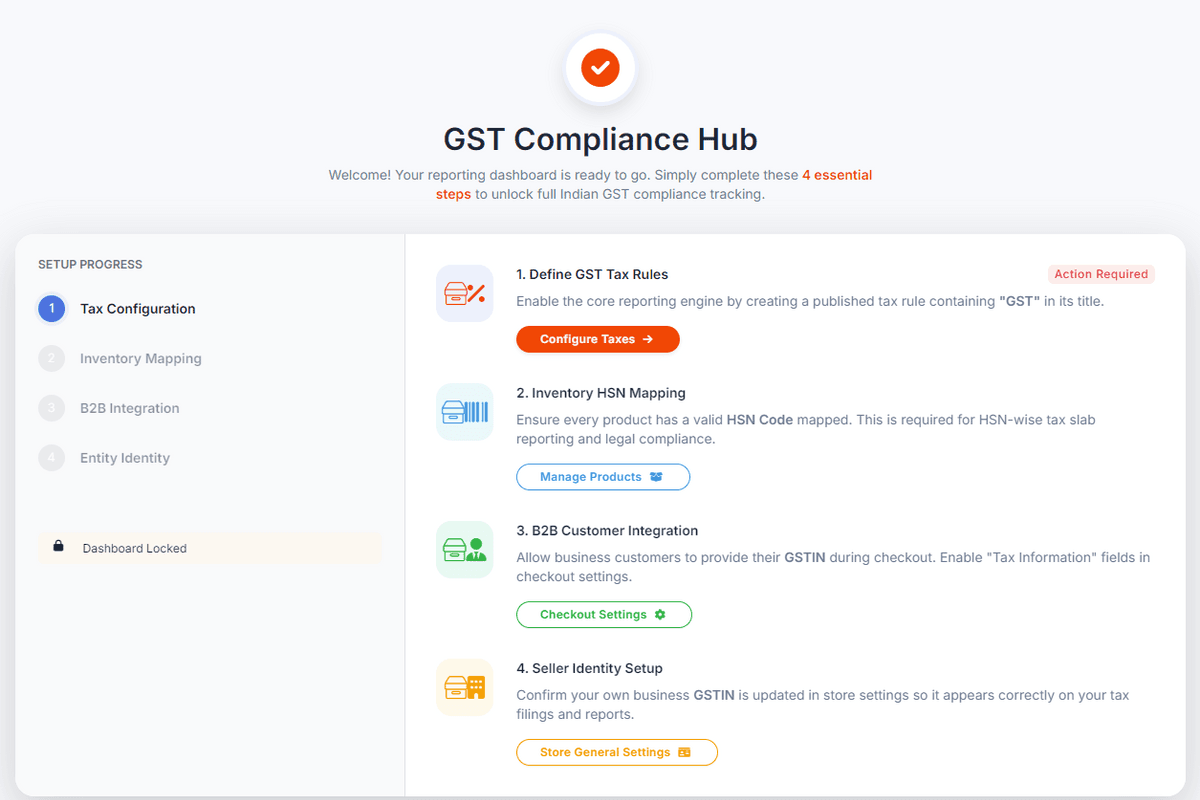
3. Complete the 4 Essential Configuration Steps:
- Tax Configuration: Create a published tax rule containing "GST" in its title (e.g., "18% GST").
- Inventory Mapping: Ensure all products (including variations) have a valid HSN Code mapped.
- B2B Integration: Enable "Tax Information" fields in Ecommerce > Settings > Checkout.
- Entity Identity: Confirm your own business GSTIN is updated in Ecommerce > Settings > General.
Usage
1. Navigate to Ecommerce > Indian GST Reports.
2. Filters: Select your date range, store, and order type (B2B/B2C).
3. Toggle View: Use the "Invoice" or "Product" buttons to change the level of detail.
4. Export: Click "Export GSTR Matrix" to download data for your CA or GST filing.
Changelog
Version 1.0.0
Initial Release: The first version of the plugin with all the core features.
Version 1.0.1 (October 2026)
Tax-Inclusive Pricing: Products with prices that already include tax are now calculated and matched to the correct GST slabs accurately.
Multi-Tax Compatibility: Having international taxes (like VAT or Import Tax) in your store will no longer interfere with Indian GST reports.
Currency Calculation Fix: Fixed an issue where tax amounts were calculated incorrectly when your store's default currency is INR.
Reliable Tax Rate Matching: Improved tax detection so GST slab badges and breakdown columns appear reliably for every order.
Admin Header Search Bar Fix: Fixed a design issue where the report page styling changed the look of the top admin search bar.
Technical Summary
Module Namespace: ViralAddons\IndianGstReport
Version: 1.0.1
Minimum Requirements: PHP 8.1+, Botble E-commerce Core.
Optional: Botble Marketplace Plugin.
Developed with ❤️ by ViralAddons.
$29
$29