

What Does a BMW Service Report Include?
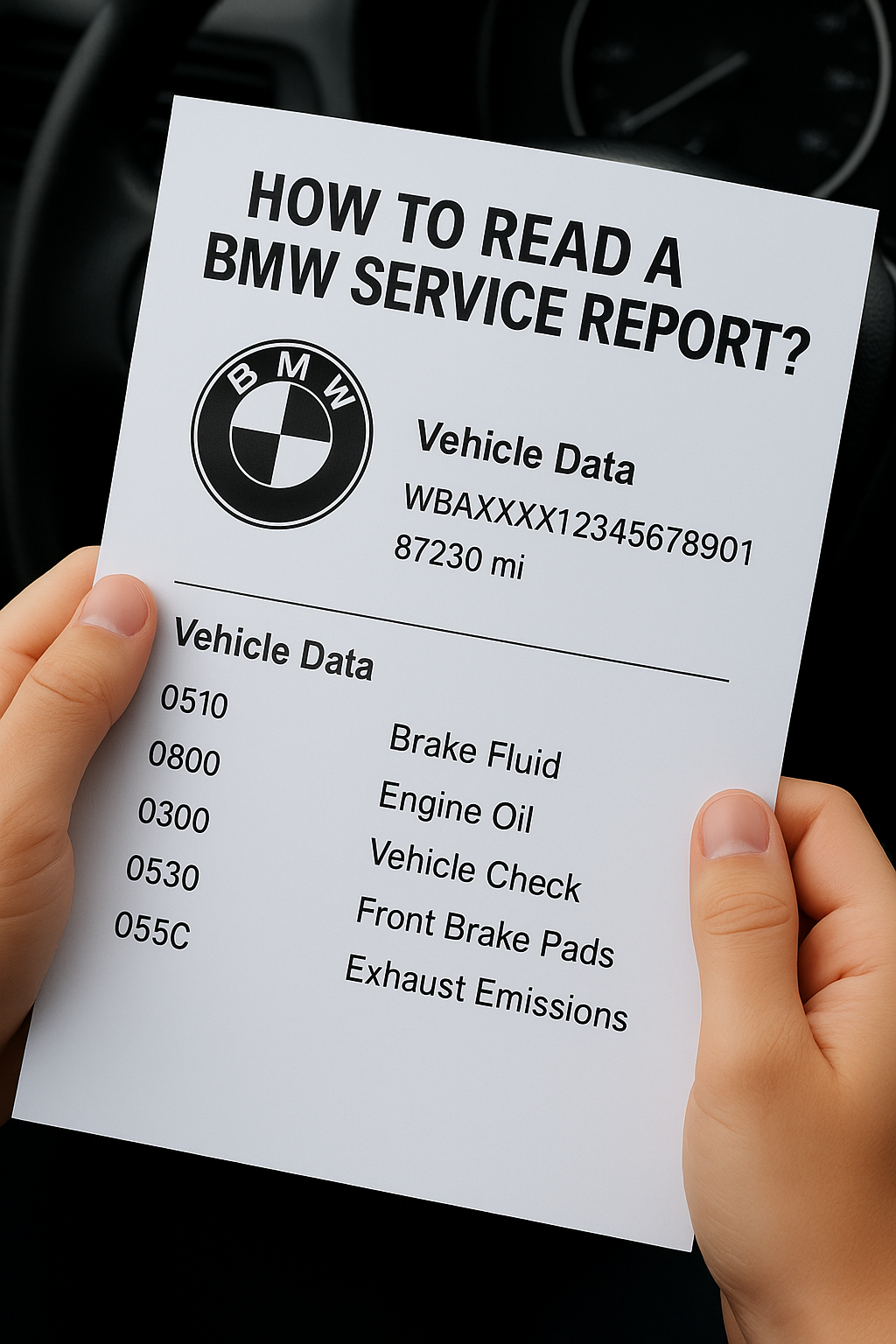
Each BMW service report has a slightly different layout depending on format (paper, PDF, ISTA+ screenshot), but they all contain the same essential sections:
Report Element Description VIN Number The unique identifier of your vehicle Date and Mileage When and at what mileage the service was performed Type of Visit Routine inspection, repair, software update, or recall campaign Scope of Work List of tasks performed (e.g. oil change, filter replacement, DSC diagnostics) Parts Used Whether OEM parts were used, including BMW part numbers Error Codes Diagnostic errors from systems like DME, DSC, EGS etc. System Status Colour-coded health indicators (green, yellow, red)
✅ Check bmw service history here in 20 minutes online by VIN ✅
Key BMW Technical Abbreviations
BMW uses technical acronyms throughout service records. The most common ones include:
DME / DDE – Engine control unit
EGS – Gearbox control
DSC / ABS – Traction and braking systems
IBS – Intelligent Battery Sensor
EWS / CAS – Immobiliser and keyless access
BDC / FRM / JBE – Body, lighting, and power modules
Understanding these helps interpret entries like: “DSC fault active, reset failed” — which means there’s an issue with the stability system.
Understanding BMW Status Colours
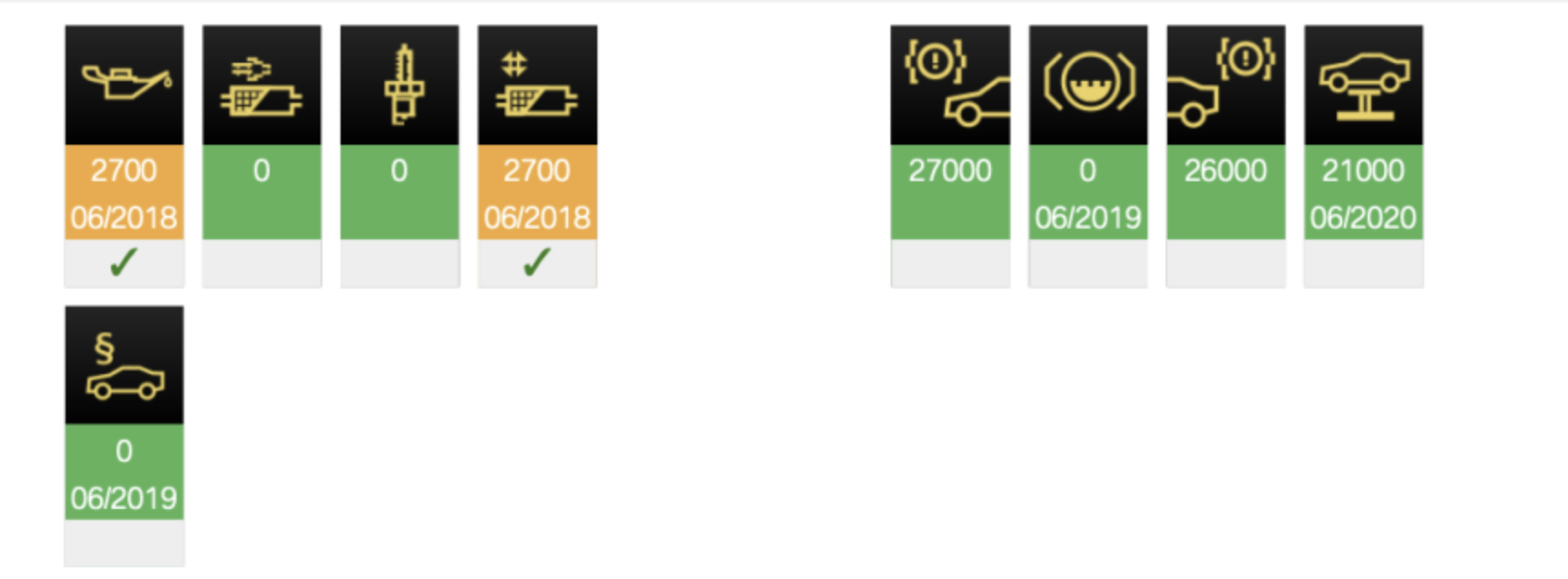
Many BMW reports, especially from ISTA+, use a traffic-light colour system to indicate component status:
🟢 Green – No issues
🟡 Yellow – Advisory, upcoming service needed
🔴 Red – Fault detected, urgent attention required
Example:
Oil inspection: 🔴 Overdue by 4200 km
Brake fluid: 🟡 30 days left
Vehicle check: 🟢 Completed 02.2024
These visual indicators give a quick summary of what's urgent and what's been done.
What Do “Oil Service”, “Inspection I/II”, “Vehicle Check” Mean?
BMW uses proprietary terms for maintenance types:
Oil Service – Oil and filter replacement
Inspection I – Basic check-up (oil, brakes, suspension, diagnostics)
Inspection II – Extended inspection (spark plugs, belts, cooling system, steering)
Brake Fluid – Change every 2 years
Vehicle Check – Full vehicle inspection (standard under BMW EfficientDynamics)
Why Should You Check the BMW Service Report Before Buying?
Buying a used BMW is a serious investment — and a service report is your best ally. It helps you spot hidden risks the seller might not mention.
What to check:
Match dates and mileage — watch for gaps or illogical jumps
Look at system status colours — persistent yellow on brakes might signal neglect
Check for recall entries — BMW often issues free service campaigns
Cross-reference with VIN decoder — does the equipment match the actual car?
Review service intervals — was it serviced every 20k km, or delayed to 45k?
Why Order a Report via VINHistory.co.uk?
Not everyone has the time to visit BMW service centres or use ISTA+ software. That’s why VINHistory.co.uk exists.
You get:
✅ A genuine printout from BMW’s database
✅ A ready-to-print PDF for buyers or personal use
✅ Help with interpreting codes and entries
✅ Optional VIN equipment decoder integration
A complete and reliable overview — perfect before buying or selling.
✅ Check bmw service history here in 20 minutes online by VIN ✅
How to Check Basic Service Info Using the BMW Key or Instrument Cluster?
BMW lets you access key info directly from the dashboard — even without diagnostic tools. The hidden “Test Menu” is available on many E and F series models.
Useful when:
You need the VIN, battery voltage, or temperatures
You suspect hidden issues
You’re inspecting a used BMW without ISTA+ or OBD2 tools
BMW Test Menu – How to Access It (E46, E90, E60, F10 etc.)
Insert key to position 1 (or press START without clutch/brake)
Wait for the trip mileage to appear
Hold the trip reset button for ~10 seconds
“Test 01” will appear — you’re in
Short press to scroll, long press to enter a test
💡 Some models may require an unlock code (based on VIN). Online calculators are available.
What Can You See in the Hidden Menu?
Test Description Test 01 Displays VIN and engine code Test 02 Software version info (e.g. KOMBI, KI) Test 07 Real-time battery voltage Test 09 Cluster test — all needles and lights move Test 14 External temperature Test 15 Engine hours — a reliable usage indicator
Why Use This Feature?
📌 It’s free and instant — great when:
Buying a used BMW and checking suspicious mileage
Checking battery charge without tools
Testing indicator lights
Analysing wear based on engine hours
Common Mistakes in Reading BMW Reports
BMW reports offer powerful insights — but they aren’t always complete or perfectly clear.
What if the report seems incomplete?
That doesn’t necessarily mean neglect. Reasons might include:
Car was serviced at non-BMW garages
Data from some regions (e.g. parts of Asia or Eastern Europe) wasn’t uploaded
Technicians forgot to enter the service record
Long-term owners who serviced infrequently
💡 Tip: If entries follow a logical pattern (e.g. 2018, 2019, 2020), that’s fine. Gaps like 2017 → 2023 may be suspicious.
Are Out-of-Warranty Entries Trustworthy?
Yes — as long as they were logged by BMW. These often include major repairs like:
Turbo replacement
Injector servicing
EGS gearbox adaptations
They indicate responsible ownership — and may show expected wear at higher mileage.
📌 Example Entry:
2023-02-17 | 184,000 km | Valve seal replacement, DPF cleaning, EGS adaptation
Other Common Misunderstandings
No entry ≠ No service — work may have been done but not logged
No error code ≠ No issue — not all faults leave traces in modules
Part codes only — order a human-readable version (like from VINHistory.co.uk)
Frequently Asked Questions (FAQ)
Can I order a service report without visiting a dealer?
Yes — order online at VINHistory.co.uk by providing your VIN and a few basic details.
Does the report show non-BMW garage work?
No — only official BMW service centre entries are included.
Can it detect mileage rollback?
Often yes — if there are regular entries. Look out for big gaps or sudden changes.
Does it list replaced parts?
Yes — usually with part numbers and OEM status.
Are E90, E60, F10 models supported?
Absolutely — both E and F series BMWs are fully supported.
What if my report is empty?
It may mean the car was serviced outside BMW or came from a region without central data uploads. Not always bad — but ask the seller for proof.
✅ Check bmw service history here in 20 minutes online by VIN ✅
Summary: Informed Buyer = Safer BMW
A BMW service report is more than just a list — it’s a map of the car’s past. It shows how well it’s been maintained and protects you from shady sellers.
Don’t leave it to chance. Whether you’re a buyer, seller or fan — knowledge is power. And with VinHistory.co.uk, that knowledge is just a few clicks away.