
A little guidance, right where the task happens
“Which button was it?” A familiar website can become confusing when someone follows a long document or searches a screen recording for one missing step.
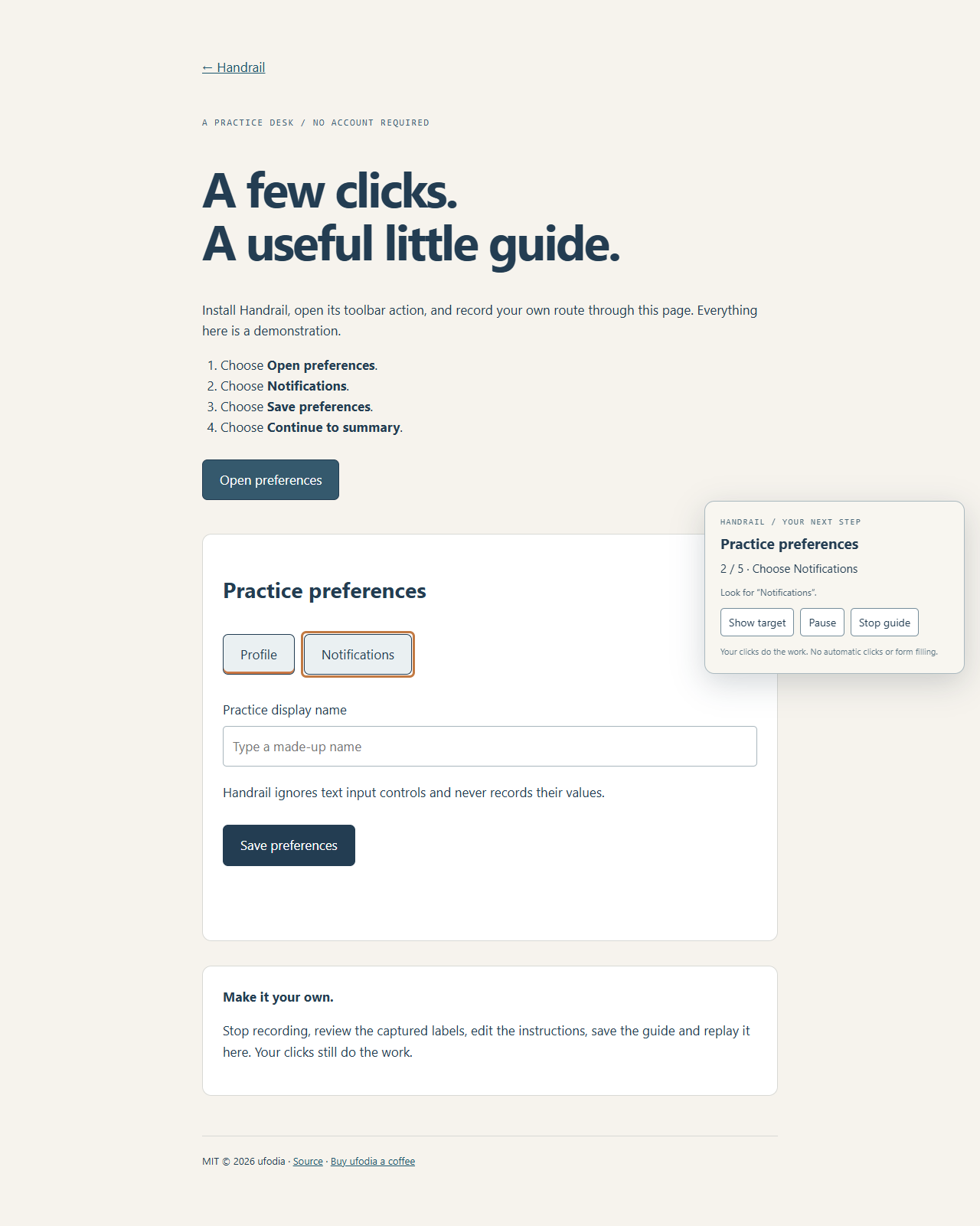
Handrail lets you demonstrate a route once, add instructions in your own words, and leave a guide beside the actual controls. The highlight waits for a real click. The person following the guide stays in charge.
Make a first guide
Record. After manually installing the extension, open the included practice desk, invoke Handrail from its toolbar action, and record your own clicks through the demonstration task.
Explain. Save the recording and edit each instruction. A short sentence can explain why the next button matters.
Follow. Reset the practice page and start the saved guide. Click each highlighted control yourself; export a reviewed JSON guide when you want to share it.
Handrail is an MIT-licensed Manifest V3 extension by ufodia. Guides stay in extension-local storage. The public site supplies installation guidance, a downloadable manual-install package, and practice pages; it is not a Web Store listing.
The extension does not click, fill forms, or submit tasks for you. Website redesigns and changed labels can break a step. Frames, shadow-root controls, and text inputs are outside the recording scope. Exported selectors, paths, labels, and instructions can still reveal private context: review them before sharing.
Visit the installation and practice site · Inspect the source.
If Handrail makes a task easier for someone, an optional coffee helps ufodia maintain browser compatibility, regression checks, and clear instructions.
Actual Handrail extension on the demonstration practice desk, highlighting Notifications and waiting for the user's click.