

June is here, and gone, which means we are now officially in summer in the UK and after experiencing a couple of heatwaves I can now look out of my window as I write this and watch the dark rain clouds pass overhead. This is more the summer I am used to and able to deal with. I am sure that there are many more sunny days to come, but this has the up-side of making me feel less guilty in tucking myself away at my desk and hammering out my monthly update.
After recent updates being much longer than usual, this month’s update is delightfully much shorter. This is because I have been hard at work on one new project in particular.

ThoughtAsylum
This month on my blog I have shared a couple of posts for some Windows scripting having bumped into a couple of work things that could be resolved with a little automation.
The first relates to Outlook, or rather, the new version of Outlook. Obviously, Microsoft never learnt from Windows NT (New Technology) that nothing is “new” for long, so you never name anything “new”; but here we are again with “Outlook (New)”. For some reason, with my erratic own style of typing, I seem to have been developing an unwelcome knack for triggering a keyboard shortcut to send e-mails. There is no inbuilt option in Outlook or Windows to disable this, and so I ended up creating a script to intercept the keyboard shortcut if I was in Outlook. You can read the details in the post,
The second automation came about through a need to generate some standardised test files to help with some system performance analysis. I whipped up quick batch file (yes, batch files still have their uses) to generate the files using a standard command line utility. The script generates one large file, and then an equivalent number of 1 MB files, and is covered in the post. This allowed me to prove quickly that some bulk upload performance was down to file processing overheads and not network throughput or latency. After this, I have even gone on to create another version that allows you to generate X files totalling Y MB, and that allowed me to match some user testing for files I was not allowed to access.
I will note that while I have written many batch files and VBScript solutions in the past, I am actually working on some PowerShell scripts at the moment to automate some data mapping work. I may not be anywhere close to being a PowerShell wizard quite yet, but I feel this may be an area I will be refreshing myself on this year, and I am definitely looking forward to hearing Bart Busschots take on PowerShell.
Forums
The usual forums I partake in were rather quiet this month, but there were a handful or two of interesting posts.
Drafts
The discussion of templates for Drafts is ongoing, but I am still struggling to understand the underlying request on this one as to my mind any structure representable by plain text could be used in Drafts.
There has also been some discussion on publishing actions with code libraries, which happens to be how my core suite of Drafts action groups is built on.
There was some confusion from one user on options to send Drafts content to Obsidian.
There was an interesting architecture discussion on integrating Drafts with a bespoke application.
Automators
Do you know why some time-triggered shortcuts run on a locked iPhone while others will fail?
The ongoing request to check a value on a website using Shortcuts surfaces with a new requirement, but this time I just provided the necessary pointers rather than the solution. Hopefully, combined with the explanations, previous examples, and these pointers, the user will have been able to modify their own solution to get it to work as they intended.
Lastly, someone resurrected a five-year-old topic on connecting an iPhone to a Bluetooth speaker.
Other
Developing a Stream Deck Plugin
A lot of my time this month has been spent working on a new plugin for the Elgato Stream Deck. I am not a streamer, but I find my Stream Deck useful for quick access to functionality when I am using apps on my Mac. It saves me having to remember arcane keyboard shortcuts or rely on the Keyboard Maestro palettes I have set as a backup. The Stream Deck dynamically sets itself up according to the app I am in.
I mentioned in the upcoming section on last month’s update how a recent software update sent me down this path, and it has been an interesting one. I had spent several years using BetterTouchTool as my controlling software for the Stream Deck, but with my new Mac I decided to revert to the original software which I knew had received some updates that were worth looking into, and BetterTouchTool was actually a little convoluted to configure in comparison.
One of the approaches I did bring over was my use of URLs to trigger automations. Many of them for Keyboard Maestro. The recent Elgato Stream Deck app update that allows you to specify a browser for the URL unfortunately broke them. While the KM Link plugin is the go-to plugin for Keyboard Maestro, but I couldn’t just copy in the URL or ID, and if it wasn’t the latest macro, then, when you have a longer list of macros like me, it can take a little while to find the right macro. The whole software change also left me a little uneasy.
Should I just switch to KM Link? I decided I’d rather not. Should I switch back to BetterTouchTool? That was tempting, but a lot of effort for little gain if I could find another way. Was there an alternative? Not that I could find.
And so I chose even more effort and to create another way that I would have some control over so that I would not simply have it change out from under me.
What started out as something to launch URLs grew as I started considering what I could offer. The result is actually a little suite of actions geared around automation on the Mac. It definitely has some overlap with existing plugins you might use, but I hope that it also provides some new capabilities, and for the existing functionality, I hope this plugin brings with it some of my insights as an experienced automator, and provides options that might appeal to those who also love to automate their Mac to achieve peak efficiency - and if you are reading this, have a Mac, and a Stream Deck, chances are you are in that section of the Venn diagram.
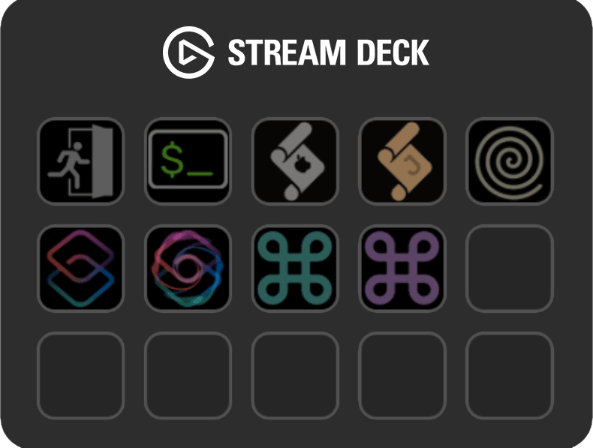
The plugin has had a few beta releases and will soon be submitted to Elgato, and hopefully accepted into the marketplace (where it will be free). But to support that I have in parallel created yet another little website to support this, and any future Stream Deck related development I might opt to do.
This whole learning about Stream Deck plugin development, building, testing, rebuilding, documenting, and prepping marketplace information has taken quite some time, but I am really pleased with the results so far. I won’t be winning any graphic design awards, but I think everything has come together to make something I can be proud of.
I will post about availability if/when Elgato approve it, so keep an eye out.
Office Lighting
The summer lighting in my home office was really playing havoc in April/May with my work calls. No matter what time of day, light always seemed to be streaming in from my external door, which has a patterned glass pane in the upper half, and closing all the blinds was just causing my Litra Glow to cast some eerie shadows on my face later in the day.
To combat this, I have added two things to my office. The first is a simple manual roll up blind that I can drop over the door’s window. This has made a tremendous difference, but it does leave my office almost perpetually dark (I have a lot of calls in my days at the moment) during what should be the bright summer. The second addition is a small USB powered ring light that I have in the back corner of my desk behind my laptop, that is bounding some soft light off the wall. Just enough to counter the shadows, but not enough to overwhelm the nicer light of the Litra Glow.
It is a hue way off from a professional lighting set up, but being whited out by strong sunlight or cast as a demonic figure in the late afternoon shadows are both hopefully a thing of the past.
Office Sound
A few months ago I figured out how to get my Mac Studio to switch to my HomePod Mini each time I logged in. The audio was pretty good, and I had the benefits of having a HomePod around. But the dream has not lasted. I had a few cases where my audio was taking a few moments to kick in our having problems kicking in. I might just have let it go, but this actually came up in the testing of my Stream Deck plugin, and was actually a little concerning as it was just not coming through reliably for some of the audible output of automations I had created.
My new go-to is a relatively inexpensive sound bar with good Amazon reviews, the 40W Saiyin Sound Bar. This is now connected via my HDMI matrix via an optical connector, and fed from the Mac Studio by HDMI, or my work laptop’s HDMI if I decide I want to use it for that.
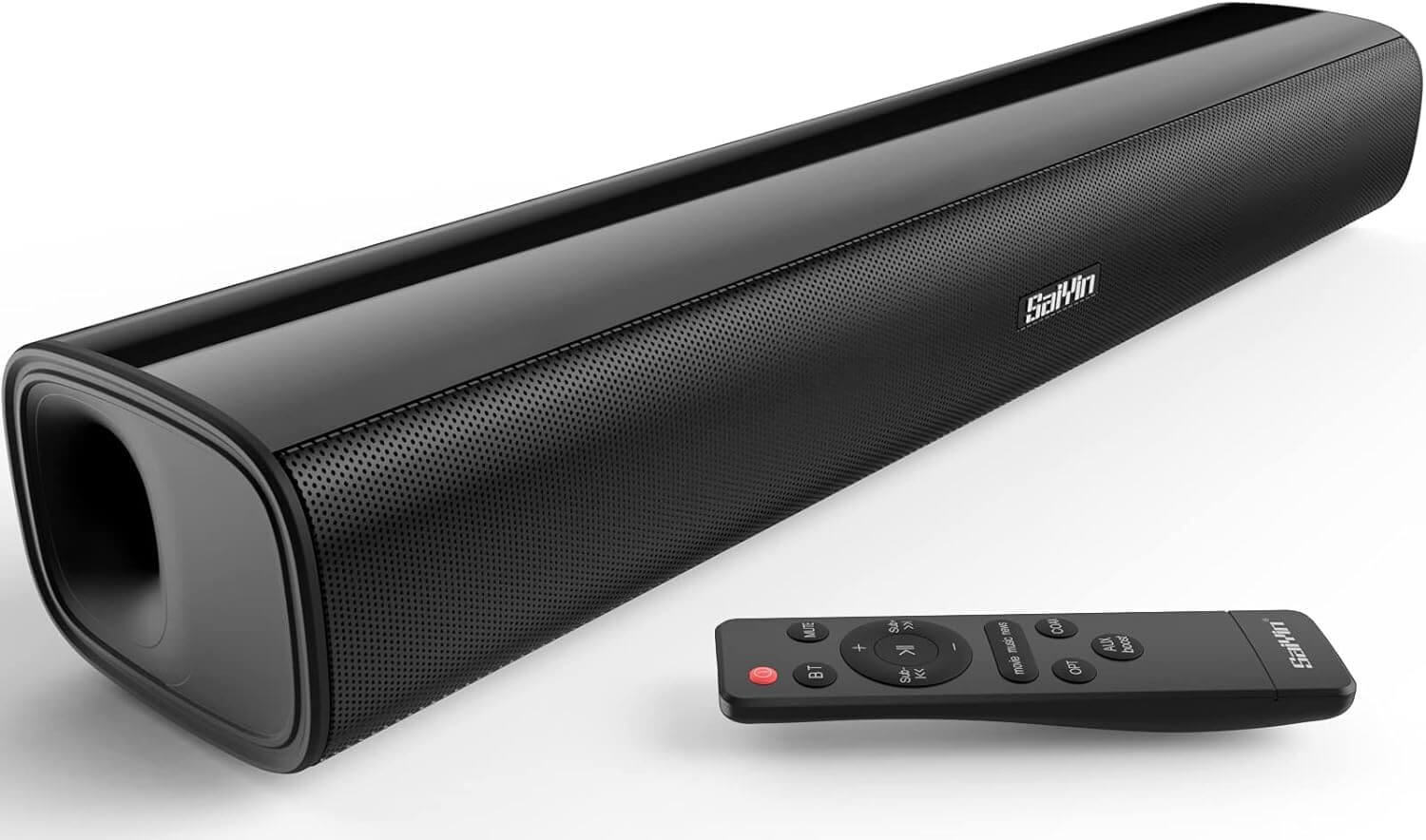
Will this be my final solution? Maybe, but I don’t know. I have been considering ways of mounting it because its position on a window sill behind my desk is not ideal. I have tried a couple of solutions including small 3M Command Strips and a bespoke 3D printed rack for my monitor. Both failed badly, so I am still considering my options. My desk space is at a premium and whatever the solution is, it is going to involve lifting the sound bar and locking it in place somehow … or it will be going in some entirely different direction altogether.
A New Mac Monitor
This month I also bought a new monitor for my Mac Studio. A portable USB monitor.
That sounds insane, but it is true and quite on purpose. Apart from this also giving me flexibility when I am away from home - I’ve been a multi-monitor guy for a couple of decades - this also gives me a monitor I can actually use on that desk with limited space I mentioned earlier.
My desk is not small, and I already have two monitors. But for work I use my laptop as a third monitor, and when I used my old MacBook Pro, I used its screen as a third screen too. I knew going to the Mac Studio I was sacrificing a screen for power, but I never thought I would miss it as much as I did.
Most of the time, two screens are just fine, but at least a few times a day I would find myself wishing for my third screen back. My solution was to get a monitor light enough that I could pop it on my work laptop with the lid closed, and a portable monitor can do just that and is exactly the sort of size I was used to. I got a sub-£100 deal on the Coolhood 2.5K 15.6" portable monitor and while it is a good bit smaller, it actually supports the same resolution as my main monitor - which is going to be really useful for when I am travelling and taking it with me.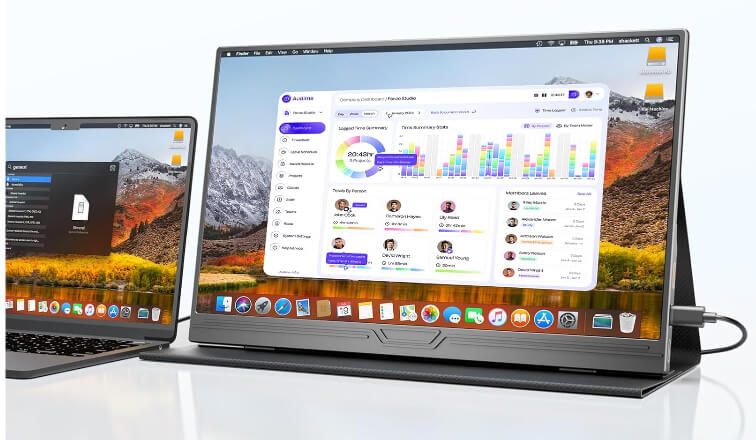
So a little extra setup when I want to set it up and down, but actually far less than swapping laptops. In fact, I leave the USB-C cable for the monitor plugged into the Mac Studio and keep the free end clipped with one of the Lamicall spring clip cable holders that I’ve added to the inner shelf of my 3D printed stand for my Focusrite Scarlett Solo.
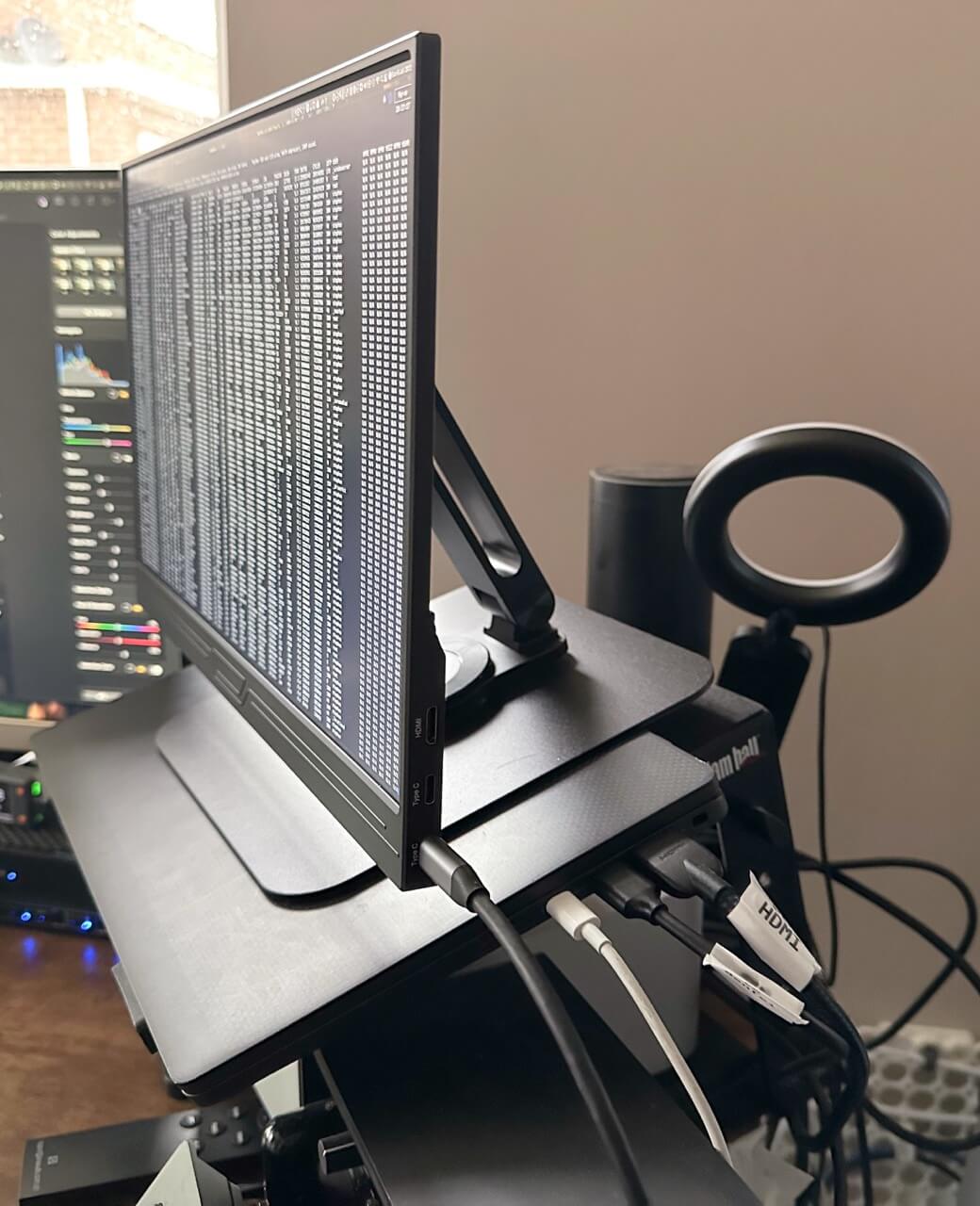
Unfortunately, the angle isn’t great with the built-in stand. At first, I just 3D printed a little wedge, but it felt a little precarious. There was no weight to the back, so if there was a solid bump against my desk, it could topple forward.
After an hour or so of searching over a few days, I managed to find a tablet stand that would take the weight and size of the monitor. But, rather than being a clamp based solution, this one utilises a magnet. The stand comes with metal plates to adhere to any tablet, but the folding cover for the portable monitor attaches via magnets, and this stand attaches to the monitor securely without any additional plates. While the Missun stand is certainly the cheapest stand for a portable monitor, it is one that is holding it in place securely and safely at a somewhat unusual angle for the base.
ASA Prints
The power tool trigger prints I had done previously for my father-in-law had consistently broken at the same point, whether I printed them in PLA or ASA. Last month, I revised the print design and began printing in a different orientation to help make the shearing point stronger. The revised design allowed me to experiment with a few more parameters, and I printed over two dozen variations and posted them off to him to try out.
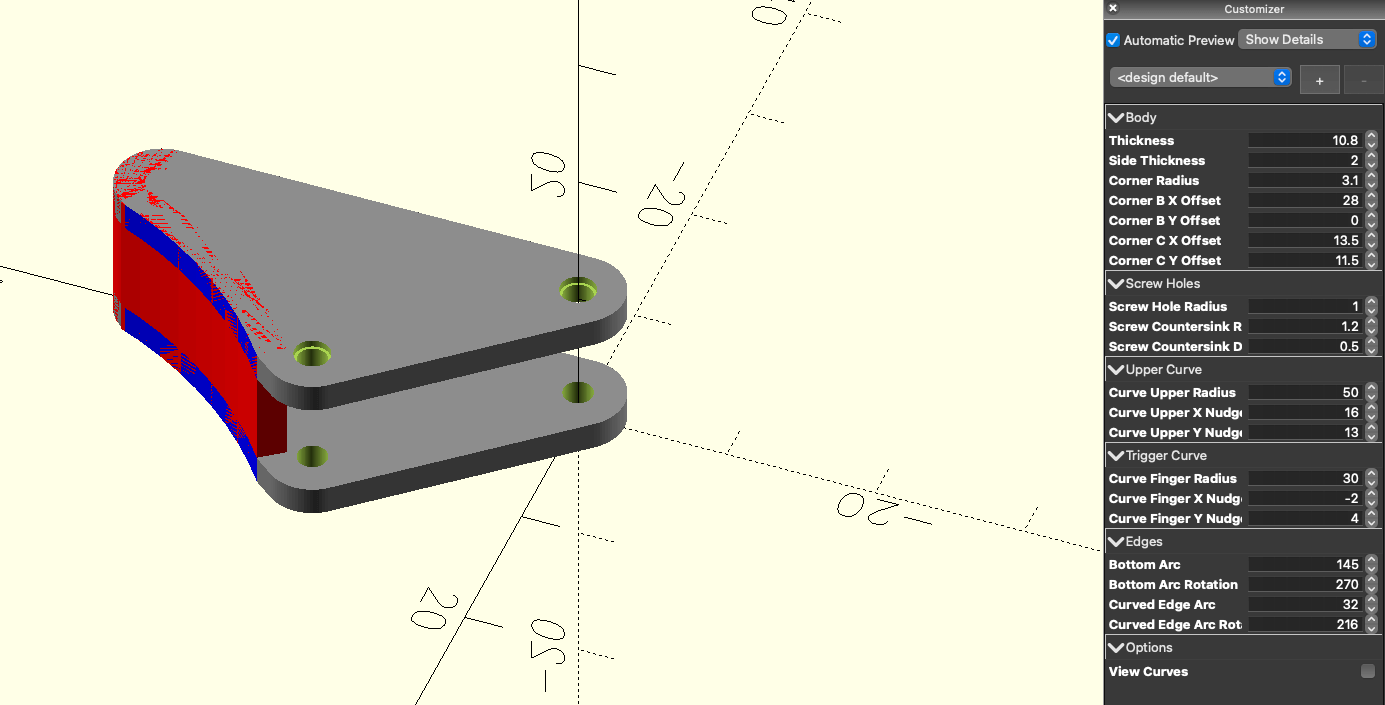
One of them, with a bit of shaving off, worked, and he has now fixed whatever unusual tool it was he got off eBay.
It was hard not being able to take direct measurements and experiment in person with fitting the trigger to the tool, but eventually, the brute force approach of bulk printing variations did work. Not ideal, but sometimes just finding any approach that can work is good enough for the win.
Forging
This month I also updated my online 3D printing notes to include some filament updates and some additional notes on some toys and games I have printed as gifts for people.
Upcoming
In July, I think my primary goal is to see if I can get my Stream Deck plugin into the Elgato marketplace. Beyond that, I do not have any specific plans right now. I have a to-do and ideas list that has plenty of things on it, as well as some career related things I should probably make a start on, along with various background projects such as publishing more of my 3D print models to Maker World, adding more notes to Forge, and continuing to build out the Automators Obsidian vault.
All that remains is for me to thank everyone who has bought me a coffee. I really appreciate it and thank you to everyone who is just following along. I have some interesting things on my to-do list, so hopefully there will be something interesting for everyone in the coming months.
As a final note, if you know anyone who might be interested in the things I post about, please do point them to sign up for my updates. These posts are now becoming more like a newsletter, so I guess I should start treating it like one and asking you all to share it on.