

Welcome to 2026 everyone. For me January was a full steam ahead kind of month as work in the day job rapidly ramped up after the break, I had a few commitments to attend to, and there was lots of bits to be fixed and made. So let’s jump straight in.
 ThoughtAsylum
First, on the blog I have just a short post this month about simple script I had created earlier in the month. To be honest it got to the end of the month and I realised I still hadn’t posted, so I had to choose a shorter topic. This one is for converting an image into a text-based data string that can be embedded directly in HTML so that the image effectively becomes part of the HTML. It is not something I use daily, But I do regularly stumble across scenarios where I need to embed resources like images into a web page. This is often to work round a system or protocol limitation, and the approach keeps saving the day.
Once you have the script, you can utilise it on the command line, in Apple Shortcuts, other script, Keyboard Maestro, Alfred, BetterTouchTool, you name it. You could even build it into a service/quick action using Shortcuts or Automator so that you can access it contextually in Finder or another file manager.
You can get the script and additional information in my Images, Data URL, and the Command Line post.
Forums
As usual I spent a little while this past month on my favourite online forums and tried to lend my experience and insights to the conversations where I could.
Drafts
The regular question about syncing Drafts but not using iCloud came up, but this isn’t possible without a lot of self built export/import actions that will near inevitably result in data loss somewhere. However, the underlying need was one that might be met in other ways as it wasn’t actually a sync need.
A question on nested tags was relatively easily covered off.
There was a rather mixed up looking post for converting a YouTube Link to a Markdown link. I’m still confused by some oddities on that one.
There was an interesting question about authors of actions on the Action Directory and updating actions. While the action Directory is wonderfully simple and low barrier of entry to utilise, that does inherently carry the odd downside.
A regular poster asked a query about a flat, chronological view of drafts, and subsequently about deduplication of drafts.
They also had a question about Drafts and focus modes on macOS.
Automators
I had a follow-up on the Scriptable slow-loading bug from December, and this one managed to resolve the issue. If you are having any slow responses in apps that utilise iCloud for sync, check this one out as there are several solutions offered up and one of them might just work for you as these issues seem to have been on the rise the last few months.
An old post about logging completed reminders got a new question, and delightfully it was one relevant to the original post - a rare occurrence in my experience. The user had a problem with mass confirmations that I think I was able to help them out with.
Finally, there had to be at least one Apple Shortcuts query. This time it was about how to insert a blank line between items appended to an Apple Note.
Other
This past month I have been putting in a lot of time on my personal projects. Not only for advancement, but also for bug fixes too.
OS Updates
After finally updating to macOS 26, Tahoe, on my MacBook Air last month, getting comfortable with things, and not running into any major issues, this past month I have updated my iPhone and Mac Studio. So far everything is going well, and I’ve not hit any major issues. In fact, if anything, I’ve found a few niggling issues that seem to have finally been fixed from earlier versions.
My Apple TV and HomePod (mini) updated automatically months ago, leaving just my Apple Watch and my iPad. Both of these are relatively old now. My watch is a series 4 (so limited to watchOS 10), and my iPad is a first generation 4 iPad Pro from 2016, so that is well out of date of getting an OS update.
The watch will likely get an upgrade towards the end of the year as the battery has definitely seen better days. The iPad, I don’t know. I use it a lot, but just for media consumption (video and reading) these days. The portability and power of the MacBook Air has relegated it for taking to conferences and the like. It never performed well for me as a second screen and while I am sure a new one would work much better for me now, I do have a USB monitor that I take along if I know I’m going to be in need of a second screen - in fact I use that monitor on a magnetic stand on my desk on a near daily basis. I am sure I will update the iPad at some point, but right now it is a tertiary technology for me and is fulfilling the needs I am putting on it.
Conductor for Keyboard Maestro
I had a support query this past month about Conductor, my Keyboard Maestro workflow for Alfred. A user reached out to me after having trouble using it on Tahoe. They were getting pop-ups for Python installs they had already applied. I did some digging and put together an updated version that did some Python install checks a little differently, and that helped, but then its thrown up some errors for the user in launching some macros.
This is an ongoing investigation as I simply have not been able to reproduce, yet, any of the errors the user has been experiencing. Once I have everything resolved I’ll be putting out a new version of Conductor, but I am loath to do so before I have everything nailed down.
If anyone out there is also having some issues with Tahoe and Conductor, let me know as it seems to be a unique case right now and if I have more data from more users with an issue, that might just help me figure this one out.
House
As part of working on the issues above for Conductor, I spent a weekend building a new diagnostic workflow to help me. As I am wont to do with my Alfred workflows, I gave it a playful name, “House” after the Holmes-ian TV show where Hugh Laurie plays the titular medical diagnostician.
Many of my workflows, including Conductor, already have diagnostics built in, but much of it overlaps, and I felt it was about time to build out something that went a bit deeper and was more comprehensive. In time, I’ll get all the inbuilt workflow diagnostics to call out to House, but it also exists as its own standalone solution.
If you would like to try it out, you can download version 1 from the House page on my website.
Currently, it will run diagnostics about your Mac, ZSH, Python, Alfred workflows, and Keyboard Maestro. I am expecting to add in some additional diagnostics about other apps, such as Drafts, in due course.
Stream Deck Plugin: Mac Automation
I discovered purely by chance that I had not been getting updates from GitHub as to issues raised about my Elgato Stream Deck plugin, Mac Automation. I discovered that there were a couple of issues raised last year that I didn’t get a notification about, so I set about investigating those. One was definitely a bug and the other is awaiting user feedback.
The investigation of the bug was very interesting and was incurred due to the size of the user’s Keyboard Maestro macro library. It was many sizes bigger than mine, and it turned out that it was tanking the user interface in the Stream Deck for the Keyboard Maestro macro list-based trigger. This necessitated a from scratch rewrite of the way the plugin reads and processes the macro library. The good news all round is that not only does it cope with truly vast Keyboard Maestro macro libraries, it also filters out macros that are inactive, or that are in macro groups that are inactive. If you do need to reference such a macro though, you always have the option of the manual entry action.
Included in that release were also a number of baseline updates that Elgato were implementing in January to be able to apply some additional security measures. All in all a good solid update … but not the only update.
Shortly after pushing that update out I got a new issue reported whereby Keyboard Maestro macros containing some symbols and emoji were failing to execute. This was down to an encoding issue which I had only partially accounted for when I wrote the original code. It was a reasonably straight forward fix, but technically it could have affected a number of the other actions, so I gave them all an overhaul on character encoding.
For this release I also came up with some new tests that helped me spot an issue in the curl action. While poking around at that, I also decided the action could be built out further. I renamed the action to what is hopefully a more broadly meaningful “Simplified HTTP Request (curl)” action and I also created a new “Structured HTTP Request (curl)” action that allows a clearer specification of a web call.
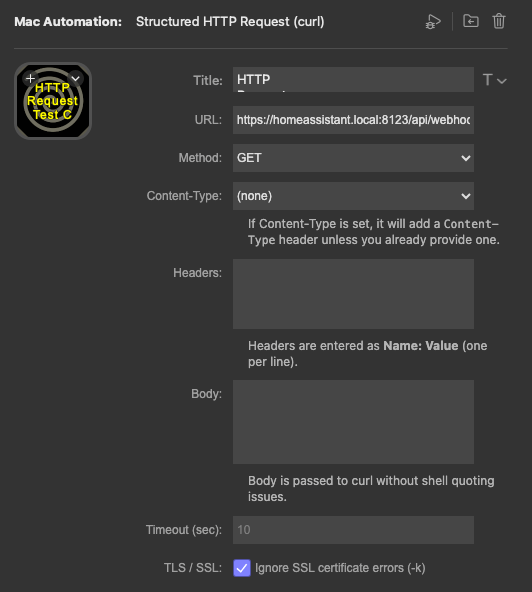 Unfortunately, just hours after submitting the new version with those in I spotted a small bug. Not one that anyone had reported, but one that I wanted to get a quick fix in for, so I submitted a third update for that.
Hopefully, all the hours I’ve put in this past month will make the plugin all the better, and if you haven’t checked it out yet, you can grab it for free from the Elgato Marketplace, and I would recommend checking out the documentation page to get a complete understanding of how you can use it.
Walkthrough Video
I also spent an afternoon preparing for and then an hour delivering the content for a new video about one of my projects. I was invited by David Sparks (MacSparky to record a video for the members of his MacSparky Labs community about something I had been working on, and I think we managed to pack a lot in. The video should be released some time in February I believe. Once its out I will talk a little about my preparations, and what it was about.
Random Wire Antenna
As is apparently the case with amateur radio in the winter months, I am spending a lot of time on projects and not a lot of time on the air. In fact, I have still effectively spent no time on the air. I don’t have a lot of space at home, it is a bit cold to head out on foot and operate outside for any length of time, and the ground is varying between being too soft to hold a vertical antenna securely or too hard to safely get a spike into the ground.
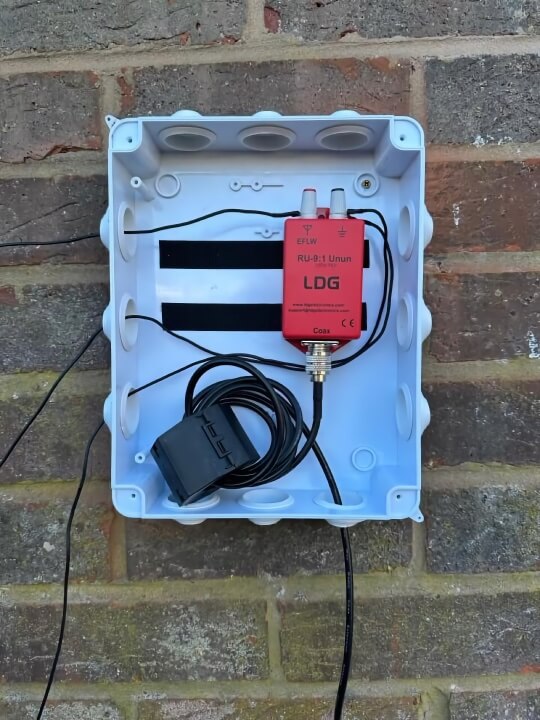
As a result I figured I would have a go at putting up some other sort of antenna in my tiny (and I mean very tiny) garden). After lots of research and planning of what I want to do in the summer with an antenna in my garden (I have my eye on you DXCommander Rapide), I decided that it would be fun to set up a random wire antenna along my fence for NVIS (near vertical incidence skywave) operation. Rather than chasing connections over long range (DX), it would be nice to make contact more locally too at ranges that FM isn’t going to reach without some atmospheric ducting, etc.
It took several weeks due to inclement weather and some failures in products, well one in particular, but I now at least theoretically have permanent antenna set up that runs into my office. What I need to do now is to test and tune it. I am hoping to find a February morning or afternoon to do this, but the theory is all sound and as long as I have all the parts in place and secured properly against the British weather, then I am in a good place to work on optimising it.
Once I have that done I am hoping to put together a detailed blog post about what I used and why.
 Link
Link
For this month’s link section of things I have been making use of this past month, I have a couple of links for things that will appeal to those with a developer bent, and one, or maybe two, to help you organise yourself for contextual working.
Webhook Site
First up is webhook.site, a website that lets you create a unique Internet end points such as a URL or an e-mail address and view what is received. For my use case I was testing some of the Mac Automation curl-based actions and this gave me a perfect way to confirm things were working correctly without having to write a local testing API.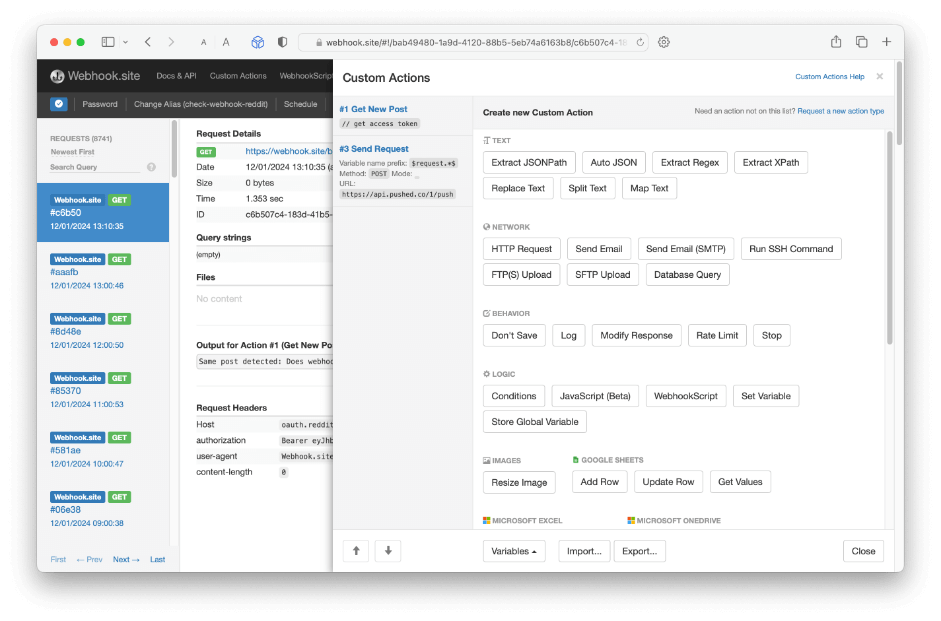 The platform has a free tier which was sufficient for my needs, but with a paid account you can build your own transformations and automations.
Script Debugger
Late Night Software retired the amazing Script Debugger app from active development last year. Script Debugger is an IDE (integrated development environment) for AppleScript (but not JXA). It goes far beyond the capabilities of Apple’s own Script Editor application, and even though it has been retired, I believe it still remains the tool for working with AppleScript. Well that and an LLM to jump start your script.
While I personally do not particularly like the AppleScript language, I do value what it lets us do on our Macs. Without it, Mac automation would be much poorer. The same cannot be said of Script Debugger. It has been, and I expect always will be the peak of working with AppleScript.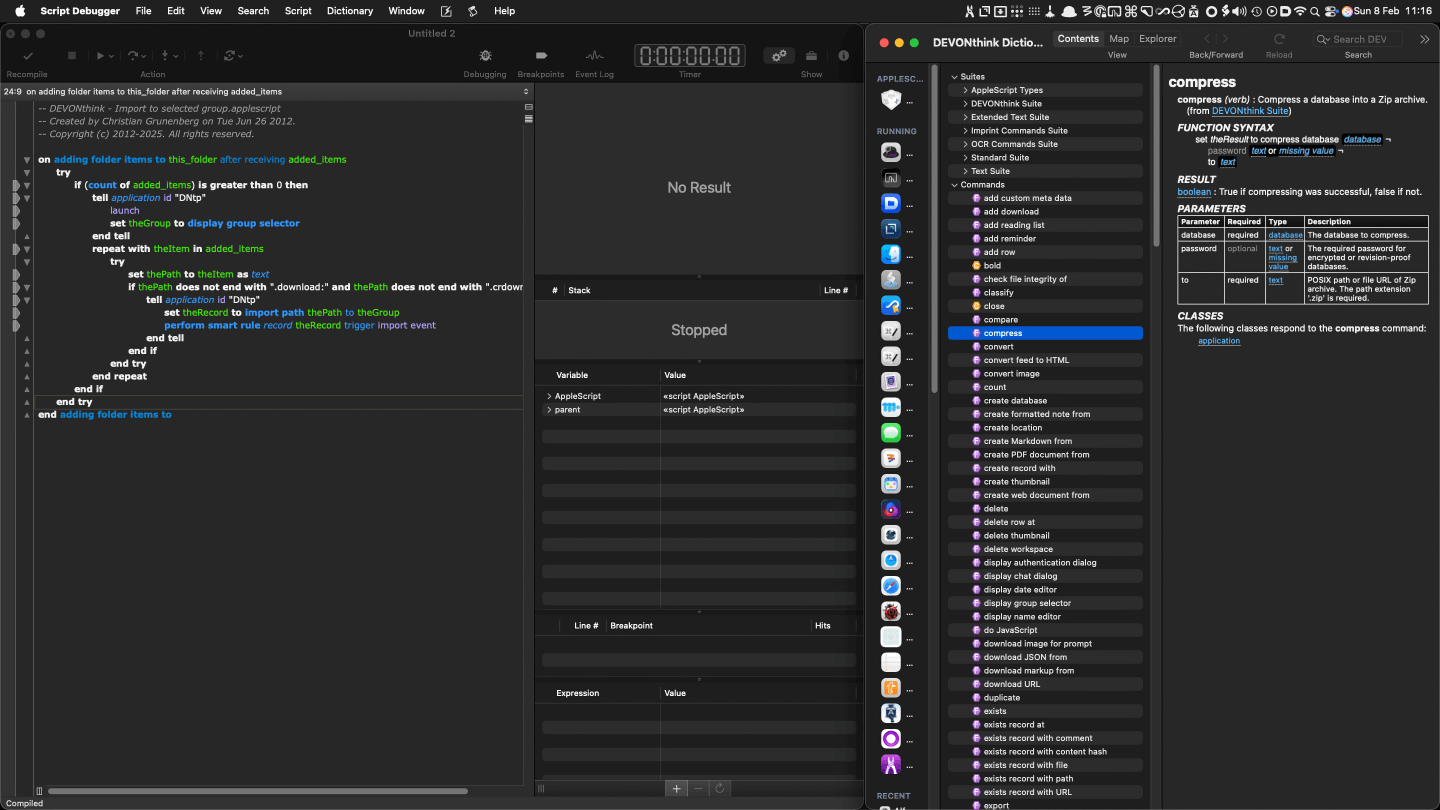 The app has a free tier and a paid for tier that unlocks advanced functionality. However, the altruistic folks at Late night Software did something amazing, and upon retirement published details of a licence key to unlock the paid for features.
If you work with AppleScript, make sure you have a copy of Script Debugger, and that you unlock the advanced features.
Workspaces
Almost a decade ago I had a problem with my work PC at the time whereby Windows Explorer froze up and then suddenly started going berserk, and it resulted in a lot of network files being spontaneously moved. It wasn’t malware or anything, it was just Windows and the File Explorer app getting stuck, and then double interpreting clicks on other apps that worked in those apps and in File Explorer, resulting in a mess that I then had to clean up.
From that day I opted to use a different file manager and that was how I came to XYplorer. XYplorer is an incredibly powerful and customisable file manager for Windows and as I have noted in the past, I wish there was something equivalent on the Mac. While you can build a lot of file management app independent automations to fill many of the gaps, there is nothing that comes even close to being a drop-in replacement.
One of the key features I miss on the Mac is XYplorer’s catalog, which I wrote about my use of last year. This is a killer feature for grouping things into workspaces, especially if you deal in a project/file-based approach in much of your work.
There are a couple of apps that have got me close enough to have something practical on this front. The one I am using day-to-day is Workspaces by Apptorium. This is yet another launcher style app that allows you to define groups of related links and launch them from a command palette. It is arguably better than XYplorer catalogs, but somehow I still miss that feature on the Mac.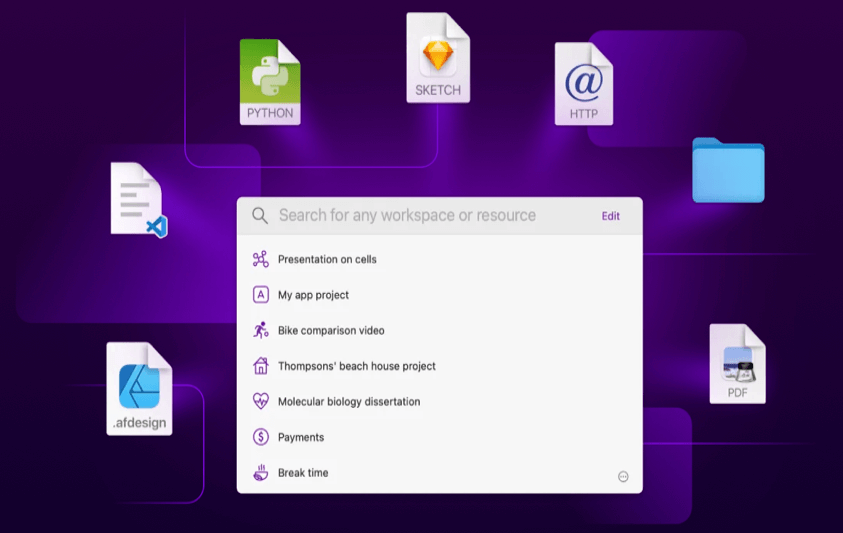 As a bonus pick, if Workspaces doesn’t quite fit for you, you may want to check out Start by Gerald Koeder. It is a similar app in many respects, but with a bit of a different take. In Start, you can effectively utilise tags rather than folders for projects, which is an even more flexible approach - you can define a launch link once and have it maintained across multiple projects and not appear multiple times when searching.
I have had lots of great interactions with Gerald and helped on testing some earlier versions. Start is notably available on Setapp, so there’s a good chance many of you can grab it as part off your subscription.
Why do I use Workspaces over Start? Honestly, it just fits a little better with what I was used to. I have switched between them a few times, and I am sure I will run another personal comparison again at some point. The point is simply that a tool like this can reduce the cognitive load of remembering where everything is, and is more accessible than using a document of hyperlinks as you can trigger, navigate, and launch in just a few keystrokes. Both apps also elements of automation, so you can update and build new projects dynamically using tools like Apple Shortcuts and or AppleScript.
Some of you may also be wondering why I didn’t just create something in Alfred, Keyboard Maestro, or Hookmark to do the same thing? Well, several years ago I did exactly that with Alfred and Keyboard Maestro, and the result was options that worked, but that far inferior to these other apps. Hookmark though, I didn’t even try to do it with. All the possible combinations I would need to relate just created extra effort. Hookmark for me shines through for direct 1–2–1 meta-data links you want to create - such as links between automations and the documentation for it. The benefit of having a toolbox full of specialised tools is that you can choose the right tool for the job.
Upcoming
The day job is taking up many extra hours at the moment, and at some point I also need to begin looking in earnest for opportunities as my notice of redundancy has finally come through. While there is a chance another opportunity may surface between now and the summer within the organisation, I can’t put all my faith in that happening. Ultimately this will affect how much time I get to spend doing other things with my own time.
In February, there will absolutely be a small update to my Doctor Drafts Alfred workflow for Drafts to address a breaking change in Drafts' AppleScript usage. I know this because I pushed it out a few days ago.
I have also been working on a new Alfred workflow called Lens that I expect to publish this coming month. It is actually a workflow I created several years ago but only recently got working in the way I want. Moving to Tahoe is what unlocked the final hurdle on that one. I’m in the process of tidying it up, making final adjustments and writing the documentation page, so I am reasonably confident I can get it out soon.
I am also working on a little electrical project to replace a quick and dirty hack I did years ago that served me very well but finally failed last month. This time I have put together a much more robust set of parts and assuming I remember the basics of soldering I might well write a blog post about.
All that remains is to once more thank you all for reading and a special thanks to those who have bought me a coffee. I really do appreciate it, and as a point of reference this post alone was a “four-cuppa” spread over a couple of days.