

Happy New Year everyone. We’ve reached the end of December 2025 and so it is time for my monthly update. The good news is that I got a good spell away from the day job having several weeks of annual leave to use by year end plus some public holidays too. While I had a short spell of illness, it has been good to finally get some time off and also to get to at least some of my projects. ThoughtAsylum
I had hoped to get a couple of blog posts out on ThoughtAsylum in December, but unfortunately I only managed the one. I had been wanting to set up some importing direct into DEVONthink, but rather than to the global inbox, I wanted to get to the inbox for a particular database. After a few dead ends I was able to put together a solution that utilised AppleScript for a folder action do the heavy lifting, and then the addition of DropZone made it seamless. While there are other ways to accomplish this, such as the DEVONthink Sorter, DEVONthink rules, etc., the approach I set out just polished off the rough edges and/or inflexibility I found when looking at other approaches. You can get all the background and details in the Import to DEVONthink post
 Forums
There was a bit of interesting forum activity this month for my usually hangouts, up considerably from November.
Drafts
November’s discussion on how to create a customised (rich text) output has continued with some deeper dives, even to the point of poking at different font file types.
One user had a query about an error with the query() function, that turned out to be down to the documentation in more ways than one.
Can you terminate a long running Drafts action, and are you having problems with iCloud post-OS update?
You can get a little Drafts Wrapped 2025 review to see what you have created this past year in Drafts. There is a caveat I mention in a reply in the post and is why my utilisation looks relatively poor.
There is an ongoing discussion for one user who has lost versions from a draft. The details and iCloud space focus do not make sense to me and I have offered as much insight and advice as I can, but maybe you have another idea that could add clarity on this one? If you take nothing else away from this one, do ensure you have Drafts backups enabled.
Lastly, I’m quite excited to see what Greg drops next after his end of year Drafts 50 Teaser focusing on some automation improvements and additions. Given what’s covered I think I will have a few updates to do in some of my own Drafts automation shares.
Automators
The slow-loading bug is real and bad in Scriptable seems to not be the usual offline copies issue … but maybe this is related to the same iCloud issues as some Drafts users have recently been experiencing?
A six year old thread on Keyboard Maestro and the Stream Deck was resurrected as something noted had stopped working and the poster was worried KMLink is no longer being maintained and wanted to ask about another plugin they had come across … turns out it was my plugin.
A query about the oddness of Due Dates in Reminders in Shortcuts was something I pitched in with an approach on.
Other
While I did not get out as many blog posts as I would have liked, I did manage to work on a number of other things this past month.
Tahoe
While I have still not installed the latest iOS version on my phone, I have now installed Tahoe (26.2) on my secondary Mac - my MacBook Air rather than my Mac Studio. Things seemed to have settled down on the Mac from what I had read, and from Christmas week I had time available in case I had to deal with any obvious issues. As yet things have been well behaved, but I did have to enable the Reduce Transparency option in the Accessibility settings. The full on transparency was a bit too much for my current taste. I like the differentiation on the menu bar and window title bars.
Stream Deck
Last month I wrote a blog post about some alternatives to a physical Stream Deck when triggering automations on the go, and in particular, using the Alfred Remote app. Shortly thereafter I found, and was also subsequently directed to (*thanks Mike *👍🏻), that Elgato now had a Virtual Stream Deck option included in their software. This was something I had not previously explored, and there is definite potential here to sit alongside my existing approach of conflict palettes when working without external hardware. I need to spend more time experimenting with it, but definitely worth looking at if you have not come across it.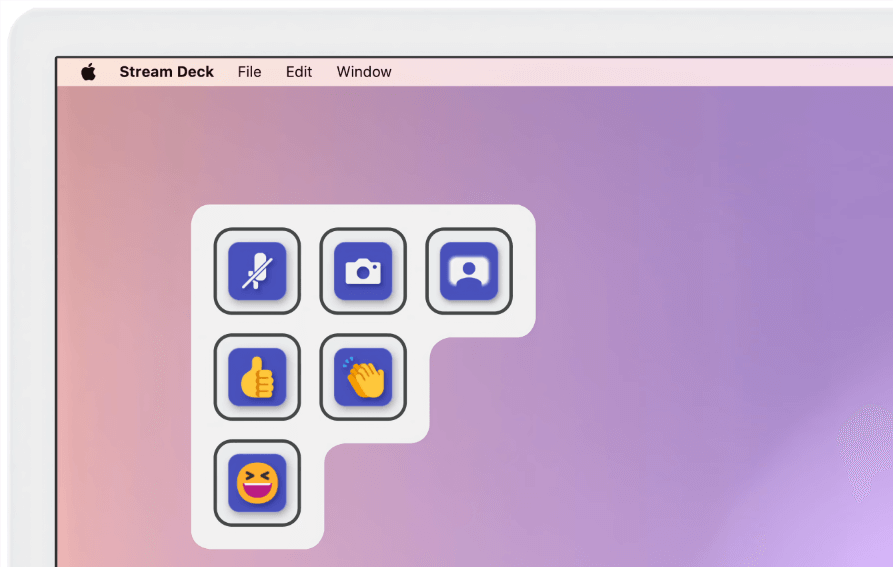 Earlier this year, I created a new website The Stream Deck Stash from which I could host resources I create relating to the Elgato Stream Deck. Well, after only having a single plugin available I have finally added a set of custom sound effects to the The Stream Deck Stash Sounds section. It needed some new posting functionality to lay everything out nicely and allow sound previews, but everything is in place, and of course they are free to download. If you just want to grab sound files without listening to them, you can check out my sound effects repo on GitHub.
Lastly I have also been working on the twice aforementioned Stream Deck plugin. The Mac Automation plugin is a one-stop shop for triggering Mac automations from a Stream Deck. A couple of potential issues had been reported on the issue repo, but I had not got any notification from GitHub about it. One of them needs more detail to investigate, but the other has seen a vibrant discussion and digging in as one of the Keyboard Maestro actions (the one that uses a list of macros to choose from) seems to give up if the user has many macros. The manual, trigger by name/ID action still works however - it is just the population of the list on the other Keyboard Maestro action. You need to be in four figures to hit this issue, but it is one I was able to reproduce. I have actually been working on the remediation very recently (in January), so I may well write about this in January’s round up, sufficed to say there is a significant change coming to one action’s user interface architecture, plus some other changes being pushed by Elgato. But the short version is I have an improved version that is in beta and works for me with thousands of enabled macros.
3D Printing
It has been a little while since I got some updates into Forge, my online 3D printing notes site maintained as a local Obsidian vault. I managed to get several kid and radio related print pieces up online.
Unfortunately I didn’t quite get around to getting any of my own 3D print designs up online this past month. I create most of them in OpenSCAD as parametric models, and so to get ready for Makerworld where I’m publishing them, I need to set up some default prints, and I need to get some nice example photographs. While it is worthwhile, it isn’t just a five minute job to properly prepare a print’s catalogue page. It actually tends to take me one to three hours.
My big 3D printing project this month has been based around HomeRacker, a modular rack building system. My office shelving behind my desk consists of a couple of Ikea wire shelves and while this is great for running cabling and for clear air flow, the shelves are not exactly level and I could probably do with some extra shelves here and there. Enter my HomeRacker experiment. I decided that my small Canon Selphy photo printer was taking up too much shelf space, and my GratKit Firefly filament dryer (for 3D printing) has been sat on a simple 3D printed square that shifts a little too much than is ideal for supporting electronics on a shelving unit that can occasionally get a nudge from the 3D printer on the shelves next to it when a print gets particularly violent. The experiment was to create a rack that would lock in place on my Ikea shelves, provide a sturdy platform/sub-shelf for the filament dryer, and next to it a couple of small drawers and a shelf on which to place the photo printer.
It is a great and sturdy framework, but there are a lot of vagaries and what I might describe as obfuscated complexities. Then again, maybe some of that comes down to my own newness to the system and mistakes on my part in making assumptions and misunderstanding some of the documentation, and the complexity of what I wanted to do. My build consisted of multiple elements of the core system, Gridfinity drawers (plus sixteen scooped Gridfinity bins with label tabs), and some custom elements from other creators.
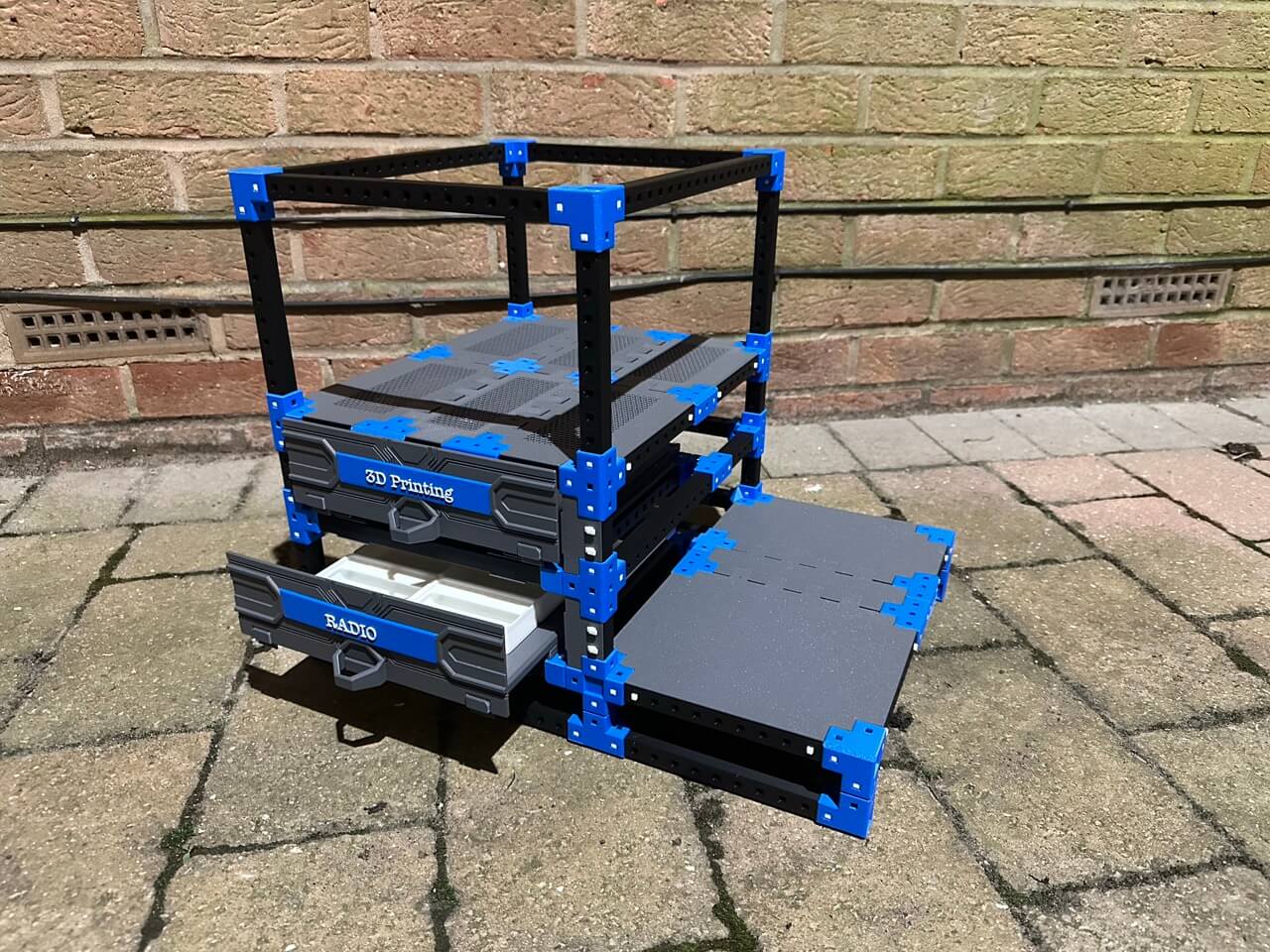 The end result is I do actually have, more or less, what I set out to produce … plus a box of what are now spare parts where sizes were off or components did not quite fit together side-by-side as neatly as one might have expected. You also do not want to know how many times I assembled parts only to have to disassemble them again and add or reassemble them in a different way.
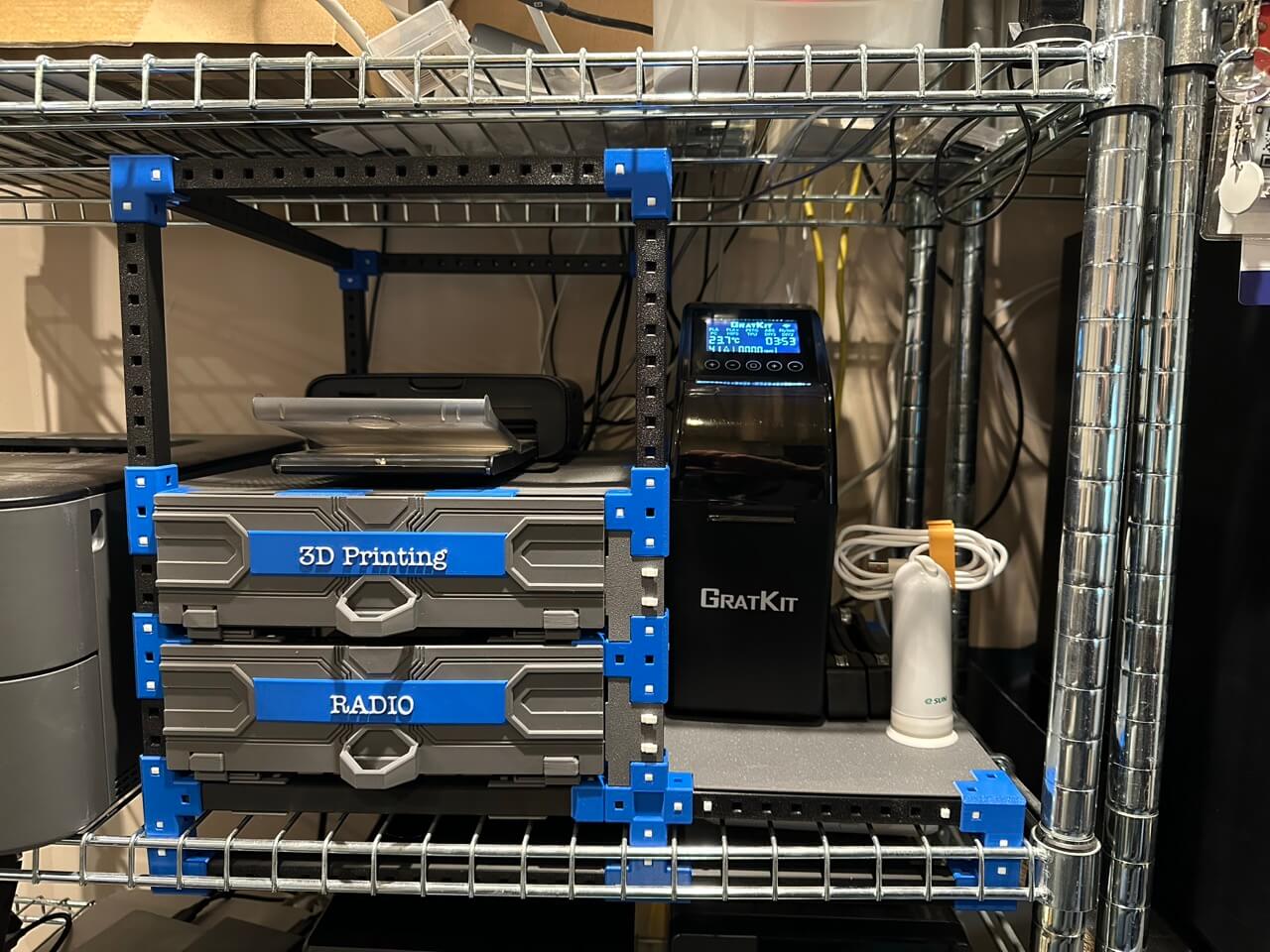 Will I create any more HomeRacker set-ups? Probably. My current thinking is I might construct a simple shelf for the laser printer that is next to the photo printer so I can store some spare paper under it and free up some space a couple of shelves below.
I will certainly be adding my own additional notes to Forge on how good/bad various elements of official/additional models are, as a way to provide my own practical tips and understanding. I think I might also try my hand at creating a tool or two to help with the set up as the existing helper tools for the pins were indispensable, but difficult to use in some circumstances. I have some ideas.
If you want to try your hand at HomeRacker, I would 100% encourage you to do so, but build some simple racks first, and ideally ones that don’t need to fit within a heavily constrained space like I had.
Menu Box Repo
This past month I also finally got around to creating a GitHub repo for some MenuBox data sets. This is a Shortcuts helper app by SnailedIt that helps you build powerful and visually nicer reusable menu systems for your Apple Shortcuts shortcuts. You can just download and import the data sets and you will be ready to go with what I hope are some broadly useful menus.
Visit the MenuBox repoto get the data sets.
Amateur Radio
My delving into amateur radio continues, but I did not progress my actual usage any. I have a tiny garden and the ground is hard this time of year which has limited my setup and thoughts of me going out and setting up somewhere - it is just a bit too chilly to do so without a vehicle to stay warm in. It also explains why many ham radio operators use winter to catch up on projects.
First of all, I picked up a few notable items from Ali Express that I think will be useful. One was a collapsible bag for my arbor throw line. I had tried keeping my throw line in an old neoprene (photography) lens bag as this looked quite similar to some waist held line bags I had seen, but everything got tangled. The cube gives much more space to flake the line into and reduces, but not eliminates, the chance of the line biting on itself with any friction and tangling.
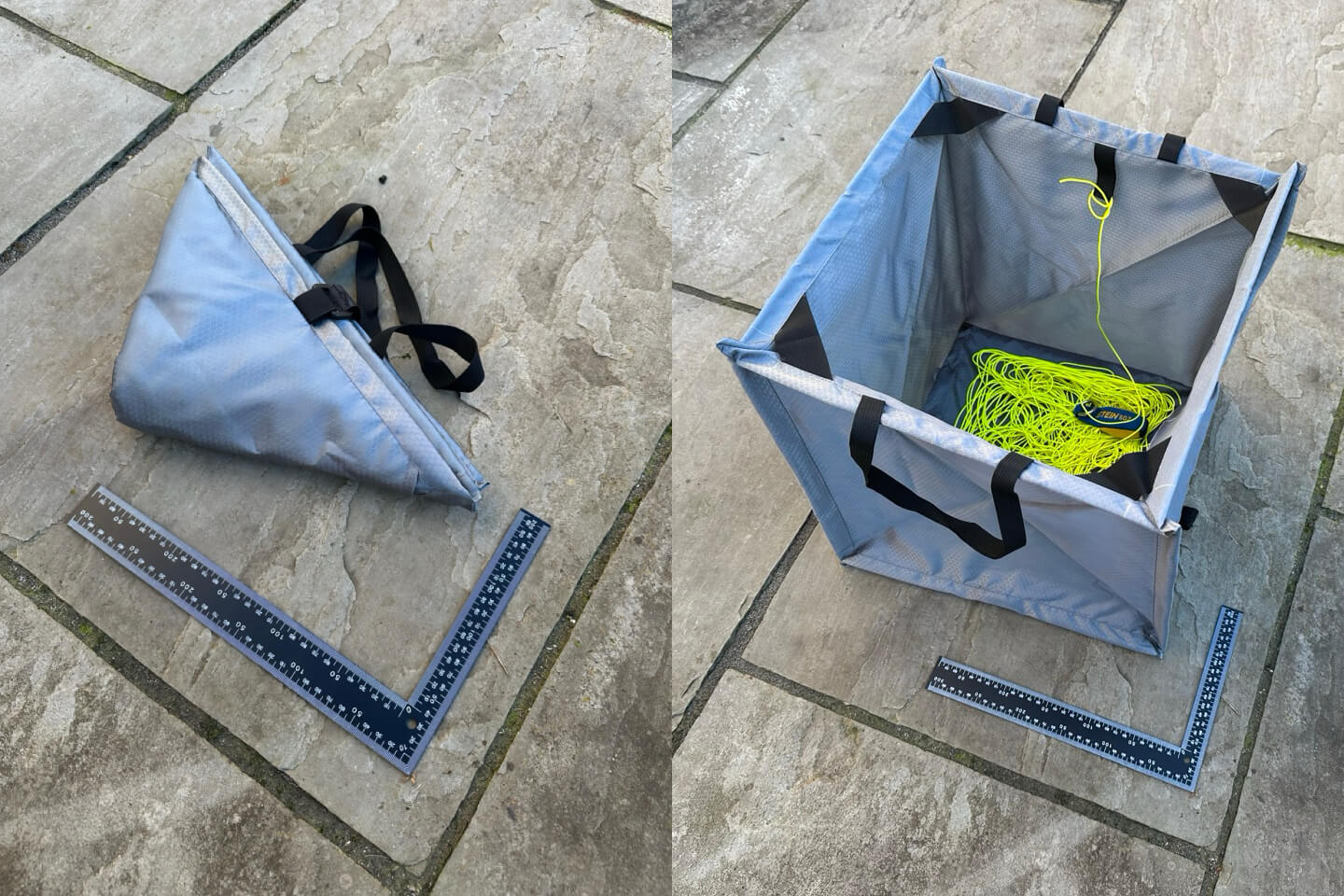 If you get one, definitely watch a quick online video on the right way to open and close it. Once you know the trick it makes a world of difference on how easy it is to use.
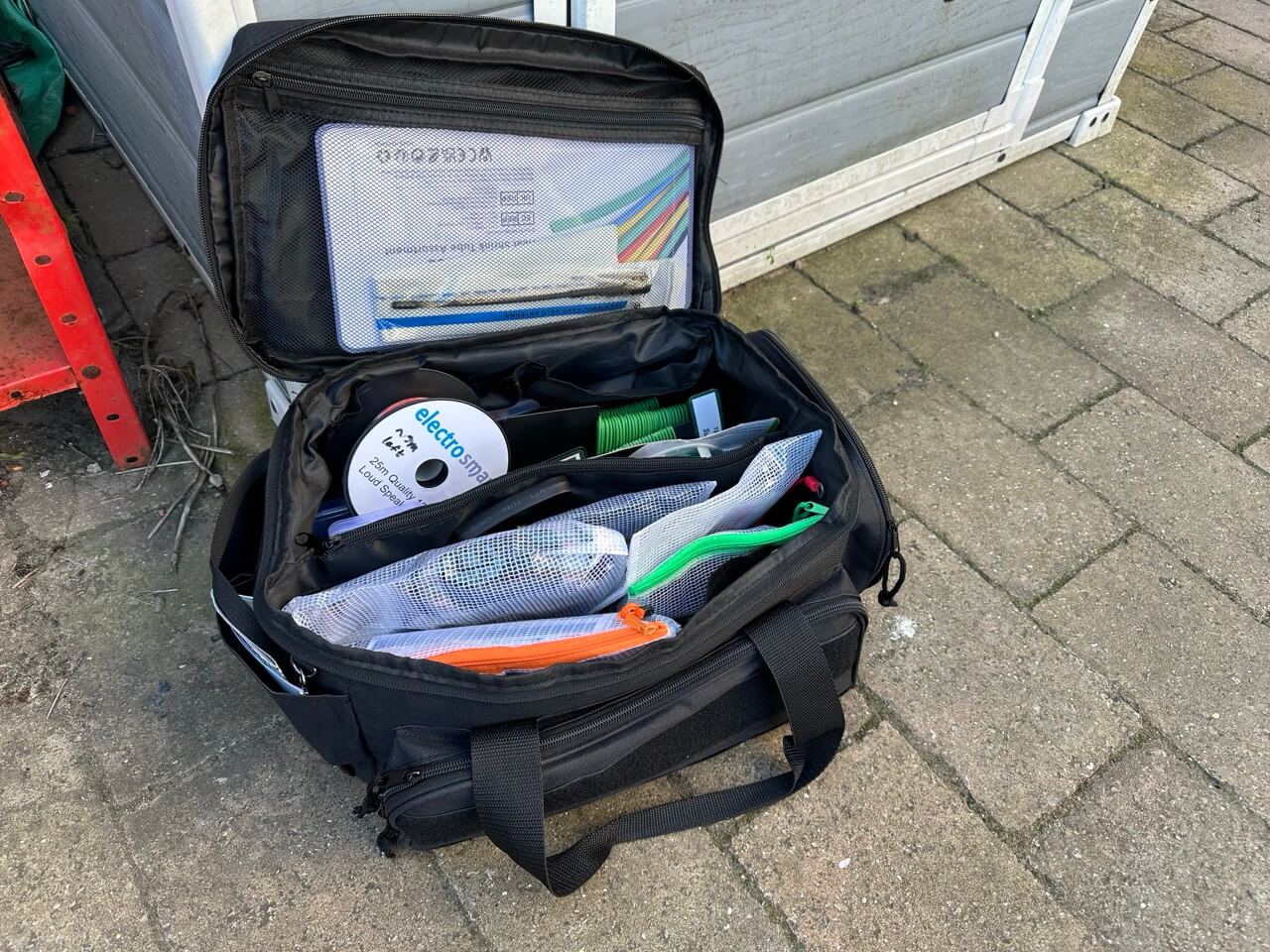
I am also collecting a lot of bits and pieces for making radio related things and consumables like tie wire, so I picked up a small cheap tool bag that seems to be being offered by everyone. It conveniently holds all the bits and pieces I currently have and isn’t overly large. It is surprisingly spacious and seems ideal for keeping my cables, wires, crimps, etc. in.
 The last little thing I acquired is a window/door pass through cable. Given the temperature I figured when I do get an antenna up, I would like to be able to, for now, run it in via my home office window. In the summer I expect to put in a permanent antenna connection and drill through the wall, but while I experiment, having a flat coax cable does just the job.
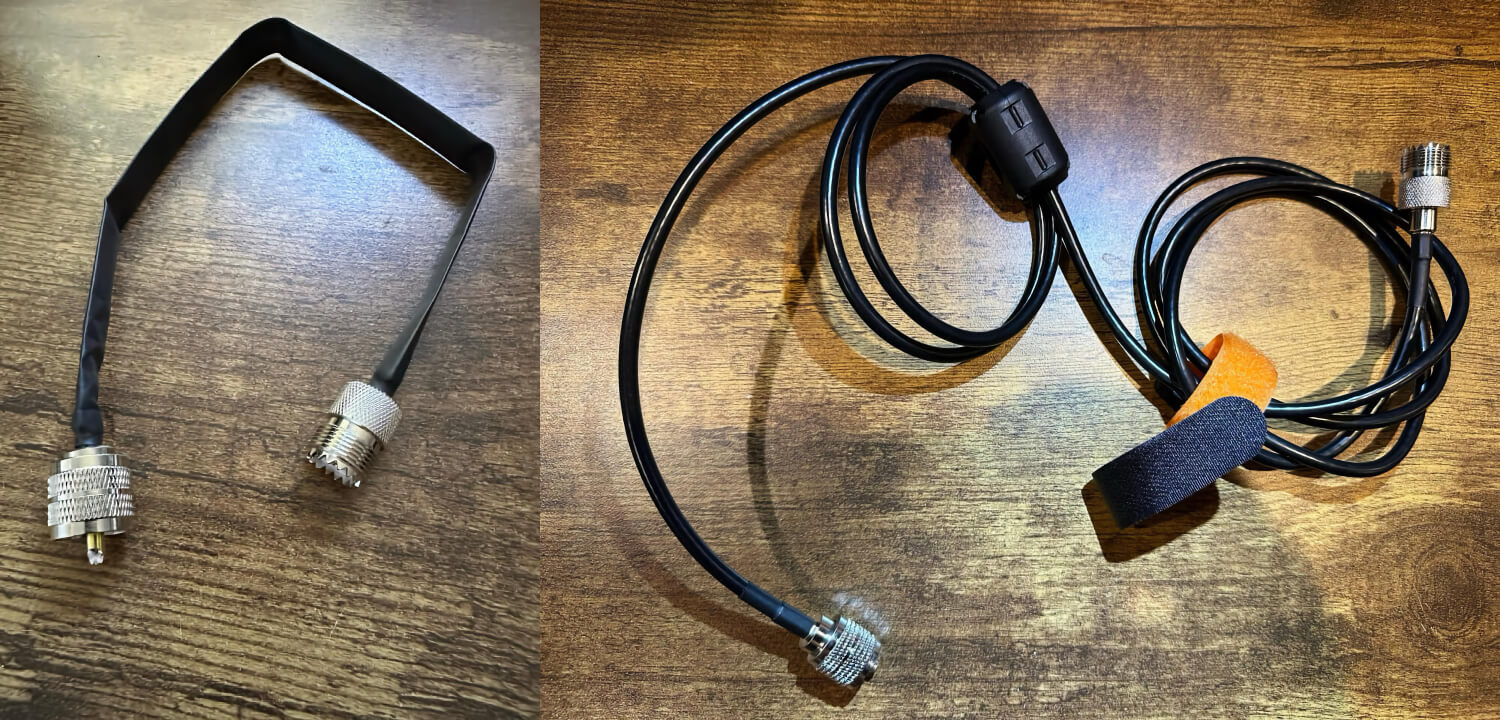 Unfortunately, I needed another short run of coax to go with this and connect up to my transceiver. For that I got a length of RG58 coax and a large ferrite bead from a set of beads from Amazon and put together a small choke. It no doubt isn’t going to be a brilliant choke, but hopefully it is better than no choke at all. I have another large bead in the set, so if I do ind I have issues, I may add another, and at some point, I’ll probably acquire or build some more using toroid magnets.
The last thing I did was something I had seen recommended. I currently have a JPC-12 antenna, and this comes with a ribbon cable where the ribbon wires are attached to a relatively large o-ring terminal. You split the wires on the cable, loop the terminal onto the ground spike connector, and you have your radial system. However, it seems to be universally agreed that this isn’t great and that you can improve your antenna’s function greatly by adding your own radials.
To that end I got myself a spool or brightly coloured wire (I want them easy to spot on the ground to reduce any risk of a trip hazard), alligator clips, and o-ring terminals. Along with some heat shrink tubing I got previously I set about wiring and crimping myself some double-ended radials - one end with the wire screwed into the terminal connection on the alligator clip, and one end crimped onto a small o-ring terminal.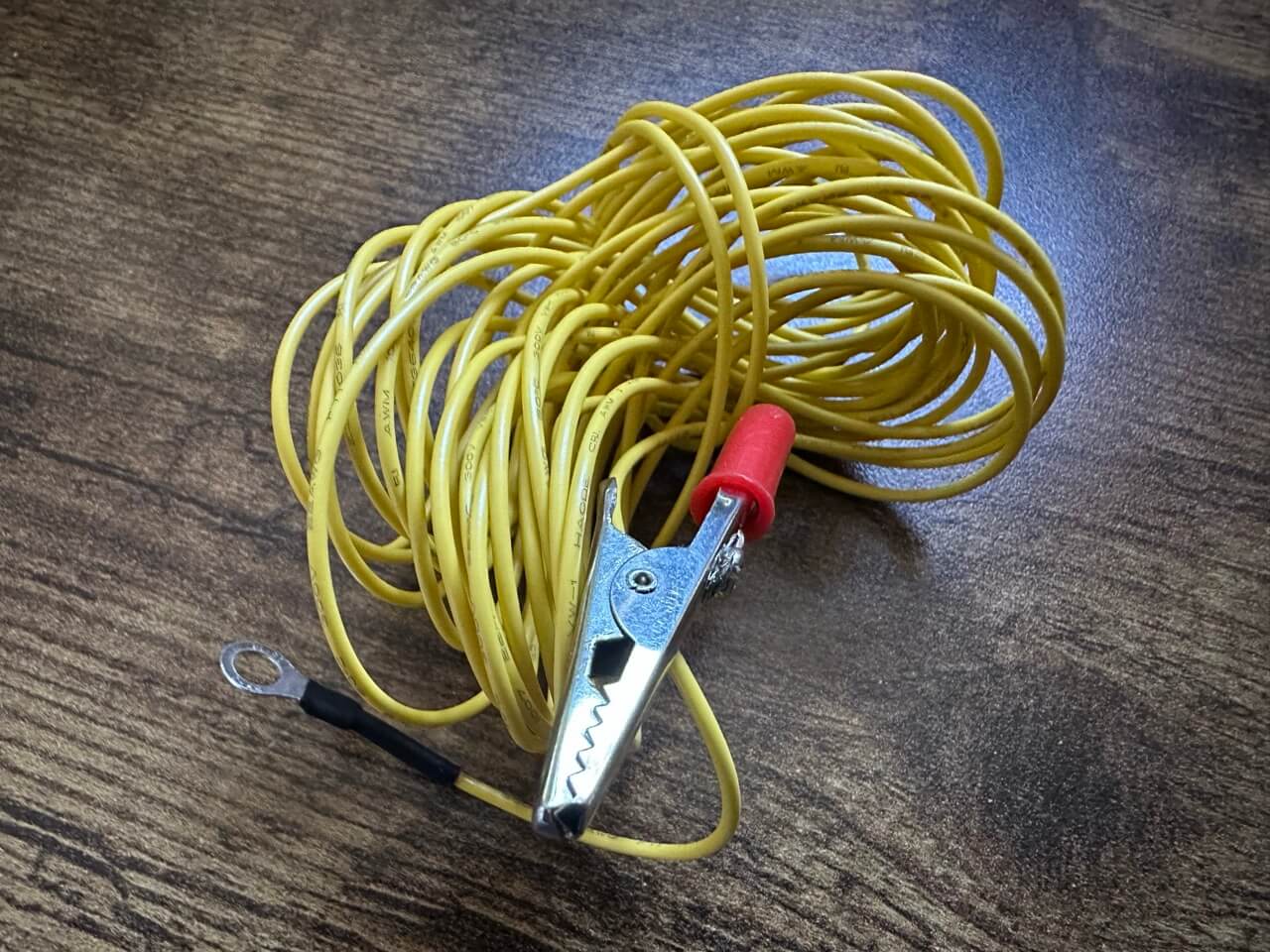 The alligator clips were quite fiddly in terms of getting the wire through the hole to the screw terminal, so if anyone has any tips to make that easier, let me know. For ground radials, you typically don’t worry so much about length, that comes in if you suspend them to become a counterpoise, but you may want to run different lengths of wire, etc. So to try and make my 5 m radials a little more versatile, I added the o-rings so I could chain the radials together if necessary to get longer lengths.
The original ribbon cable had the single large o-ring connector, so that begs the question of how to attach the radials to the antenna. While there is a JPC-12 radial plate, I wasn’t taken with it or the expense. I figured I would put something together that was cheap and might allow me some reuse in future. I created another wire similar to the radials, but much shorter and, for what its worth, with a thicker wire of a different colour (but red ends so I could more easily find it if I dropped it in say tall grass). This has an alligator clip, and a large o-ring the same size as that on the ribbon cable. With the addition of a steel sink filter I can then use the new cable to connect that up to the JPC-12 in the same manner as the ribbon cable, and from there I can attach my radial wires to the sink filter.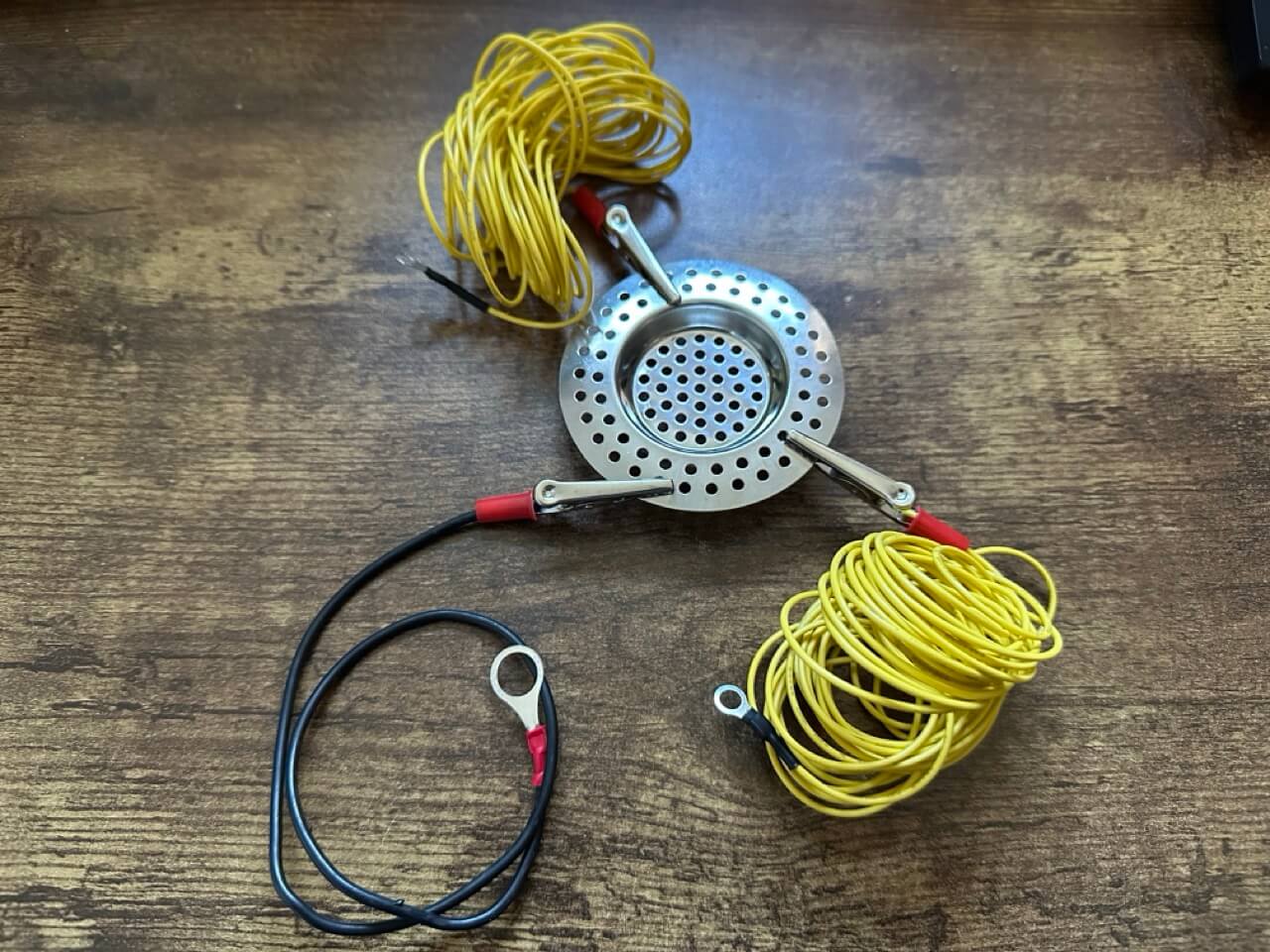 I have made ten radial wires, but from what I have read on radials, I suspect I will need to make another set to get an optimal performance to setup effort. Sixteen seems to be a regularly discussed sweet spot based on a number of studies.
At some point I might also see if I have a drill bit that will let me safely pop a suitably sized hole in the middle of the sink filter such that I could pop it on the antenna mount point directly. My only concern with this is that with the existing filter holes a new large hole might well leave serrations I would have to carefully file off; which also means the added expense of getting a small metal file and some good gloves - is it worth it?
Automators Podcast Vault
Far too long overdue, but something I could work on relatively easily here and there while visiting my in-laws for a week, was an update to the Automators Podcast vault. This is a GitHub repo for the Relay podcast The Automators, and includes transcripts for all episodes along with additional notes and information about the technology, concepts and everything is slowly being cross-referenced.
While I only completely processed a single episode (episode 14 - but I have episodes from all across the series processed), this also brought with it 21 new pages of content and revisions to over 100 existing pages of content. In addition, as well as the usual Obsidian plugin updates I applied some new CSS styling to make the canvas view (used for the homepage dashboard) work like it used to even with the latest version of Obsidian, where changes have been adopted in terms of how properties are utilised and visualised.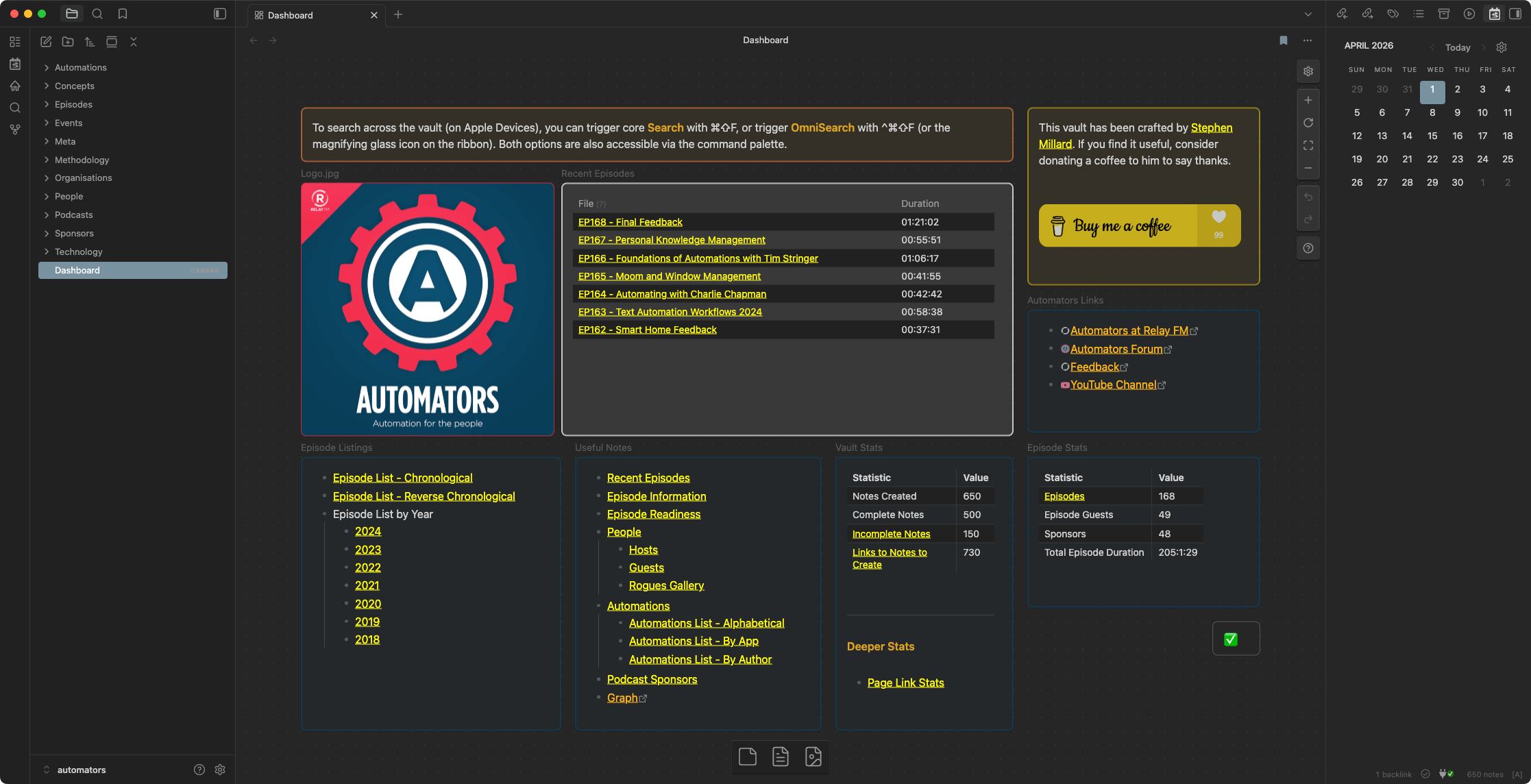 If you are a fan of the podcast, have an interest in personal automation (particularly on Apple devices), or would like a built out Obsidian vault to learn from and experiment with, then make sure you download the latest vault release - v168.4.0.
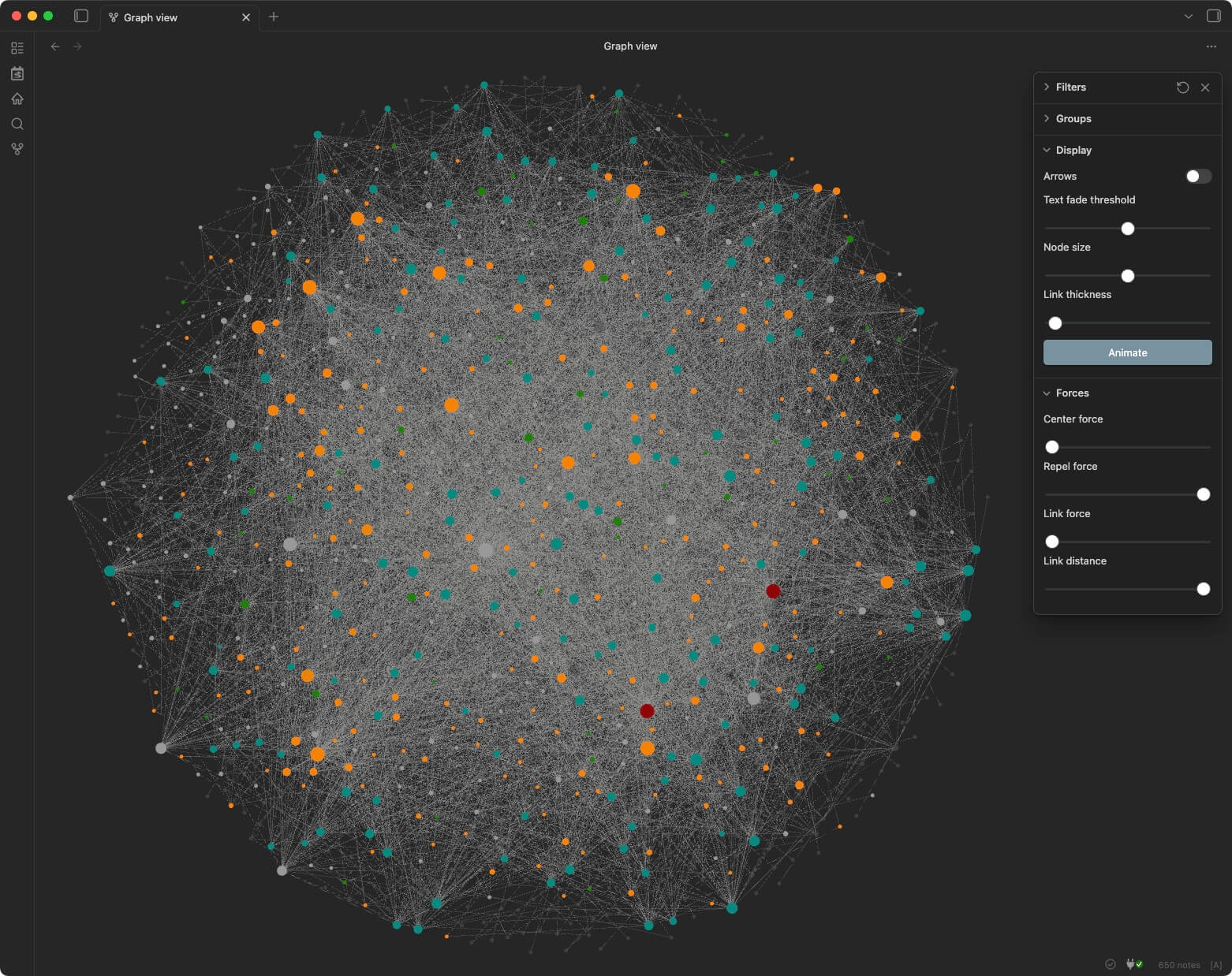
The graph below should give you a sense of just how much interconnected content it currently contains.
 Link
Link
In the link section this month I have one Mac app and a couple of online platforms with apps that I would like to share with you.
Permute 3
Some time back, I acquired a copy of Downie, a utility from Charlie Monroe that allows you to download videos in different formats. I have had a lot of occasions where I have wanted offline copies or even audio only copies of content, and Downie has been invaluable for that. At the time, I declined the offer to also get Permute, Downie’s sibling utility that converts media. I have regretted that as there have been several occasions where it would have been handy and I had to resort to other options. All done easily enough, but I knew that there would have been less friction I had Permute available to me.
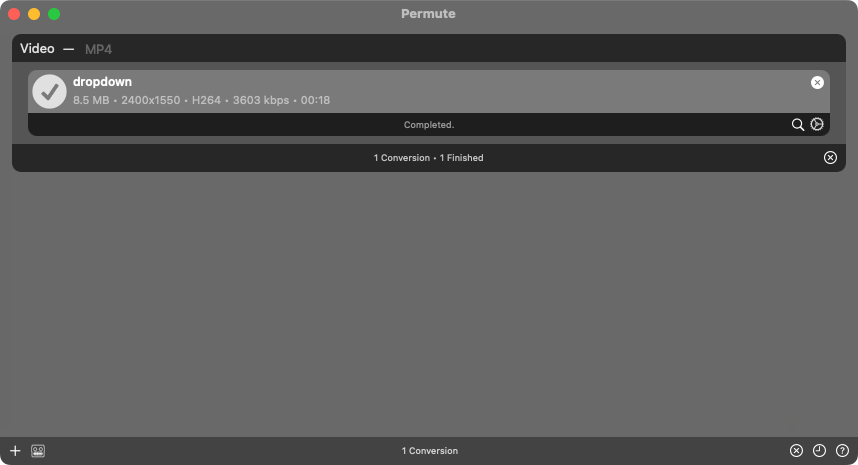 I noted Permute was available on a Black Friday deal and once I had my monthly personal allowance (I take a little of my monthly salary for my personal expenditure), my first spend was on Permute. I’ve already used it several times in the past month, and I would recommend that if you have any media download or conversion needs, that you consider Charlie’s utility combo.
Listful
The next recommendation I have is Listful. I am accosted each year by family not knowing what to buy me for Christmas. Amazon wish lists get you so far, but Amazon does not have everything, and in looking at amateur radio, some of the items I have been interested in have only been available via specialist sellers or unique creator stores. Enter Listful. A web and mobile app that lets you curate a few lists for free and which you can share with others if they need gift ideas, or keep for yourself as a shopping list with a bit of a Pinterest feel.
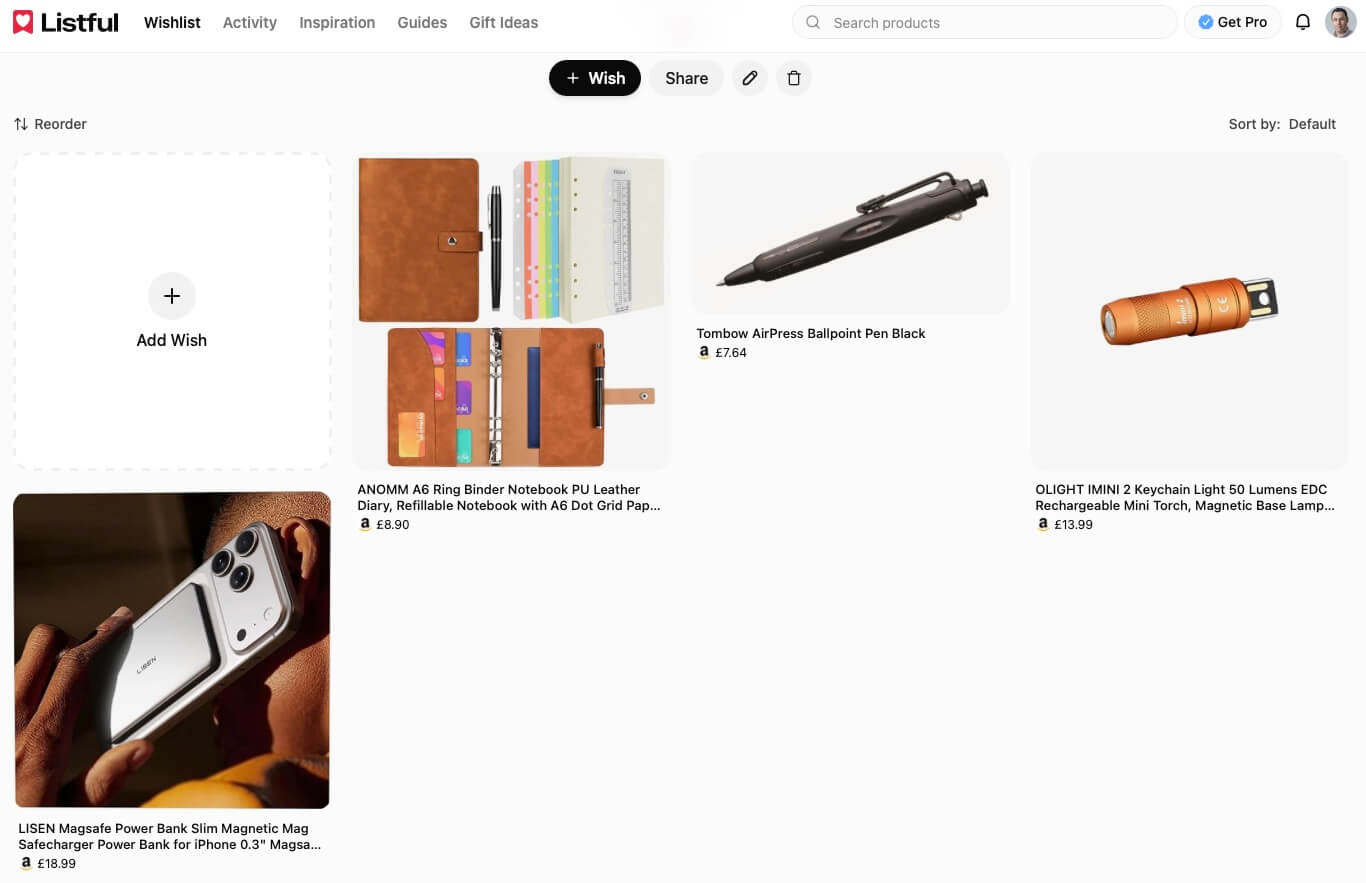 It has worked well and while I need something more for planning out little technical projects, the sharing facility (to and from in fact), has worked brilliantly; and yes, I did get each of those things on the list above.
Postman
Every web developer is probably familiar with Postman, an online platform for working with web API. I have had reason to dip in and out of it in the past, but with a system I have recently taken on as part of my day job I’ve had a need to up my Postman skills. I’m working my way through tutorials and applying what I have learnt to the work I am doing and Postman is capable of a lot more than I had realised. I knew it could do a lot more now, but it is far beyond what I had anticipated - which is both scary and exciting in equal measures.
As well as the online platform, Postman also has local apps, and if you want to take advantage of vaults (which you absolutely do), then you will want to install the app.
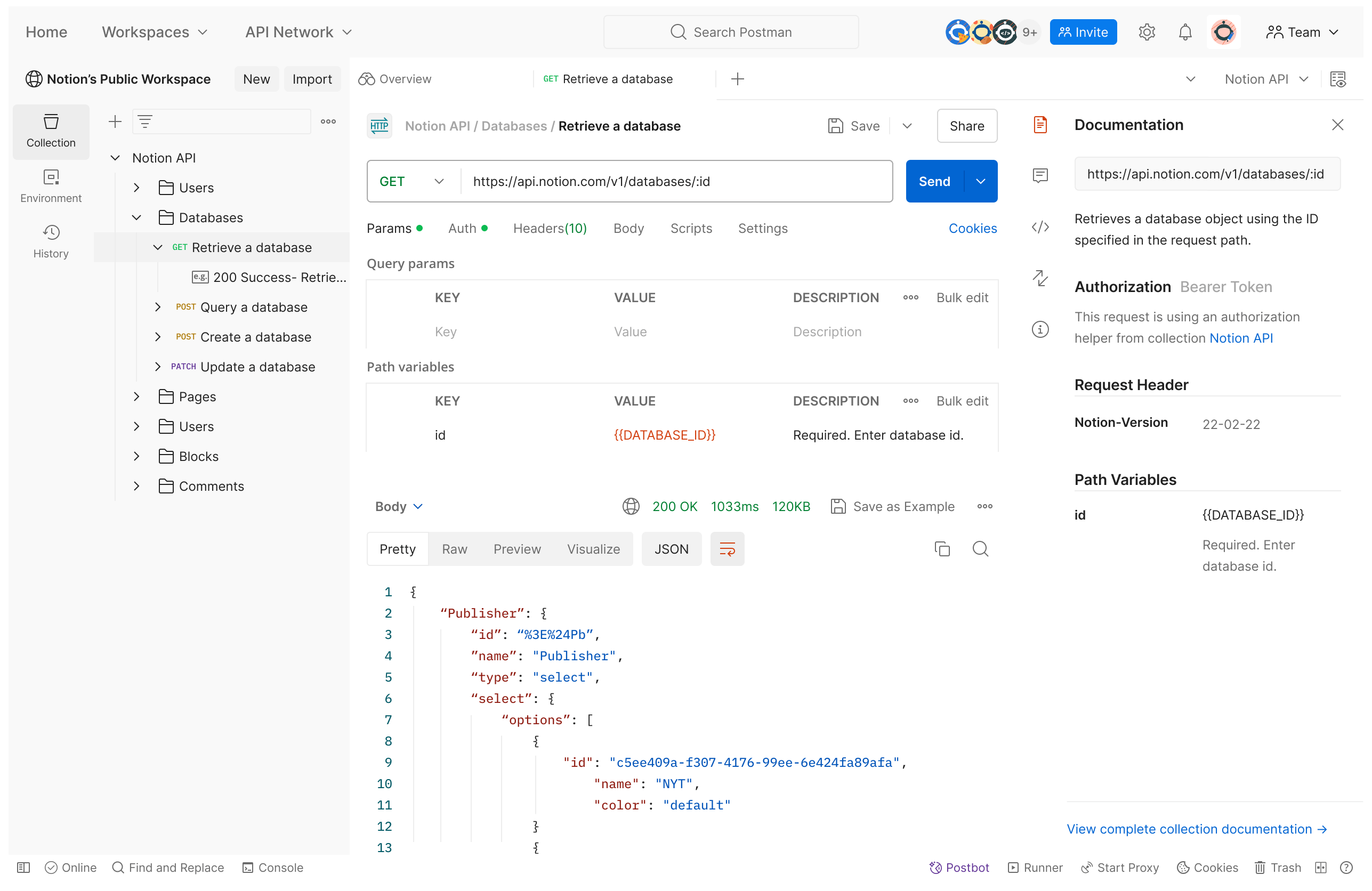
If you want to work with web platforms and web API, then Postman is almost certainly what you need. In fact, I am wondering why it has taken me so long to really spend time with it. I should have invested the time years ago.
Upcoming
Well, for January, there is definitely some work on the Mac Automation Stream Deck plugin as I have already been working on that. It would also be nice to get some more 3D print models up online for people other than me to make use of. I reckon I have a few that at least some people will find useful. But I am also mindful January is back to work and my workload isn’t going to get any easier from here on out. I’ve got to do my best to keep the balls up in the air and deal with all the extra stuff that will no doubt be coming my way through the natural course of providing support, advice, and services to others.
I hope you had an awesome 2025 and have the benefit of enjoying a great start to a new year. Be sure to catch up on my January 2026 review in about a month’s time, and as usual, thank you to everyone who has bought me a coffee - I definitely enjoyed quite a few on my break while I was working on the updates above.