

I don’t know about anyone else, but April has rocketed by for me. It has felt like I have been jumping around all over and getting things done. At work, at home, and everywhere in between. As a result I think there is quite a lot for me to cover in the round up for April. So grab a coffee, strap in, and let’s review what I have been up to.

ThoughtAsylum
First off I managed to squeeze in not one, but two blog posts this month, and that is something I would really love to build on in the coming months, but time is always the enemy on that front, and it typically isn’t at the top of my list of priorities. I always aim to get at least one post out, but often it is just the one; plus these posts of course.
I started off with a new Alfred focused post where I shared how I am now using Alfred to run commands in the terminal app Warp. By default, Alfred runs command line instructions in Apple’s Terminal app, but there is an option to enable a custom script and run the in iTerm too. But that was the only option. Warp has some cool features but excellent automation of itself is not one of them. Everything I found online involved GUI scripting that would press keys, etc. I came up with a different solution that I think is more reliable. In the post I explain the details, but I also go on to note I also built this out into a full Alfred workflow called Factor. I am guessing most people reading this will be able to figure out what lead me to this workflow’s name. The custom script is actually more limited than using a workflow, so if you are interested in using Alfred to run commands in Warp, read the post and if you can run workflows, maybe try that instead of the script - details at the bottom of the post.
The second post is another automation post, but this one does end up using GUI scripting. Not something I often choose to do, but I ran out of better options on this one, and I got it working reliably, so I figured I would share it in case it was of use to others - because I spent many hours researching and testing options for this. The post is about setting up a HomePod Mini as a speaker for my Mac Studio, specifically. Somewhat foolishly I hadn’t given much though to my audio when I got my new desktop Mac, but the USB speakerphone my MacBook Pro defaulted to when I plugged it into my USB laptop hub isn’t connected to the Mac Studio. I figured I didn’t really need audio too much beyond a beep and a boop, and then I tried to watch a YouTube video about some new hardware and I realised I needed to add a speaker. I figured a HomePod Mini would be a great choice for an unobtrusive desktop speaker with a bit of extra smarts. Unfortunately AirPlay was my only connection option (which I was actually happy to go with), and that really doesn’t play well with the Mac and setting it as the default audio output. My iPhone has access to the “Change Playback Destination” action in Shortcuts, but my Mac does not. It was a quandary and a journey. If you want to find out what I tried and how I resolved it, check out the post.
Forums
Having noted I’ve been busy getting stuff done, where I haven’t been doing a great deal is on my usual forum hangouts. This I think has just been down to low numbers of posts and fewer posts where I have anything notable to contribute. I am sure this will change, but right now this was probably the quietest month ever for me posting.
Drafts
Do you use the SwiftKey keyboard in Drafts and get strange results in Markdown lists? I do use it but only get one of the two inconsistencies discussed.
Looking for draft templates? Well there isn’t a collection on the forums or website, but Drafts is a plain text tool, so where do you find plain text templates for specific processes?
Automators
I provided an example shortcut and a question about using Shortcuts to set the focus mode from an event in Fantastical. Is the note about Calendar having to be running true? It does not make any sense to me that would need to be the case, and it has not been my experience in other event scenarios.
There was a query from a new poster about how to save a webpage to a PDF in a specific folder. I gave a first pass answer, but additional details were provided, and I didn’t come back to it until the time of writing this, so you can get a peek at my most recent suggestion I’ll most likely mention around here next month.
Lastly a Scriptable user was having a problem saving scripts in Scriptable. Still waiting on some additional details to finish getting to the bottom on that one.
Other
There have been lots of other things going on recently, and I’m actually missing a few things out as I’ll hopefully be diving deeper into them in May as I’ll cover later.
Conductor for Marked 2
You may recall I’m a big fan and frequent user of Marked 2, Brett Terpstra’s application for previewing Markdown (and other plain text markups). In fact, I’m using it right now, writing this post in Drafts on one side of my screen and previewing it in Marked 2 on the other side.
Marked 2 also supports custom processor and pre-processor scripts, and I utilise this functionality in various types of preview, but I do so via something else Brett created, Conductor. That’s Conductor for Marked 2, not to be confused with Conductor for Alfred, my own workflow for interacting with Keyboard Maestro.
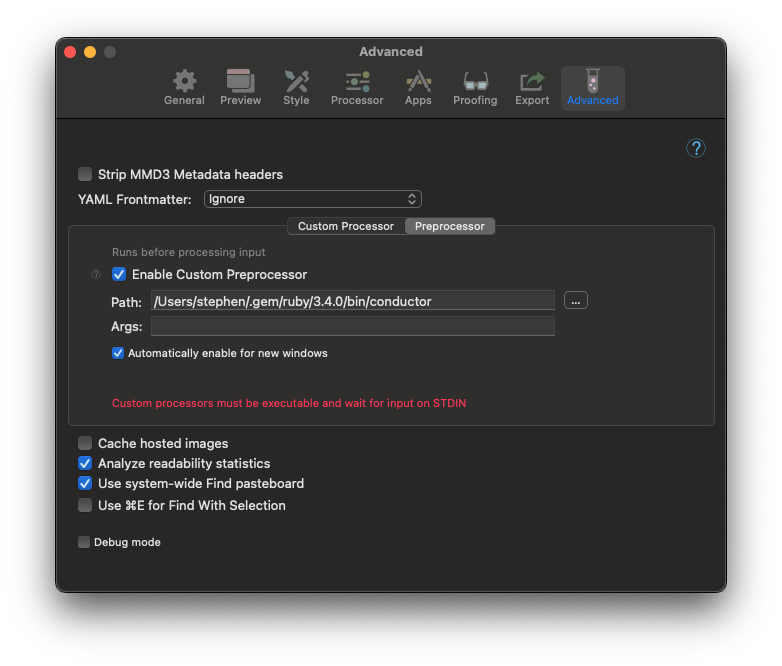
If you are interested in my setup using Drafts, Marked 2, and Conductor I wrote about it almost a year ago - Setting up Marked 2 Conductor for Drafts.
However, in my use of Conductor I bumped into an error from time to time. This popped up a dialog and interrupted my flow of work. I just kept dismissing it and working past it because it quickly became apparent it was occurring when I used emoji. If I stopped using them I got no error, and so I skipped using them. Then recently I noticed it was happening for accented characters too, and I looked into it further.
Conductor is written in Ruby, which though I have coded and scripted in many many languages, this is one of the many many many more that I’ve never touched. However, armed with a search engine, Chat GPT, access to the Conductor repo on GitHub, and a wonder if I could figure out how to fix it I took a look and after about 20–30 minutes of research and tinkering I managed to find a line of code and a new incantation through which I could force UTF-8 encoding to be used (rather than the default ASCII).
If you want the fix, as of May it is on the main branch in the repo, but is ahead of the latest release (1.0.39).
As a side note, Brett announced this past month that he is open to work this past month, so if you are looking for a tech renaissance man for your team, check out what Brett brings to the table.
Updating My BMAC Posting Process
As I mentioned, I write these posts in Drafts. This is because I have some custom Drafts actions that help me ready the post for publishing on the Buy Me a Coffee website, plus all the extra actions I’ve written and the Drafts functionality itself - including of course live preview updates with Marked 2. This also includes the standard spelling and grammar checking, but of late this simply hasn’t been good enough - kudos to Steven Mattan for raising this and helping me find the errors to fix.
It took me a while, but in the end I came to the conclusion that I am simply not getting the right details in the standard spelling and grammar checks. It is catching a lot of my typos, but not all of my typos. Not just the ones where they still form a real English word, but ones where they are obviously wrong. A lot is not enough - I am not a great typist, and I always joke the most frequently used key on my keyboard is the backspace key.
I looked at a range of options, and tried several of them out. While I used to be a big user of Grammarly, with a paid account for several years, I find it integrates really well on Windows and not so well on the Mac. It just doesn’t work for me floating around my Mac screen. It’s a shame because I find the feedback very good.
The alternative I settled on was LTeX, a grammar and spelling checker with support for Markdown. I first got it working with Drafts via command line call, and while the feedback was good, the presentation did not make it easy to revise the original text. The VS Code extension for LTeX however gives an excellent experience for updating the post.
For now, I’m just relying on a round trip into VS Code to do final corrections and then bringing it back into Drafts for publishing preparation.
While an improvement to my workflow, it still is not perfect.
Updating My ThoughtAsylum Posting Process
In parallel I have also been updating some of my ThoughtAsylum blogging process.
First of all I have amended the process I outlined in the Automating Time Travelling Blog Posts post. Previously I had been using Sublime Text as my editor of choice for working with my websites, but I am trying moving what I can to Nova - which is definitely still something I am just trying out. It looks good, but I am bumping into challenges, and they will start building up. The result was actually a slightly nicer macro that works just as well as before.
I previously also had a Quick Action (Service) created in Automator for preparing my post thumbnail images (resizing them and giving me the YAML to add to the post page). However, I never actually used it as a Quick Action, and my original workflow was actually always calling it via a key combination I had associated with the Quick Action in the macOS settings. In updating to my new M4 Mac lifestyle I am actively trying to remove those last few Automator workflows that I had in place, and I can now say this ticks another one off the list, and I was able to produce the equivalent functionality in Keyboard Maestro and just roll everything up into the macro.
Taking a steer from the above use of LTeX, I also figured that I should use that for my posts on ThoughtAsylum - if you don’t believe me ask Steven Mattan 😆
I started looking at trying to build out a LTeX extension for Nova as per the VS Code extension. According to the Nova documentation I should be able to more or less plug it in. I at least have some level of familiarity with JavaScript, but not so much with building extensions for text editors or implementing things that use the Language Server protocol. I spent most of a day one weekend bumping into one issue after another. I remain unconvinced that all of them were my misunderstanding of the various sets of documentation as some of the baseline tests I did would do things like get a null rather than an empty string result - and there is only so much workaround wrapping I am willing to put up with. In the end I have moth balled this work with a view to pulling it out once again once I get a boost of confidence, and hopefully some component updates. I am sure I could get it working, but the amount of effort for me to do that right now is simply not the best use of my time. Until then, I am going to follow the same round tripping approach as for the BMAC posts - though because it’s me I fully anticipate I will automate the round tripping process (I already have the process and error checks mapped out in my head).
That all sounds great until we discover that even LTeX does not catch all the mistakes I make. I made one that was a typo but created a new valid English word. It made no sense in the context of the sentence, and it didn’t get picked up. It also didn’t get picked up when I passed the text to a local large language model (LLM) to check. As a result I’m still on the hunt for a more robust solution as I feel like I am just layering on extra sets of slightly different checks.
This reminds me of the razor overkill scenario. I remember the razor adverts that impressively showed off they had yet one more blade than their competitors and that they each blade got closer still. This left me wondering what the purpose of the other blades was. If the final blade shaved the closest, why not just use that one? I fear this spelling and grammar checking process could be going the same way....
Lastly I also bumped into an issue using Nova this past month that didn’t stem from Nova. I found I had a problem with spaces being removed from the end of my Markdown file lines when saving them. In Markdown, you can use a double space at the end of the line to indicate a new line, and I do this on occasion, and their removal lead to a number of page formatting issues appearing.
It took me a moment to figure out why my development website previews were not as they should be. I searched the settings in Nova and found there was indeed an option to strip whitespace from the end of lines. However, the setting was not enabled.
I eventually tracked the cause down to a .editorconfig file in my website’s root directory. It seems to have been something that judging by the timestamp was created by some tool or editor way back when I moved my site to Jekyll. The config file contained a local setting in it for trimming line endings, and it happens that Nova respected that file and the setting. I kept the file, but the settings are now more suitable for my website needs.
Field Guide
I also got the chance to speak with one of my favourite online acquaintances, David Sparks, this past month. While we did have a little bit of a catch-up the main purpose of the call was for me to chat to David about some things relating to his latest MacSparky field guide. At the time of writing this is almost available to the broader public, and if you get access to it, you may just find out what David and I were chatting about 😉
It isn’t exactly a secret as to what the new field guide will be about, but if you want to know it is mentioned a few times in Mac Power Users Episode 793.
Keep an eye out for a new guide coming soon to MacSparky Field Guides.
Mac Builds
The building out of my new Mac software has slowed down, and I am just adding the occasional bit of software here and there. But I am still bumping into things where there is configuration on my old MacBook Pro somewhere that I have to dig out and transfer to the new Macs. I’m gathering all these into iCloud and setting up distribution via Ansible where necessary.
Sometimes the configuration and the knowledge of that configuration are tucked away a little deeper.
This past month I hit a snag with Keyboard Maestro macro that I used for grabbing some details of the current Safari page. It utilises the %SafariTitle% variable, but for some reason it was not working. A bit of debugging revealed it was empty, and I made an error. I decided that it must be something a little weird with this particular web page as it had always worked before. If I had just tested it on some other pages sooner I might have realised the flawed assumption I had made.
To resolve the issue I wrote a little piece of AppleScript to grab the title from the frontmost window and included it as a fallback for if the %SafariTitle% was empty. It was about five minutes after I extended the macro that I rediscovered that to make use of the variable I need to then enable in Safari the option to ‘allow JavaScript from Apple Events’.
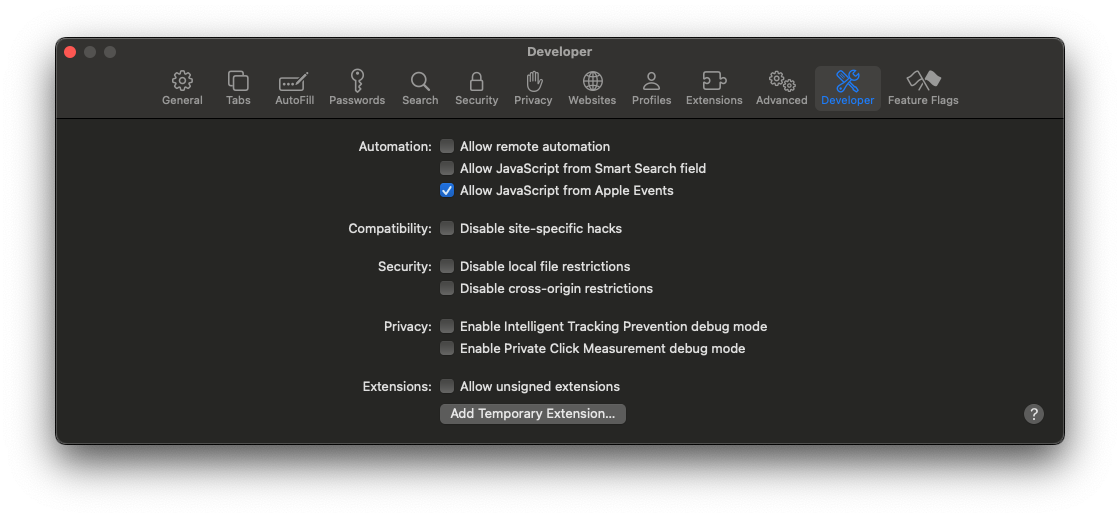
It had been that long since I had done this I had totally forgotten it. I enabled it manually, but because I wanted to use this in my automated setup via Ansible, I spent a couple of minutes figuring out the terminal command to enable it (defaults write com.apple.Safari AllowJavaScriptFromAppleEvents -bool true) before adding that to one of my setup scripts.
Alfred Workflow Updates
As well as creating the Factor workflow for Warp this past month I also pushed out lots of updates for my other Alfred workflows.
Bypass
My Alfred workflow for working with Apple Shortcuts got an update that allows you to configure the workflow to associate specific Shortcuts with specific apps and/or specific focus modes. New keywords now let you trigger a shortcut from a reduced list of shortcuts. This can be useful if you have lots of shortcuts and where you want to reduce the cognitive load for choices for particular apps and focus modes. It is very much like the way you can configure Keyboard Maestro to make macros only available when in a particular app - so tip of the hat to Peter N. Lewis at Stairways Software for the inspiration to add this general type of assignability.
In addition, the shortcut has been updated to allow you to specify your own trigger keywords within the workflow configuration.
My Alfred workflow to reading scripting manual pages (à la man) received a little polish with the removal of the now obsolete PostScript viewer option (newer versions of macOS no longer natively support PostScript preview), some documentation updates, and once again the addition of customisable keyword triggers to the workflow configuration.
Slink
The next Alfred workflow on the list is Slink, which works with Brett Terpstra’s SearchLink utility. Once again I have updated the workflow to allow users to specify their own trigger keywords in the workflow configuration. In addition, I made some phrasing and technical changes in the workflow.
The most noticeable change is likely to be that I have modified the audio setup for searches. I did have some small standard sounds that triggered when a search was run, but I found they didn’t really work well for me as sometimes they clashed with other sounds on my system and I didn’t always get a clear indication of if a search starting or completing. To remedy this I bundled two sound files (‘ding’ and ‘dong’). One is triggered when the search begins and one when the search ends. While a very minor change on the technical side, on the practical side I have found this quite helpful.
An additional note on this is that I don’t use the keywords much for this workflow, but I use the hot key trigger all the time. Now this may seem strange at first. Most users set up SearchLink as a service and assign a keyboard shortcut so what would be the benefit of using Slink in that case? Well, the big benefit for me is the custom results I built into the workflow that calls SearchLink. It effectively allows you to specify overrides, so that when I want to do things like link the word “Alfred”, I can get this “Alfred” rather than the default “Alfred”.
Noise Player
Finally, I have an Alfred workflow to playback system sounds (because I can never recall what they all sound like, and I do like my audible rather than visual cues) called Noise Player. It is so basic, it does not even have a documentation page, just a direct download via my main Alfred page. This one actually got some deep changes and all round improvements, the main one being around the configuration page. No, I didn’t just add keyword trigger customisation. I did add it, but I also included other configuration settings that were not previously accessible.
It also fixes a bug in one of the flows that relates specifically to Alfred 5, but given it has taken me this long to notice the bug I am guessing no one else noticed it.
Don’t forget you can grab all these Alfred workflows and more via my Alfred page.
A Useful PowerPoint Add In
This one actually relates to something I missed from my round up last month, and is something I used to sole a problem I had, but is not something I created.
In my day job I work with a lot of Microsoft Office application files, including PowerPoint. For many of these files, including PowerPoint slide decks, we have a number of standard templates. Some of these templates are very large due to the imagery they contain. They were never sized for presentation, and most users don’t know that they exist or how to remove them. As a result of this and people combining different eras of slides as they reuse them has lead to some slide decks being well over 100 MB.
While I know how to remove layouts from the slide master, it is a laborious process to figure out which ones are in use and which ones can be safely removed. Particularly, when I had one recently that had over 70 layouts.
Enter the Max-Office PowerPoint macros add-in. This includes a “Remove Unused Layouts” feature that allowed me to do what would have taken me the best part of an hour (and been mind-numbing) in a matter of seconds. I tried it on a backup copy first of course, but the result was perfect, with only the unused layouts removed - I think it reduced the number of layouts in the slide master to fewer than ten.

I haven’t used any of the other features yet, and I have my own add-in that I use for setting up custom slide shows for things like my non-linear presentations.
3D Printing
This past month I used my burgeoning OpenSCAD knowledge to create a replacement trigger for some sort of power tool my father-in-law had picked up. I developed the model based on taking measurements from some photographs and from a text message, and it turned out that the trigger mechanism was much smaller than I had expected. It was only when I got my hand on the broken trigger to take some precise final measurements for the model with my callipers that I realised just how small it was, how thin the walls were, and how fragile the mounting holes would be.
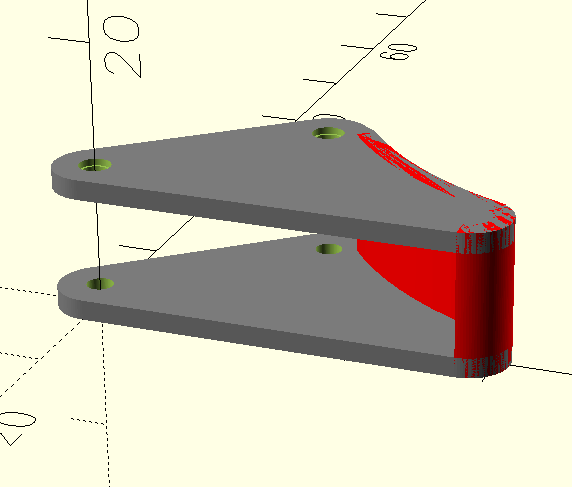
I printed it up in PLA, and noted that it was likely to break and would probably need something stronger, maybe ABS, maybe something even stronger, to give it the right toughness on such a small part. Unfortunately, having not had to print anything like that before I didn’t have any filaments available other than PLA and PETG.
As expected within a few uses it sheared at the mounting points. I now have some ASA in order, and I am hoping that will be sufficient. There are better filament options for something like this, but they start to get rapidly more expensive. Especially as some would require me purchasing some new nozzles too. Given I don’t currently need to do much printing that requires this sort of industrial strength and durability I’ve gone for the middle ground, and we will just see if it meets that “good enough” sweet spot for strength.
I also created my first real remix of someone else’s model. This is a revision of a parametric modular pill box model to be able to generate different sets with custom text. I will get around to publishing it shortly so others can use it, but for now this is cutting down on my travel space as I only need to take a box big enough to carry the pills I need, and I can have them labelled however I need for however long I am away. The box locking mechanism is friction based, and some lids are very tight at the start, but with a bit of use this seems to be smoothing off to a more reasonable level.
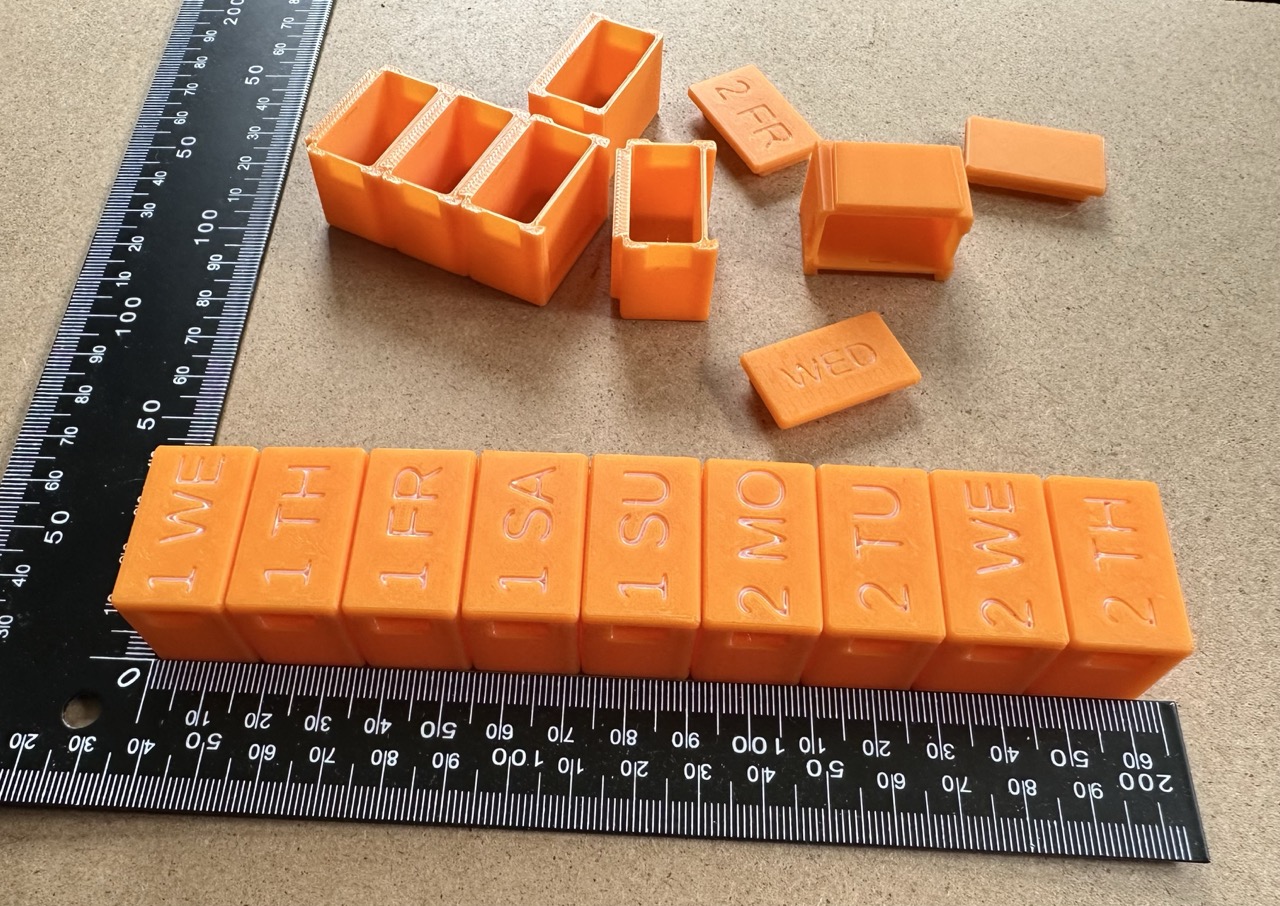
Lastly I also updated my online 3D printing notebook, Forge with a batch of new content. If you dabble in 3D printing, go have a browse.
LM Studio
Now I have some hardware with a reasonable chance of running local LLMs I have been dipping my toe into using LM Studio, a chat interface and API end point for running models locally. I’m not expecting big things, but I have been impressed by the speed of the models I have downloaded. If only the answers were good ones.
So far I have only been experimenting with Llama (3.2 1B Instruct) and DeepSeek (R1 Distill Qwen 7B) and the results for the sorts of questions I have been asking have been rather mixed. I suspect as I explore more I’ll start keying in on what are good uses (for me) for local LLMs.
I have also downloaded Mistral (Small 3.1 24B Instruct 2503) based on a recommendation, but it actually took me several days to download on my slow Internet connection thanks to needing to run the downloading off-peak so as not to saturate my bandwidth and every time it times out - so it has been an arduous process.
The recommendation for Mistral is actually because I wanted to try using a local LLM with the DEVONthink 4 public beta. I only had partial success with the other models - some features worked and some didn’t, so I will see if it is a “model” issue or a “me” issue as others have definitely had some success with that model.
Learning Technologies 2025
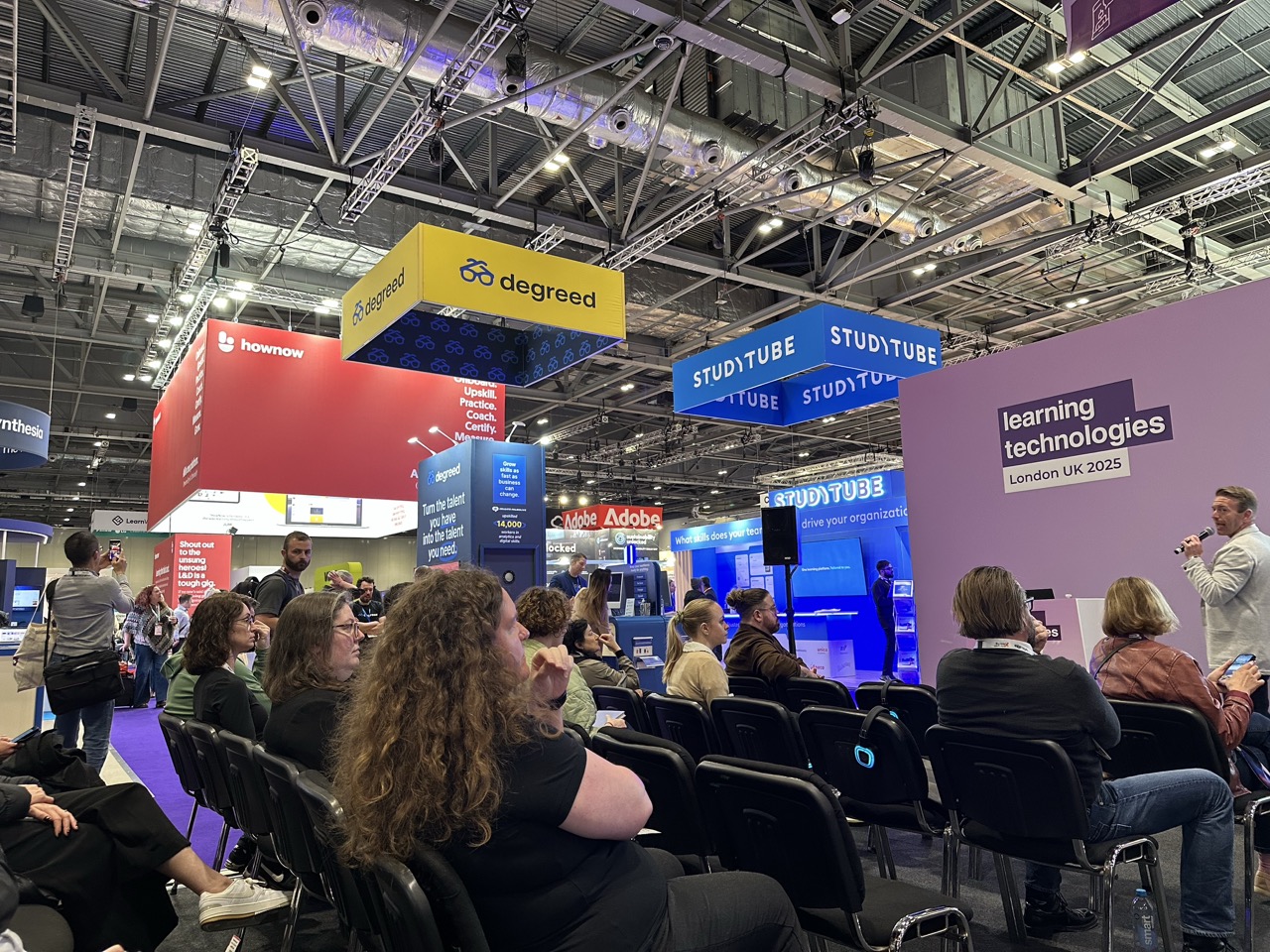
April also saw my annual immersion into the two-day Learning Technologies event in London. In my day job I am a Learning Systems Advisor and work with enterprise level learning technologies. Each year a colleague and I venture onto the show floor at the London ExCeL to see what the latest and greatest innovations in learning technologies for business are.

This year there was the usual plethora of learning management systems (LMS), in fact I made it that roughly one in four exhibitors had an LMS product, and that was excluding the other side of the hall where HR Technologies takes place (a smaller event in the same massive hall space) had numerous HR suite providers that were also offering LMS products. I find it amazing that there are quite so many offerings in the market and that they are almost all trying to be all things to all people. Integration is a key business need, especially for large enterprises, so most of these solutions are simply positioning themselves out of the bigger marketplace.
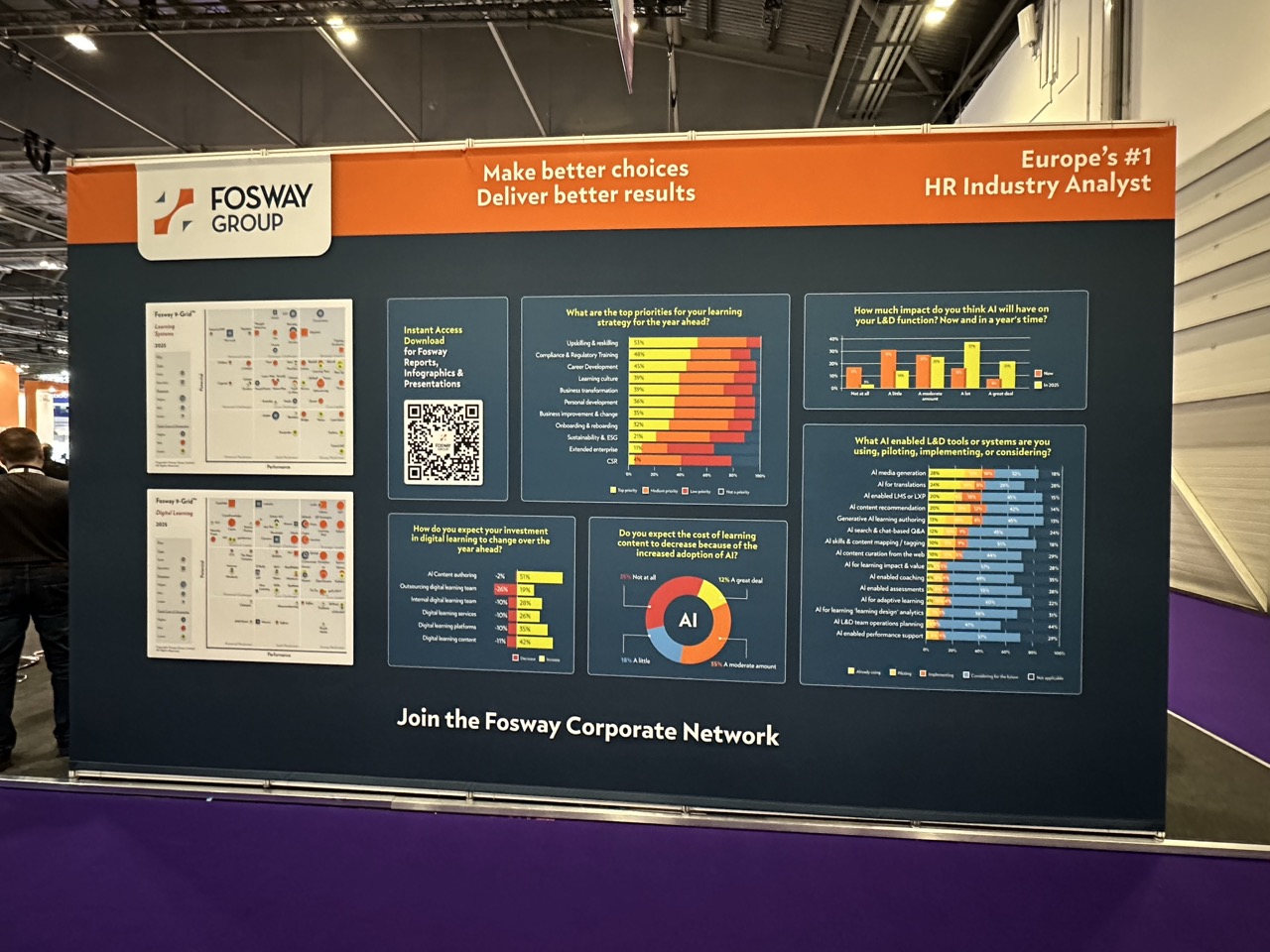
A big theme was also utilising artificial intelligence not to create content but to surface content in the moment of need for the learner. This is in effect taking the corpus of training knowledge and making it accessible via chat interfaces within systems. This would allow for tailored and personalised responses specific to individuals and scenarios. The inference a few people noted was that this would ultimately result in the death of the LMS, including in relation to compliance training.
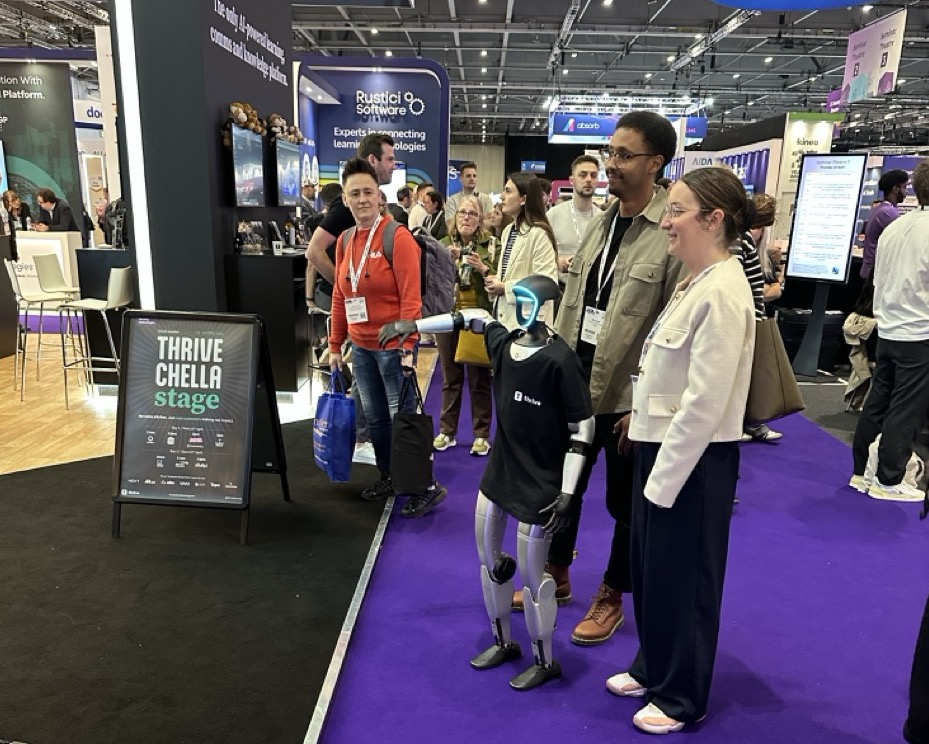
While the delivery of information to users in their moment of need is absolutely something that will become more commonplace, which I fully support and welcome, the place of the LMS and more traditional learning approaches will remain in my opinion. Compliance training is often legal or regulatory requirement or simply common sense for an organisation to mandate. Establishing appropriate levels of competence is a logical requirement that requires an LMS system to track and be able to report against to ensure minimum standards (legal. regulatory, safety, organisational, etc.) are attained and maintained, alongside evolving standards and knowledge.
It was a great event and I attended lots of presentations, spoke to many vendors, and spoke to a number of my contacts in person, which happens relatively infrequently these days.
NAS
This year my QNAP TS-453 Pro network attached storage (NAS) system has been showing its age (10 years!). The WD Red hard drives are failing, it is slow, and if I am honest, QNAP have had some security issues over the last few years that have knocked my confidence in their products. While a Ugreen NAS was a definite consideration, I decided to go with a Synology after hearing so many good things about them … for roughly the last 10 years - almost as soon as I’d ordered the QNAP NAS.
I decided to go for a Synology for three reasons:
A good, long-standing reputation for both the hardware and the software.
The wealth of articles, videos, and other support materials for helping get the most from the device.
Its capability to run Docker containers, so I could double up on its duties without having to think about running an entire home lab style setup (and all the additional effort that requires that I simply don’t have the time for right now).
Thanks to an annual bonus dropping this past month I had a few pennies I could put towards replacing the QNAP and giving us peace of mind for all the data we have squirrelled away. The NAS I opted for is a relatively seasoned 2022 model, the DS923+
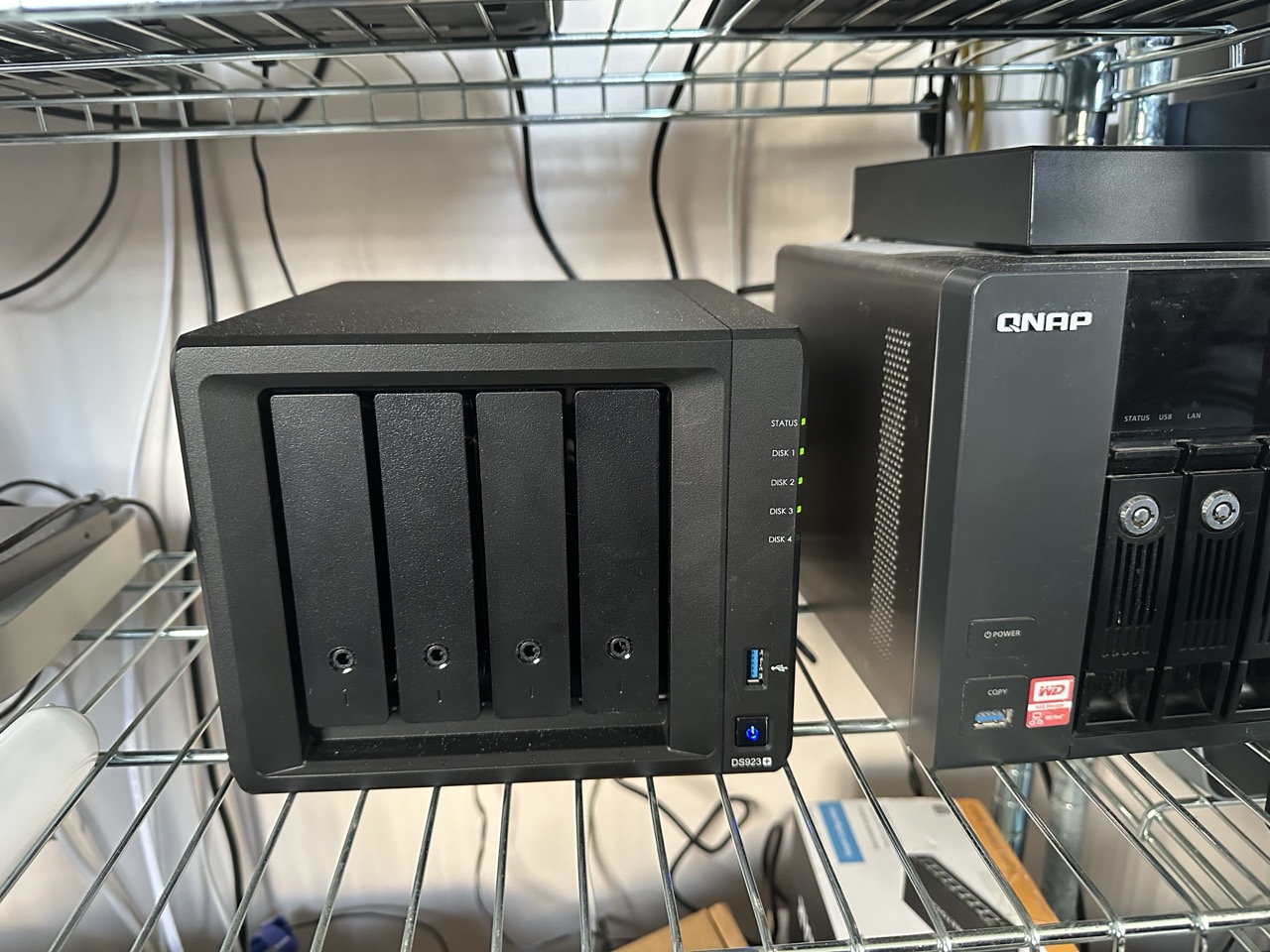
I have added three 8 TB Seagate IronWolf Pro hard drives in a RAID 5 configuration to give me probably about double the capacity I had previously. While I had not come close to filling the old NAS in all the time I have had it, I wanted to make sure I had space to cope with any Docker containers I choose to run.
Because I wanted to ensure the performance is good I also added a 1 TB WD Red SN700 NAS NVMe drive. This will hopefully help with some of the cacheing of regularly used files, but I am guessing this may be something I need to tune as time goes on. I also added 32 GB of ECC server RAM to replace the default 4 GB so that I can afford to give any containers some RAM without impacting the core NAS memory needs. It took a few days for the pieces to arrive, and I did have an accident with adding the RAM in that one of the clips just fell off. But at this point I had so much set up and didn’t fancy shipping it all back to Amazon for a tiny metal clip, and I resolved it with the careful application of a couple of pieces of electrical tape. MacGyver would be proud.
To date the NAS has worked fine, but I have not had chance to do much with it beyond set up the basic services I had on the QNAP NAS. The build quality definitely feels lower when compared to my QNAP NAS with its metal case, LCD screen and quad gigabit network ports vs the Synology’s plastic case, no screen, and dual gigabit network ports, but the processor is definitely in another league.
I am still in two minds as to if I should have the QNAP as a remote and use rsync to have another data copy, but given how slow my Internet connection is I just can’t see it being practical right now. Fibre to the home is supposed to be available in my village some time in 2026. Until I get that my upload speeds won’t make it viable for anything but small scale changes. That small scale stuff I would be more likely to trust to a cloud storage provider and sync to multiple devices, so it wouldn’t really address the underlying need. For now an external hard drive (that I used with the QNAP) will have to suffice as a backup. Not a 3–2–1 solution, but the only one I can set and forget for now.
Automators Obsidian Vault
This month I also managed to work through base updates on three of the Automators podcast episodes and get them published into the online Obsidian vault repo. Make sure to keep your local repo/vault sync’d for updates.
Upcoming
This coming month I expect I will be poking around trying out some Docker containers for some platforms and apps I’ve been wanting to try out. I also want to spend some more time with LM Studio to see how I can better integrate it into supporting my personal projects.
As usual, I also hope to be continuing to plough through my backlog of tasks in OmniFocus for things I want to update, create, and write about.
As always, thank you to everyone who has bought me a coffee at some point. It always makes me smile when someone donates one for something I have helped with. And with that, I hope, like me, you had a productive and interesting April, and I will be back in a month for another round up.