

Hi everyone, happy to share with you a safer way to upload watchfaces to your smartwatch.
As most of you may know, using a modded Huawel Health app was almost the only way to do that. But did you know that there was an alternative? actually a safe alternative? :
It's the GadgetBridge app.
I personally recommand the use of GadgetBridge, especially if the watchface has some customizations as these won't work if loaded using the modded Health app (colors and widgets options).
Also, please note that the modified Health app method won't work on Huawei phones.
NB : I will only describe the GadgetBridge option.
IMPORTANT :
For Gadgetbridge to work correctly, you must provide it your Huawei ID, otherwise, your watch will get reset to factory defaults whenever you pair it with Huawei Health.
The process is a bit long but very easy and must only be done once (during the 1st watch pairing with Gadgetbridge).
Lets get started :
Frist, lets get your Huawei ID :
You'll need any PC with a Chrome based browser like Edge, Chrome or Brave.
Go to https://cloud.huawei.com/ and log in using your Huawei account credentials.
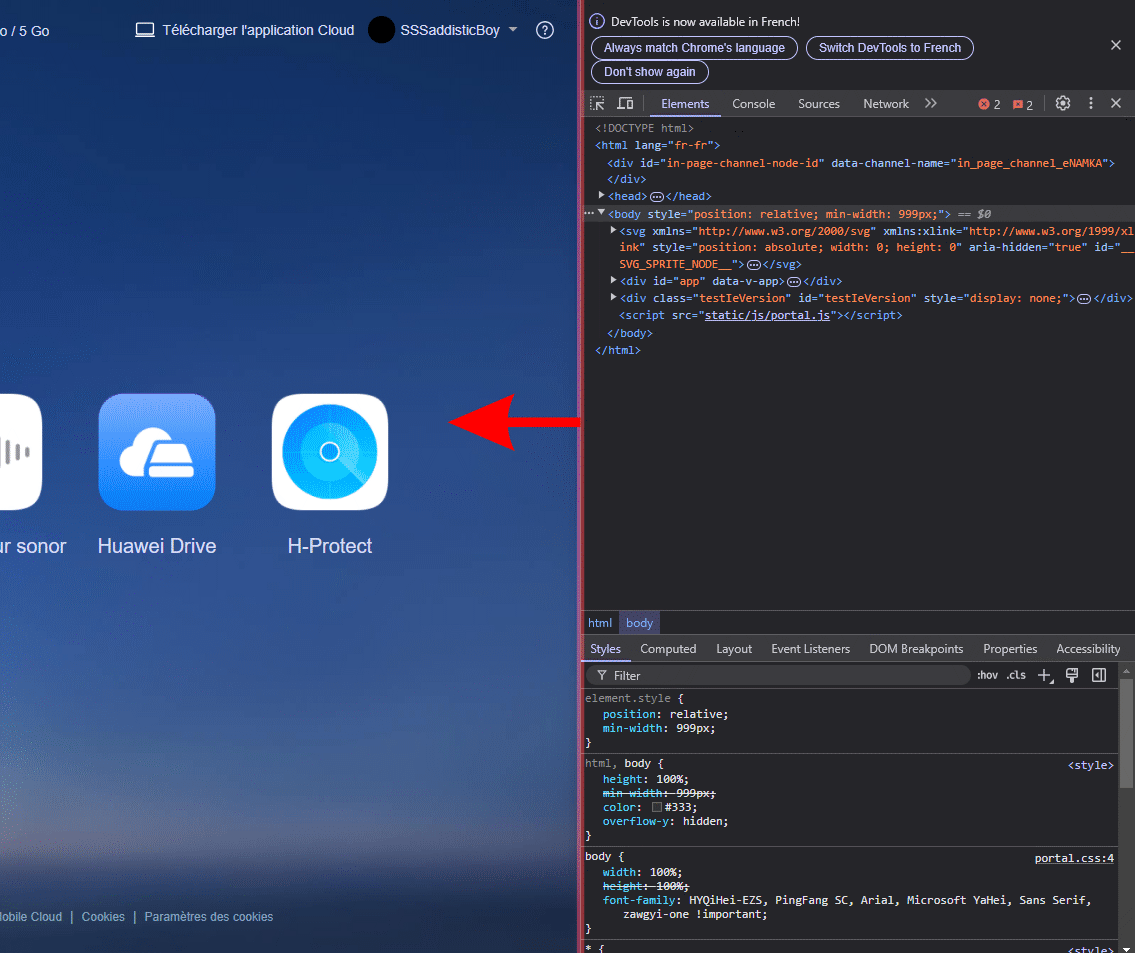
This should be the same account you use to login to the Health app.Press the F12 key on your keyboard and the developer tools panel will open.
Drag this bar to the left to enlarge the dev tools panel.
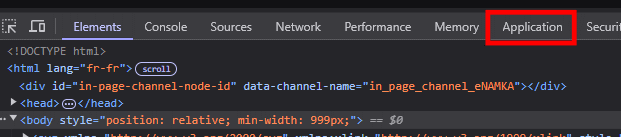
Now click on the "Application" element.
Find "Cookies" on the left panel then click the little downward arrow next to it and select the cookie "https://cloud.huawei.com/".
On the right panel, look for "userId" and you should see a 17 digit number in its value column.
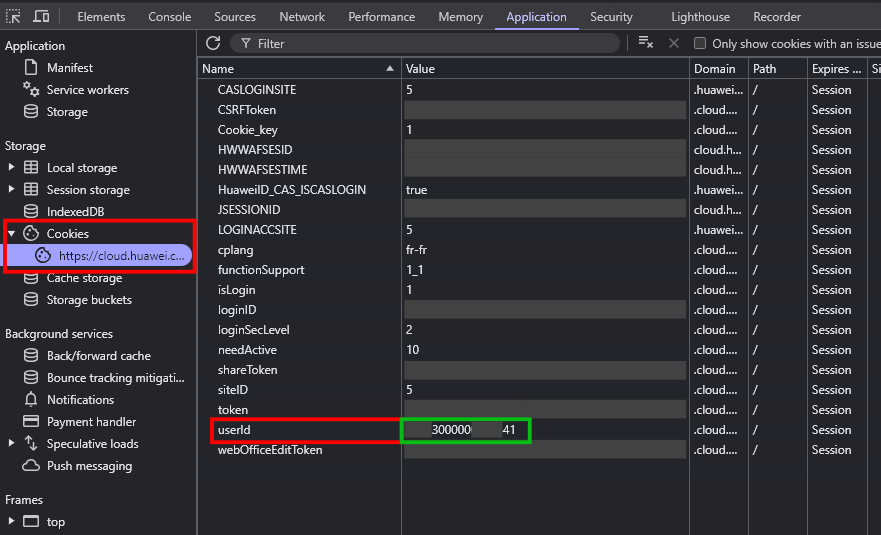
Take note of this number somewhere and keep it safe (don't give it to anyone).
Now the Gadgetbridge part :
Start by unpairing your watch from the Huawei Health app.
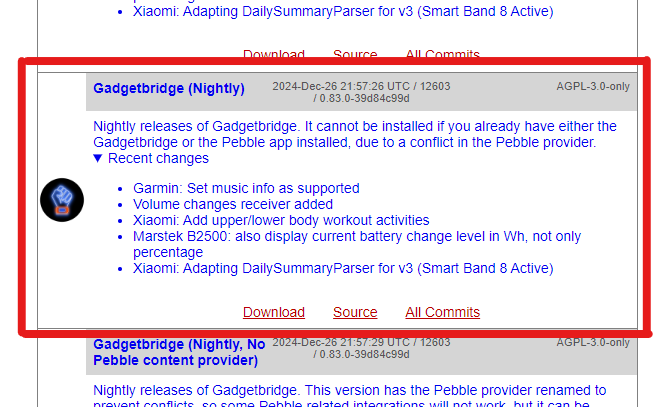
Download the Gadgetbridge app from its repo here (Pick the "Nightly" version) install the APK, and run it.
Next, follow this video to learn how to insert the Huawei ID on the Gadgetbridge app and Pair the watch :
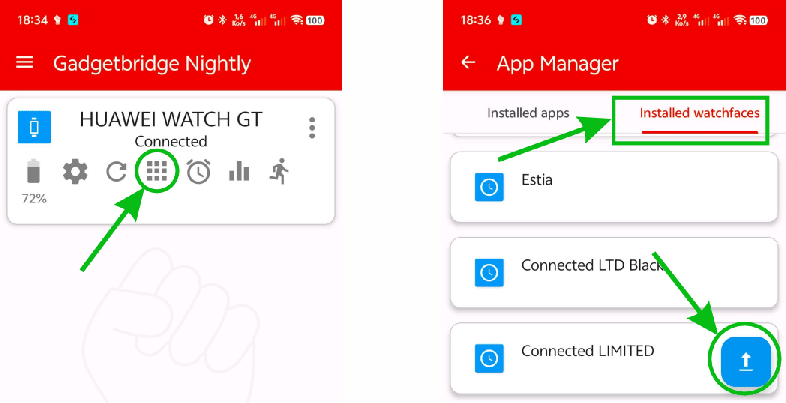
To install a watchface, tape the the squares button, then head to "Installed Watchfaces" and tape the "Upload" button.
Select the HWT file and hit "Install".
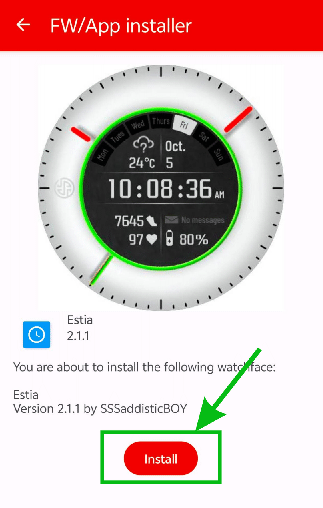
That's it, the watch face should be on your wacth now
Please bear in mind that your watch can't be paired to the Huawei Health app and Gadgetbridge at the same time.
Always unpair from the Health app and connect with the Gadgetbridge app when you want to install watchfaces, and vice-versa for daily use.
Thank you.
NB : Some of this tuto is coming from Nuno Bessa.