

I recently stumbled upon an incredible solution for bypassing Google’s Factory Reset Protection (FRP) lock on my Samsung device, and I’m genuinely surprised by how easy and effective the DM Unlocker FRP Bypass Tool was! If you’re locked out of your Samsung Galaxy running Android 11 or 13 due to a forgotten Google Account or a second-hand device, this guide is for you. I’m sharing my experience to help you solve your FRP lock issue with this trusted remote unlocking service.
What is Google FRP Lock?
Google introduced Factory Reset Protection (FRP) with Android 5.0 (Lollipop) in 2014 to secure devices after a factory reset. It requires the original Google Account credentials, preventing unauthorized access. While this protects against theft, it can be a headache for legitimate users like me who forgot their account details or bought a used device.
With Android 11 and 13’s latest security patches, free FRP bypass methods like Disabler Pro, Alliance Shield X, or SamFw FRP Tool often fail due to enhanced Knox security or disabled ADB options. That’s where DM Unlocker saved the day!
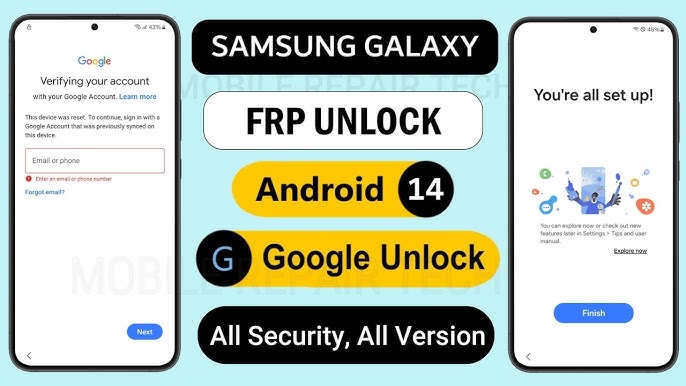
Why DM Unlocker Blew Me Away
The DM Unlocker FRP Bypass Tool is a professional, remote unlocking service that instantly removes Google Account locks. Here’s why I was so impressed:
Lightning-Fast: My device was unlocked in minutes.
Broad Compatibility: Supports Samsung, Oppo, Xiaomi, Huawei, Nokia, and even iPhone unlocks.
Super Easy: Minimal tech skills needed, with clear instructions.
Trusted and Reliable: Check their glowing reviews on Facebook.
Secure Process: Handled by experienced technicians using tools like USB Redirector.
What You’ll Need
Before you start, gather these essentials:
A Windows 10, 8, or 7 computer.
An original USB cable for your Samsung device.
A stable internet connection.
The USB Redirector FRP Unlock Tool (download details below).
Step-by-Step Guide to Bypass Samsung FRP Lock with DM Unlocker
Here’s how I used the DM Unlocker FRP Bypass Tool to unlock my Samsung device:
Step 1: Download USB Redirector
Download the USB Redirector FRP Unlock Tool (File: USD Redirector Frp Unlock Tool.zip, Size: 17MB).
Download Link: USB Redirector DM Unlocker
Password: DMREPAIRTECH.COM
Extract and install the tool on your Windows computer.
Step 2: Get the Technician ID
Contact DM Unlocker to get the Technician ID (e.g., 1041 6506 XXX).
Contact Options:
WhatsApp: https://wa.me/+8801747113074
Telegram: https://t.me/dmUnlocker
Facebook: https://fb.com/dmrepairtech
Instagram: https://instagram.com/dmUnlocker
Step 3: Connect via USB Redirector
Open the USB Redirector tool.
Enter the Technician ID provided by DM Unlocker.
In the “Additional Place” field, type any name (share this with the technician).
Click Connect to link up.
Step 4: Connect Your Samsung Device
Power on your Samsung device.
Plug it into your computer using the original USB cable.
Follow any prompts in the USB Redirector tool.
Step 5: Let DM Unlocker Work Its Magic
The DM Unlocker technician will remotely service your device.
This took just a few minutes for me—stay connected during the process.
Step 6: Enjoy Your Unlocked Device
Once done, your Samsung Galaxy is free from the FRP lock!
Set it up with a new Google Account or use it without restrictions.
Watch the Process in Action
For a visual walkthrough, check out DM Unlocker’s official tutorial:
Watch on YouTube
Why Free Methods Didn’t Work for Me
I tried free FRP bypass tools, but Android 11 and 13’s security updates blocked them. Tools like Disabler Pro and SamFw FRP Tool couldn’t bypass Knox or required ADB, which wasn’t enabled. DM Unlocker’s professional approach was the only solution that worked flawlessly.
More Than Just Samsung FRP Bypass
DM Unlocker offers a range of services, including:
Unlocking Oppo, Xiaomi, Huawei, Nokia, and iPhone devices.
Tool activations and credits.
Custom unlocking solutions.
See why others love their service: Facebook Reviews.
My Recommendation: Try DM Unlocker Today!
I was amazed at how smoothly DM Unlocker resolved my Samsung FRP lock issue. If you’re stuck with a Google Account lock, don’t waste time on outdated free methods. Use the DM Unlocker FRP Bypass Tool for a quick, secure, and reliable solution.
Contact DM Unlocker:
📱 WhatsApp: Click to message
📢 Telegram: Click to message
📘 Facebook: Click to message
📸 Instagram: Click to message
Unlock your Samsung device effortlessly with DM Unlocker—I did, and it worked like a charm!