

I tried opening a Postgresql Port (5432) on a Guest VM in Fedora Server and it didn't work, despite me following the documentation. So here's what I did to make it work.
Set up the DB VM and Postgresql instance
I first followed the basic tutorial of Setting up PostgreSQL Database Server :: Fedora Docs (fedoraproject.org) to setup the Postgresql DB VM. For the database schema and structure, and for this exercise, I use Pagila. https://github.com/devrimgunduz/pagila
Create a User and Grant Privileges
First make a user for the Linux host:
# adduser bob
# passwd bob
Or via the Cockpit, navigate to Accounts and click "Create New Account":
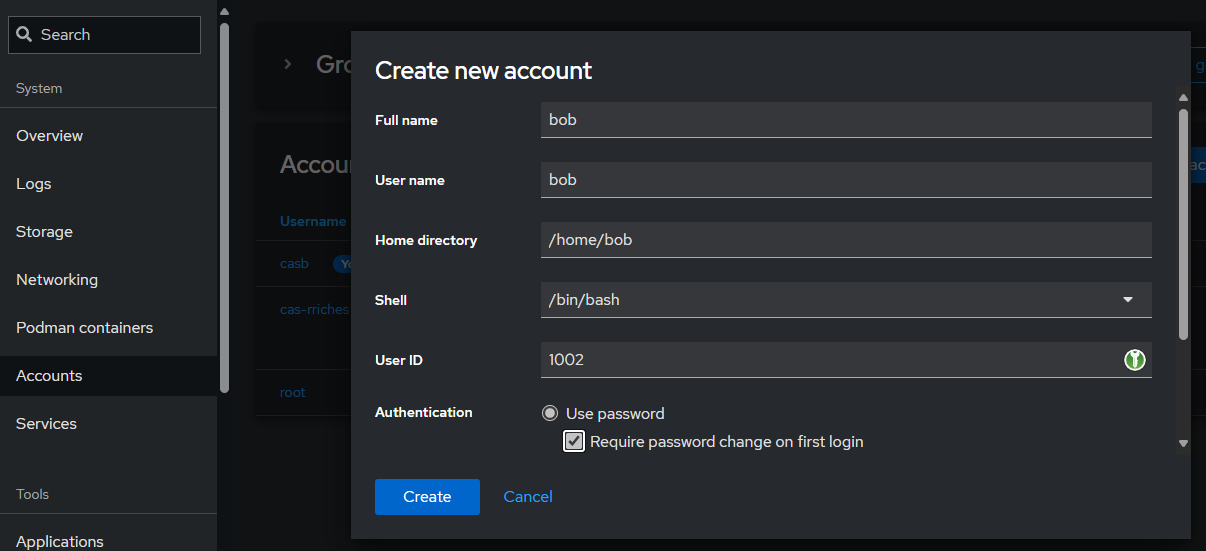
Once the user is created, login to the DB VM. Conveniently, Cockpit has a built-in browser terminal, so I'm already logged in. Run the following to switch to postgresuser. (NB: my user qoyyuum is/has root)
[qoyyuum@database ~]$ sudo -i -u postgres
[sudo] password for qoyyuum:
[postgres@database ~]$
The user needs to be created in Postgresql database:
pagila=# CREATE USER bob WITH PASSWORD 'Login@123';
CREATE ROLE
Then grant that user privilege:
pagila=# GRANT ALL PRIVILEGES ON DATABASE pagila to bob;
GRANT
pagila=# GRANT ALL PRIVILEGES on ALL TABLES in SCHEMA public to bob;
GRANT
Test User login
Can't say its done without testing it yourself. Open up a separate terminal and login to the DB VM:
ssh [email protected]
[email protected]'s password:
[bob@database ~]$ psql -d pagila
psql (13.16)
Type "help" for help.

pagila=>
That works but what if you do it without ssh? Try the following command from the primary host:
psql -d pagila -U bob -h 192.168.122.77And you get the following error:
psql: error: connection to server at "192.168.122.77", port 5432 failed: FATAL: password authentication failed for user "bob"Attempted to add Database Port to Firewall
Once I have a running Postgresql DB instance, I then open up ports using the firewall-cmd
sudo firewall-cmd --zone=public --add-service=postgresql --permanentWhen added this service via the command line, it did show this in the DB VM cockpit
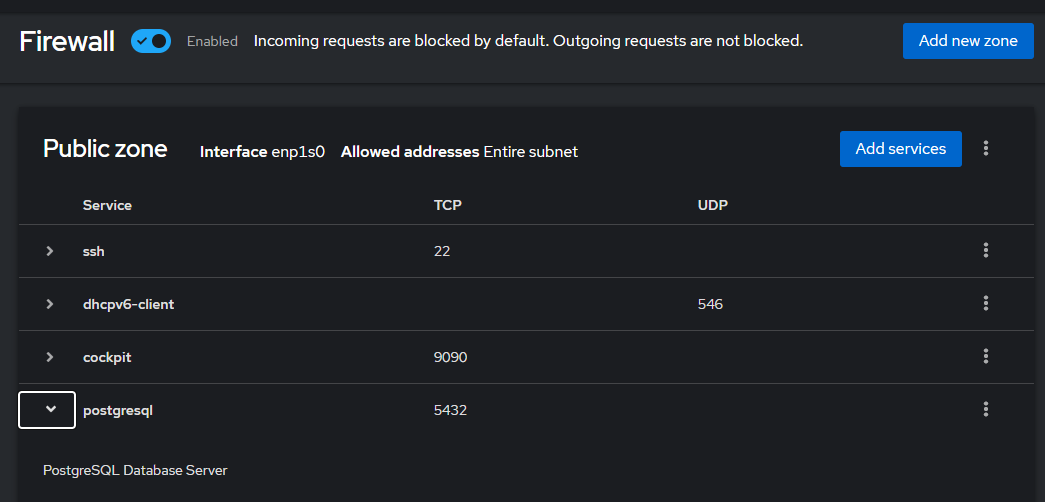
For those not using cockpit, this can also be checked using sudo firewall-cmd --list-all
public (active)
  target: default
  icmp-block-inversion: no
  interfaces: enp1s0
  sources:
  services: cockpit dhcpv6-client postgresql ssh
  ports:
  protocols:
  forward: yes
  masquerade: no
  forward-ports:
  source-ports:
  icmp-blocks:
  rich rules:
We can see that the service postgresql shows up in that list but the ports are missing. Despite the ports missing, I wouldn't be able to ssh if that were the case of the missing port 22. So the error persists.
Solution: Explicitly add port 5432 to firewall
I explicitly have it say that the port 5432 is opened.
sudo firewall-cmd --zone=public --permanent --add-port=5432
sudo firewall-cmd --reload
sudo firewall-cmd --list-all
public (active)
  target: default
  icmp-block-inversion: no
  interfaces: enp1s0
  sources:
  services: cockpit dhcpv6-client postgresql ssh
  ports: 5432/tcp
  protocols:
  forward: yes
  masquerade: no
  forward-ports:
  source-ports:
  icmp-blocks:
  rich rules:
Which evidently also now shows in the cockpit networking firewall public zone service:
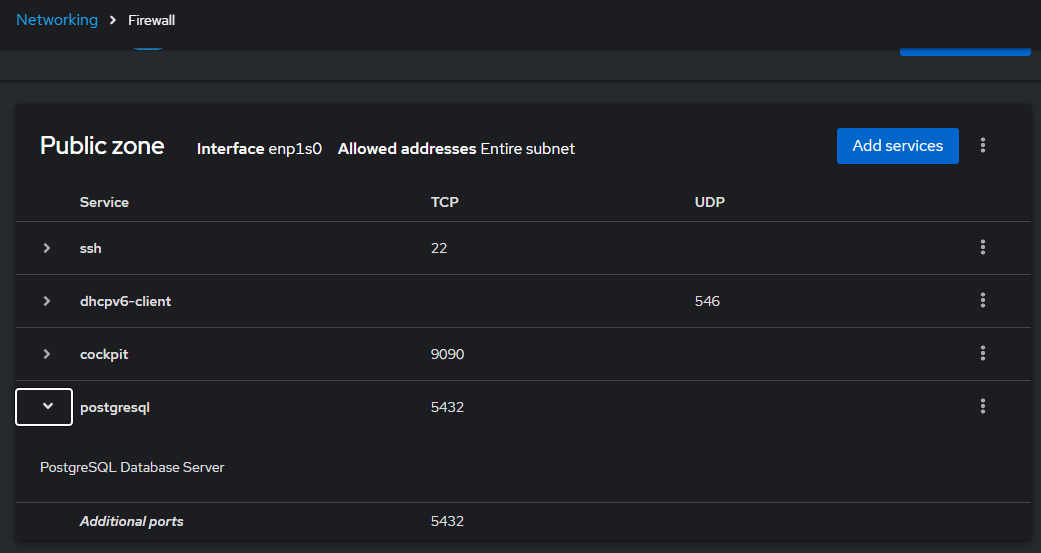
This can then be allowed to connect from a different host/VM to the database VM:
psql -d pagila -U bob -h 192.168.122.77
Password for user bob:
psql (16.3, server 13.16)
Type "help" for help.

pagila=>
Happy Database Administrating, SysAdmins! 🥰