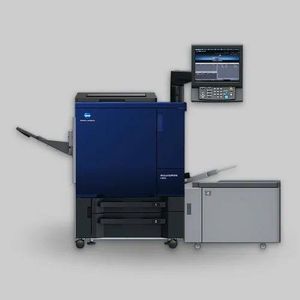

Konica Minolta C-0002 Error Solution
Error Code Overview
The C-0002 error is a communication error between the convey drive board and the PRCB (Power and Relay Control Board). This error appears across various Konica Minolta models including the C 1060, 1070, 2060, 2070, 3070, 3080, and their respective HC variants (71HC, 73HC).
Root Cause
The C-0002 error indicates a communication failure between two critical control boards:
Convey Drive Board: Located beneath the paper pickup/feed unit (accessible when removing the paper zoom unit from the front). This board manages all operations in the paper path and feed mechanism.
PRCB (Power and Relay Control Board): The main control board on the machine.
When these two boards fail to communicate properly, the C-0002 error is triggered.
Troubleshooting Steps
Step 1: Inspect All Wire Connections
When the paper zoom unit is removed to access the convey drive board, a bunch of wires connects this board to the main machine. Carefully check all connections on both ends of the wiring harness.
Look for:
Loose or partially seated connectors
Damaged or frayed wires
Corroded connector pins
Signs of wear or tear in the wiring
Step 2: Check the Convey Drive Board for Component Failure
Inspect the convey drive board for blown-out ICP (Integrated Circuit Package) components or other visible signs of damage. If you are a service engineer, examine for:
Burnt or discolored components
Cracked solder joints
Signs of electrical burnout
Note: Customer-level technicians may not have the expertise to perform this inspection; professional service engineer evaluation is recommended.
Step 3: Component Replacement
If all wiring connections are verified to be good and intact but the error persists, proceed with component replacement:
Replace the Convey Drive Board if wiring is good but communication still fails
Replace the PRCB if the convey drive board replacement does not resolve the issue
Important Note: No DIP switch settings or software adjustments are available for this error. Resolution requires either correcting physical connections or replacing hardware components.
Applicable Models
This troubleshooting guide covers the following Konica Minolta models:
C series: 1060, 1070, 2060, 2070, 3070, 3080
HC series: 71HC, 73HC
Summary
The C-0002 error requires systematic hardware troubleshooting. Always start with visual inspection of wiring and connectors before proceeding to component replacement. Since no software-based solutions exist for this error, ruling out wiring issues first can save unnecessary parts replacement costs.