
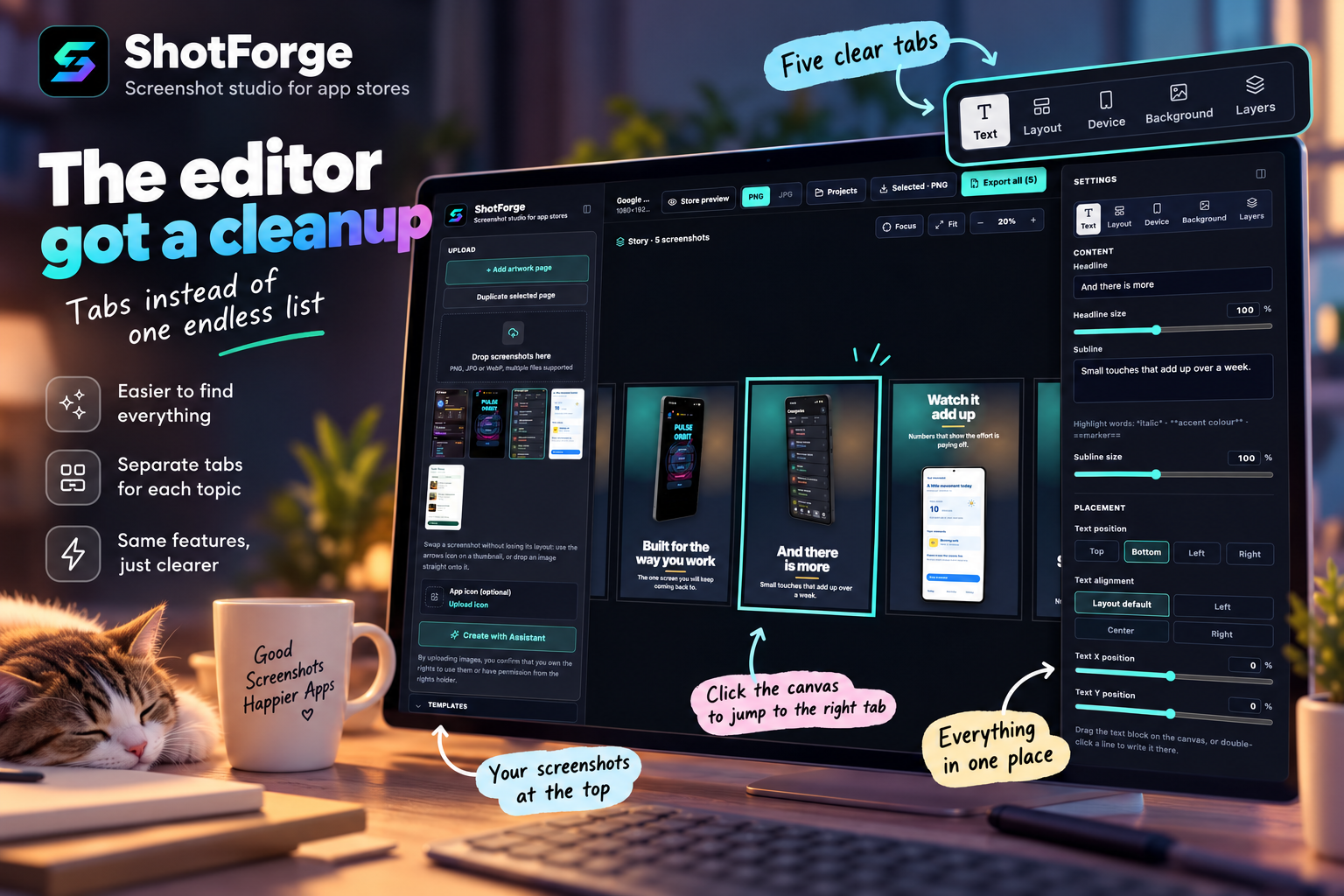
Some of you told me the editor had become hard to find your way around. The right-hand panel had grown into one long scroll of settings, and the left side mixed up very different things. You were right, so I've reorganised it.
The right panel now has five tabs
Text: headline, subline, sizes, position, font and colours
Layout: the composition (Single, Panorama Split, Dual Devices, Device Sync, Phone in Hand, Artwork), plus where the device sits on the screen
Device: frame, model, colour, shadow, screenshot fit
Background: all 46 looks, colours taken from your screenshot, and gradient, pattern or image backgrounds
Layers: overlays and zoom callouts
You can also click straight into the canvas. Click the headline and the Text tab opens; click the device or the background and you land on Device or Background. The Device tab hides itself on artwork pages, which have no device.
A tidier left side
Your screenshots are now at the top. Templates sit right below them, collapsed until you need them. Format and translation, which you set once per project, live in a collapsed Project section at the bottom.
Nothing was taken away
Every setting is still there, each in one place only. The Panorama Split fields for the second frame used to appear twice; now they live only in the Text tab. Existing projects open exactly as before, and on your phone the bottom bar works the same way it did.
Thank you to everyone who took the time to send feedback. This change came straight from you. If something still feels hard to find, tell me and I'll keep refining it.
And if ShotForge saves you some time, a coffee keeps it free, with no login and no watermark. ☕