
Hi everyone,
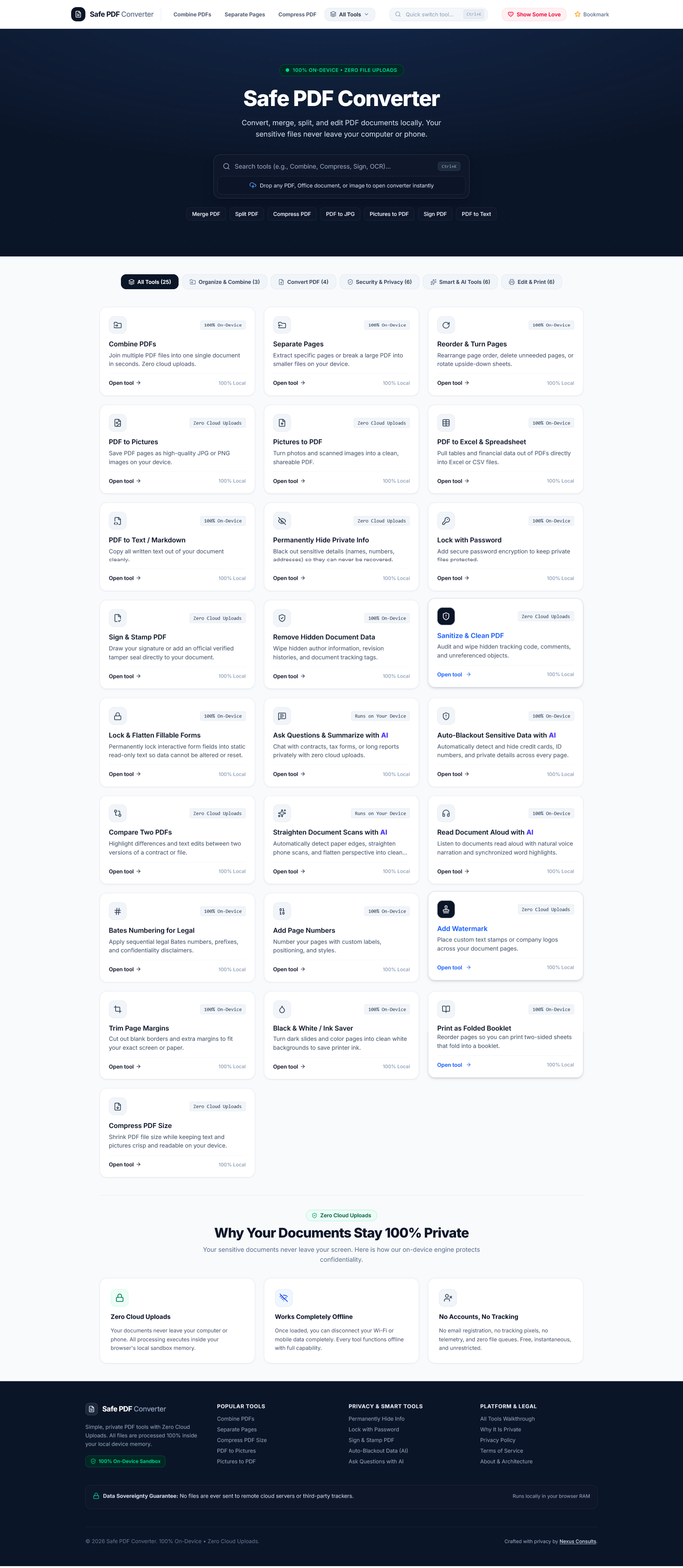
I’m thrilled to share Safe PDF Converter, a project built to tackle an essential privacy issue: Most online PDF editors require you to upload legal agreements, bank statements, tax documents, and personal contracts to remote third-party servers just to merge a page or sign a form.
URL: https://safepdfconverter.com/
Safe PDF Converter changes that.
How it’s different: Every single tool runs 100% locally in your browser (client-side). Your files and documents never leave your device, never touch an external server, and are never logged or stored. You get absolute privacy, instant local processing, and a full suite of document tools—including on-device smart AI features.
Combine PDFs – Merge multiple PDF documents into one single file.
Organize Pages – Reorder, rotate, delete, or duplicate pages in your PDF.
Extract & Split Pages – Split a PDF into individual files or extract selected page ranges.
PDF to Pictures – Convert PDF pages into high-resolution JPG or PNG images.
Pictures to PDF – Turn photos and scanned images into clean PDF documents.
PDF to Word / Document – Convert PDF documents into editable Word or document formats.
PDF to Text / Markdown – Extract clean plain text and Markdown from any document.
Scanned PDF to Searchable – On-device OCR to make scanned document images searchable.
Lock with Password – Encrypt and password-protect sensitive documents.
Sign & Stamp PDF – Add signatures, stamps, and approvals directly inside the browser.
Remove Hidden Document Data – Strip hidden metadata, revision history, and author tags.
Sanitize & Clear PDF – Deep-clean PDFs by removing hidden scripts, attachments, and links.
Lock & Flatten Fillable Forms – Flatten interactive fields to make forms read-only and tamper-proof.
Ask Questions & Summarize with AI – Query and extract key summaries privately using local AI.
Auto-Redact Sensitive Data with AI – Automatically detect and blackout PII, emails, SSNs, and private data.
Compare Two PDFs – Side-by-side visual and textual diffing between document versions.
Translate Document Locally with AI – Translate PDF text offline without sending content to external APIs.
Read Document Aloud with AI – Local text-to-speech to listen to documents without cloud services.
Bates Numbering for Legal – Add professional legal index numbering and customized prefixes.
Add Page Numbers – Insert custom page numbering, headers, and footers across pages.
Add Watermark – Apply confidential, draft, or custom logo watermarks.
Trim Page Margins – Crop whitespace and adjust print-safe page boundaries.
Search & Replace Text Secure – Find and replace confidential words across all pages securely.
Reduce Colored Ink (Eco-Print) – Convert color-heavy pages to ink-saving monochrome or grayscale.
Compress PDF Size – Shrink bloated PDFs using client-side compression without quality loss.
If Safe PDF Converter helps keep your client files and confidential documents safe, consider supporting the project with a coffee! Every bit helps maintain server-free development and keep these tools completely free and private for everyone.