

This guide will work for all free Shopify store themes
If you can't do it, you can contact me via email: [email protected] , I will add it for free
Please follow these steps:
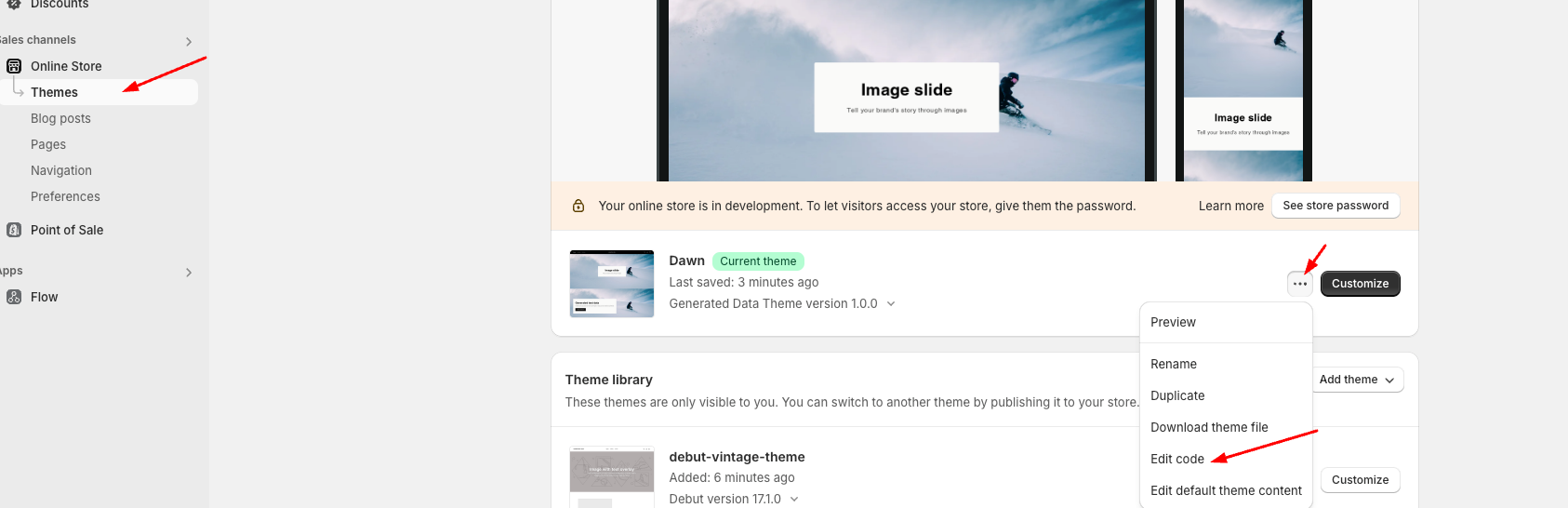
Step 1: Go to Online Store > Themes > Edit code:
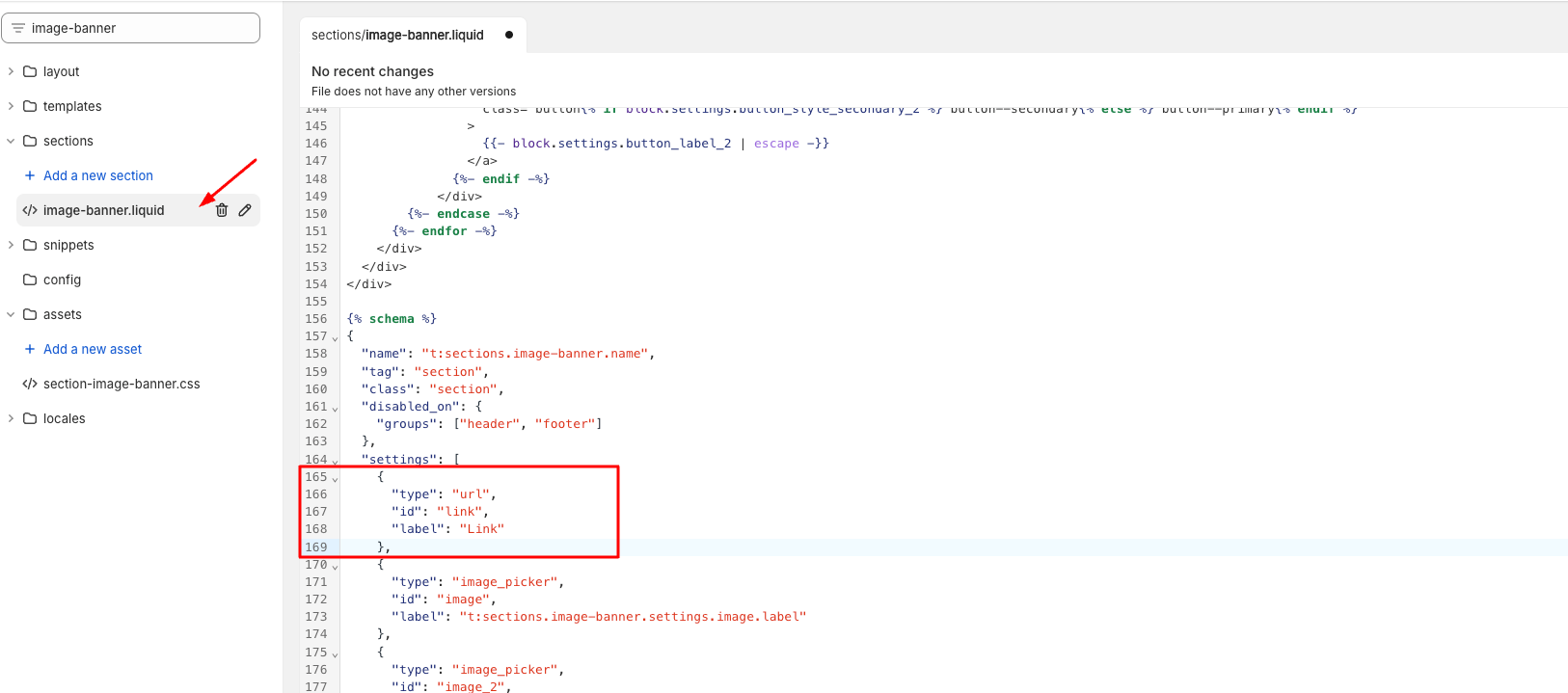
Step 2: Find 'image-banner.liquid' file, go to line 165 and add code here:
Code:
{
"type": "url",
"id": "link",
"label": "Link"
},
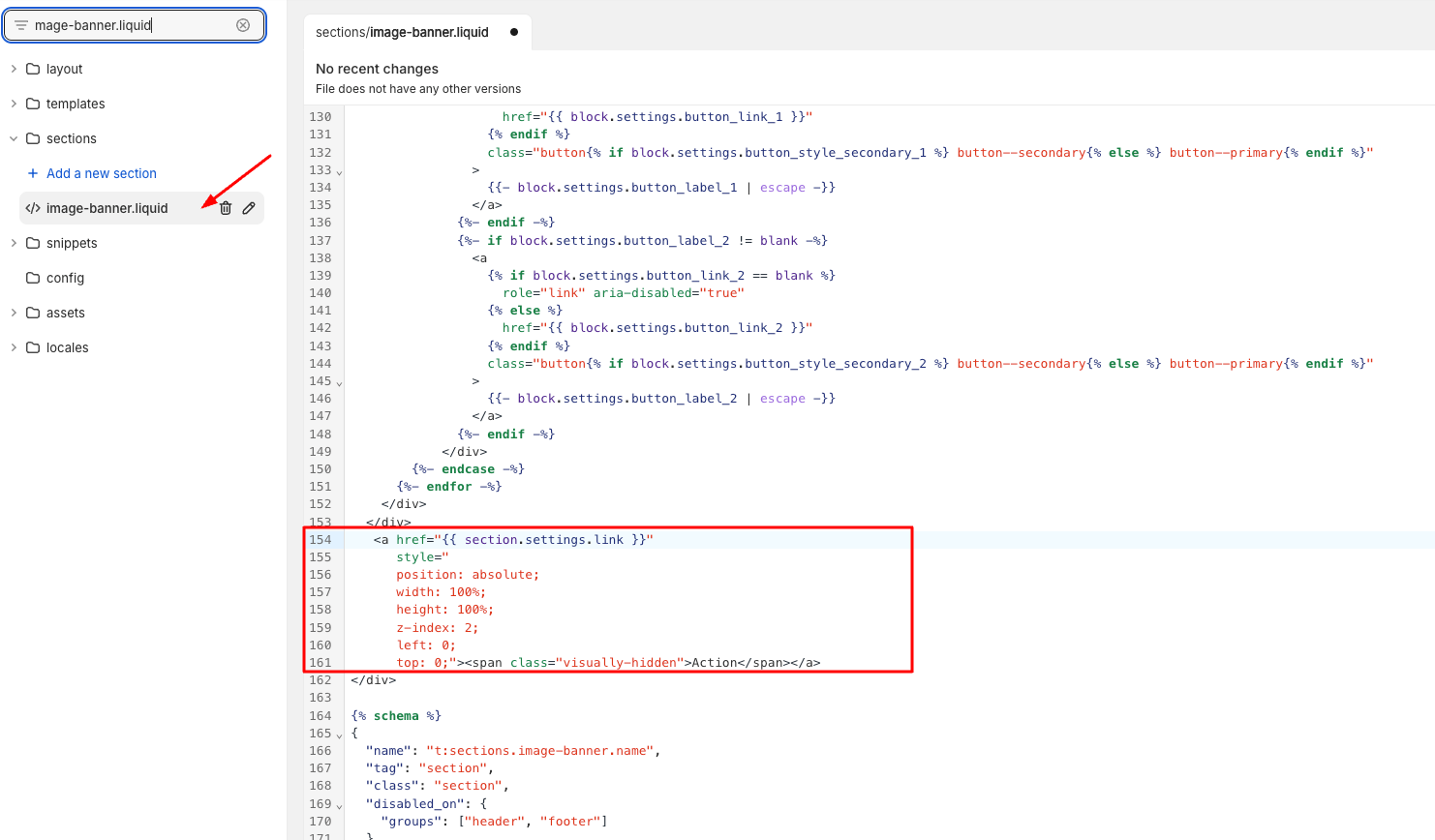
Step 3: Go to line 154 and add code here:
Code:
<a href="{{ section.settings.link }}"
style="
position: absolute;
width: 100%;
height: 100%;
z-index: 2;
left: 0;
top: 0;"><span class="visually-hidden">Action</span></a>
Step 4: Go to Customize and select link:
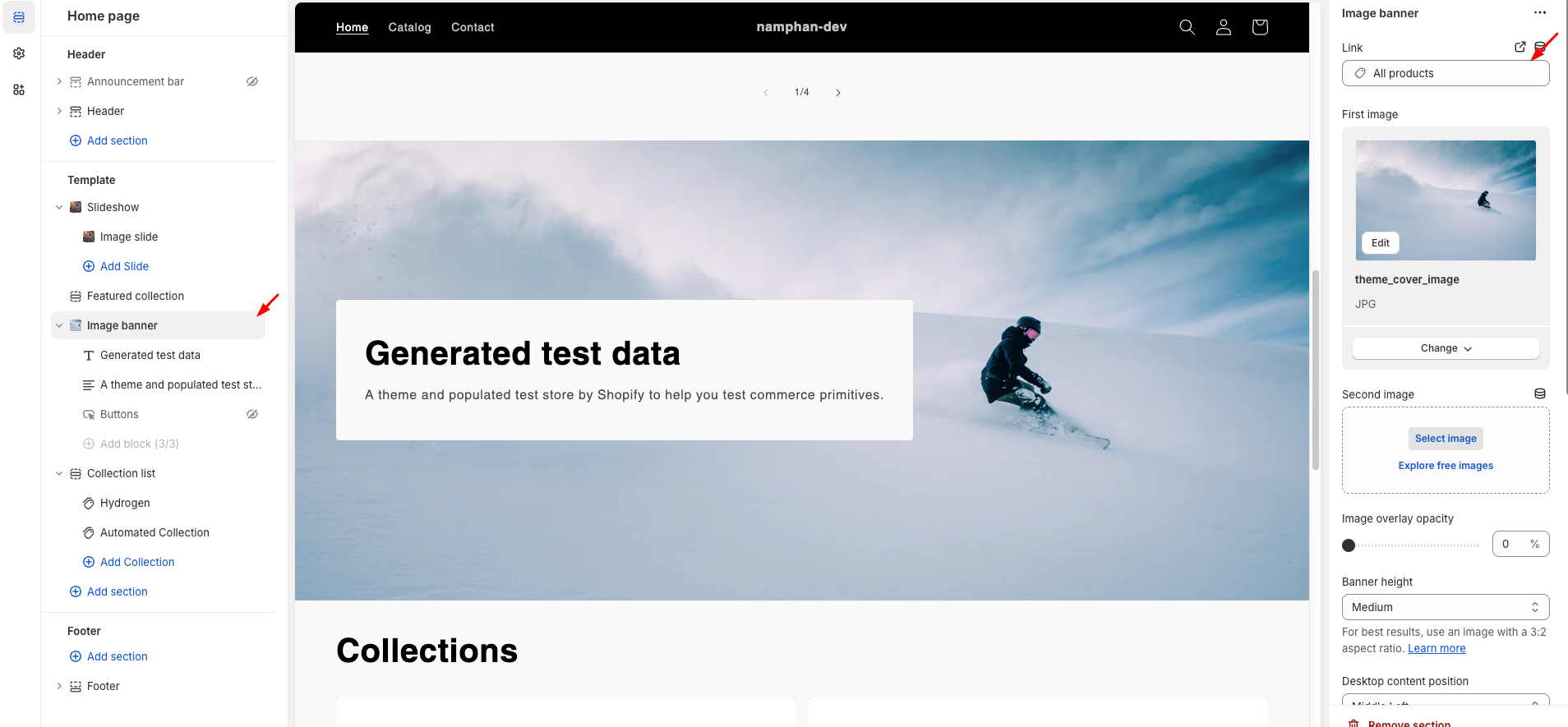
You can check the preview result from this link: https://namphan-dev.myshopify.com ( password: namphan ).
I hope my solution worked well for you!