

This guide will work for all free Shopify store themes
If you can't do it, you can contact me via email: [email protected] , I will add it for free
Please follow these steps:
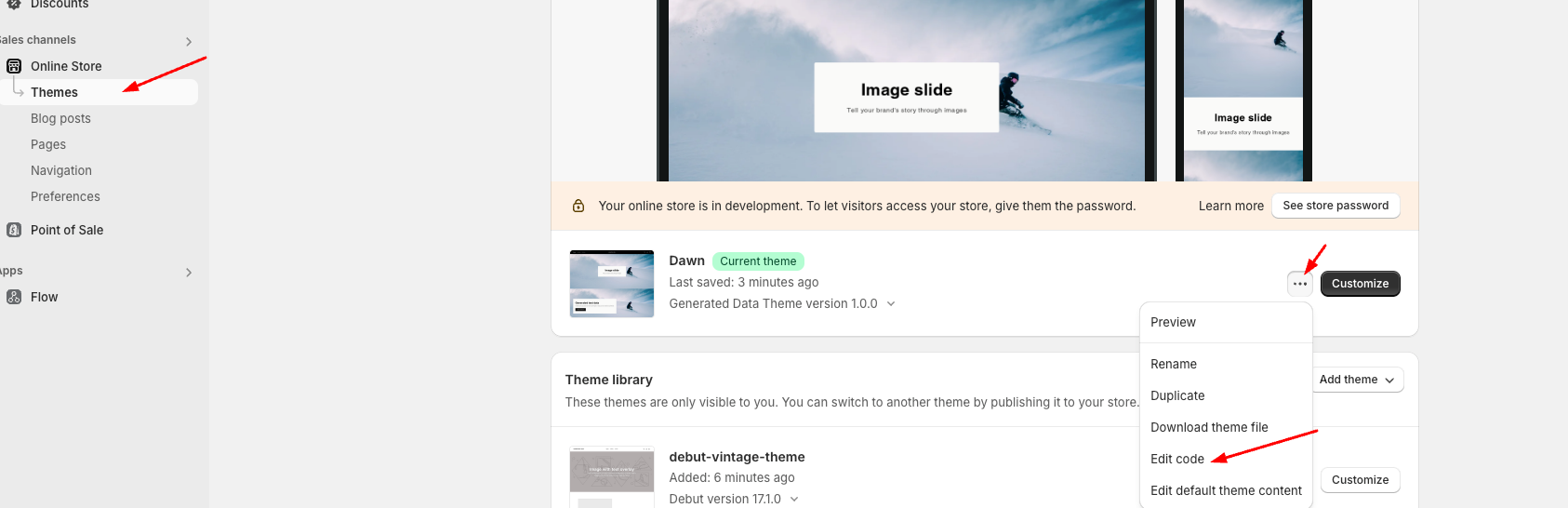
Step 1: Go to Online Store > Themes > Edit code:
Step 2: Find 'footer.liquid' file, go to line 32 and add code here:
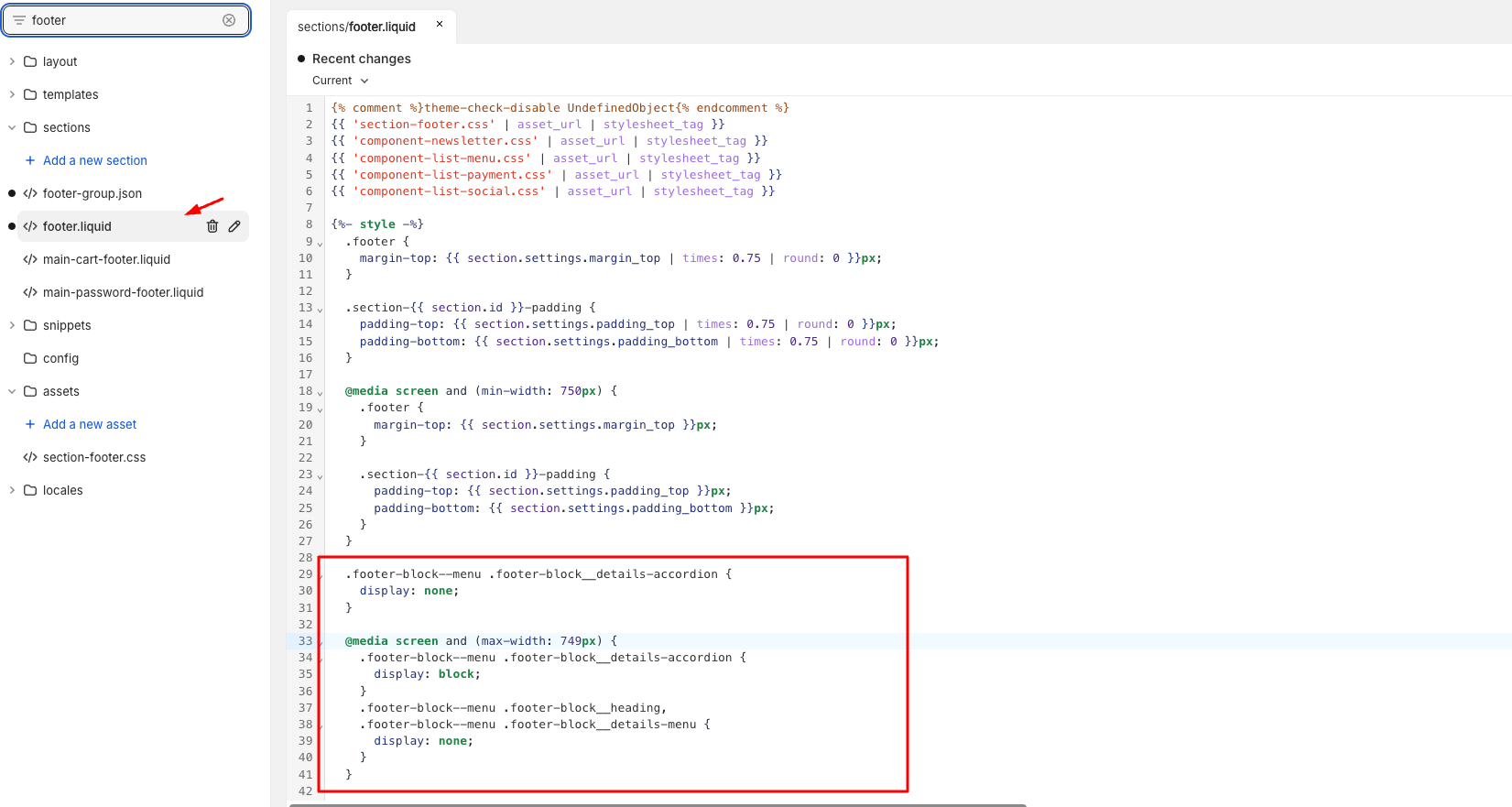
Code:
.footer-block--menu .footer-block__details-accordion {
display: none;
}
@media screen and (max-width: 749px) {
.footer-block--menu .footer-block__details-accordion {
display: block;
}
.footer-block--menu .footer-block__heading,
.footer-block--menu .footer-block__details-menu {
display: none;
}
}
Step 3: Go to line 107 and change code here:
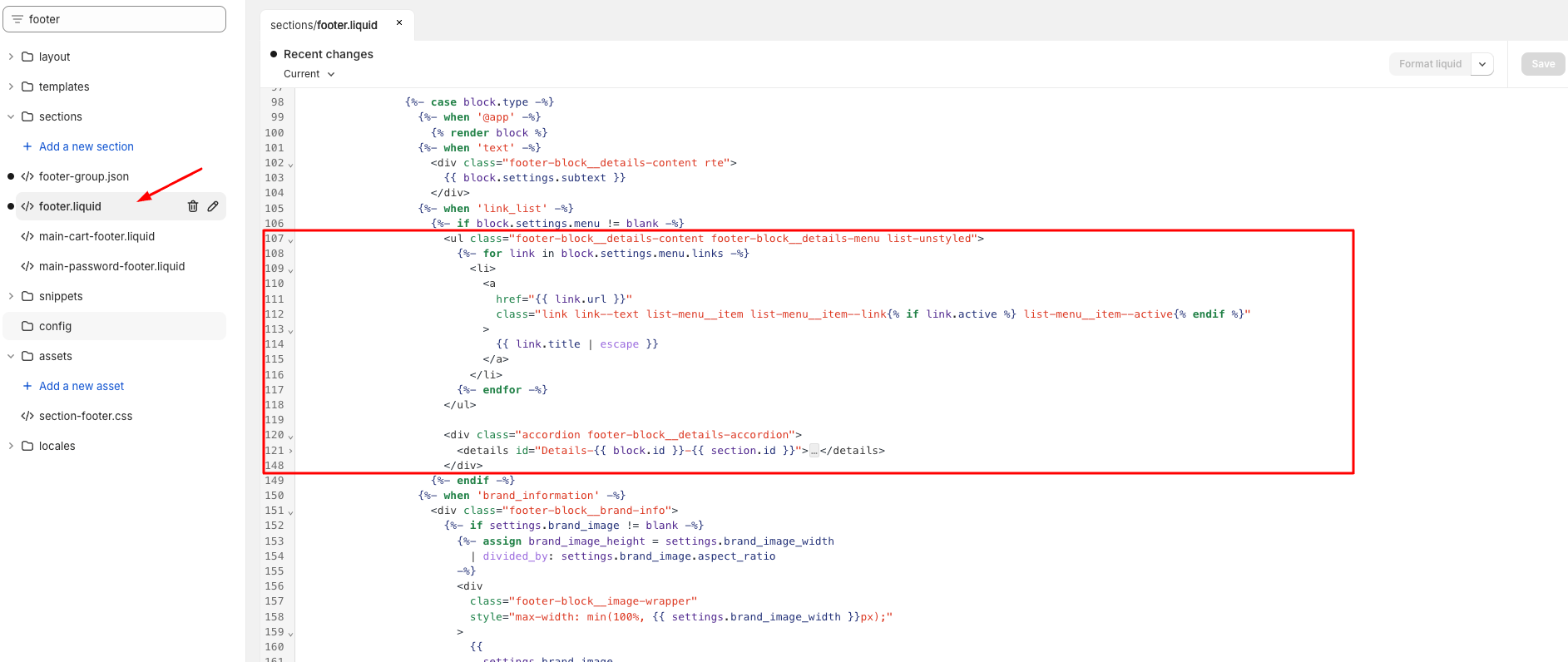
Code:
<ul class="footer-blockdetails-content footer-blockdetails-menu list-unstyled">
{%- for link in block.settings.menu.links -%}
<li>
<a
href="{{ link.url }}"
class="link link--text list-menuitem list-menuitem--link{% if link.active %} list-menu__item--active{% endif %}"
>
{{ link.title | escape }}
</a>
</li>
{%- endfor -%}
</ul>
<div class="accordion footer-block__details-accordion">
<details id="Details-{{ block.id }}-{{ section.id }}">
<summary id="Summary-{{ block.id }}-{{ section.id }}">
<h2 class="accordion__title inline-richtext h4">
{{ block.settings.heading | escape }}
</h2>
{% render 'icon-caret' %}
</summary>
<div
class="accordion__content rte"
id="CollapsibleAccordion-{{ block.id }}-{{ section.id }}"
role="region"
aria-labelledby="Summary-{{ block.id }}-{{ section.id }}"
>
<ul class="footer-block__details-content list-unstyled">
{%- for link in block.settings.menu.links -%}
<li>
<a
href="{{ link.url }}"
class="link link--text list-menuitem list-menuitem--link{% if link.active %} list-menu__item--active{% endif %}"
>
{{ link.title | escape }}
</a>
</li>
{%- endfor -%}
</ul>
</div>
</details>
</div>
You can check the preview result from this link: https://namphan-dev.myshopify.com ( password: namphan ).
I hope my solution worked well for you!