

This guide will work for all the latest free Shopify store themes.
This works based on the Photoswipe library. It will work fine on JavaScript, so you won't need any additional libraries, like Jquery.
This is a paid tutorial, so steps 5 and 6 will be code protected. If you want to get the code, please contact us directly via email: [email protected] , I will guide you in detail with just a cup of coffee.
Please follow these steps:
Step 1: Go to Online Store > Themes > Edit code:
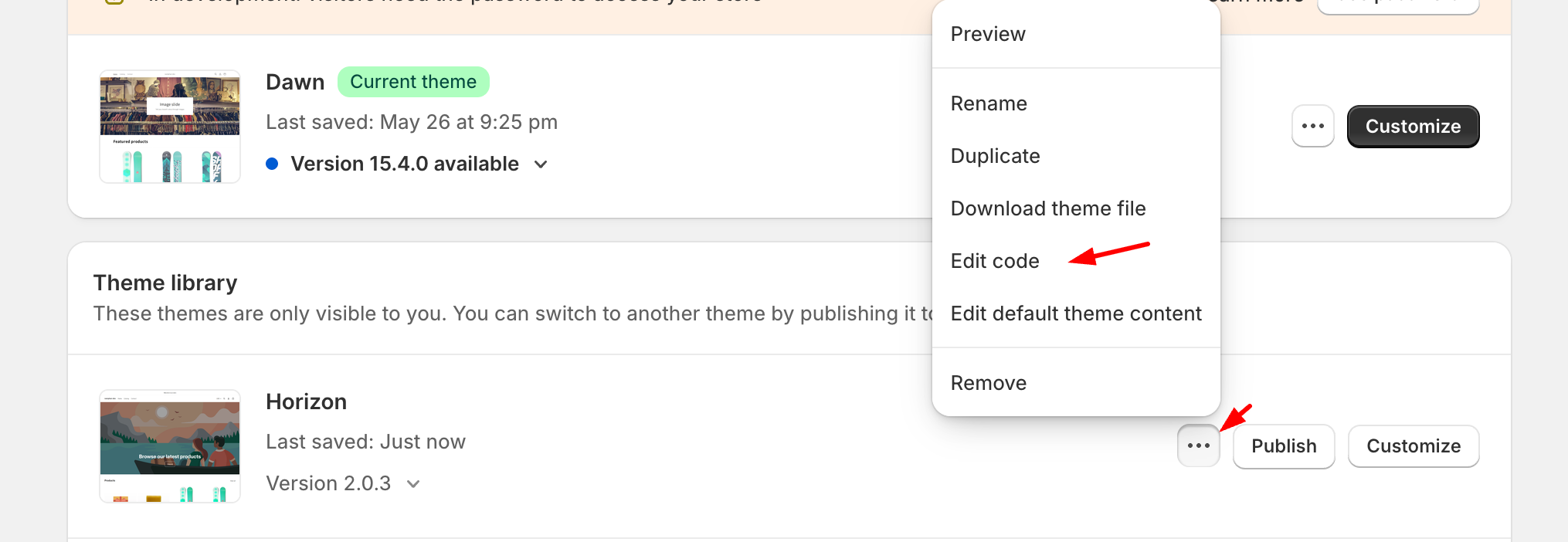
Step 2: Create a new photoswipe-lightbox.esm.min.js file at Assets.
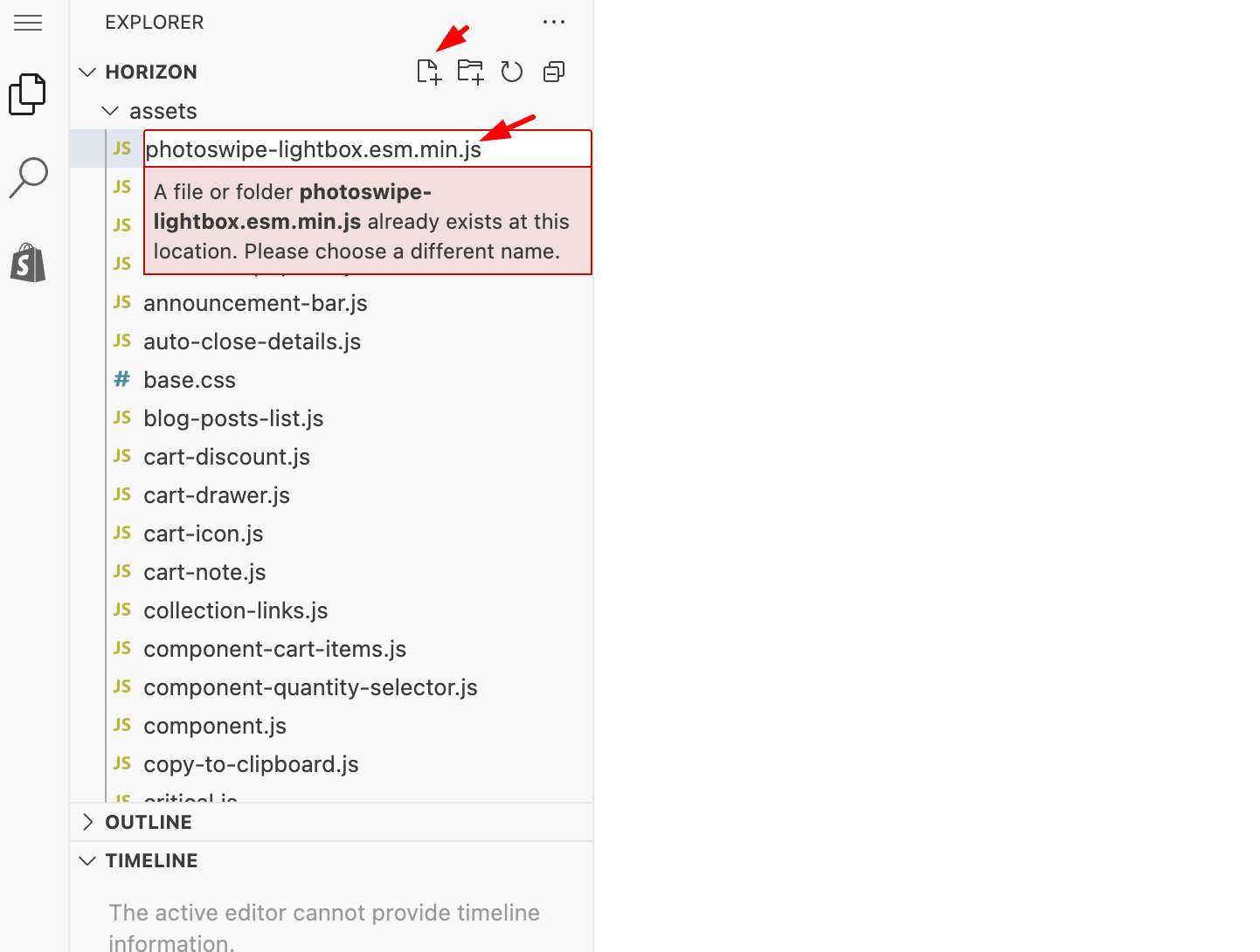
Link file: https://pastebin.com/raw/vUBbGwT2
Step 3: Create a new photoswipe.esm.min.js file at Assets. Link file: https://pastebin.com/raw/71UDgWHa
Step 4: Create a new photoswipe.css file at Assets. Link file: https://pastebin.com/raw/gNNbJv5T
Step 5: Create photoswipe declaration file for theme
Step 6: Go to blocks > _product-media-gallery.liquid file and change the structure to receive click events
Step 7: Go to Customize and Enable zoom:
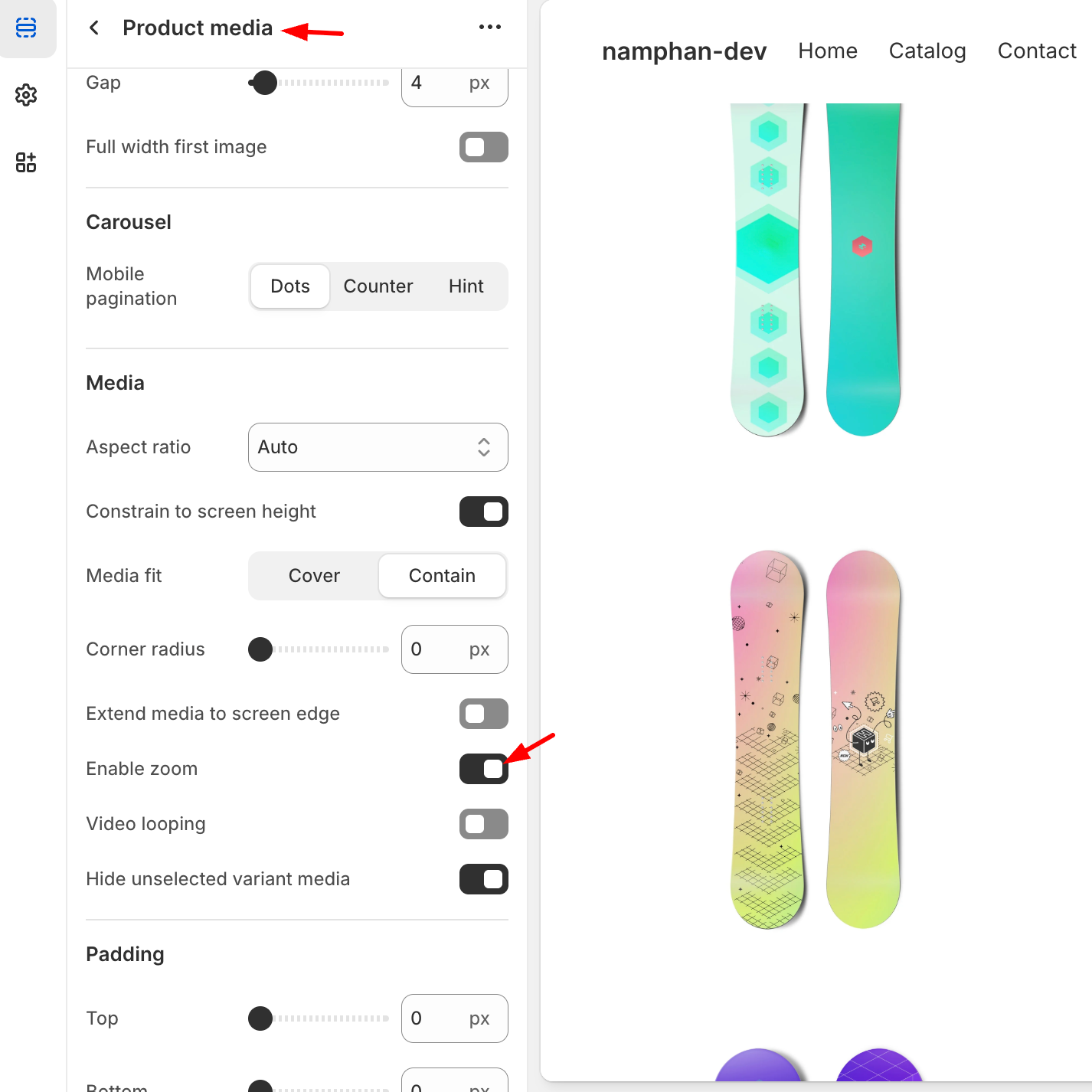
You can check the preview result from this link: https://namphan-dev.myshopify.com/?preview_theme_id=151827022054 ( password: namphan ).
I hope my solution worked well for you!