

With v0.19.0 MediaLyze can finally do something about the files it has been analyzing all this time.
The biggest addition is FFmpeg transcoding, directly in the app. You can build and validate a plan, choose what happens to each video, audio and subtitle stream, and follow the job from the new Transcoding page.
Website | GitHub | v0.19.0 release
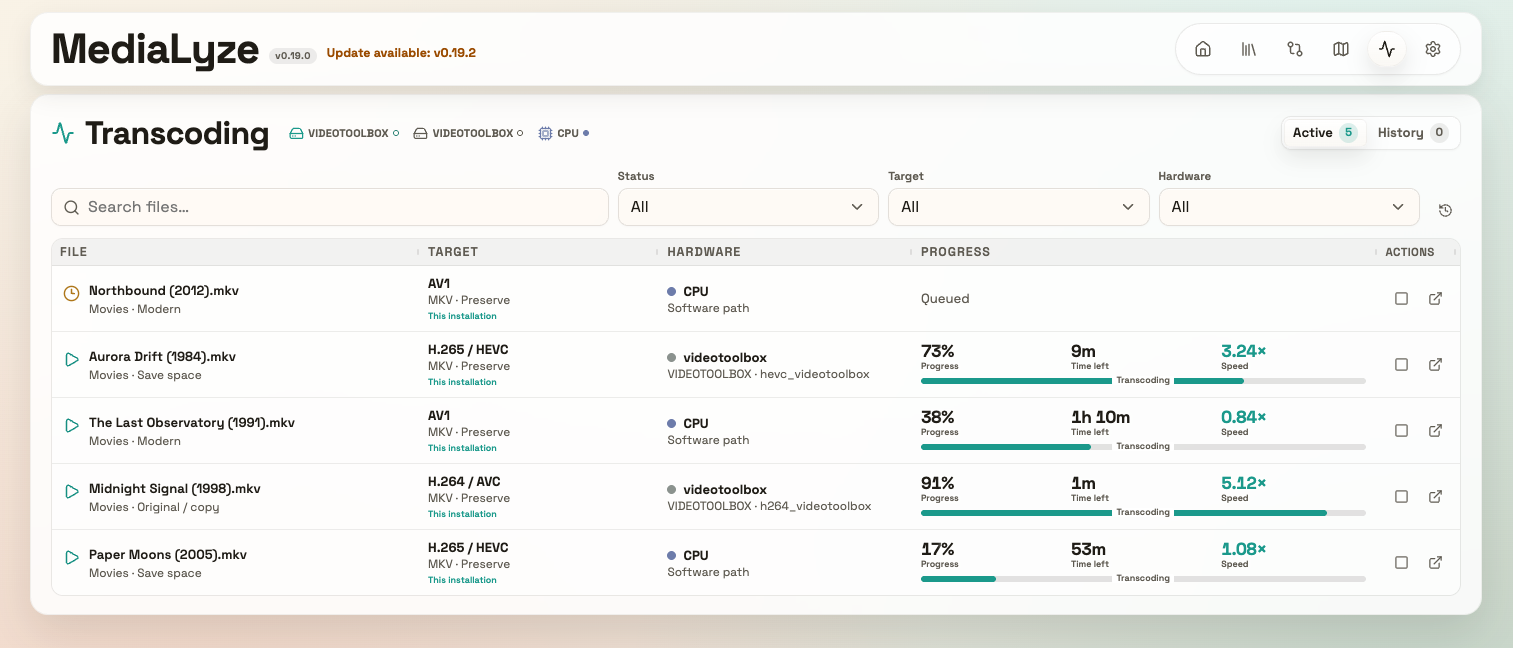 Illustrative demo with fictional files and progress values.
This turned into a slightly bigger rabbit hole than just putting a button next to a file. There are quite a few decisions between "this file is unnecessarily large" and a result you actually want to keep.
The workflow now includes:
tested hardware acceleration and an explicit CPU-only mode
individual stream controls and reusable transcoding presets
separate filename and folder formatting, with metadata tokens and saved presets
configurable output locations and linked variants
progress, cancellation, retries and job history
synchronized playback with a draggable divider to compare a result against the original
That last part is one i am especially happy about. Being able to drag across the video and see what actually changed feels much more useful than just staring at the metrics and metadata.
You can save the output separately, keep a linked variant next to the source, or explicitly confirm replacing the original. Hardware-required jobs also stay hardware-required, so they will not quietly turn into a surprise CPU workout.
The interface got some attention as well, with more compact navigation, a tighter Storage Map layout and smaller settings tables. The Storage Map from my earlier sneak peek is already available too :)
I would love to hear how this fits into your setup. Which codecs and hardware are you using? Do the presets and naming options cover your workflow, and where does the process still feel awkward?