

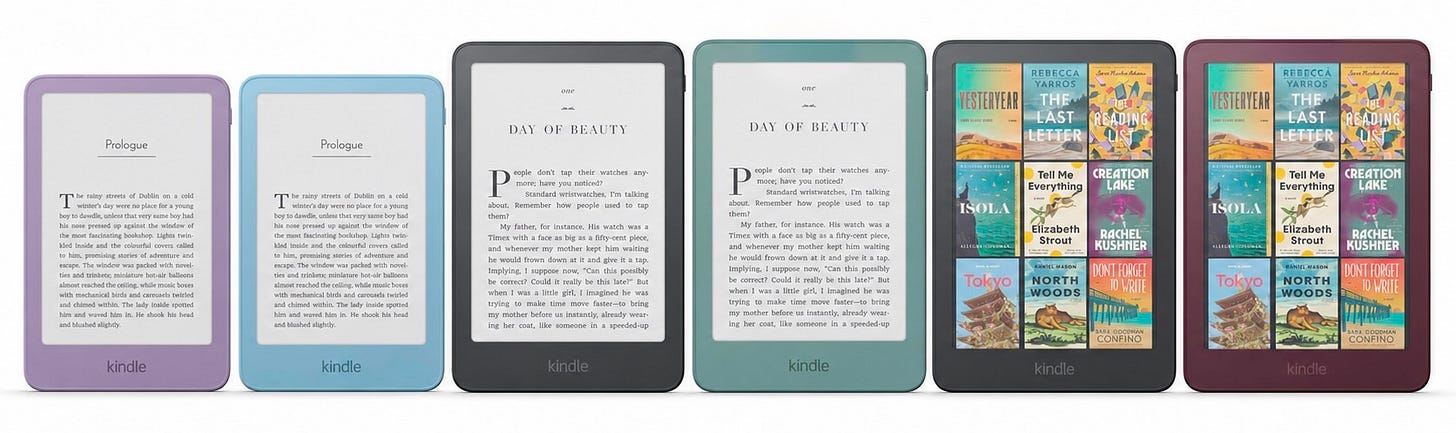
 Quite the new range!
Amazon has just refreshed much of the Kindle range with new versions of the regular Kindle, the Paperwhite and the Colorsoft. We’ve now got new aluminium models, redesigned displays and several new accessories.
And perhaps most surprisingly, Amazon suddenly seems interested in physical page-turn buttons again.
It just hasn’t actually put them on the Kindle.
This article contains affiliate links. As an Amazon Associate I earn from qualifying purchases.
The biggest change is the screen
The biggest change that runs through the entire new range is the display.
Every one of these new Kindles now has a completely flush front. There’s no longer even a slight gap between the display and the bezel around the display. Instead, the whole front should look and feel like one continuous surface.
Amazon is doing this using something it calls a new ‘reverse stack’ display construction.
A Kindle display has several layers: including the E Ink display itself, the front light and the touch layer and others. Amazon has changed the way those layers are stacked and reduced what sits between the display and the surface.
The result is a thinner device with the screen brought right up to the front, completely inline with the bezel.
The colour treatment of the casing has changed as well. On these new models, the colour now carries from the back and sides right around to the front bezel.
Amazon had to redesign how that colour is applied so it doesn’t reflect into the E Ink display and give the screen an annoying coloured tint. (Given the orange-screen debacle with the original Colorsoft, that’s something worth spending time getting right!)
The regular Kindle got a surprisingly big makeover
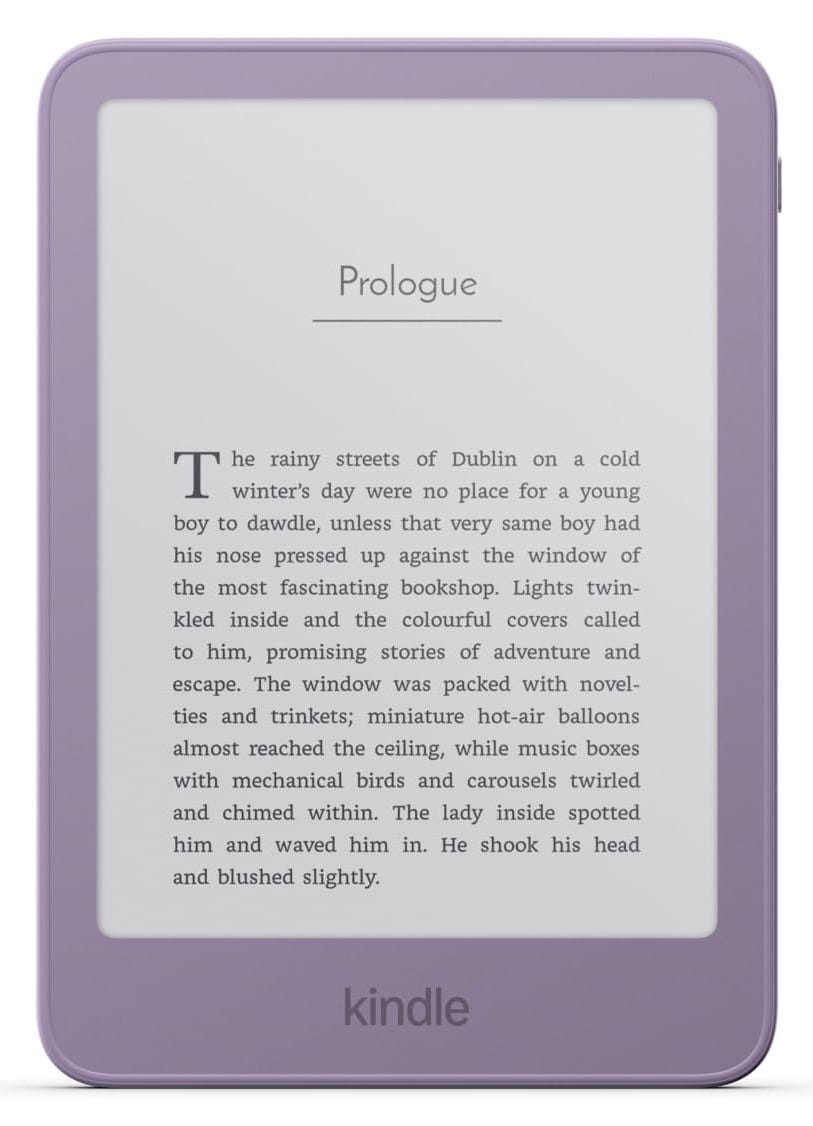 The new ‘basic’ model
The entry-level Kindle still has a six-inch display, and Amazon is calling it its ‘most pocketable Kindle yet’.
Unfortunately, Amazon still hasn’t made the tiny Kindle I keep asking for, so we clearly have slightly different definitions of pocketable.
You get 16GB of storage, up to six weeks of battery life and, Amazon says, books will now open around 30% faster than on the previous version. Not that this was ever a real problem, but any advance is a good one, I suppose.
The standard model comes in Graphite and a rather nice purple colour called Ube.
Ube—pronounced OO-beh—is apparently the Filipino word for a purple root vegetable, a bit like a sweet potato, which is where the colour name comes from. I think it looks quite similar in tone to the Fig colour Amazon introduced on the Kindle Scribe Colorsoft, although Ube appears, possibly, a little more purple.
The standard Kindle without adverts costs £149.99 in the UK.
But for the first time, there’s also a more premium aluminium version of the same six-inch Kindle.
The aluminium should make it feel a little more rigid and robust than the plastic model, but beyond that, it seems to be mainly about giving it a more premium finish.
This version also doubles the storage to 32GB, comes without lock-screen adverts and is available in Alpine Sky and Seaglass Green for £169.99.
That £20 difference is interesting.
The basic Kindle has traditionally existed as the cheap way into Amazon’s ecosystem. Now Amazon seems to be testing whether there’s also a market for people who want the small six-inch format but don’t necessarily want the cheapest possible construction. I can see the appeal. Not everybody who wants a small Kindle wants it to feel like the budget Kindle.
One little change I’m particularly pleased to see is that Amazon has moved the power button from the bottom of the device onto the side, like on the Kindle Scribe.
Anyone who has accidentally switched their Kindle off with their little finger while holding it to read will understand why that’s a good thing!
Standard Kindle | Aluminium Kindle
The Paperwhite gets thinner, lighter and flatter
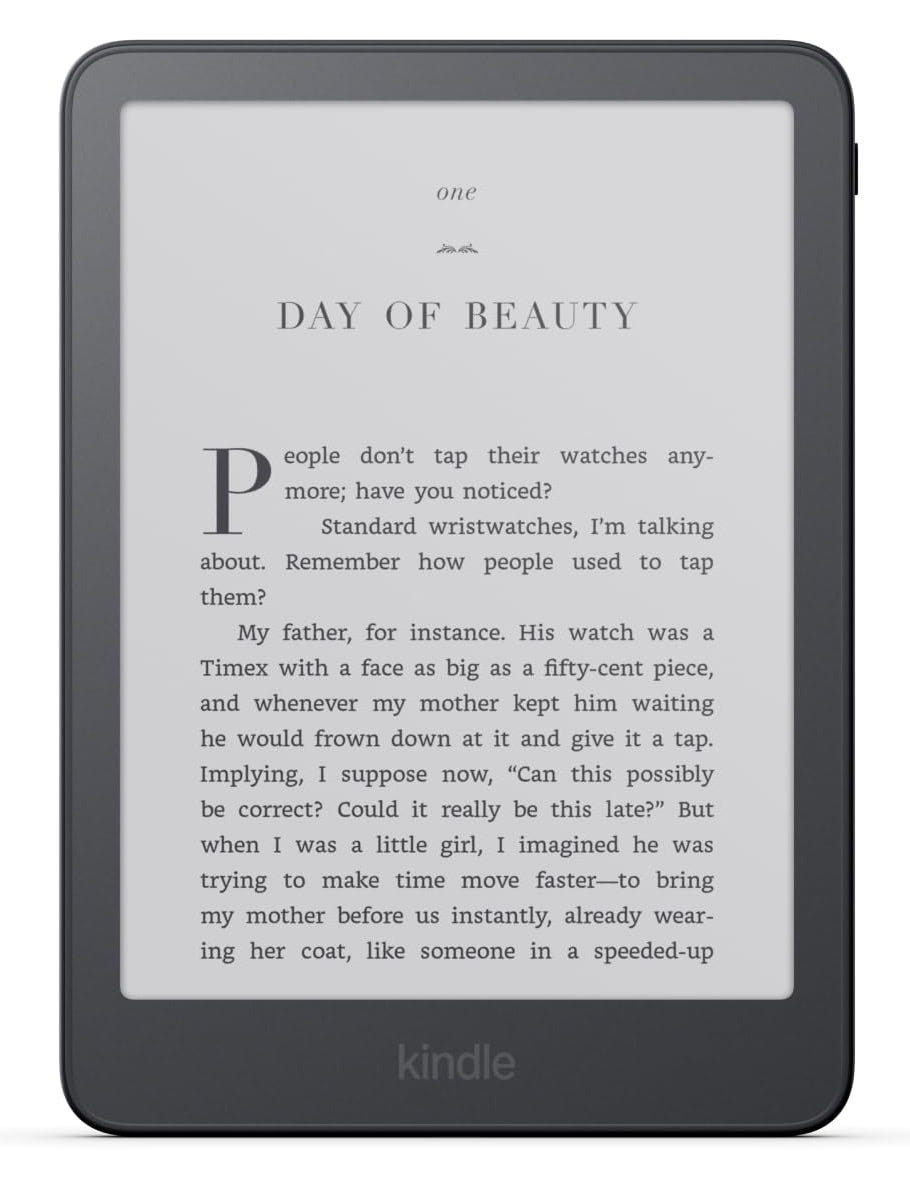 Kindle Paperwhite
The new Paperwhite still has a seven-inch display, and some of the familiar Paperwhite features carry over, including adjustable warm lighting, waterproofing and up to twelve weeks of battery life.
What’s changed is that it’s thinner and lighter than the previous model and, like the other new Kindles, now has that completely flat front with the display sitting flush with the bezel.
Amazon is making quite a big deal about the screen quality, describing this as its highest-contrast Paperwhite display yet, with deeper blacks and crisper text.
It uses an oxide thin-film transistor backplane, which controls the individual pixels in the E Ink display. That technology itself isn’t new because the previous Paperwhite used it too, but Amazon is clearly positioning contrast and clarity as two of the strengths of this new display.
The 16GB Paperwhite without adverts costs £199.99 in the UK.
Then there’s the £229.99 Paperwhite Signature Edition.
That price gives you 32GB of storage and the new aluminium-backed design. You still get the usual features from the standard Paperwhite, but what’s new is the pogo-pin connection on the back.
That will become important when we talk about the new accessories later in this article.
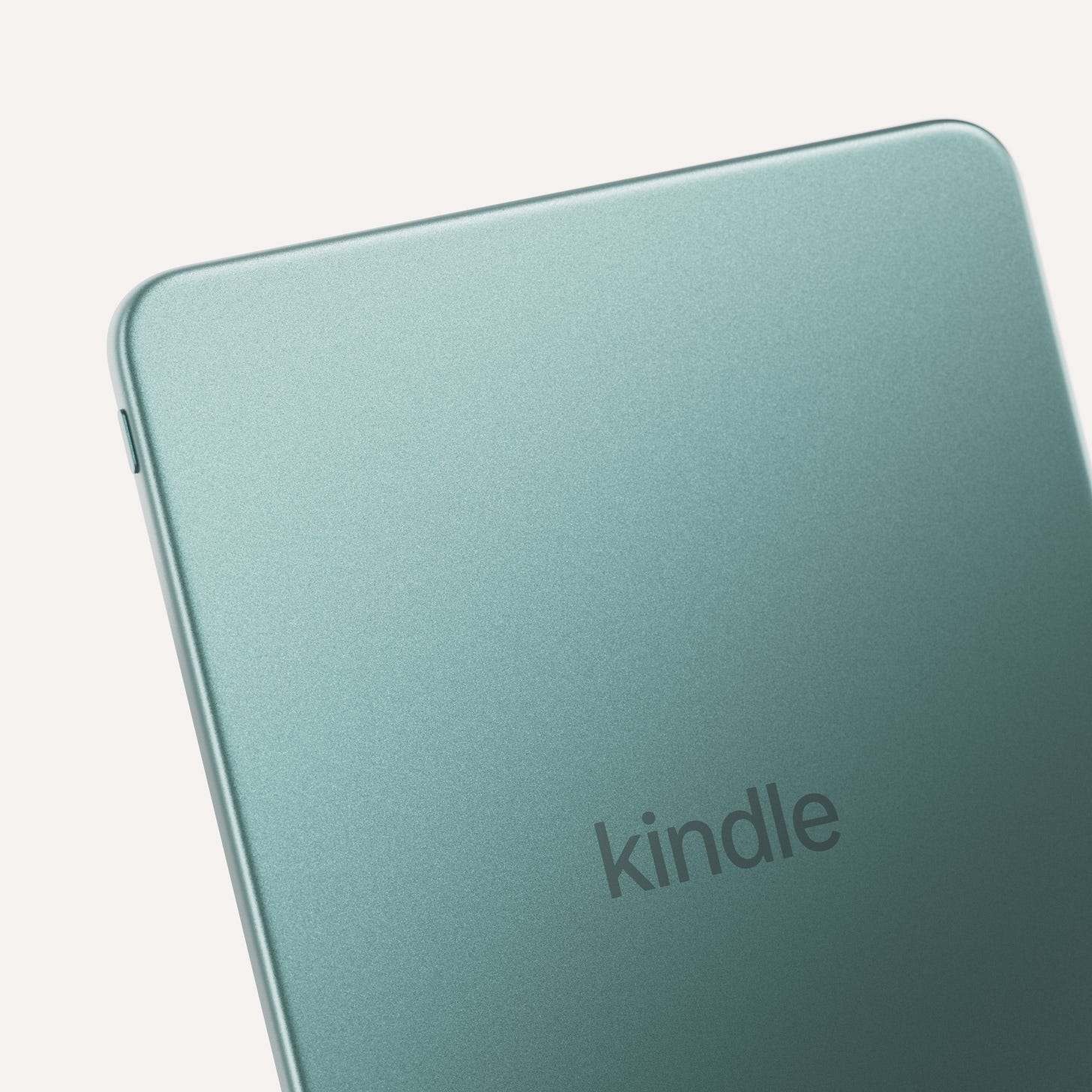 Kindle Paperwhite Signature Edition with Aluminium back
Kindle Paperwhite | Paperwhite Signature Edition
Amazon has redesigned the Colorsoft
There are now two versions of the Colorsoft as well.
The standard Colorsoft has 16GB of storage and costs £259.99, while the new Colorsoft Signature Edition has 32GB, an aluminium body and costs £289.99.
The bigger change on both models, unsurprisingly, is the display itself.
Amazon says it has completely redesigned the Colorsoft screen with a new light guide, different LEDs, changes to the way the E Ink panel refreshes and a new optical coating.
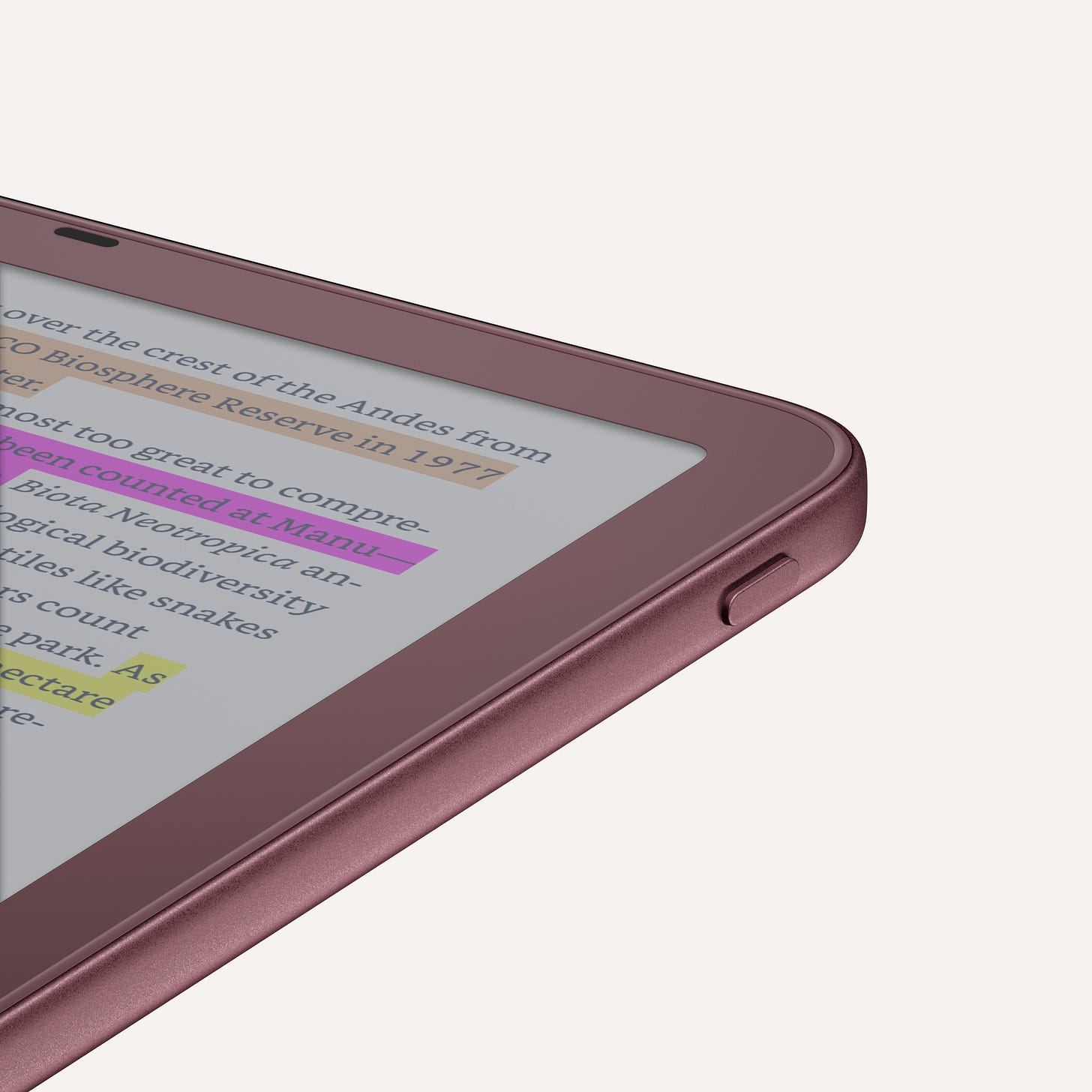 Kindle Colorsoft Signature Edition with sensibly placed power button!
The aim is a display with richer and more even colour spread, improved contrast and better clarity while still retaining the paper-like appearance of colour E Ink. It also gets the same flush-to-the-bezel design as the rest of the new range.
This is probably the new Kindle I’m most curious about.
Colour E Ink remains a compromise. You gain colour, but generally sacrifice some brightness, contrast and clarity compared with a monochrome E Ink panel.
The question isn’t whether Amazon has somehow eliminated that compromise. I doubt it has.
The interesting question is how much it has reduced it.
I’ve ordered the new Colorsoft, so that’s something I’ll be looking at properly once I’ve spent some time reading on it.
The Colorsoft Signature Edition also gets those new pogo pins on the back.
So let’s talk about why they’re there by looking at some of the new accessories.
Kindle Colorsoft | Colorsoft Signature Edition
Page-turn buttons are back. Sort of.
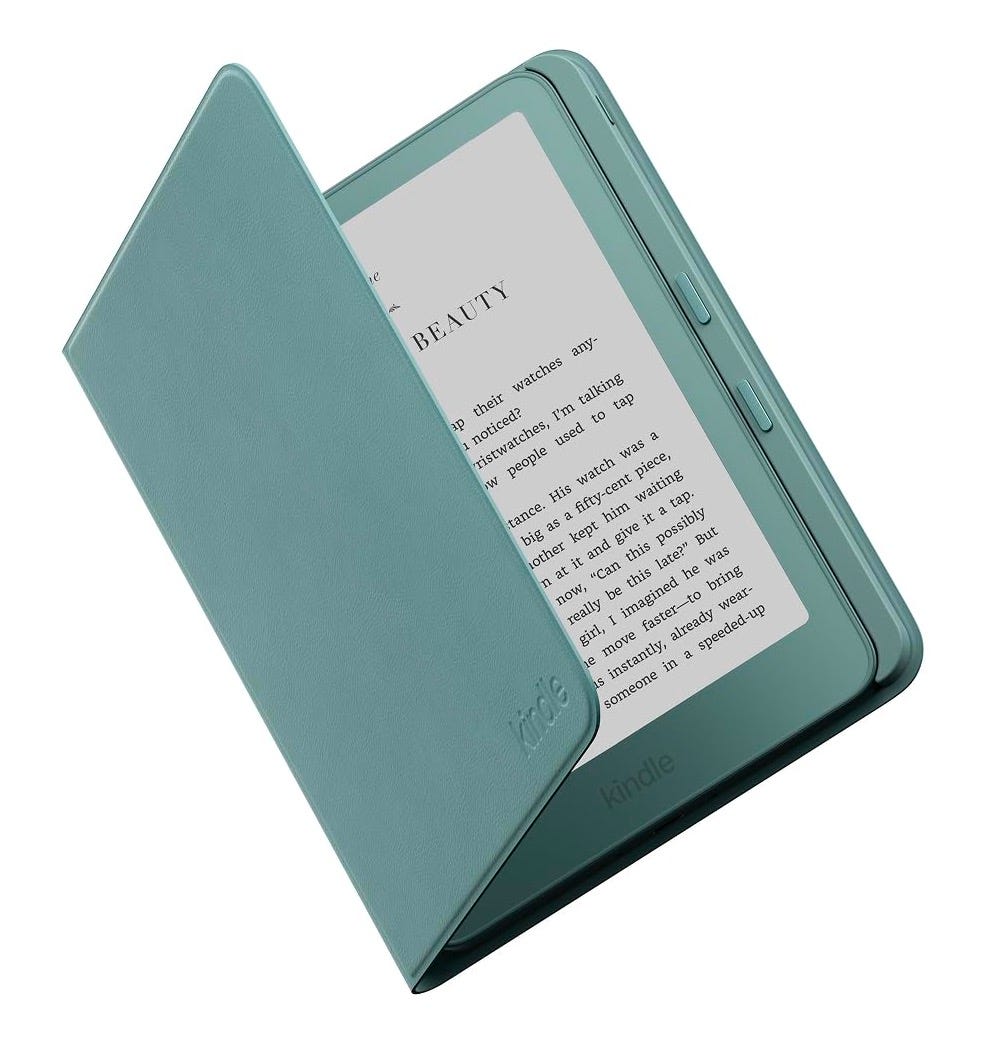 Lovely buttons!
Amazon has essentially brought physical page-turn buttons back to the Kindle by putting them on the case instead.
The Page-Turn Cover attaches magnetically to the Kindle and connects through the aforementioned pogo pins on the back. That means there’s no Bluetooth pairing, no separate battery and nothing else to keep charged.
You just attach the cover and the buttons work straight away.
Those physical buttons let you move forwards and backwards through a book, just as the Kindle Oasis used to.
Helpfully, the cover folds back flat, so it should work quite nicely for one-handed reading rather than leaving you with a large flap hanging off the side.
The cover is IPX8-rated too, just like the Kindle itself, so it should be fine around splashes, rain, by the pool or, in my case, in the bath.
It still works like a normal Kindle cover, waking the Kindle when you open it and putting it to sleep when you close it, with magnets keeping it shut.
Amazon says the outer material is largely made from renewable plant-based materials, with a soft microfibre lining inside to protect the screen.
It comes in Graphite, Seaglass Green and Fig. It costs £74.99.
I’ve ordered one because I’m genuinely interested in seeing how well it works, particularly as someone who still thinks the Oasis got quite a lot right.
Amazon has made a new Kindle charging dock too
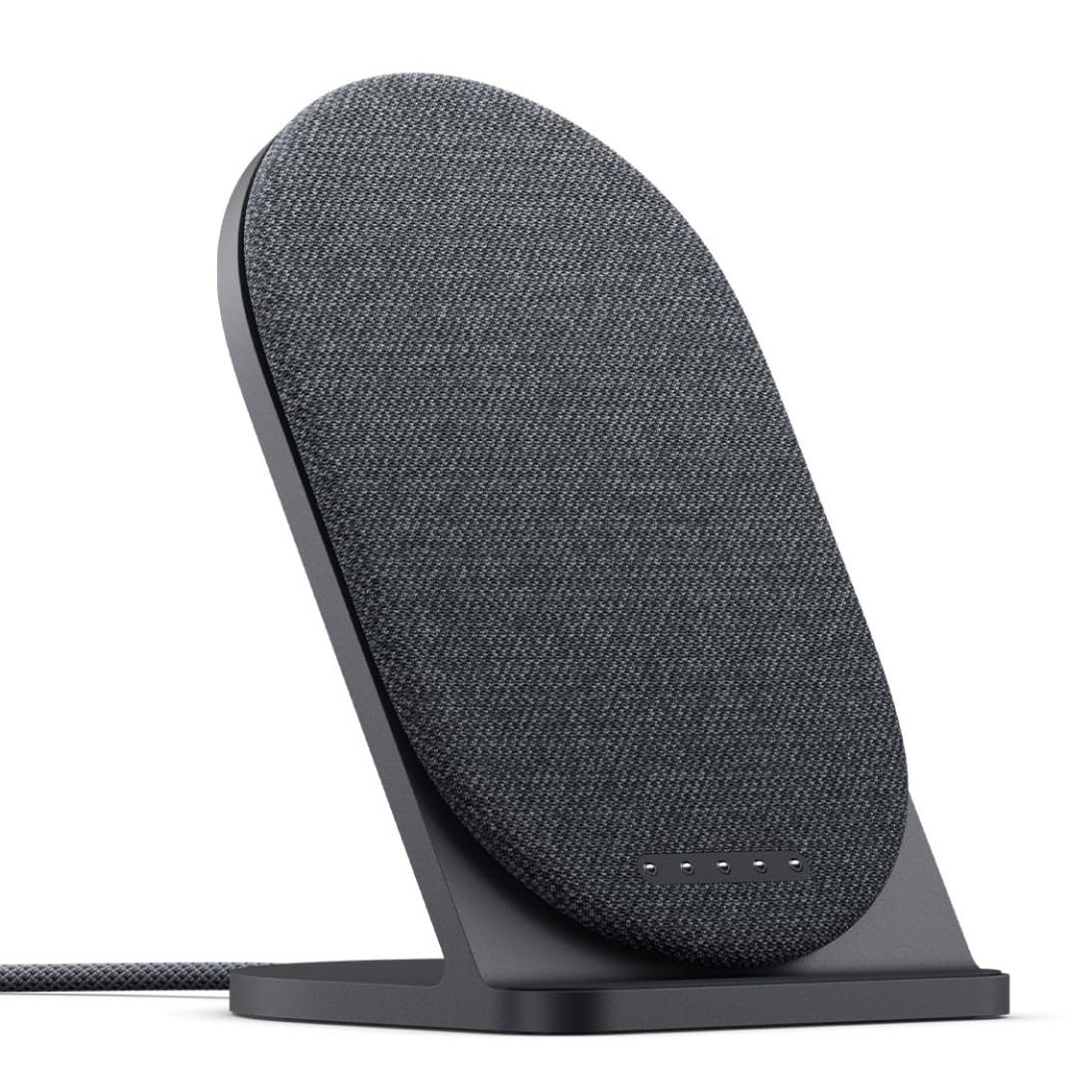 Weighty, anodised charging stand
Those pogo pins have another purpose.
Amazon has also launched a £49.99 charging dock that’s only compatible with the 2026 Paperwhite Signature Edition and Colorsoft Signature Edition.
It uses the same pogo pins on the back, with magnets aligning the Kindle in place.
Unfortunately, it looks like you’ll have to remove the cover when you want to use it. But once it’s docked, it charges at 7.5 watts and holds the Kindle at a 60-degree angle, so you could still read from it comfortably while it’s charging.
The base is weighted anodised aluminium, so it should stay put on a desk or bedside table. It comes with a permanently attached braided USB-C cable and a 20-watt power adapter in the box.
I’ve expressed an interest in getting hold of the charging dock when it becomes available.
Introducing the Kindle Click
Surprisingly helpful page turner
This is Amazon’s own Bluetooth page-turn remote, with large tactile buttons for moving forwards and backwards through a book without having to touch the Kindle itself.
You’ve also got dedicated buttons on the side for adjusting the screen brightness. Press both of them together and you can even put the Kindle to sleep remotely.
It connects over Bluetooth, has a rechargeable battery that Amazon says should last for weeks at a time and charges over USB-C.
There’s also a small woven wrist strap included, which might actually be quite useful if you’re reading in bed or somewhere you’re likely to drop the thing down the side of.
The buttons can be customised too, so you can decide which one turns the page forwards and which one goes back.
Importantly, for this accessory, you don’t need one of the brand-new Kindles to use it. Amazon says it will work with Kindle models from 2024 onwards.
Amazon is turning the Kindle into more of a range
The individual changes are interesting, but taken together I think something broader is happening here.
For years, the Kindle range has been relatively straightforward.
There’s the cheap one. There’s the nicer Paperwhite. There’s the colour one. And occasionally Amazon experiments with something bigger, like the Scribe.
This new generation feels more deliberately segmented.
There are plastic and aluminium models, standard and Signature Editions, different storage tiers, premium cases, a dedicated charging dock and a page-turn remote.
Amazon isn’t simply selling several Kindle models anymore. It’s building more of a Kindle hardware ecosystem around them.
Some people will inevitably look at the prices and wonder whether an e-reader really needs an aluminium body, a £75 button-equipped cover and a £50 charging stand.
And that’s fair.
One of the great strengths of the Kindle has always been that once you’re inside a book, most of the hardware disappears. It doesn’t need to behave like an iPad or a smartphone. It just needs to make reading comfortable.
But I also like that Amazon is experimenting again.
The Kindle hardware business has occasionally felt almost too settled. Improve the screen a bit. Make it slightly faster. Change the colour. Repeat.
This launch feels more ambitious than that.
We’ve got new construction methods, more premium materials, another attempt at improving colour E Ink, an accessory system built around those pogo pins and, after years of pretending touchscreens had solved everything, physical page-turn controls creeping back into the Kindle ecosystem.
Even if Amazon still refuses to put the buttons on the actual Kindle.
I’ve pre-ordered the new Colorsoft, Page-Turn Cover and Kindle Click, and I’ve expressed an interest in getting hold of the charging dock when it becomes available. I’ll be testing pretty much all of this for myself very soon and will post these reviews over on my YouTube channel, The Spark! I will also write up my thoughts here on Substack.
This article is based on this YouTube video ↓
Connect with me: X | Instagram | Threads
Subscribe to my YouTube channels: The Spark | The Weekly Spark
Buy stuff: Affiliate Page