

After years of reviewing Kindles and E Ink devices, I’ve created my first digital product: a hyperlinked reading journal for the Kindle
Normally, when I write about a product, somebody else has made it. I spend some time using it, work out what I like, what I don’t like, and then share my thoughts with you. That’s essentially what I’ve been doing over my YouTube channel, The Spark! for a few years now.
But this time, things are a little different.
Rather than reviewing something somebody else has created, I’ve decided to have a go at making something myself. And, perhaps unsurprisingly, it involves a Kindle.
I’ve created my first digital product, a 285-page Reading Journal designed specifically for the Kindle Scribe, and it’s now available to purchase.
I’m quite pleased with how it’s turned out, so I thought I’d explain what I’ve made, how it works and why I decided to give this a go.
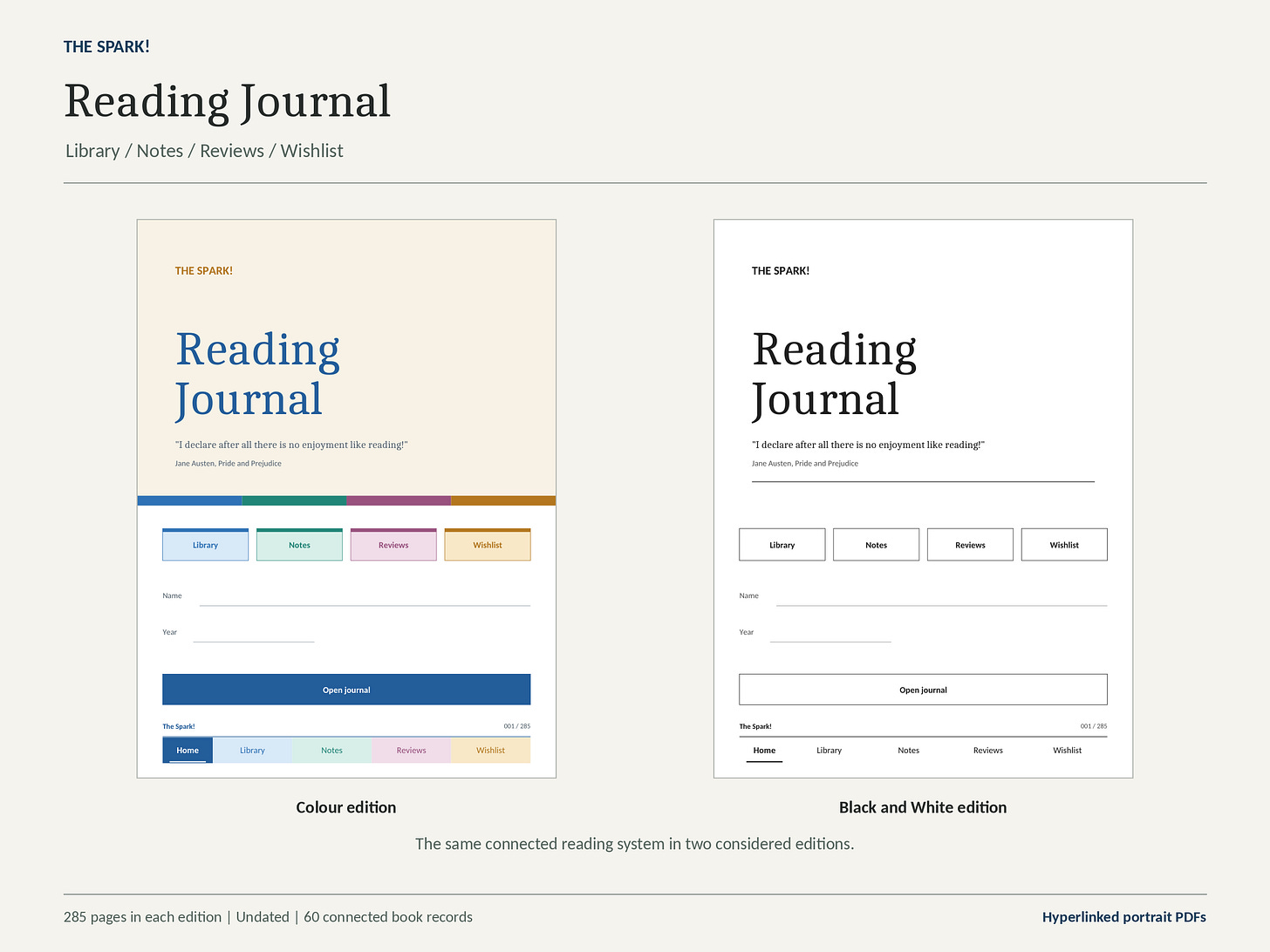 The Reading Journal comes in two editions, colour and black and white, both included with your purchase.
Why a reading journal?
If you’ve been following my online endeavours for any length of time, you’ll know I’ve owned more than a few different models of Kindles. I’ve spent a lot of time with the Kindle Scribe in particular, testing its notebooks, experimenting with PDFs and seeing what else I can do with it beyond simply reading books—in fact I’ve owned at least one model from every generation so far.
One thing I’ve wanted experiment with for a while now is to keep a proper record of my reading. Not through another app like Goodreads, or a boring spreadsheet but in a more traditional way, writing things down by hand. I wanted somewhere to keep track of the books I’ve read, make notes as I go along, record any interesting passages and write down what I thought of a book once I’d finished it. All the science says we remember things better when we use a pen and write it down!
Now, I could have just picked a notebook template on the Scribe and started writing, but I wanted something a bit more organised than that, a little less of trying to use a template for something it wasn’t really designed for. If I’m keeping a record of dozens of books, I don’t particularly want to spend ages flicking through pages trying to find the notes I made on something I read six months ago.
That got me thinking about creating a hyperlinked journal. Something where I could have a list of all my books and, with a tap, jump straight to the relevant book record, notes or review. I’d still be writing everything by hand, which is what I wanted, but I’d have the convenience of being able to move around the journal without searching through hundreds of pages.
Having recently reviewed a few hyperlinked PDFs, I decided to have a go at making one myself. What started as a fairly simple idea has turned into a 285-page reading journal. I probably got a bit carried away, but I’m quite chuffed with how it’s turned out!
How the journal works
The journal contains 285 pages, with room to record up to 60 books.
Each book is assigned a number, and that number connects its library record, notes and review.
There’s also a separate title index where you can write down the books you’ve added. Each numbered entry has hyperlinks that take you directly to the corresponding pages. Basically, any text that is in a box is probably tappable and will take you somewhere within the PDF.
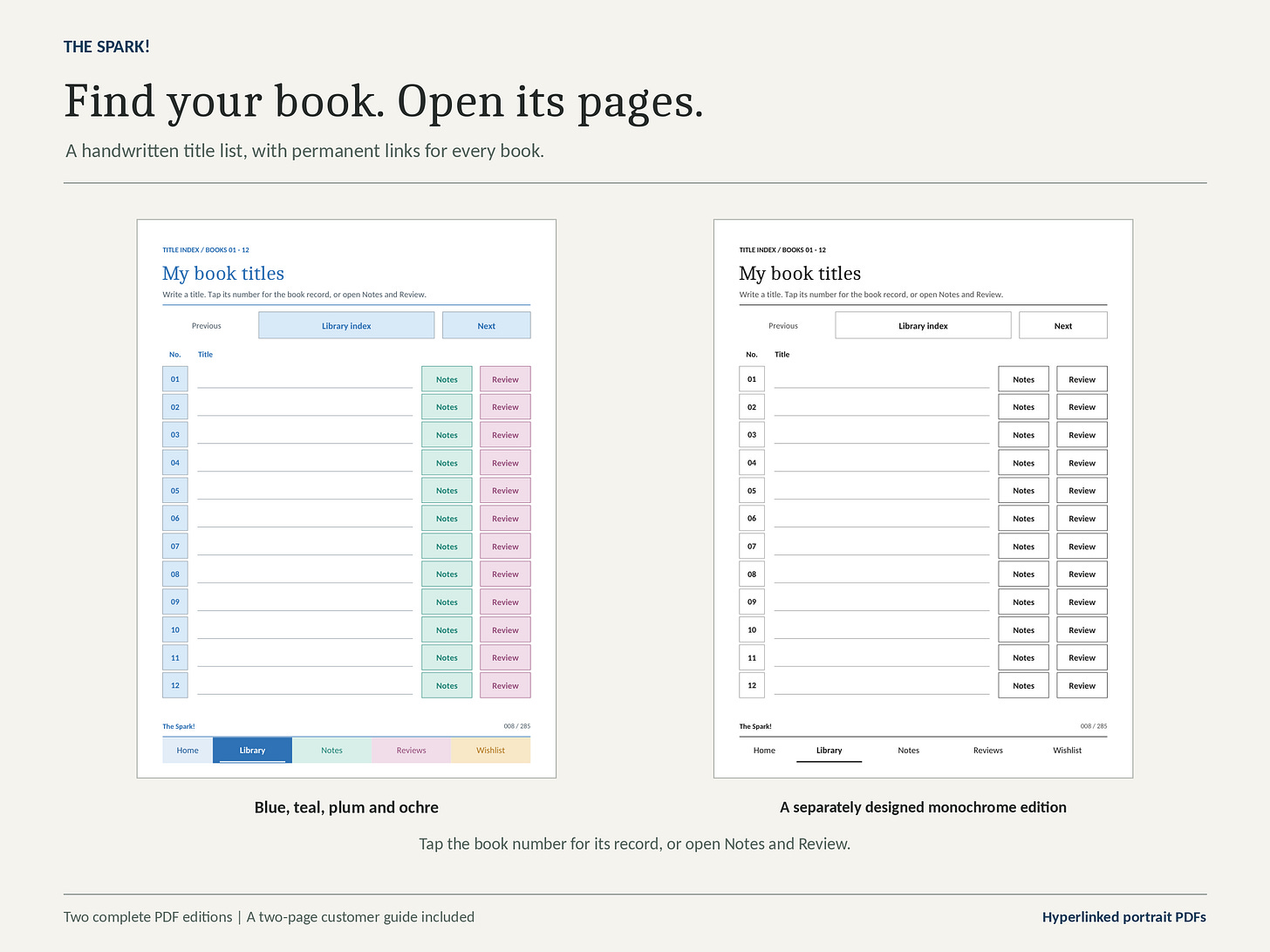 The book title index, shown in both editions. Each numbered entry links directly to its book record, notes and review.
For example, if you’ve recorded a book as number 12, you can jump straight to its details, open the accompanying notes or read the review you’ve written.
You don’t have to spend your time endlessly flicking through pages trying to find something.
The individual book records include space for the title, author, genre, reading dates, rating and reading status. You can keep track of whether you’re currently reading something, have finished it, paused it or decided to stop altogether.
And yes, there’s a difference between pausing a book and abandoning it. Sometimes a book deserves another chance. Sometimes it really doesn’t.
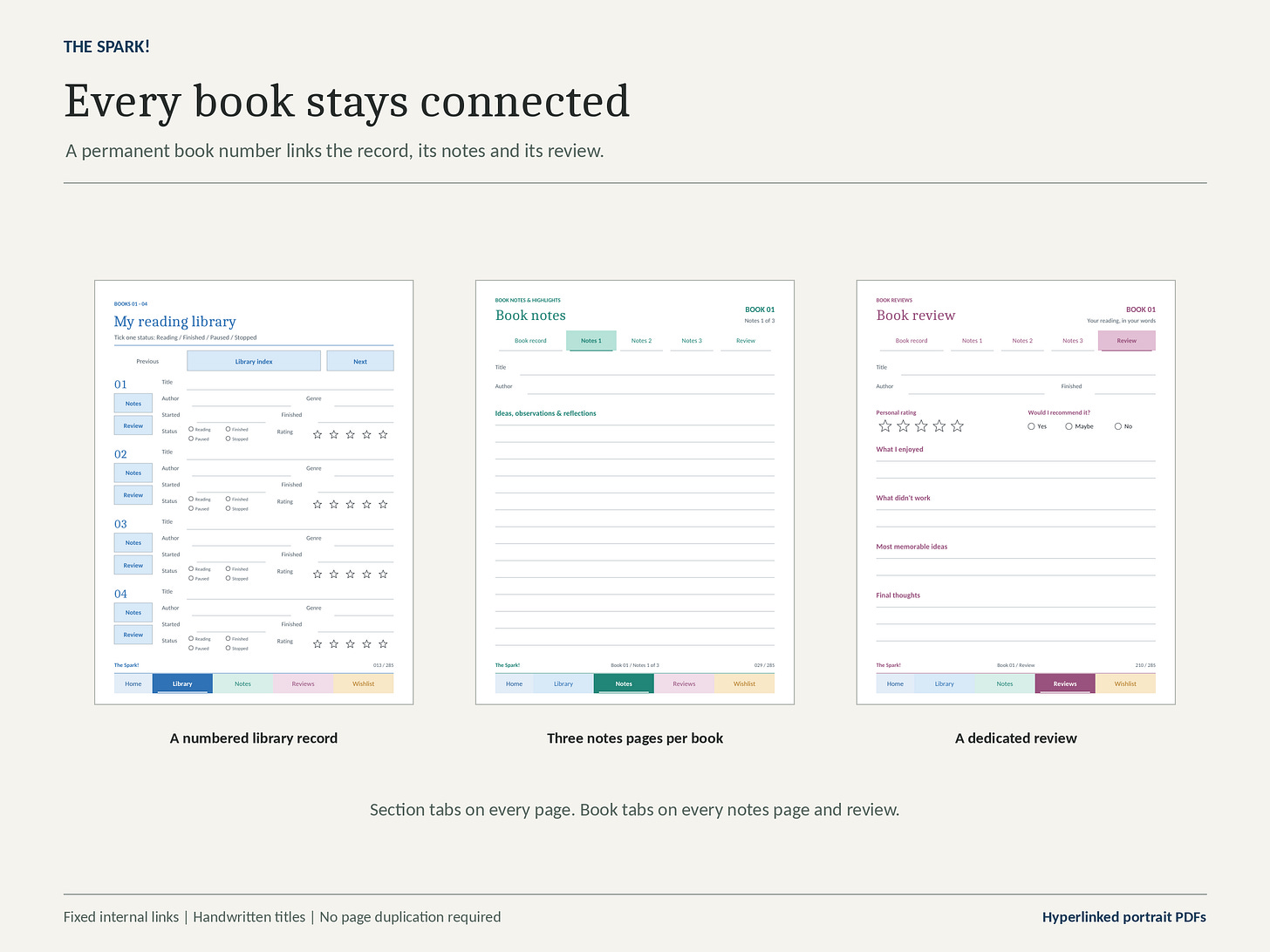 Each numbered book record connects to three notes pages and a dedicated review.
Somewhere for your thoughts
For each of the 60 book entries, I’ve included three pages dedicated to notes, giving you 180 notes pages altogether.
There’s room for general observations, passages you want to remember, reflections and anything else you might want to come back to.
You don’t have to complete every section or follow a particular method. They’re there to help you organise your thoughts, not turn reading into another administrative task.
There’s also a dedicated review page for every book, where you can give it a rating, record what you enjoyed, what didn’t work and whether you’d recommend it to somebody else.
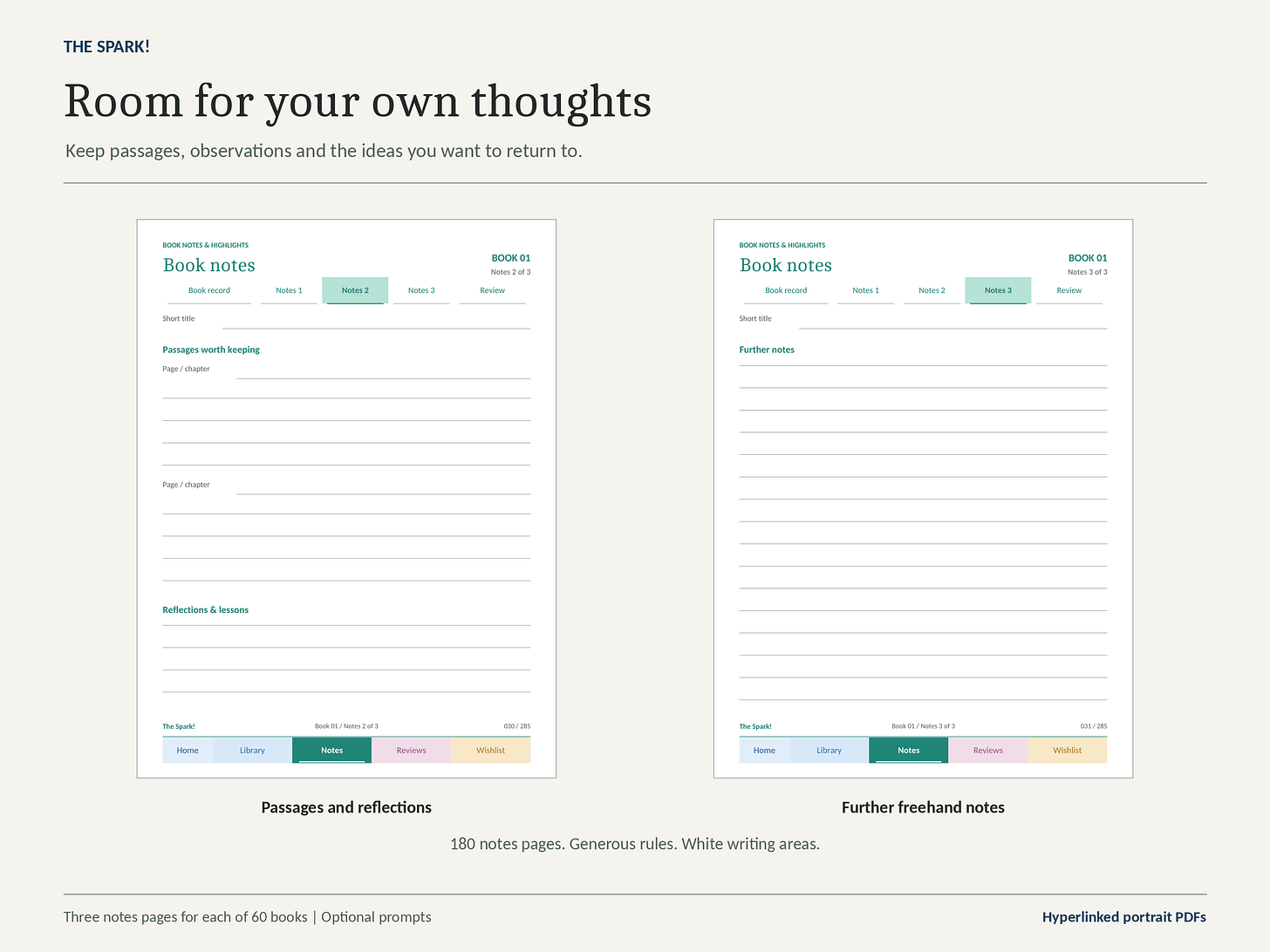 Dedicated space for memorable passages, reflections and further notes.
More than just a list of books
I’ve also included a section for looking at your reading more broadly.
There’s a reading-year overview where you can set a goal, track how many books you’ve finished each month and keep a record of your completed books.
You’ll also find a wish-list containing space for 50 future reads, alongside sections for books you’d like to revisit and reading challenges you might want to tackle.
None of this happens automatically, of course. It’s a PDF, not an application that connects to your Kindle library. You’ll need to fill everything in yourself using the Scribe’s pen.
But for me, that’s part of the appeal.
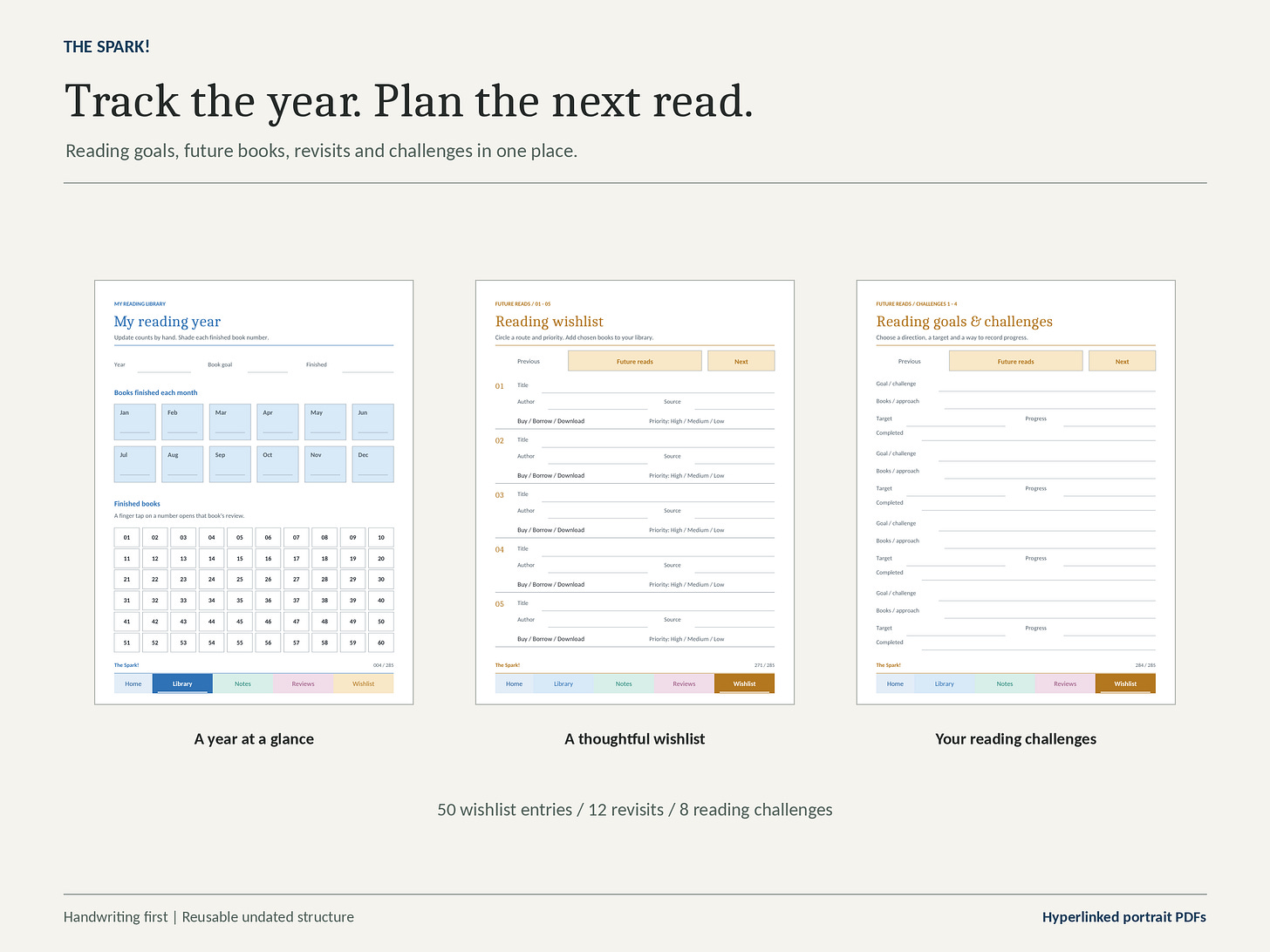 The reading-year overview, wishlist and reading challenges.
Two editions included
I’ve created two versions of the journal.
The colour edition uses blues, greens and other colours to distinguish the different sections, while the black-and-white edition is designed for monochrome displays.
Both have the same 285 pages and functionality, so you’re not missing anything by choosing one over the other.
They’re also undated, so you can start whenever you like rather than having to wait until January.
In the pack that you purchase I’ve also included a user guide explaining how to get the journal onto your Kindle Scribe and navigate its various sections.
Hopefully, the first of many
This is something new for me, and I’m interested to see how it goes.
I’ve spent years reviewing products, pointing out things I’d change and occasionally wondering why manufacturers have made certain decisions.
Now I’ve had the opportunity to put some of my own ideas into practice. It’s a particularly different experience when you’re responsible for the finished product!
I’m hoping this Reading Journal will be the first of several digital products, particularly for people who enjoy using Kindles and other E Ink devices. Speaking of other E Ink tablets, I haven’t tested the journal on all of them, but if the screen size is roughly the same as a Kindle Scribe—11 inches on the newest models—it should work fine, but purchase these at your own risk until I have tested them properly. It also works rather well on an iPad so long as you’re using a programme such as Documents that will enable you to use the tappable sections on the PDF.
But we’ll see what happens. I’m interested in hearing what people think of this first one, what they find useful and what they’d like to see in future products.
Where can you get it?
The Reading Journal is available now through my Buy Me a Coffee page (at least until I get the obligatory Etsy store open!).
I’m offering it at a special introductory price of £9.99, which includes both the colour and monochrome editions, along with the user guide.
Take a look at my Kindle Scribe Reading Journal here.
If you decide to purchase it, thank you! I genuinely appreciate your support, particularly as I venture into something a little different.
And if you have any suggestions for other journals, planners or templates you’d like to see me create, I’d be interested to hear them.
Connect with me: X | Instagram | Threads
Subscribe to my YouTube channels: The Spark | The Weekly Spark
Buy stuff: Affiliate Page